Suggested Follow-Up Questions
Overview
You can configure C3 Generative AI to suggest follow-up queries after an answer is generated. These suggestions are produced using generative AI and are based on similar questions and their respective follow-ups. You can also index some examples of potential questions to use to generate suggestions.
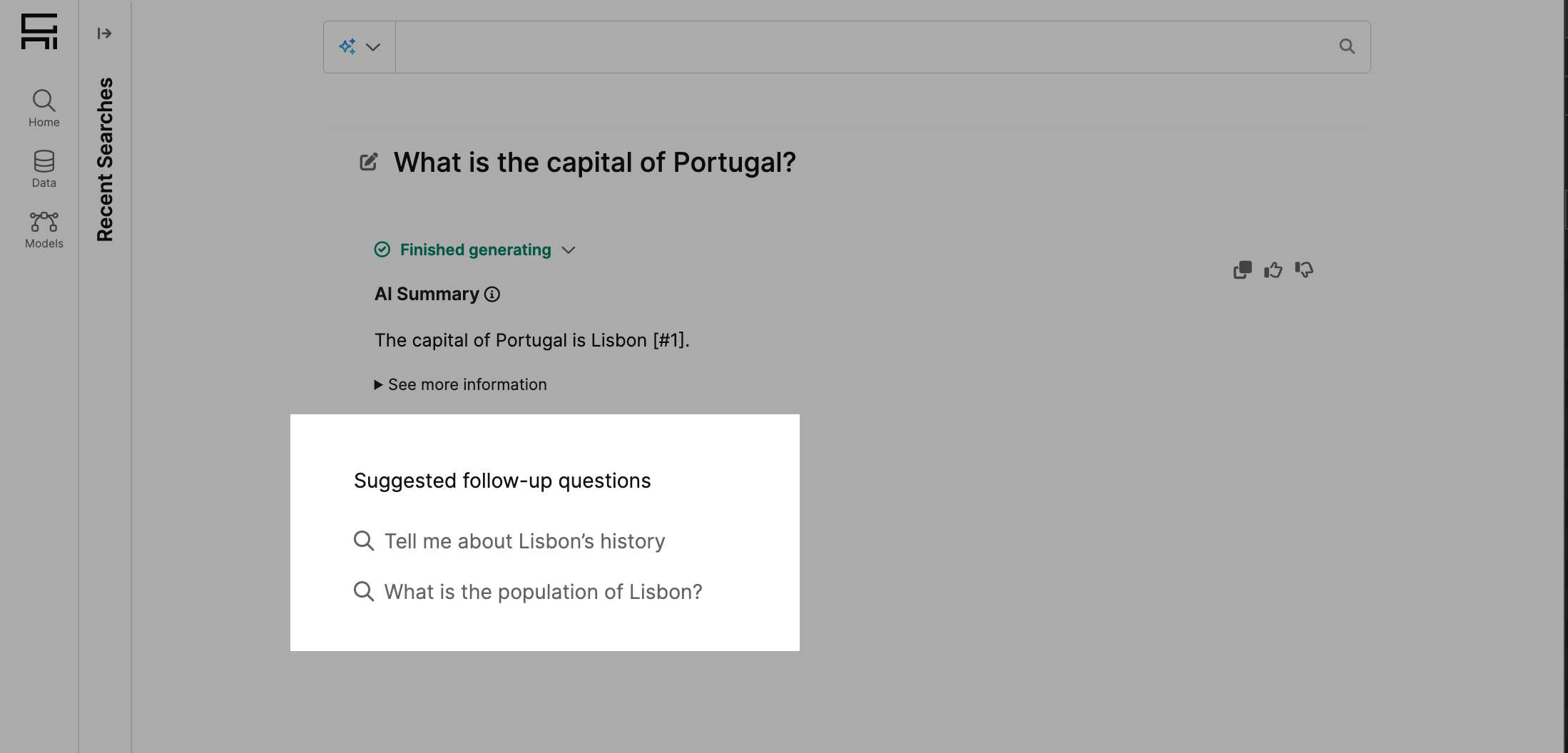
Providing few-shot examples of potential questions
Currently, query suggestions are based on previously indexed examples, and new user interactions aren't automatically ingested. You can add examples of query pairs (initial question and their follow up) to customize query suggestions to your use case.
These examples are represented by the Type Genai.FewShotExample.QueryResultPair. To add new examples, use:
var originalQuery = Genai.Query.Result.make({
  searchQuery: Genai.Query.fromQueryString('What is the capital of France?', Genai.Query.Type.FEW_SHOT_EXAMPLE_QUERY),
  answer: 'The capital of France is Paris',
}).upsert();

var followUpQuery = Genai.Query.Result.make({
  searchQuery: Genai.Query.fromQueryString('What language is spoken there?', Genai.Query.Type.FEW_SHOT_EXAMPLE_QUERY),
  answer: 'French is the language spoken in France',
}).upsert();

// Replace by the appropriate project id
var project = Genai.Project.forId('<projectId>');
Genai.FewShotExample.QueryResultPair.addFewShot(originalQuery, followUpQuery, project);Enabling suggested follow-up questions
To enable suggested follow-up questions, run from the static console:
// Replace by the configuration you are using
var queryOrchestratorConfigName = '<queryOrchestratorConfigName>';
Genai.Agent.Config.forConfigKey(queryOrchestratorConfigName).setConfigValue('enableFollowUpSuggestions', true);

Genai.PyUtil.restartAllEngines(true);
Suggested follow-up questions are only available in the UI when the viewMode is set to feed and when suggestedFollowUpQueriesVisibility is set to full.
GenAiUiConfig.setConfigValue('suggestedFollowUpQueriesVisibility', 'full');Changing configurations
You can change the configuration used for generating suggested queries. The Type that handles this is Genai.SuggestedFollowUpQueriesConfig. We've seeded configurations for the main LLM providers:
followup_queries_gpt4(default)followup_queries_gemini_flash_2_0followup_queries_aws_bedrock_claude_v3_haiku
You can change this configuration with:
// Replace by the configuration you are using
var queryOrchestratorConfigName = '<queryOrchestratorConfigName>';

// Replace by the suggested queries configuration you want to use
var suggestedQueriesConfigName = '<suggestedQueriesConfigName>';
Genai.Agent.Config.forConfigKey(queryOrchestratorConfigName).setConfigValue(
  'suggestedFollowUpQueriesConfigName',
  suggestedQueriesConfigName
);

Genai.PyUtil.restartAllEngines(true);Fine tuning similarity search thresholds
The generation of suggested queries is a two-step process:
- Perform similarity search of the last query asked by the user with the indexed query result pairs.
- Write suggested queries from the results of similarity search.
You can fine-tune the results of similarity search by defining an upper and a lower threshold for the distance between results. The metric used to calculate vector dissimilarity (ranges from 0 to 2) is cosine distance:
minVectorDistance: specifies the minimum vector distance allowed for similarity search. If set to 0, then exact matches are allowed.maxVectorDistance: specifies the maximum vector distance allowed for similarity search. The greater this value is, the higher dissimilarity in queries is allowed. It's recommended to set a lower maxVectorDistance to ensure the retrieved queries are relevant enough to the context.
You can find more information about configuring suggested follow-up questions in Genai.SuggestedFollowUpQueriesConfig.