C3 AI Workflows Configuration Guide
Setting up workflows
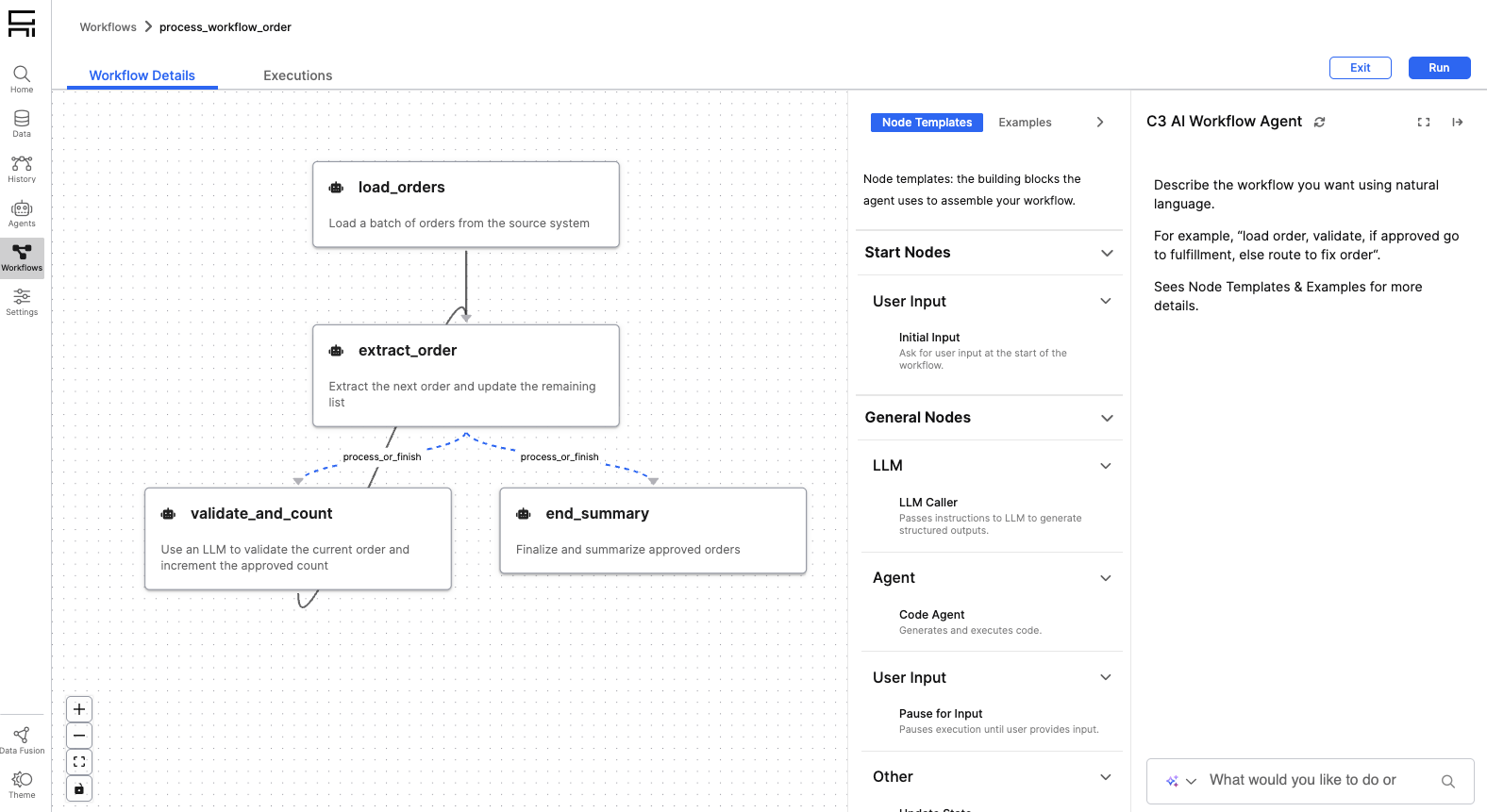
The workflow authoring agent is automatically deployed as part of the Quick Start script. All Genai.Workflow.NodeTemplate instances seeded in the "default_toolkit" Genai.Workflow.NodeTemplateToolkit are available out-of-the-box.
You can view the available node templates directly from the workflows authoring UI by expanding the "Node Templates & Examples" panel.
Adding new node templates
You can add custom node templates to the default toolkit, which will apply to newly created workflows.
Agent node templates
To automatically generate node templates for each new agent deployment, run
Genai.Workflow.Config.setConfigValue('createNodeTemplatesForAgentDeployments', true)When enabled, node templates for deployed agents are dynamically added to a workflow during workflow creation. Note that these templates are not persisted to the default Genai.Workflow.NodeTemplateToolkit.
Authoring custom node templates
To create custom node templates, follow the step-by-step guide in: 02-Making-Custom-NodeTemplates.ipynb
Best practices:
- Avoid creating too many node templates — large template sets can make the workflow authoring prompt overly large and reduce performance.
- If a node template outputs a native Python type, ensure it’s correctly mapped in
Genai.Workflow.Config#nativeToResourceMapso it can be displayed in the UI.
Inputs
Workflows can be defined with either of the following input types:
- No inputs: for example, a workflow that begins with user input or an internet search.
- A single C3 Type input: for example, an alert-processing workflow that takes a single instance of a C3 Type entity such as
Alert.c3typas input.
C3 Type Inputs
All types available through:
Genai.StructuredData.DataModelGraph.forName("default")can be used in workflows.
Testing and scheduling
When testing a workflow from the UI that accepts a C3 Type input, the most recently created entity of that type is passed automatically.
When scheduling a workflow, it will run automatically for newly created entities within the last X minutes, where X is configurable in the UI.
Custom execution
You can execute a workflow that takes an entity as an input programmatically — for example, in an afterUpdate hook — using the following snippet:
input = workflow.getRequiredInputForAsyncAction(obj)
workflow.executeWorkflow(null, input)Example C3 Type input: File inputs
Workflows can be triggered automatically for new files.
To enable this behavior:
- Add the
Genai.SourceFiletype to the list of whitelisted types - Create a new Genai.SourceCollection that points to the file URL.
- Configure a sync schedule for the source collection.
Debugging broken workflows
If a workflow fails, its error message appears in the Workflows UI.
Viewing full execution logs
You can access detailed execution logs — including inputs and outputs for every node — to help diagnose failures:
file = c3.Genai.Workflow.Observability.displayLogEntries(workflowExecution=workflow_execution, saveToLocal=False)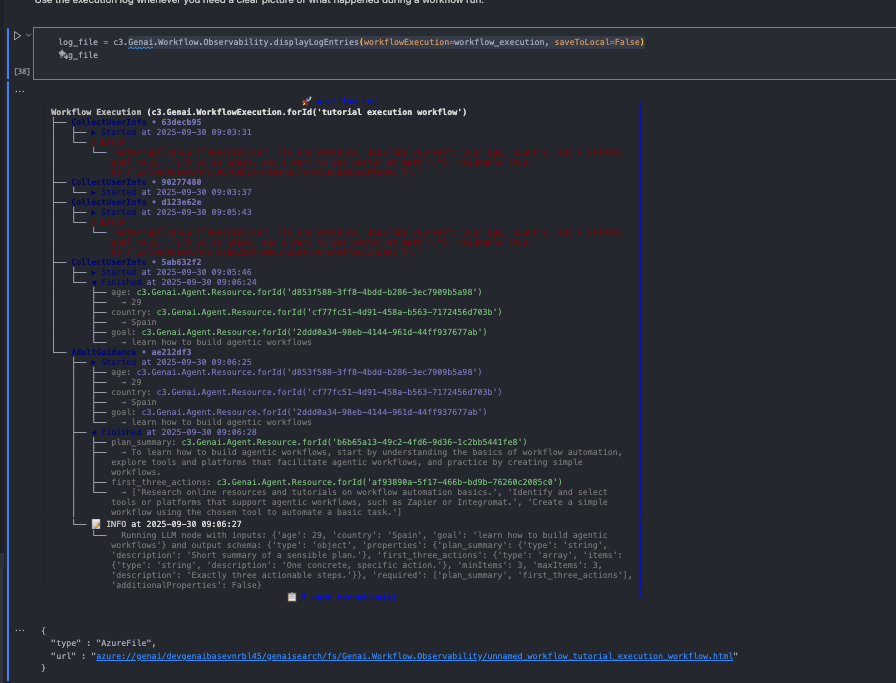
Additional Configuration
Example queries and authoring patterns can be pre-seeded in Genai.Workflow.Config#examples. These examples appear under the "Node Templates & Examples" panel in the Workflows UI to guide end users.