Manage Users
User Management allows administrators to manage users who have access to C3 Generative AI.
Invite Users
Administrators can add users from their organization to C3 Generative AI. To get started, complete the following steps:
Select Add Users: Navigate to Users. Select + on the Users grid to Add Users.
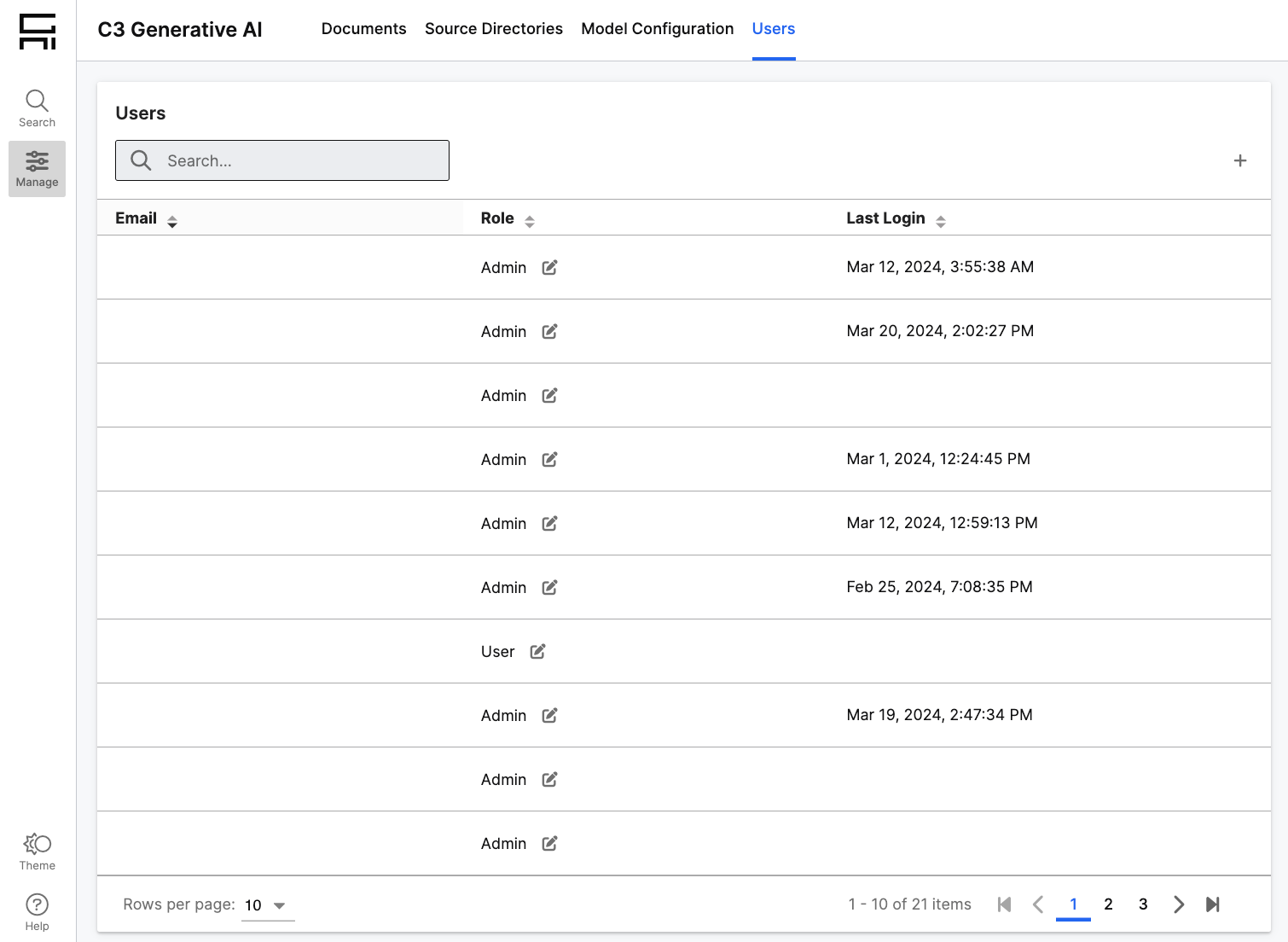
Invite Users via Email: Add users by email address in a comma-separated list. Added users will need to have the same email domain as the administrator to receive an invitation to access C3 Generative AI. Users will receive welcome emails with a link to access C3 Generative AI.
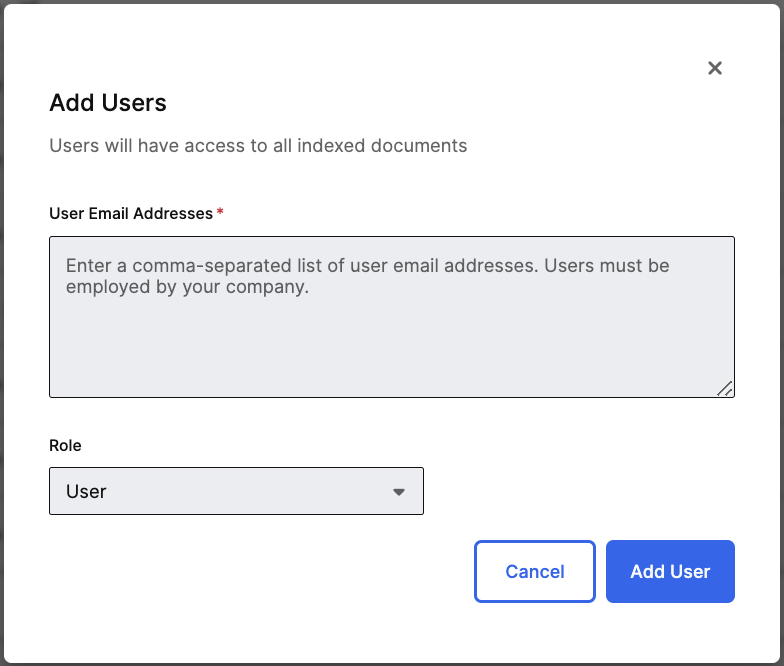
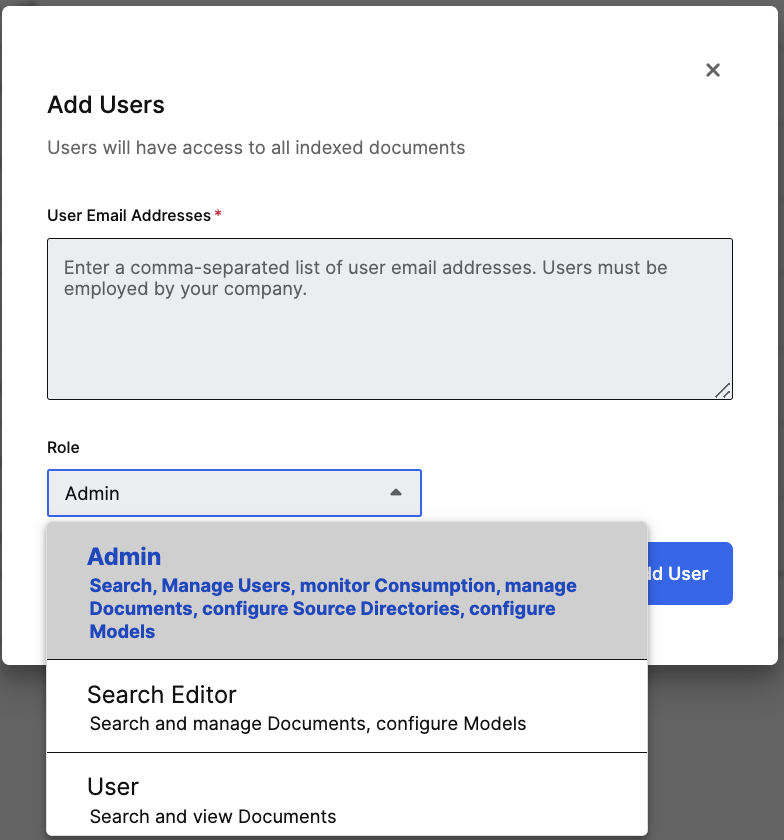
Specify User Roles: When adding users, specify which role they should have. You can use roles to identify what users can access. Users can search and view documents. Search Editors can search, upload documents, add & remove documents from the index, and configure models. Admins have access to all application features. You can also modify a user’s role after granting initial access to the application.
Remove Users
Administrators are able to remove access to C3 Generative AI for users in their organization. To get started, complete the following steps:
Identify Users to Remove: Navigate to the Users grid and hover over a user that you want to remove.
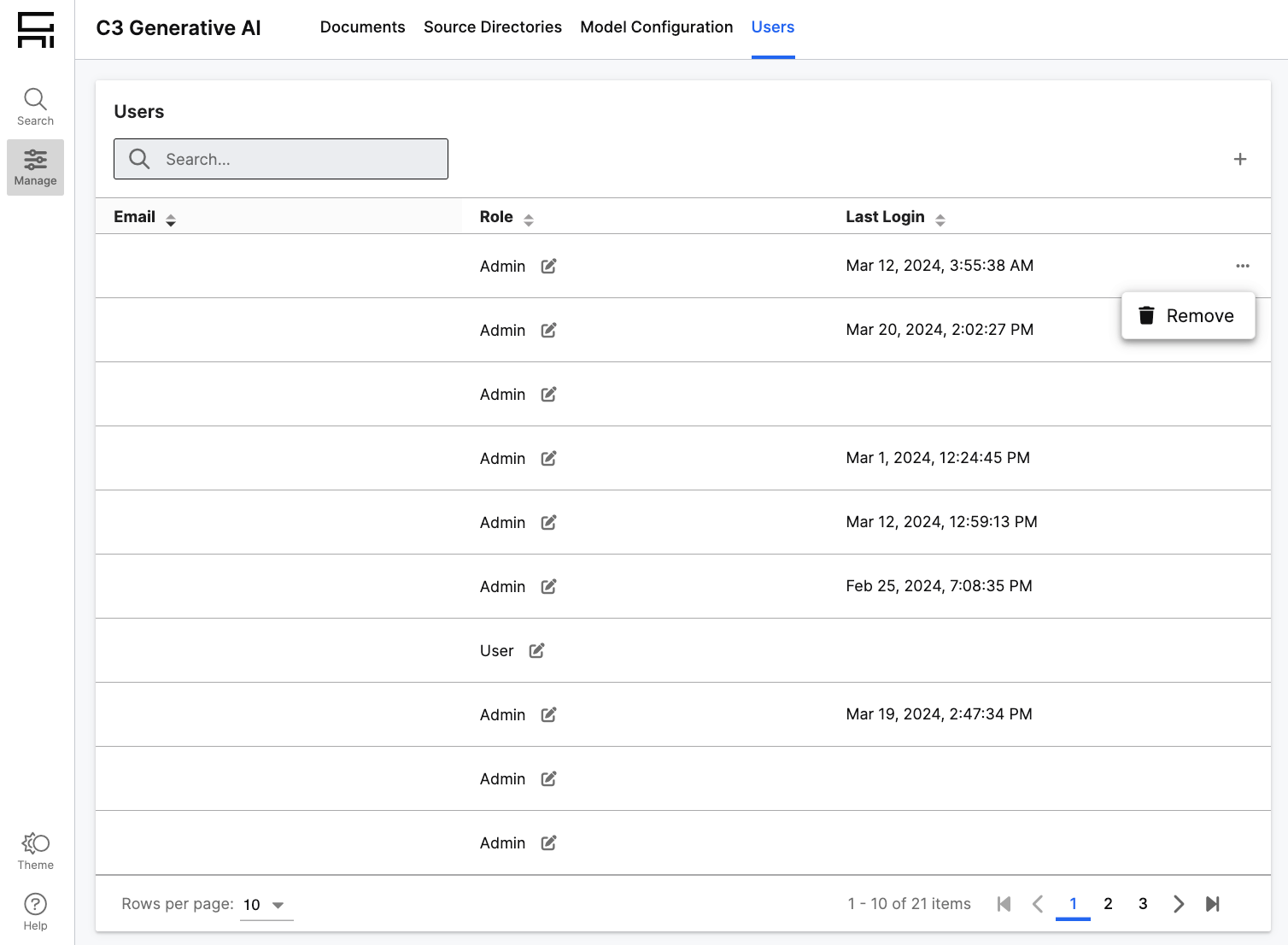
Remove User: Select the breadcrumbs and select Remove User.