C3 Data Lakehouse Table Sharing
This guide provides an overview of how to share tables across applications, define primary keys for managed datasets, and access DataLake tables through the C3 Spark Catalog.
Features:
- Share DataLake Tables Across Applications
- Define Primary Keys on DataLake Table
- Access DataLake Tables Using C3 Spark Catalog
Prerequisites
- Access to a C3 DataLake-enabled application.
- Familiarity with Spark SQL/PySpark and the Apache Iceberg table format.
Share DataLake Tables Across Applications
You can define external catalogs. Access Control List (ACL) is used to manage permissions between applications. When one application (app1) needs to read data stored in another application (app2), you must explicitly grant app1 the appropriate privilege to access DataLake in app2.
The application administrator of app2 needs to create and assign the appropriate role to app1 through C3.app().allowAccess("id of app1", ["role1"]). The role1 is a Role.c3typ, which defines the access that app1 has. The access is granted at the table level and the access is given to an application, not a specific user, which means all users in app1 have the same access to app2. See Role-Based Access Levels for more information.
Role-Based Access Levels
This section outlines the different role‑based access levels in the system, describing the permissions and data capabilities associated with each role.
C3.DisclosureRequestor: Provides the ability to create and list catalogs, as well as list tables within a catalog. This role has limited data access and can read, write, or delete only the specific tables owned by the user and tables that have been granted permission.
C3.DisclosureReviewer: Provides full data access across all tables. This role includes all
DisclosureRequestorpermissions, plus the ability to access all tables and grant table-level permissions to others.C3.Spark: Enables full Spark execution capabilities. This role is required for performing Spark operations, including writing Spark DataFrames to tables.
Define an External Catalog
Specify the source application and catalog to define an external catalog using the following:
- Catalog Name in External Application:
catalogName - Display Name of Catalog in the current application:
name
For example, the following code defines an external catalog named external that references the default catalog in the dataLake application of the c3 environment.
conf = c3.DataLake.Catalog.Config.ExternalApp.builder().appId("local-c3-datalake").catalogName(c3.DataLake.Catalog.DEFAULT_CATALOG).name("external").build()

catalog = c3.DataLake.createCatalog("external", conf)
You can use the external catalog to list, read and write tables in another application.
# There are no tables in the default catalog of current application
c3.DataLake.Catalog.inst().tables()
Example: Retrieve Table Metadata
This code retrieves table metadata for a table (named Measurements) from the catalog and stores it in the variable t.
Input:
t = catalog.table(name='Measurements')
Output:
{
  "type" : "DataLake.Table.Managed.Iceberg",
  "owner" : {
    "id" : "BA"
  },
  "acl" : [ {
    "canUpdate" : true,
    "canRemove" : true,
    "canModifyAcl" : true,
    "member" : {
      "type" : "User",
      "id" : "BA"
    }
  }, {
    "canUpdate" : true,
    "canRemove" : true,
    "canModifyAcl" : true,
    "member" : {
      "type" : "User",
      "id" : "BA"
    },
    "source" : "PrivilegePolicy"
  } ],
  "typeIdent" : "IBG",
  "catalog" : "external",
  "namespace" : "dfl",
  "name" : "Measurements",
  "description" : "Time-series measurements for assets, including power, rotation speed, and temperature.",
  "dataSchema" : {
    "named" : true,
    "fieldTypes" : [ {
      "name" : "t",
      "index" : 0,
      "valueType" : {
        "type" : "StringType",
        "name" : "string"
      }
    }, {
      "name" : "activePower",
      "index" : 1,
      "valueType" : {
        "type" : "DoubleType",
        "name" : "double"
      }
    }, {
      "name" : "generatorRotationSpeed",
      "index" : 2,
      "valueType" : {
        "type" : "DoubleType",
        "name" : "double"
      }
    }, {
      "name" : "gearOilTemperature",
      "index" : 3,
      "valueType" : {
        "type" : "DoubleType",
        "name" : "double"
      }
    }, {
      "name" : "asset",
      "index" : 4,
      "valueType" : {
        "type" : "StringType",
        "name" : "string"
      }
    } ]
  },
  "partitionSpec" : [ ],
  "currentSnapshot" : {
    "type" : "DataLake.Table.Snapshot.Iceberg",
    "snapshotId" : "201558957828989376",
    "dataSchema" : {
      "named" : true,
      "fieldTypes" : [ {
        "name" : "t",
        "index" : 0,
        "valueType" : {
          "type" : "StringType",
          "name" : "string"
        }
      }, {
        "name" : "activePower",
        "index" : 1,
        "valueType" : {
          "type" : "DoubleType",
          "name" : "double"
        }
      }, {
        "name" : "generatorRotationSpeed",
        "index" : 2,
        "valueType" : {
          "type" : "DoubleType",
          "name" : "double"
        }
      }, {
        "name" : "gearOilTemperature",
        "index" : 3,
        "valueType" : {
          "type" : "DoubleType",
          "name" : "double"
        }
      }, {
        "name" : "asset",
        "index" : 4,
        "valueType" : {
          "type" : "StringType",
          "name" : "string"
        }
      } ]
    },
    "created" : "2026-03-06T01:15:26Z",
    "updatedRowCount" : 1000,
    "rowCount" : 1000,
    "dataSize" : 12366,
    "timestampMillis" : 1772759726883,
    "operation" : "overwrite"
  },
  "isDeleted" : false,
  "id" : "5155fec2-463e-4da5-895c-bdd8ebec57f7",
  "meta" : {
    "appCode" : 1856965183537183091,
    "env" : "c3",
    "app" : "datalake",
    "created" : "2026-03-06T01:15:26Z",
    "createdBy" : "BA",
    "updated" : "2026-03-06T01:15:26Z",
    "updatedBy" : "BA",
    "timestamp" : "2026-03-06T01:15:31Z",
    "fetchInclude" : "[]",
    "fetchType" : "DataLake.Table.Managed.Iceberg"
  },
  "version" : 65538,
  "currentMetaFieldsVersion" : 1,
  "tableName" : "c1e21a12_f96c_4455_bb5b_191e53683e16"
}
Example: Read Data from the Table and Return it as a Pandas DataFrame
Input:
t.read_pandas()
Output:
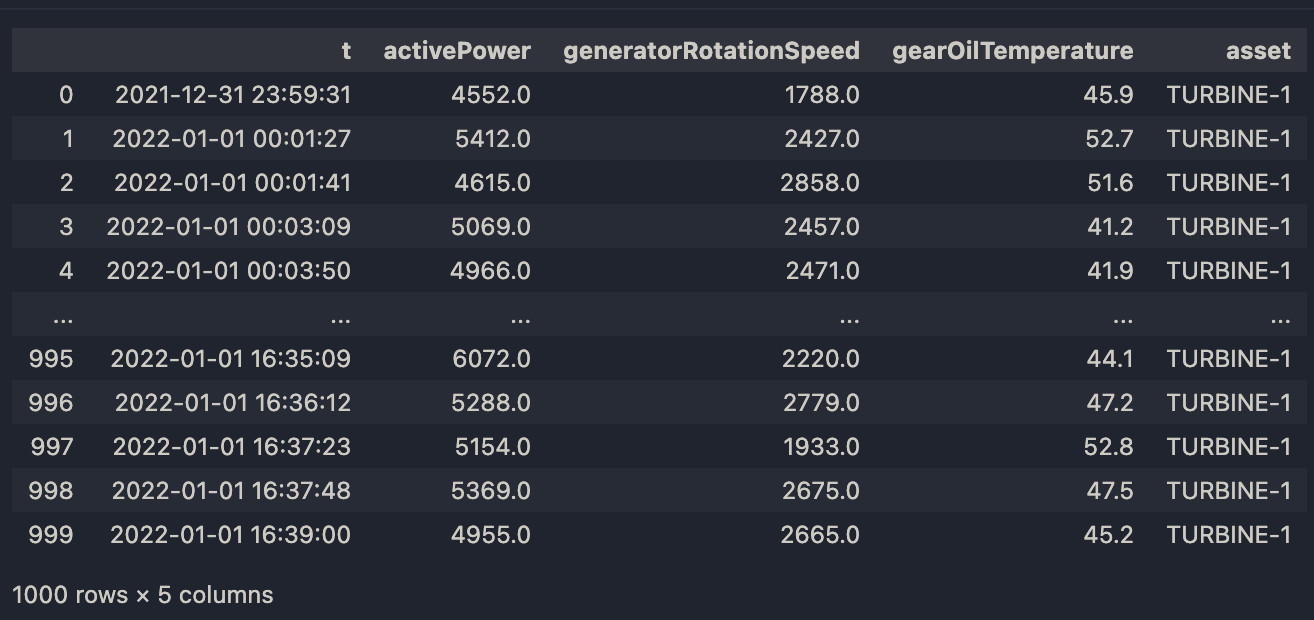 |
| Output for Pandas DataFrame |
Example: Load Table
Input:
ss.load_table(t).head()
Output:
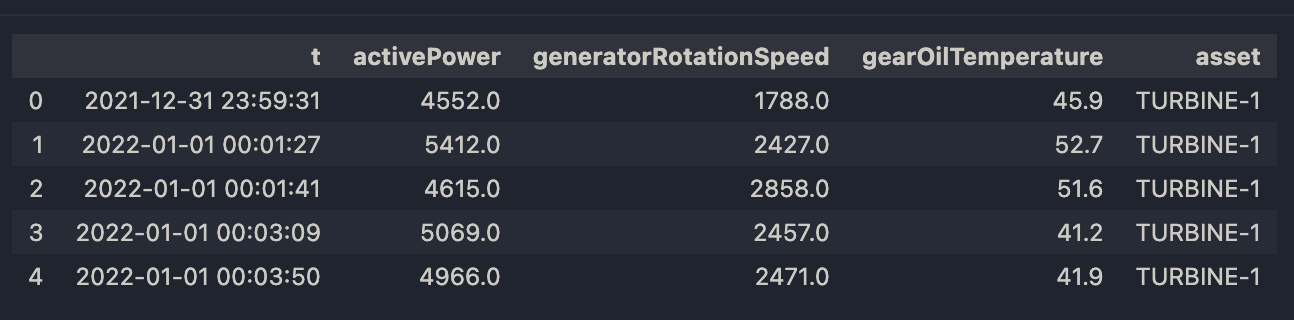 |
| Output for Load Table |
Define Primary Keys On DataLake Table
You can define Primary Keys (PK) on a DataLake table, so that each row has a unique identifier. Two rows are the “same” if the identifier fields are equal. This means that the rows represent the same entity.
Merge mode automatically uses the defined PK if it is defined as the matching condition. This eliminates the need to manually specify matching conditions.
Create a Table with PKs
Pass a list of column names as the primary keys into the create spec when creating the table.
Note Float, double, and optional fields cannot be used as primary keys. A nested field cannot be used as a primary key if it is nested in an optional struct, to avoid null values in identifiers.
Input:
catalog = c3.DataLake.Catalog.inst()

table_name = "tableWithPK"

schema = c3.ValueType.fromString("{t: !datetime, asset: !string, activePower: double, generatorRotationSpeed: double, gearOilTemperature: double}")

spec = c3.DataLake.CreateTableSpec.builder().name(table_name).schema(schema).primaryKeys(["t","asset"]).build()

table = catalog.createTable(spec)
table.primaryKeys Output:
["t","asset"]
Input:
df = ss.read_csv('gcs://c3--datasets/WindTurbine_1000assets_3GB/WindTurbine/CanonicalWindTurbineMeasurement/inbox/measurements-1.csv')
df.write_table(table)
Output:
{
  "type" : "DataLake.Table.Snapshot.Iceberg",
  "snapshotId" : "1018783641062831360",
  "created" : "2026-03-09T22:23:41Z",
  "updatedRowCount" : 518,
  "rowCount" : 518,
  "dataSize" : 7385,
  "timestampMillis" : 1773095021366,
  "operation" : "append"
}
Input:
ss.sql("select * from tableWithPK where asset='TURBINE-2' and t='2020-12-31 23:59:55'")
Output:
 |
| Table Showing Turbine 2 |
Input:
new = [['2020-12-31 23:59:55', 2000.0, 2000.0, 10000.0, 'TURBINE-2']]
df = ss.DataFrame(new, columns=['t', 'activePower',	'generatorRotationSpeed', 'gearOilTemperature',	'asset']).astype({'t': "datetime64[ns]"})
df.write_table(table, mode="merge")
Output:
{
  "type" : "DataLake.Table.Snapshot.Iceberg",
  "snapshotId" : "4096381112832129099",
  "created" : "2026-03-09T22:23:54Z",
  "updatedRowCount" : 518,
  "rowCount" : 518,
  "dataSize" : 317186,
  "timestampMillis" : 1773095034068,
  "operation" : "merge"
}
The table content is updated based on the primary key defined without passing additional information.
Input:
ss.sql("select * from tableWithPK where asset='TURBINE-2' and t='2020-12-31 23:59:55'")
Output:
 |
| Updated Table Showing Turbine 2 |
Access DataLake Tables Using C3 Spark Catalog
C3 provides a unified catalog that enables Spark to access DataLake tables. After a table is shared with an application, Spark can discover and query it through the C3 Spark Catalog. Shared tables follow the identifier format:
catalog.namespace.tableNameUsers can query existing DataLake tables and create new ones directly through SQL. Spark Connect is also supported, allowing direct table access through a Spark Connect session.
Example: Query a Shared Table Using an Identifier in Spark SQL
Input:
# Instead of loading a table through the DataLake API:
table = c3.DataLake.Catalog.inst().table(name='tableWithPK')
ss.load_table(table)


# You can simply query it using its identifier:

ss.sql("select * from tableWithPK").head()
Output:
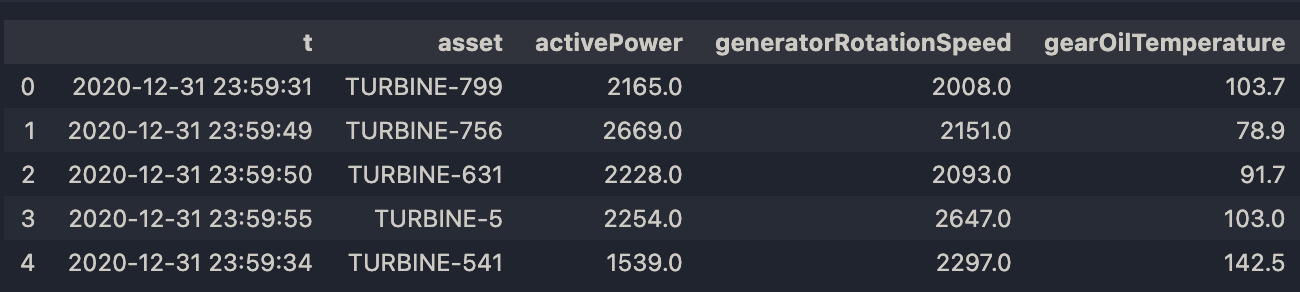 |
| Output for Query Table |
Example: Use Spark Connect API to Query Table through SQL or Spark DataSource
Input:
spark.sql("select * from datasets.dfl.tableWithPK").count()

spark.read.table("datasets.dfl.tableWithPK").count()
Output:
518Example: Create New Table and Populate Table with Query Data
Input:
spark.sql("show tables").show()
Output:
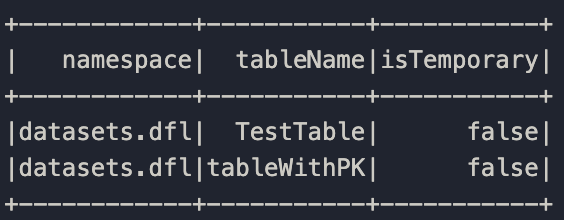 |
| Output for Show Tables |
Create a new table named TestTable using the data from datasets.dfl.tableWithPK and partitions it into 4 buckets based on the asset column.
Input:
spark.sql("CREATE TABLE TestTable PARTITIONED BY (bucket(4, asset)) AS SELECT * FROM datasets.dfl.tableWithPK")
Output:
DataFrame[]
# Means Spark successfully ran your SQL command, but there is no result data to display.
Input:
spark.sql("select * from TestTable").show() Output:
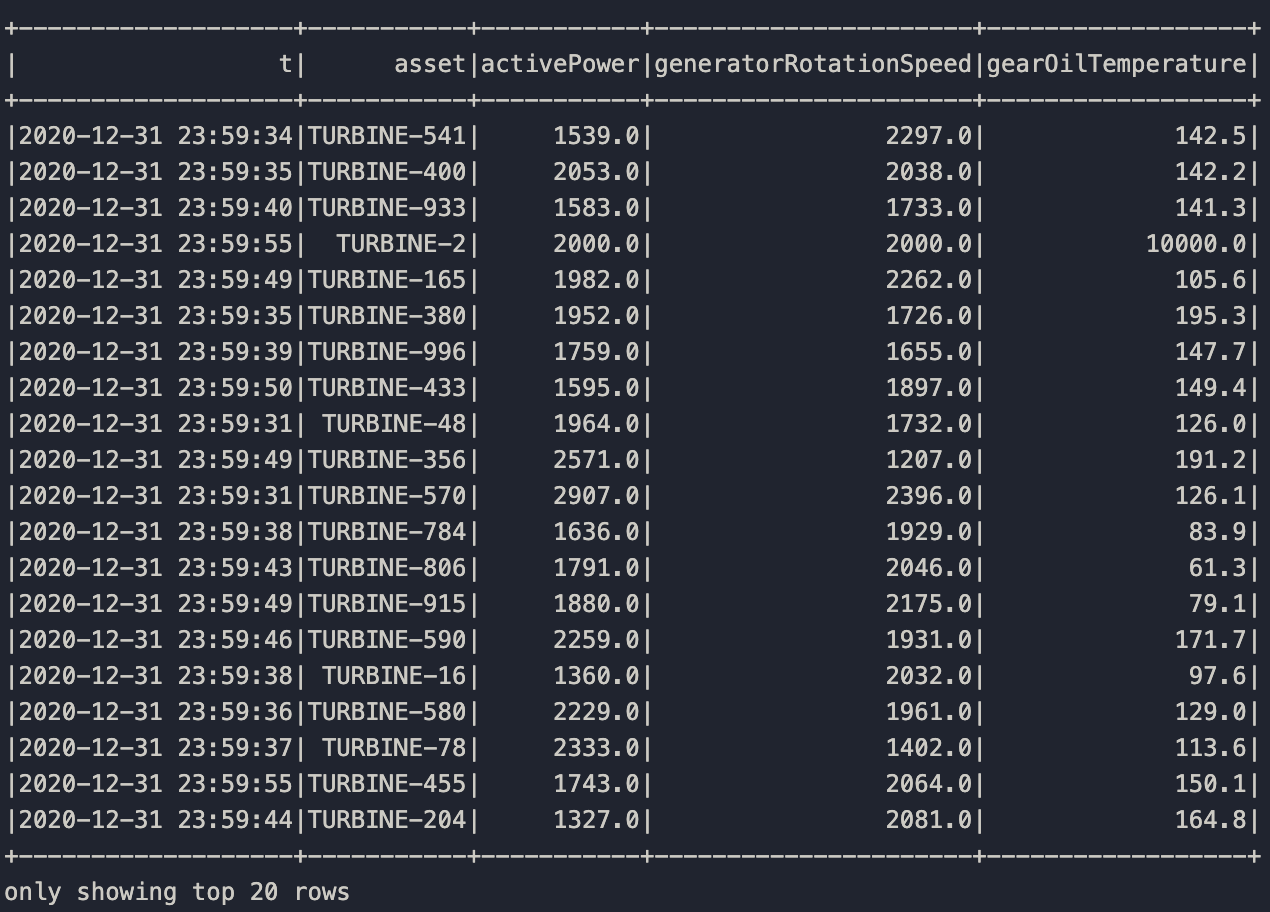 |
| Output for Test Table |