ServiceNow Connector
The C3 Agentic AI Platform has a built-in connector for integrating with ServiceNow databases.
To connect to ServiceNow from your application:
- Add a SqlSourceSystem modeling the ServiceNow source system to your package.
- Configure the JdbcCredentials authorizing the connection to the external ServiceNow table.
- Add a SqlSourceCollection modeling the target ServiceNow table to your package.
- Create an External Type modeling the schema of the external ServiceNow table.
The following sections include detailed instructions for configuring the connection. For more information, see the ServiceNow driver documentation.
Model the source system
Create a SqlSourceSystem and set the name field as the identifier for the external database system.
For example, you can add the following ServiceNowSourceSystem.json to the \metadata\SqlSourceSystem directory of your package:
{
    "name": "ServiceNowSourceSystem"
}Configure the credential used to authorize the JDBC connection
In C3 AI console, create a JdbcCredentials Type instance to configure the connection to the external ServiceNow database.
var credsRaw = {
    "id": "< USER_DEFINED_NAME >",
    "url": "jdbc:servicenow:URL=< SERVER_HOSTNAME >",
    "username": "< DB_USERNAME >",
    "password": "< DB_PASSWORD >",
    "datastore": DatastoreType.SERVICENOW
    }

creds = JdbcCredentials.make(credsRaw)

JdbcStore.forName("ServiceNowSourceSystem").setCredentials(creds, ConfigOverride.APP);
JdbcStore.forName("ServiceNowSourceSystem").setExternal(ConfigOverride.APP);Model the table containing the data
To model the external ServiceNow table in your application, create a SqlSourceCollection and set the following fields:
name: Identifier for the ServiceNow table source: Name of the External Type that models the schema of the external ServiceNow table sourceSystem: Name of the ServiceNow SqlSourceSystem
For example, to model a table called TestDocumentApproval, you can add the following TestDocumentApproval.json to the \metadata\SqlSourceCollection directory of your package:
{
    "name": "TestDocumentApproval",
    "source": "TestDocumentApproval",
    "sourceSystem" : {
      "name" : "ServiceNowSourceSystem"
    }
}Model the table schema
To model the schema of the ServiceNow table in your application, create an External Entity Type with a schema name that matches the internal name of the table in ServiceNow.
Start by adding the following TestDocumentApproval.c3typ file to the \src directory of your package:
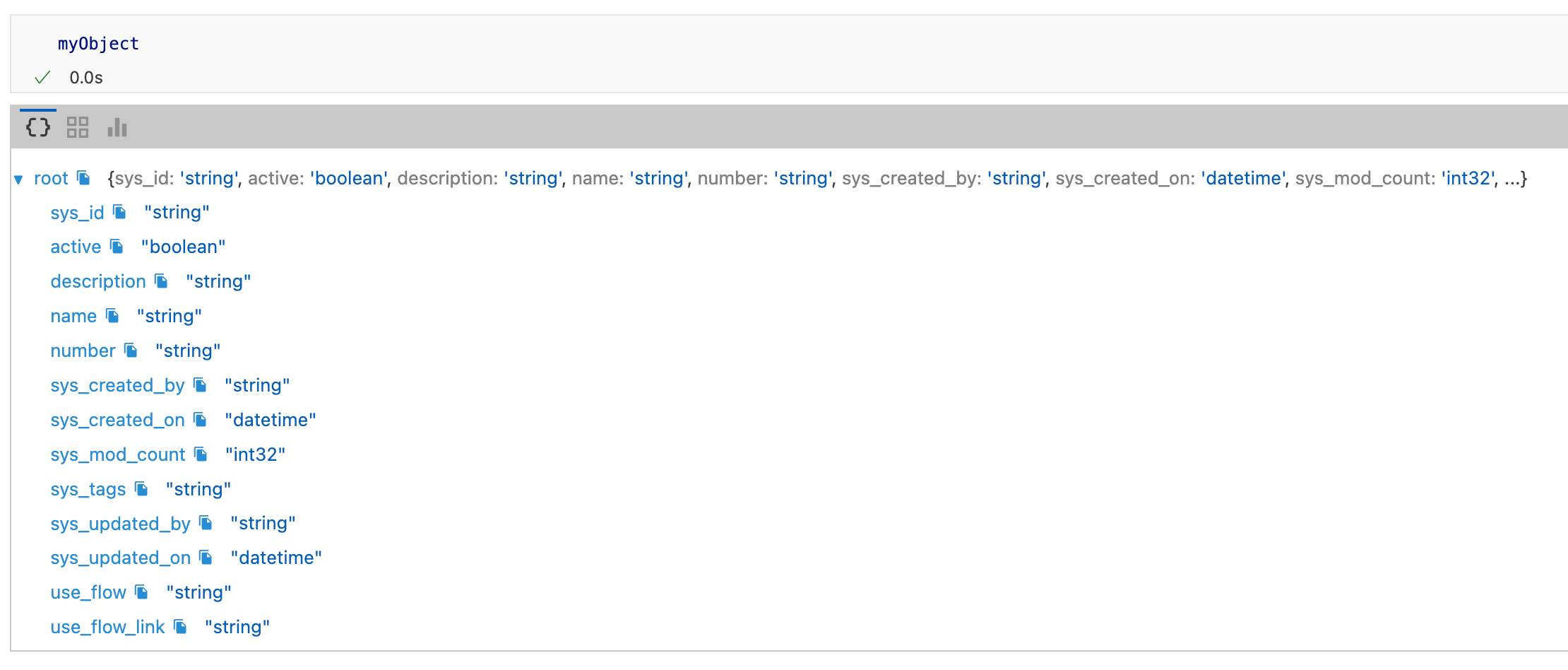
entity type TestDocumentApproval mixes External, NoSystemCols schema name 'x_1385199_c3_test_document_approval_category'You can use the inferSourceType() method to access the table's C3 AI data types, which the platform infers from the source data types.
var schema = SqlSourceCollection.forName("TestDocumentApproval").inferSourceType().declaredFieldTypes;

var myObject = {};
for (let i = 0; i < schema.length; i++) {
        schemaName = schema[i].schemaName;
        myObject[schemaName] = schema[i].valueType.name;
    }
You can access the source data types to validate the type inference:
SqlSourceCollection.forName("TestDocumentApproval").connect().columns;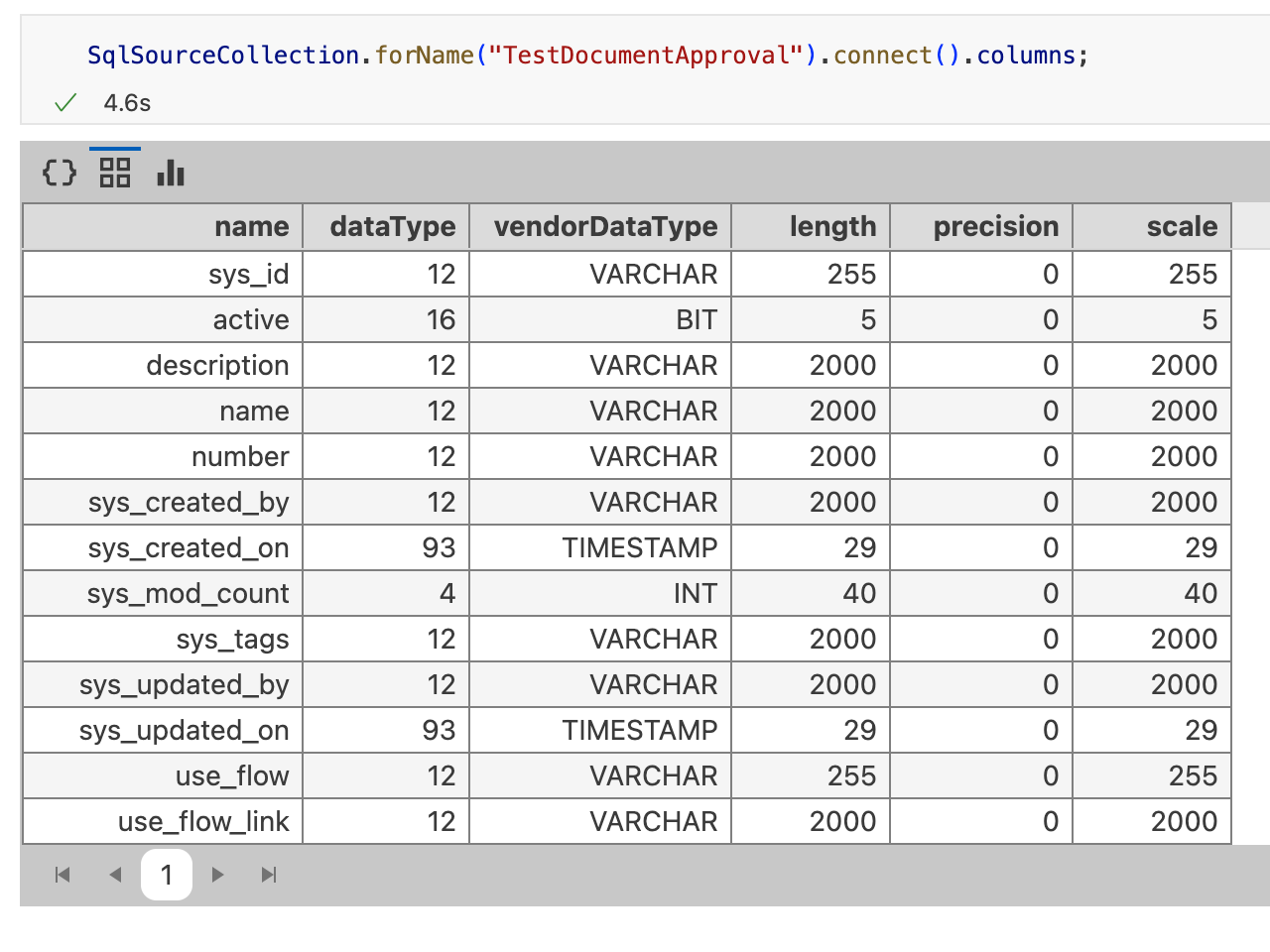
Complete the External Entity Type definition:
entity type TestDocumentApproval mixes External, NoSystemCols schema name 'x_1385199_c3_test_document_approval_category' {

  id:             string schema name 'sys_id'
  active:         boolean schema name 'active'
  description:    string schema name 'description'
  name_:          string schema name 'name'
  number:         string schema name 'number'
  sys_created_by: string schema name 'sys_created_by'
  sys_created_on: datetime no tz schema name 'sys_created_on'
  sys_mod_count:  int32 schema name 'sys_mod_count'
  sys_tags:       string schema name 'sys_tags'
  sys_updated_by: string schema name 'sys_updated_by'
  sys_updated_on: datetime no tz schema name 'sys_updated_on'
  use_flow:       string schema name 'use_flow'
  use_flow_link:  string schema name 'use_flow_link'
}
The id field is required. If your table does not have a column called id, you can change the schema name for the corresponding ID field with the following annotation:
@db(dataTypeOverride="ID_FIELD_DATA_TYPE")
id: ~ schema name "ID_FIELD"Read data from the table
After completing the External Entity Type definition, you can validate the configuration by fetching the External Type data from the ServiceNow table:
c3Grid(TestDocumentApproval.fetch());