Annotations
When defining Types, annotations are used to configure the Types and the fields on them. Think of annotations as objects with properties.
Annotations are defined on the line above the Type, or the field, they apply to.
The main annotations are:
- db
- ts
- CanonicalTransform
- Constraint
- Beta
- Deprecated
/**
 * A single measurement taken from a single SmartBulb
 */
@db(datastore='cassandra',
    partitionKeyField='parent',
    persistenceOrder='start',
    persistDuplicates=false,
    compactType=true,
    shortIdReservationRange=100000)
entity type SmartBulbMeasurement mixes IntervalDataPoint<SmartBulbMeasurementSeries> schema name 'SMRT_BLB_MSRMNT' {
    // The measured number of lumens
    @ts(treatment='rate')
    lumens: double
    // ...
}Db annotation
These annotations are used for database specification. Database annotations have fields that are necessary for all persistence Types, and some that are specific to Cassandra databases.
Fields for all persistence Types:
compactType: Meta can not be persisted if true.shortId: Automatically generated IDs can be short if true.shortIdReservationRange: Ranges of unique IDs to reserve for a Type whenshortIdis true.archive: Objects are archived if true. Archived instances can be restored using Persistable and theunremovemethod.versionHistory: Updates to an object can be recorded in the PersistableversionEditsfield if true
Fields for key-value stores only:
datastore: Indicates where data can be persisted. Currently default ispostgresand options arepostgres,kvcassandra.partitionKeyField: Used in Types that can be partitioned. Parent field objects can be grouped by in persistence. Only filters including the parent field are allowed.persistenceOrder: Order to persist objects grouped by partition key.persistDuplicates: Duplicate rows can be kept if true
Example
A db annotation is added to the SmartBulbMeasurement Type:
datastoreparameter indicates Cassandra can be used as the storage database.partitionKeyFieldis used in Types that can be partitioned – here it is set to the parent field on this Type. This concept is similar to a Primary Key in a relational data store and must be included when querying data stored in Cassandra.persistanceOrderwhich is the order to persist objects grouped by partition key. Here it is set to start.persistDuplicatesis set to false which simply asks what do with duplicate row. In this example it is false, meaning no duplicated rows.compactTypeis set to true, which means that metadata can not be persisted .
/**
 * A single measurement taken from a single SmartBulb.
 */
@db(datastore='cassandra',
    partitionKeyField='parent',
    persistenceOrder='start',
    persistDuplicates=false,
    compactType=true)
entity type SmartBulbMeasurement mixes IntervalDataPoint<SmartBulbMeasurementSeries> schema name 'SMRT_BLB_MSRMNT' {
    // ...
}Order field
db annotations can be applied to fields by defining the annotation directly above a field as seen in the code snippet below. order as an annotation is used for ordering values returned in a foreign-key array field.
The SmartBulb Type uses a database annotation for the bulbPredictions field. The order of the values is set to be dictated by descending timestamp value. descending is a valid ordering because timestamp is a field on the SmartBulbPrediction Type.
Note: It is possible to order by any of the fields on a Type.
/**
 * A bulb capable of storing power consumption, light output, location, and more.
 */
entity type SmartBulb extends LightBulb type key 'SMRT_BLB' {
    // This bulb's historical predictions
    @db(order='descending(timestamp)')
    bulbPredictions:[SmartBulbPrediction](smartBulb)
}Index field
Developers may find a need to add an index annotation to create another way to organize objects or fields of an object. In the example below, it can be efficient to add an index on smartBulb and timestamp together, since the foreign-key operation can filter the foreign table based on the smartBulb and then order results by timestamp.
@db(index=["smartBulb, timestamp"])
type SmartBulbPrediction {
    smartBulb: SmartBulb
    // ...
}Filter field
The filter expression can be used to restrict values returned in a foreign-key field, and can support comparison and arithmetic operators.
/**
 * A bulb capable of storing power consumption, light output, location, and more.
 */
entity type SmartBulb extends LightBulb type key 'SMRT_BLB' {
    // This bulb's historical predictions
    @db(filter='prediction > 0.5')
    bulbPredictions:[SmartBulbPrediction](smartBulb)
    // ...
}TimedValueHistory field
The timedValueHistoryField db annotation is used to maintain the latest value of a field. The annotation specifies that the gridStatus field can be populated by the most recent instance of the gridStatusSet field. This is possible because the gridStatusSet has a value Type that mixes in TimedValueHistory, which keeps a timed history of data uploaded. There are two key concepts:
- You can consider the PowerGridStatusSet Type as a "history Type", because that it mixes-in TimedValueHistory (not shown). It is necessary for the "history Type" to mix-in TimedValueHistory such that a data history can be maintained and updated. This means that the
gridStatusSetfield can be considered as a "history field" because it is a collection of "history Type" objects. - Whenever the "history field" is updated with a new instance of a "history Type" (that is, the latest value of the field changes), that new instance can be automatically become the value of the
gridStatusfield because of the specified annotation.
/**
 * Apartment.c3typ
 * A single building containing many Apartment's
 */
entity type Building mixes FeatureEvaluatable schema name 'BLDNG' {
    // The collection of statuses relevant to this building
    gridStatusSet: [PowerGridStatusSet](parent)

    // The current status of the power grid for this building
    @db(timedValueHistoryField='gridStatusSet')
    gridStatus: PowerGridStatus

    // ...
}
gridStatus has eventually consistent behavior. The computed value may not always reflect the current state based on the most recent entry in gridStatusSet, depending on when the query is made. Factors that affect stored calc computation (such as disableAsyncProcessing in UpsertSpec or full task nodepool utilization) will also delay updates to gridStatus.
Length field
The length annotation is used to specify the maximum length for a string field. No maximum length is enforced when set to -1. The default length is 512 characters for a persisted string primitive Type if no length annotation is specified.
/**
 * Document.c3typ
 */
entity type Document schema name 'DOC' {
    @db(length=10000)
    description: string
    // ...
}Ts annotation
The ts annotations are used to specify how timeseries data should be treated during normalization.
Normalization can happen on any Type that mixes:
When mixing in IntervalDataPoint and TimedDataPoint to model timeseries, add @ts annotation on each numerical field to specify a desired treatment to be applied on the data during normalization using the following syntax: @ts(treatment = "STRING")
You can also specify a treatmentPath if the treatment varies by instance, which can determine the treatment to be applied to the timeseries field.
The options for the STRING field are the following:
- AVG
- MIN
- MAX
- PREVIOUS
- LATEST
- AND
- OR
- SUM
- COUNT
- ROLLINGCOUNT
Example
The fields on the SmartBulbMeasurement Type indicate the treatments to use for normalizing the data associated with those fields.
For instance, looking at the temperature field, the timeseries annotation states that when the normalization process happens, the treatment to be applied should be an averaging aggregation. This means the value of the temperature field for a SmartBulbMeasurement object can be the average of all the temperature data for that object.
entity type SmartBulbMeasurement mixes IntervalDataPoint<SmartBulbMeasurementSeries> schema name 'SMRT_BLB_MSRMNT' {
    // The measured number of lumens
    @ts(treatment='avg')
    lumens: double

    // The measured power consumption
    @ts(treatment='avg')
    power: double

    // The measured temperature
    @ts(treatment='avg')
    temperature: double

    // The measured voltage
    @ts(treatment='avg')
    voltage: double

    // The status of the smart bulb (on or off)
    @ts(treatment='previous')
    status: int
}Canonical transform annotation
The canonicalTransform annotation configures Types that are defining canonical transforms. A number of fields can be defined with it:
- condition: Filter condition specified on the transform Type to filter records before applying transformations. This filtering can be done using comparator and arithmetic operators, and also Expression Engine Functions
@canonicalTransform(condition='exists(SN)')
type TransformCanonicalSmartBulbToSmartBulb mixes SmartBulb transforms CanonicalSmartBulb
The condition field can also be used to apply different transform logic based on record attributes:
@canonicalTransform(condition='bulbType == "SMART"')
type TransformCanonicalLightBulbToSmartBulb mixes SmartBulb transforms CanonicalLightBulb@canonicalTransform(condition='bulbType != "SMART"')
type TransformCanonicalLightBulbToLightBulb mixes LightBulb transforms CanonicalLightBulbConstraint annotation
Constraint annotations are used to enforce constraints on a field or function. For example, if a field is required or not.
Some of these are explicitly specified using the constraint annotation and some are implicitly created from DSL syntax. For example, including an exclamation point in a field declaration is the same as adding a @constraint(required=true) annotation above a field.
entity type SmartBulbMeasurement mixes IntervalDataPoint<SmartBulbMeasurementSeries> schema name 'SMRT_BLB_MSRMNT' {
    // The status of the smart bulb (on of off)
    @constraint(required=true)
    status: !int
}Beta annotation
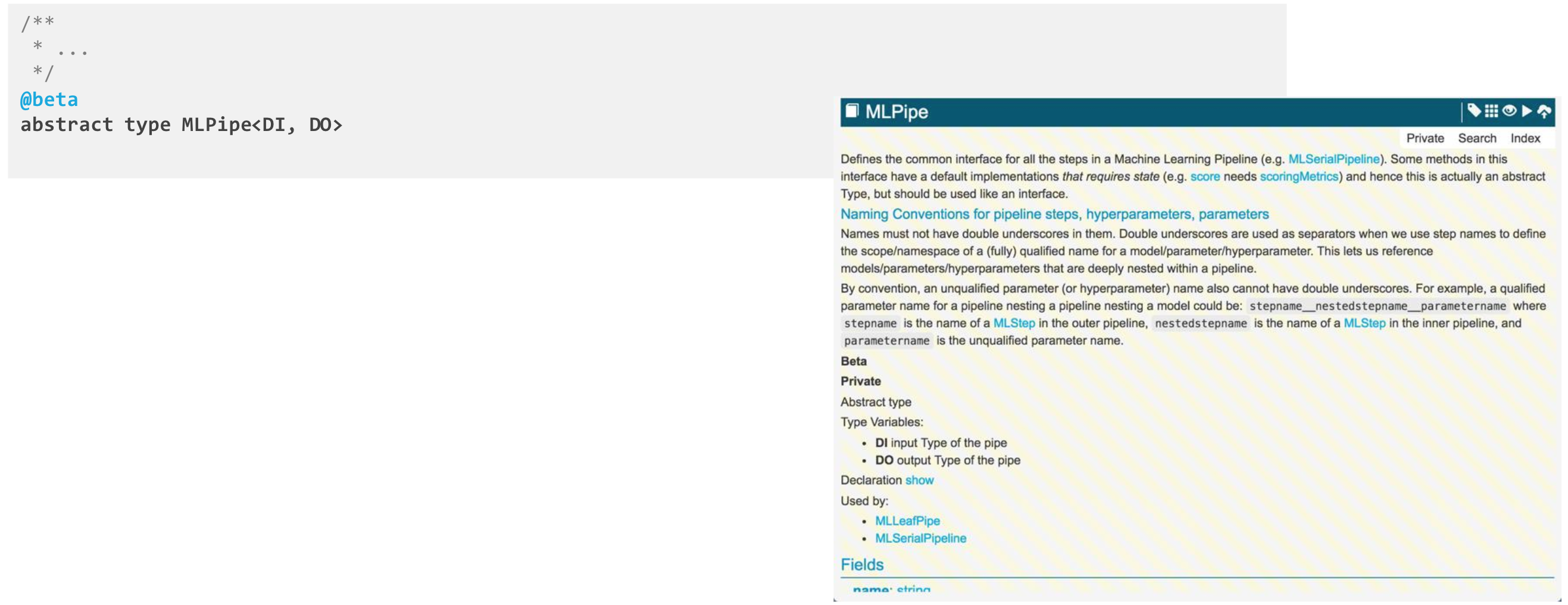
Beta annotations are simple annotations that indicate that the API is still in development. After deploying, the documentation for this Type can look different to indicate that it is in beta.
Deprecated annotation
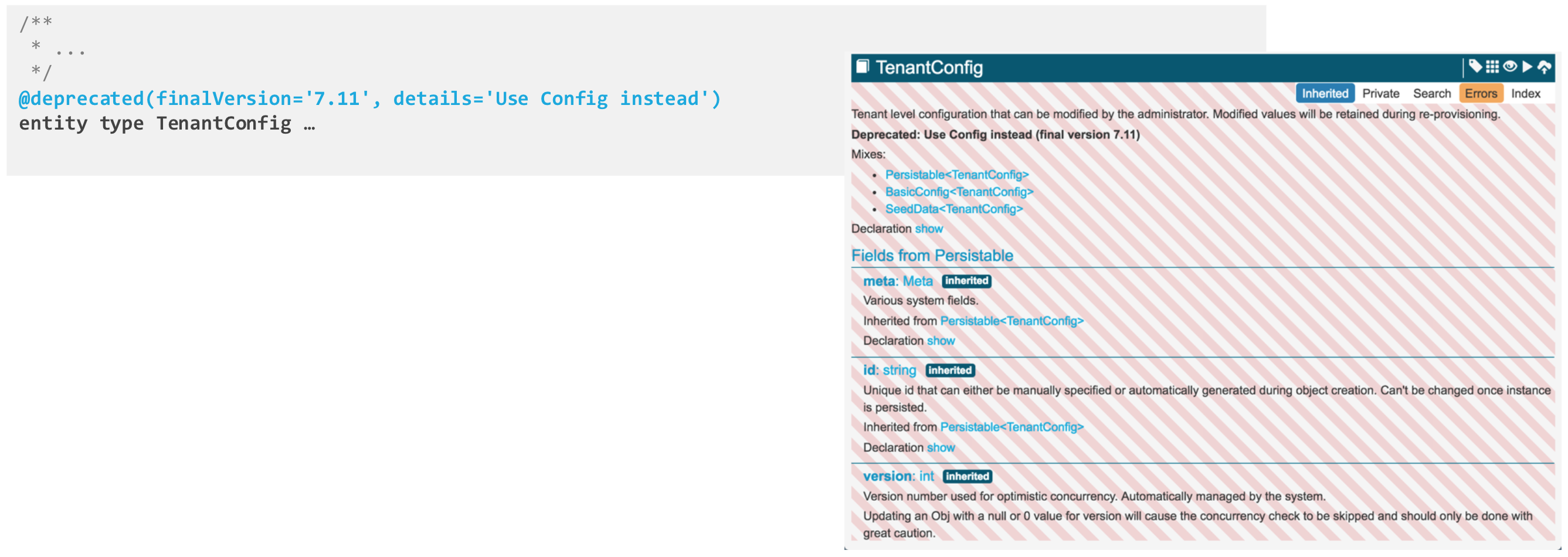
The deprecated annotation indicates that Type or field is being deprecated.
finalVersion: corresponds to the version after which this Type or field can cease to exist.details: is a string to display, typically with a message about what to use instead or how to remove usage after the Type or field has deprecated.