Create a Custom Runtime with Native Python Packages
You can create custom a runtime using native Python packages. You might want to create a custom runtime to define your own libraries and versions, specify configurations or optimizations, or integrate with C3 AI workflows.
There are two ways you can create custom a runtime using native Python packages:
- Use conda. C3 AI recommends this method, because it is easier to manage dependencies and versions.
- Create a .whl file.
Conda packages are operating system and architecture dependent, so build packages on linux-64 to support the C3 Agentic AI Platform.
Create a custom runtime with native Python conda packages
Here is an example of how to create a custom runtime using a C3 AI package called projecta and a native Python package called projecta.
Create a local conda channel that contains the native Python package
projecta. See the conda-build documentation.Store the local conda channel that contains the native Python package
projectainside the C3 AI packageprojectain theresourcefolder.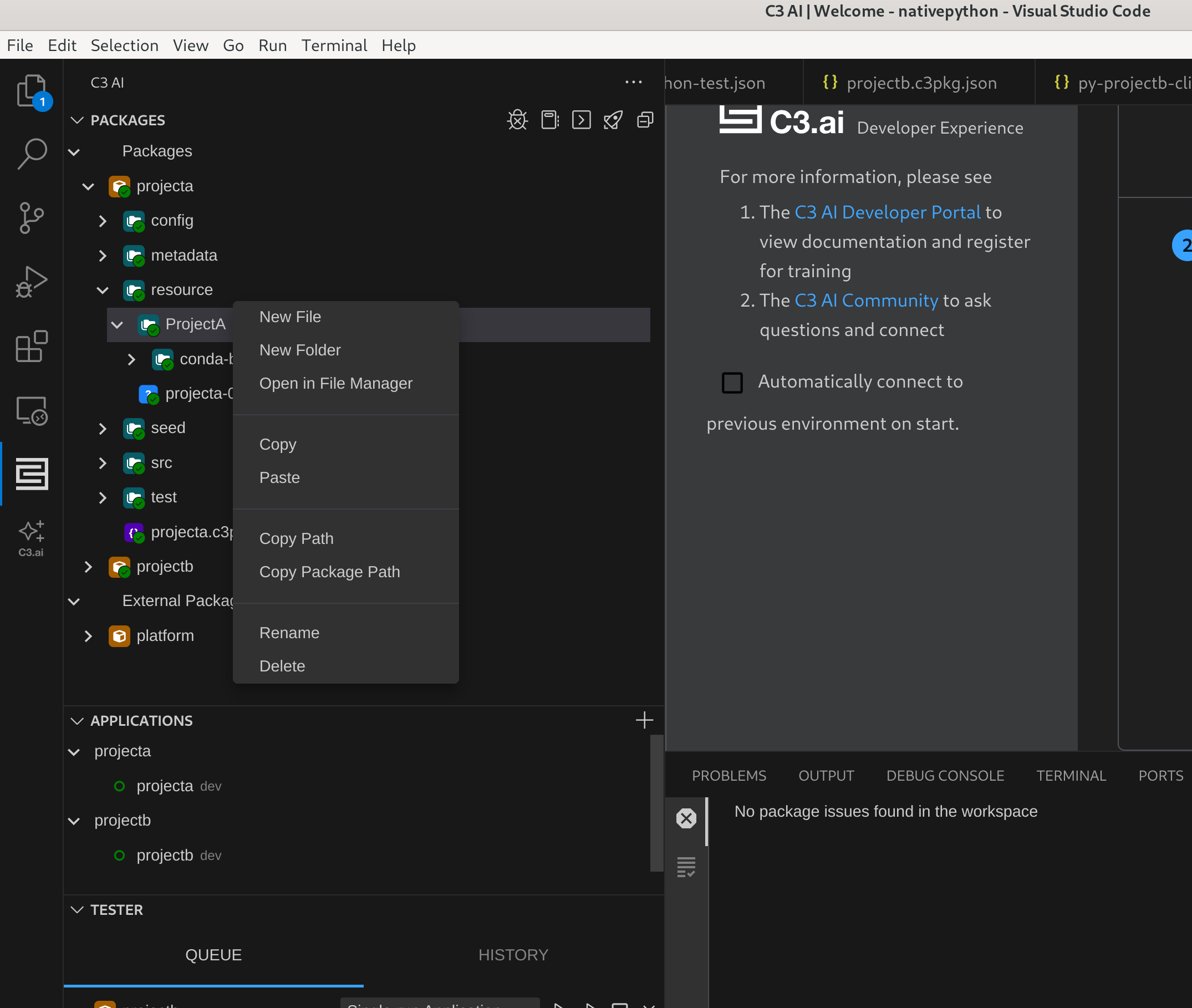
Use the package path of the local conda channel to create a custom runtime called
py-projectain the Jupyter runtime management UI.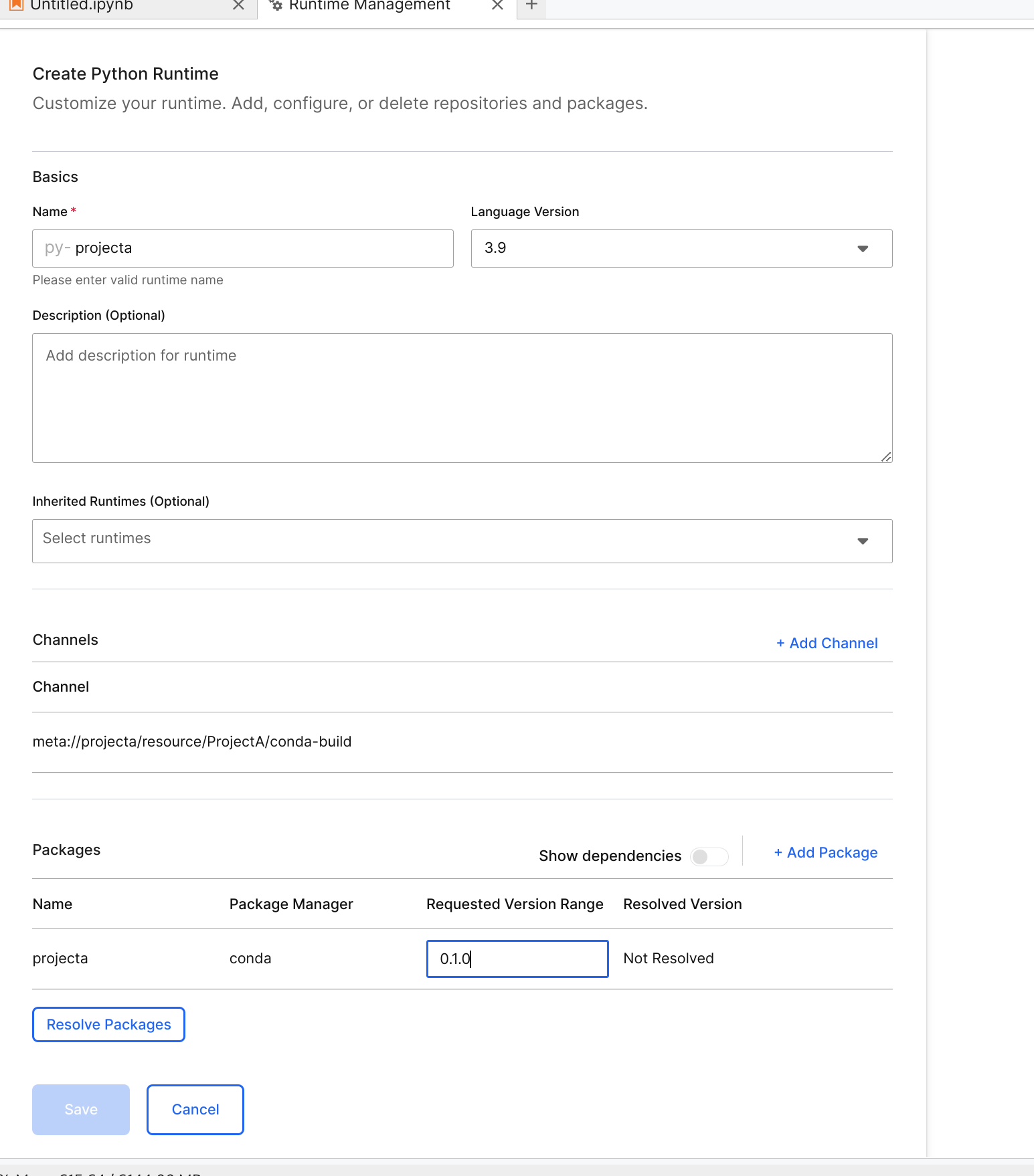
The custom runtime
py-projectanow contains the native Python packageprojecta.Save the runtime.
Create a custom runtime with native Python conda package that depends on another package
Suppose you have a C3 AI package called projectb and a native Python package called projectb. The native Python package projectb depends on the native Python package projecta. The C3 AI package projectb depends on the native Python package projecta.
Here is an example of how to create a custom runtime:
Prepare a C3 AI package .json file with a
projectadependency:JSON{ "author": "John.Doe@c3.ai", "name": "projectb", "version": "0.1.0", "dependencies": { "projecta" : "0.1.0" }, "description": "Contains native python code for projectb" }Use the local conda channel that contains native Python package
projectbto create a custom runtime for the C3 AI packageprojectb.The C3 AI package
projectbnow contains the native Python packageprojectb.Store the local conda channel that contains the native Python package
projectbinside the C3 AI packageprojectbin theresourcefolder.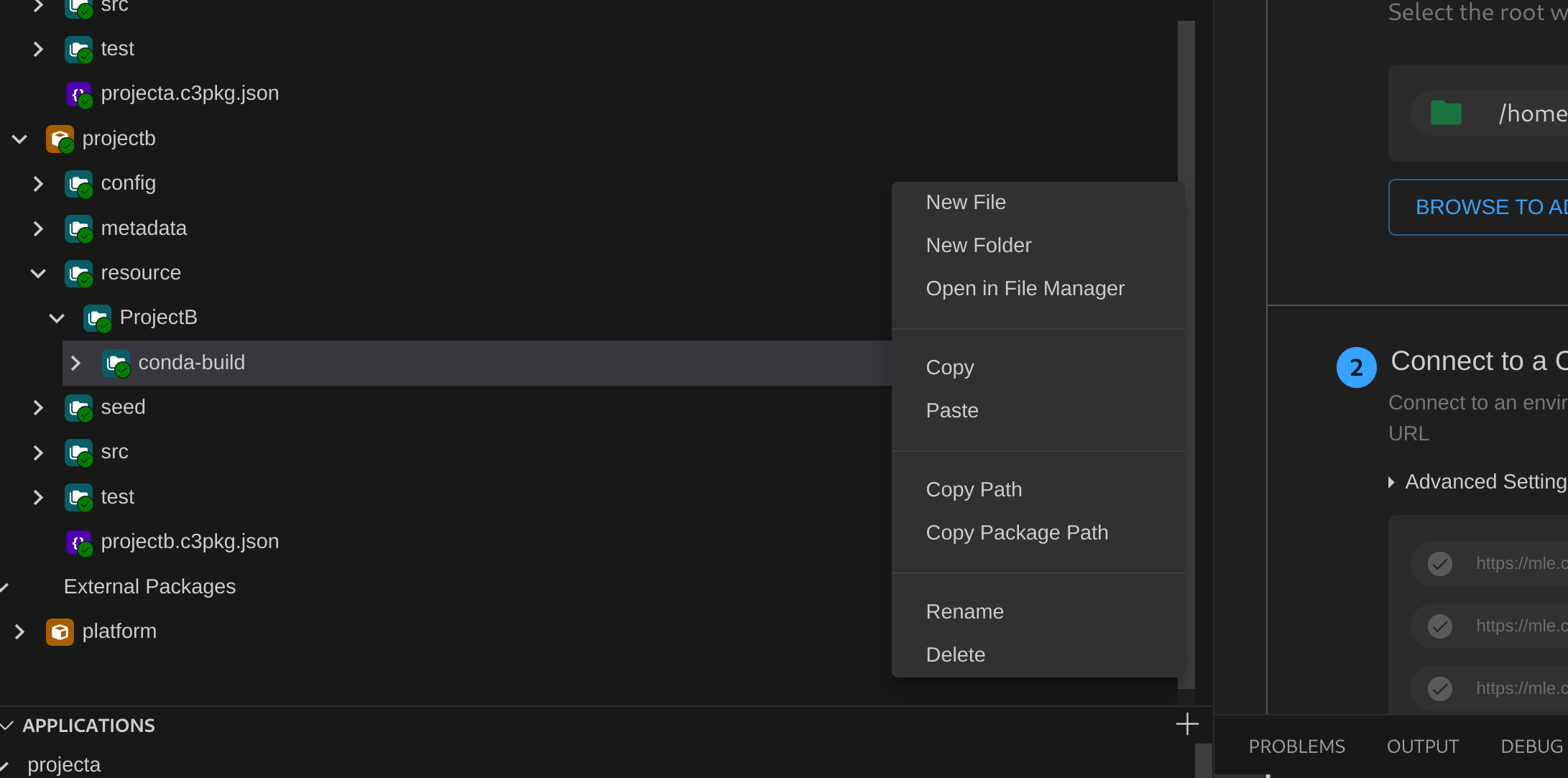
Use the local conda channel to create a custom runtime called
py-projectbin the Jupyter runtime management UI.py-projectais the parent runtime.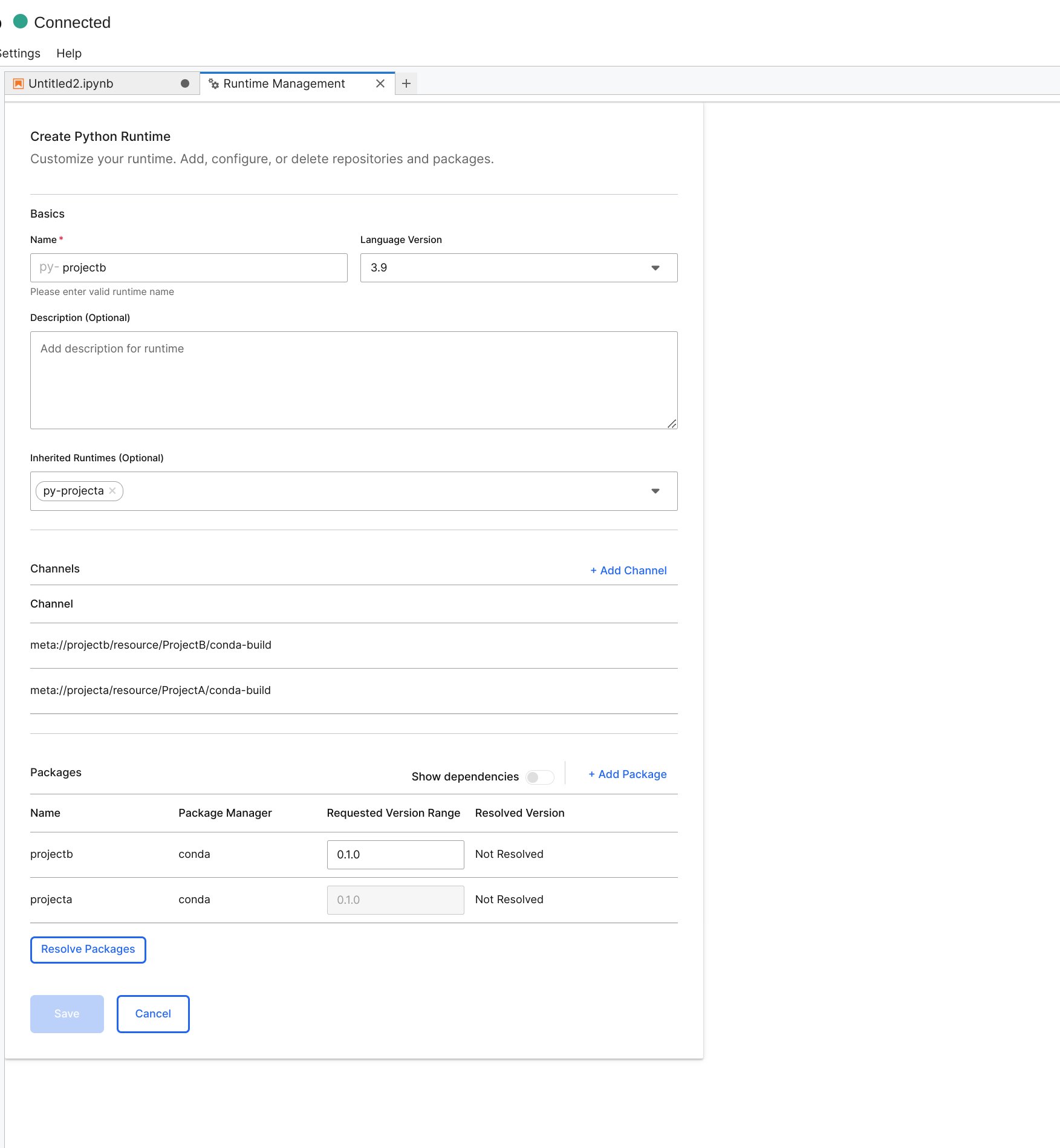
Save the runtime.
Create a custom runtime with native Python .whl file
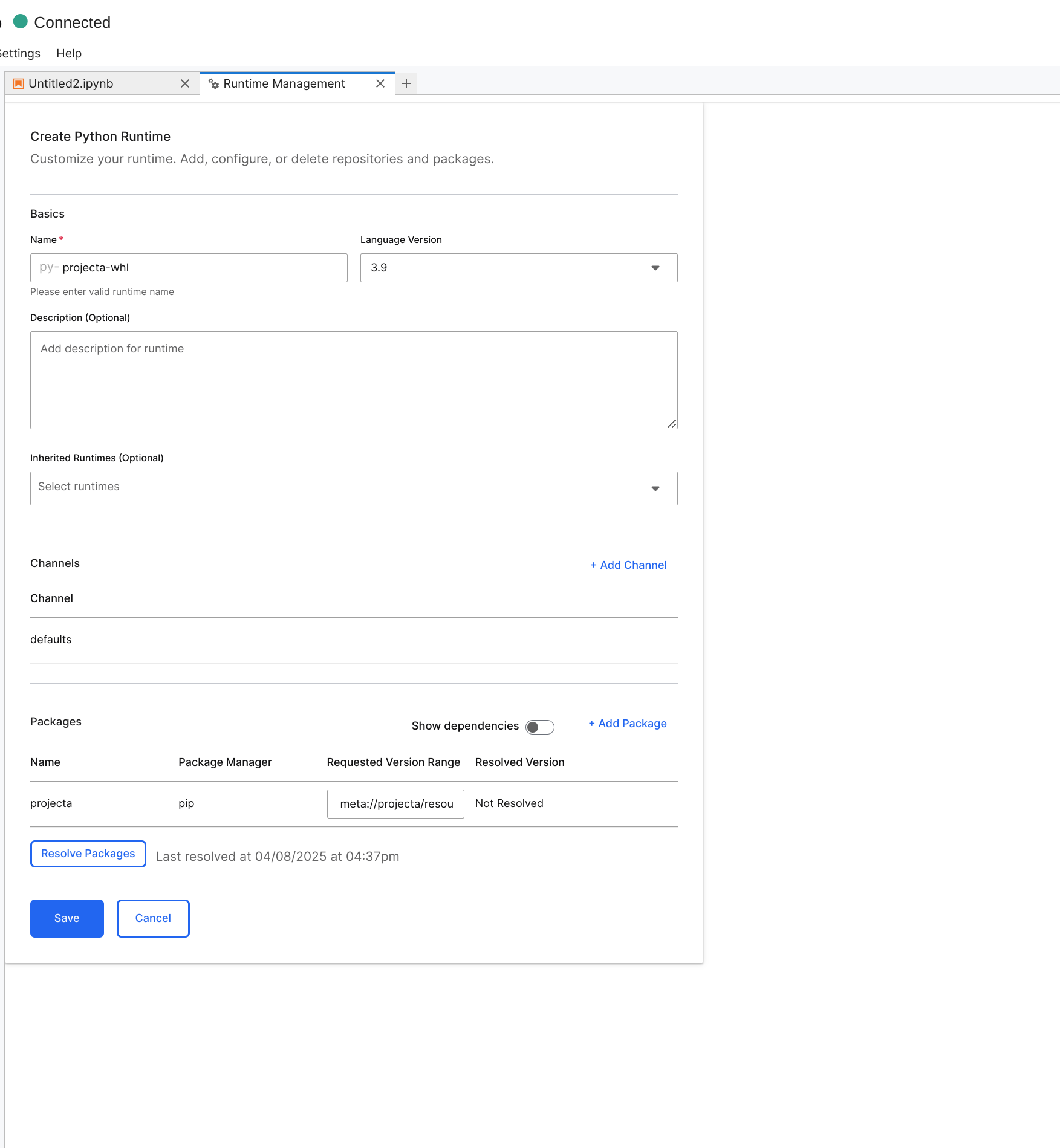
Alternatively, you can create a custom runtime by creating a .whl file for the native Python package. Use this .whl file in the runtime definition.
Here is an example of how to create a custom runtime using projecta as an example C3 AI package and native Python package:
Create a .whl file for the native Python package. See PEP 491 – The Wheel Binary Package Format 1.9 to learn more about creating a .whl file.
Store the .whl file in the C3 AI package
projectain theresourcefolder.
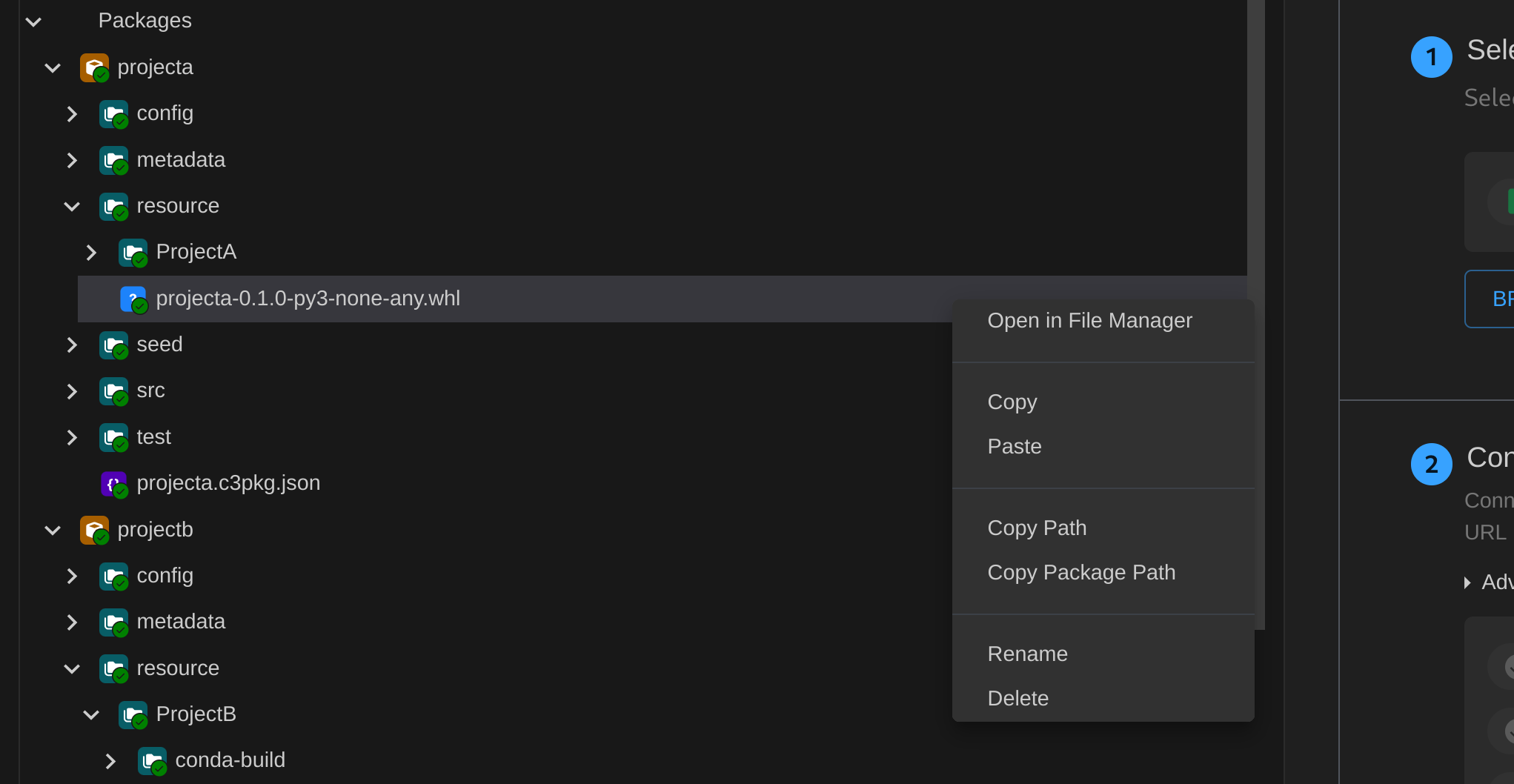
- Use the package path of the .whl file as the URL for the pip package
projectato create a custom runtime calledpy-projectain the Jupyter runtime management UI forprojecta.