Categorical Missing Data
The Categorical Missing Data node lets you impute missing categorical values or drop rows with missing values. Imputation fills in the missing values based on the information available; drop rows removes rows with missing values for a given feature.
Note that Visual Notebooks evaluates null values as missing categorical values; users may need to convert their N/A values or blank strings to null before using this node.
Configuration
| Field | Description |
|---|---|
| Name default = none | Name of the node: A user-specified node name displayed in the workspace, both on the node and in the dataframe as a tab. |
KNN Imputer Options: Search number of clusters -k default = 5. | Number of clusters for KNN strategy: Choose number of clusters to impute the missing values (KNN buckets data into a given number of clusters using all features & imputes missing values based on the clusters). This is Only applicable for Imputation using KNN Strategy. |
| Select columns to scale Required | Column selection: Select column(s) with missing categorical values. |
Advanced Configuration-Output Options: Keep Original Columns default = Off | Original column handling: Toggle on to keep the original column in addition to the imputed column, or toggle off to remove the original column. |
Advanced Configuration-Output Options: Output column suffix default =_scaled | Column suffix: Enter a suffix to append to the imputed columns. The suffix can only contain alphanumeric characters and underscores. |
Advanced Configuration: Select Strategy default = Imputation with custom value | Strategy to use for columns with missing values: Select what to do with missing values. Options include: Imputation with custom value, Imputation using most frequent, Imputation using KNN, None - Drop rows with missing features |
| Advanced Configuration: Custom Value Required | Enter a custom value: Enter a custom value to fill in the missing categorical values. Only applicable for Imputation with custom value strategy. |
Node Inputs/Outputs
| Input | A Visual Notebooks dataframe with missing categorical data |
|---|---|
| Output | A dataframe with imputed values for the missing categorical data |
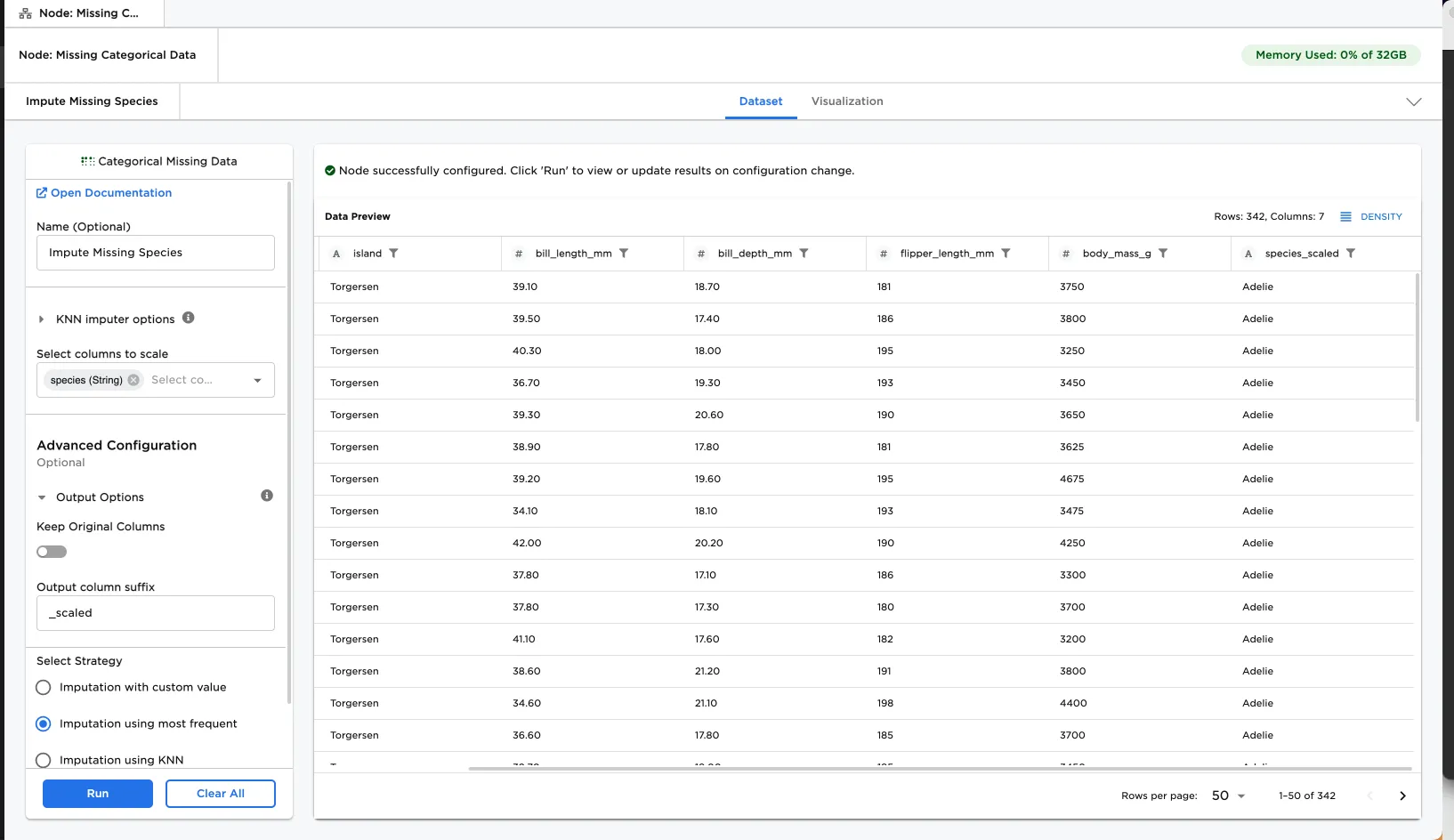
Figure 1: Example dataframe output
Examples
From time to time, your data may have missing categorical values for various reasons (e.g., respondents skip a question). These missing values can be cleaned up with the Categorical Missing Data node before training a machine learning model.
In this example, we are exploring the Penguin dataset with some missing data for the species. This could happen when researchers were not able to identify some of the penguin's species during the data collection process.
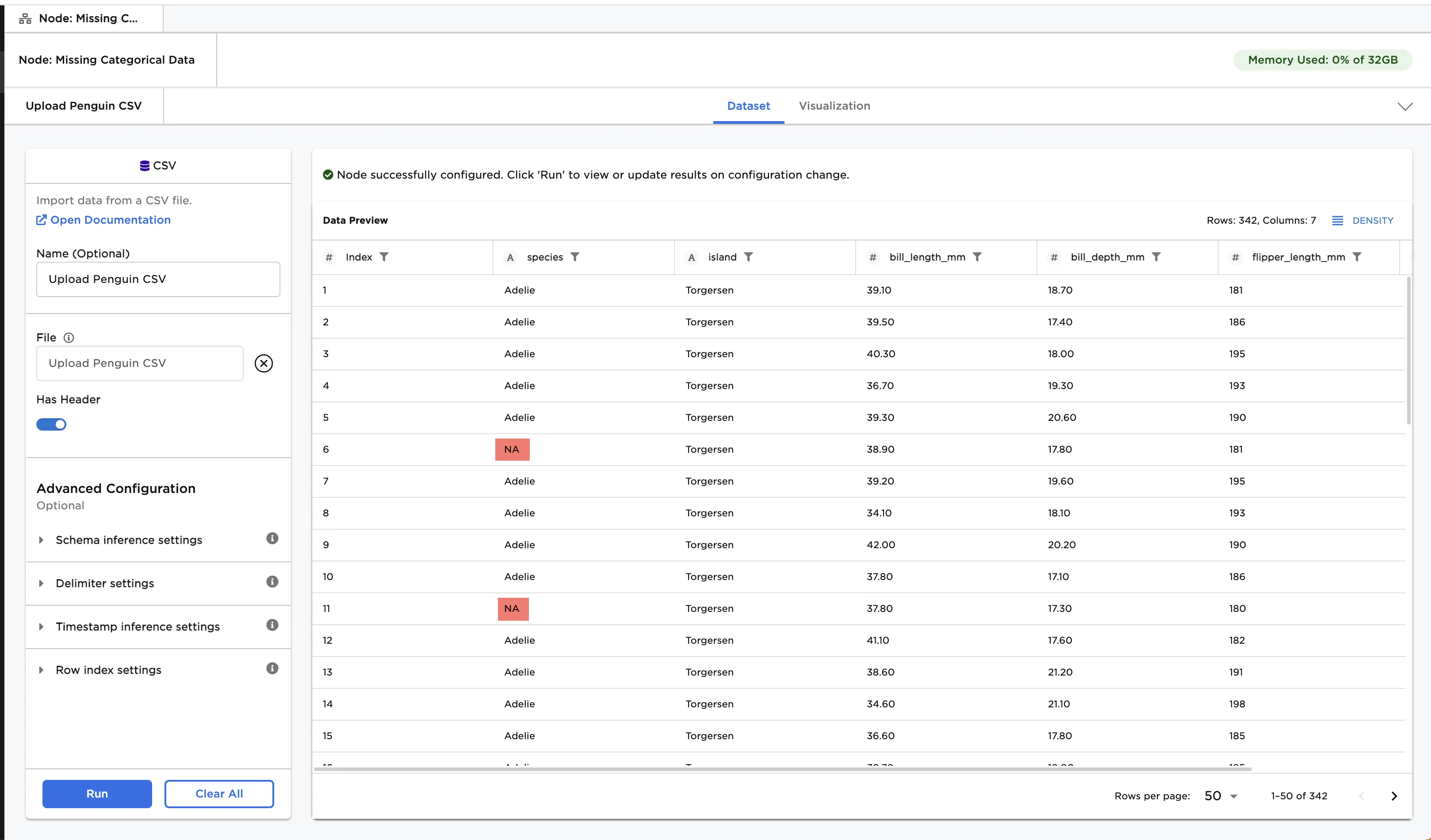
Figure 2: Example input data
- Connect the Categorical Missing Data node to an existing node. In this case, it is connected to the CSV node that loads
penguinsMissingCategoricalfile followed by the Search / Replace node that converts theN/As tonull. - Optionally, name the Categorical Missing Data node. In the example, the node is named,
Impute Missing Species. - Select the column(s) to scale. Figure 3 shows
species (String)selected for this field. - Select the strategy to use to fill in the missing values. Figure 3 shows Imputation using custom value is selected.
- Enter the custom value as
Gentoo. - Select Run.
Notice that the original column is replaced with species_scaled (to keep the original column in addition to the new column, toggle Keep Original Columns on). The missing values are filled in with the custom value of Gentoo.
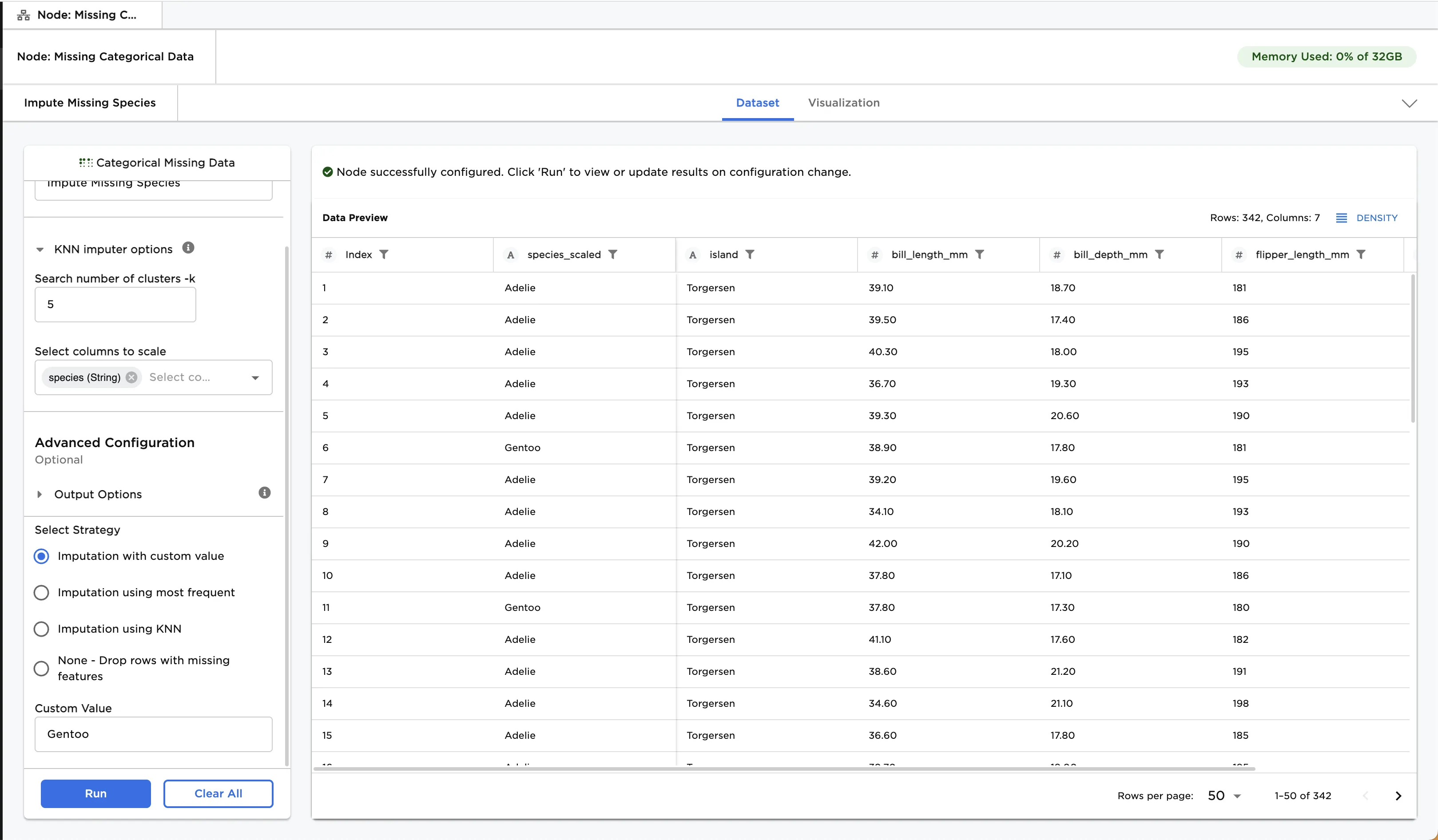
Figure 3: Example with imputation using custom value
Optionally, try using a different strategy.
- Select Imputation using most frequent for the strategy to use to fill in the missing values.
- Select Run.
Figure 4 shows that the missing data is filled with the most frequent value of Adelie.
Other strategy options to try are Imputation with KNN and None - Drop rows with missing features.
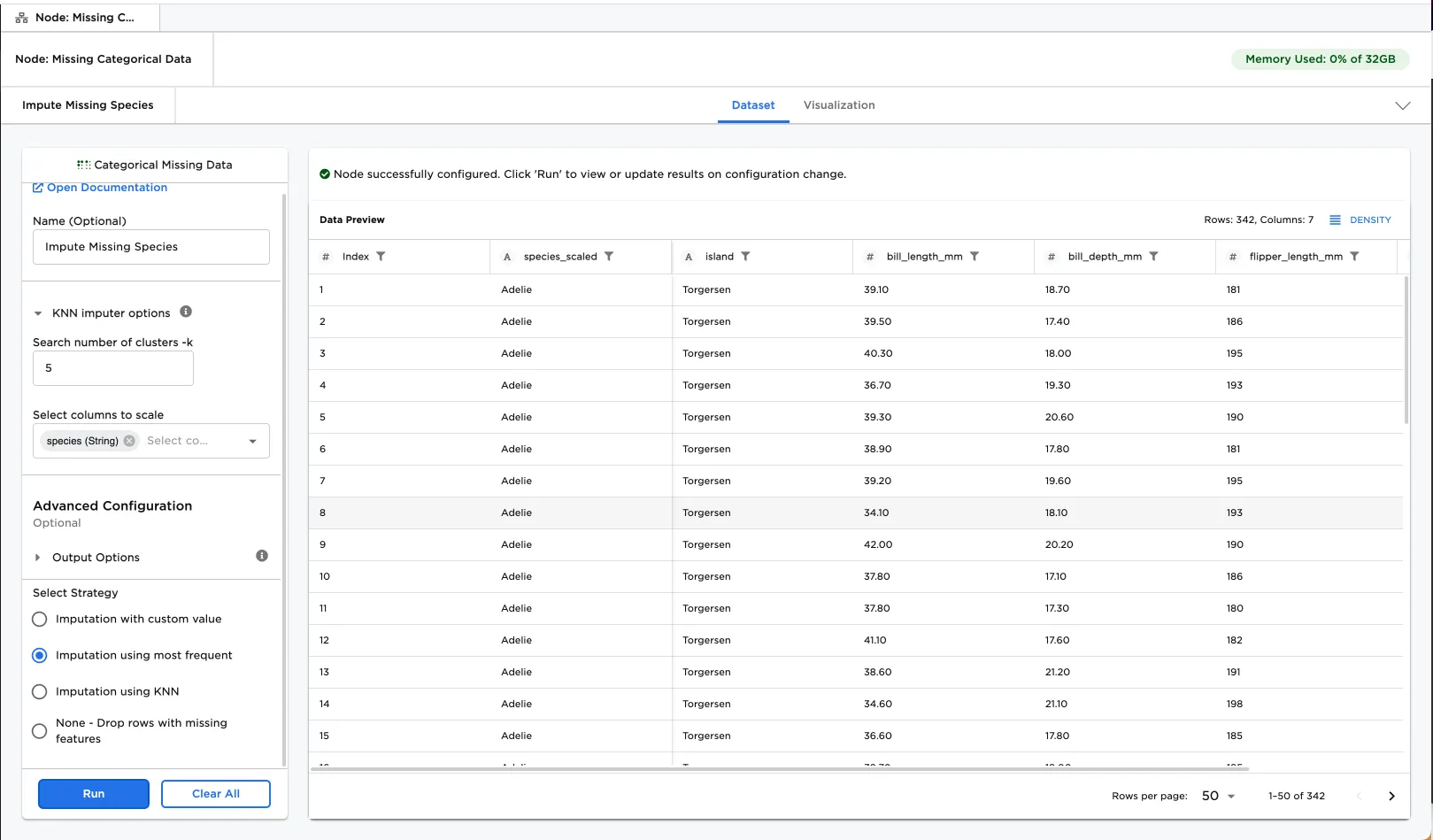
Figure 4: Example with imputation using most frequent value