Advance Data Specification
C3 AI Platform accelerates building workflows with rich data visualization. To accelerate building visualizations, the UI Component Library provides two types of UI components:
- UI components to visualize and interact with entities, also known as relational data. Examples of these UI components are data grid, card list, categorical line bar chart.
- UI components to visualize and interact with time series data. Examples of these UI components are metric tile and time series line bar chart.
All UI components provide a dataSpec configuration that allows you to configure in a declarative way what data to display. For advanced use cases where you need more control over the configuration for which API to invoke to fetch data, you can leverage the dataSpec.advancedDataSpec configuration.
Overview of Data Spec
The JSON component configuration has a dataSpec field that enables you to populate the UI component with data. For example, the JSON component configurations for UiSdlDataGrid have the dataSpec field to visualize data.
{
  "type": "UiSdlConnected<UiSdlDataGrid>",
  "dataSpec": {
    "dataType": "SDLDemoMachine",
    "columnFields": [
      {
        "fieldName": "name",
        "label": "Name"
      },
      {
        "fieldName": "category",
        "label": "Category"
      }
    ]
  }
}
See UiSdlComponentDataSpec to learn more about the fields dataSpec supports.
The dataSpec field consists of:
dataTypefield: Enter the type of data to visualize. For our example, we use SDLDemoMachine.- Any other attributes that the component might need to render properly. For example, the UiSdlDataGrid has a field called
columnFieldswhich can be populated on UiSdlDataGrid by using the fields from the dataType. The UiSdlDataGrid's columnFields attribute (which is inherited from the UiSdlDataGridDataSpec) will be set up with the fields like name and category.
Once you set the dataSpec field, the UI component will automatically handle invoking the necessary APIs to fetch SDLDemoMachine data, and update the component to display the data once it's available.
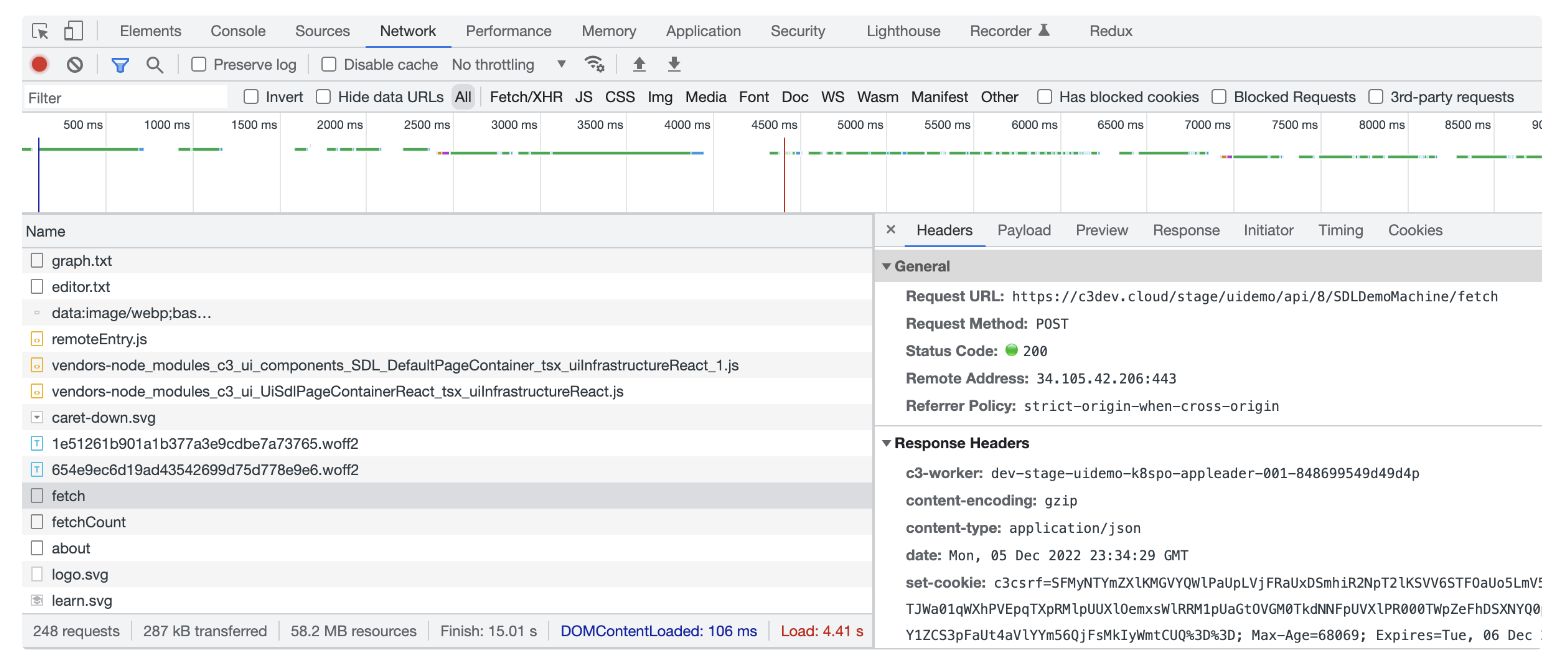
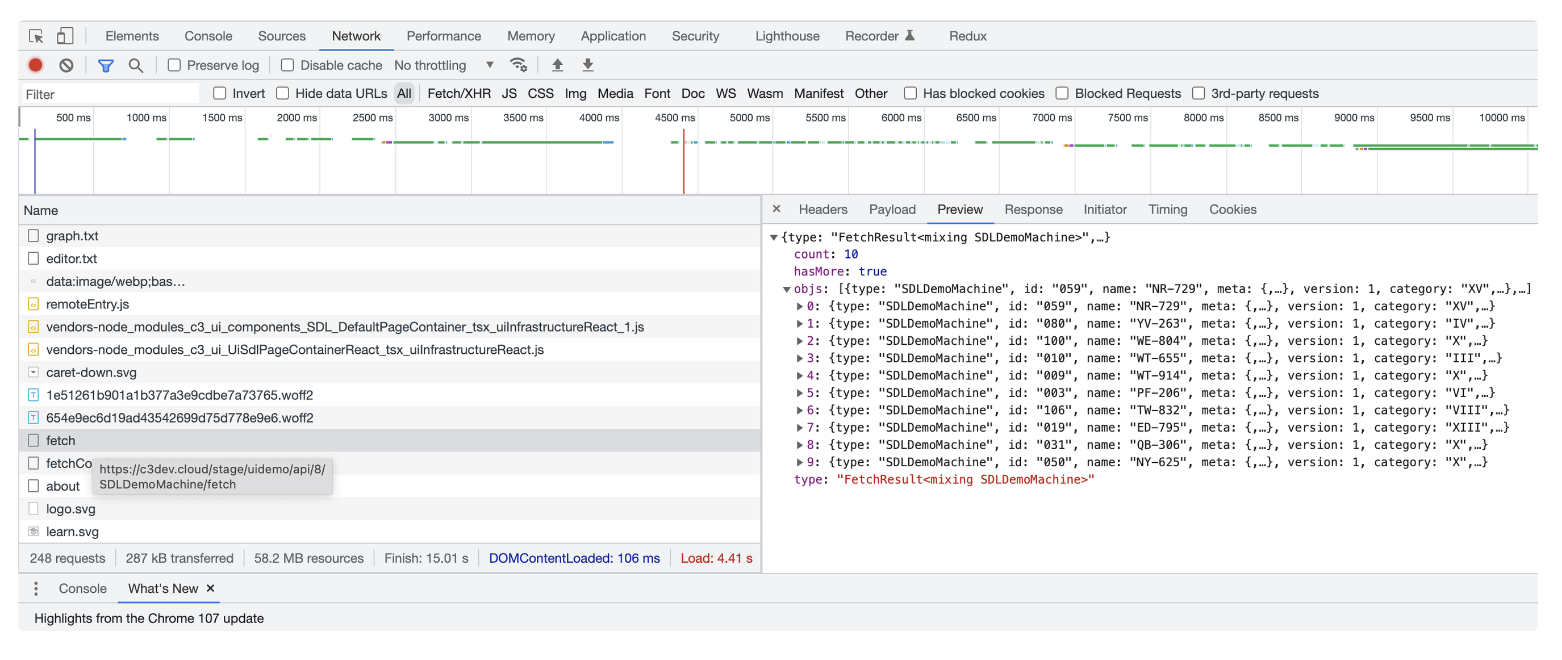
Overview of Advanced Data Spec
For use cases where you need more control on how which backend method to call and which arguments to use to fetch data from the backend, use advancedDataSpec. See {@ link UiSdlComponentAdvancedDataSpec} to learn more.
The advancedDataSpec field has the following two fields:
actionName- A reference to a function with a customized implementation of retrieving data.actionArgs- The parameters to pass into the function specified by theactionNamefunction to properly invoke the API (or call the function).- The
actionArgscan be set either statically or dynamically. You can call the arguments of the advancedDataSpec function statically or dynamically through code.
- The
Set static actionArgs
With advancedDataSpec, function arguments can be declared as static arguments.
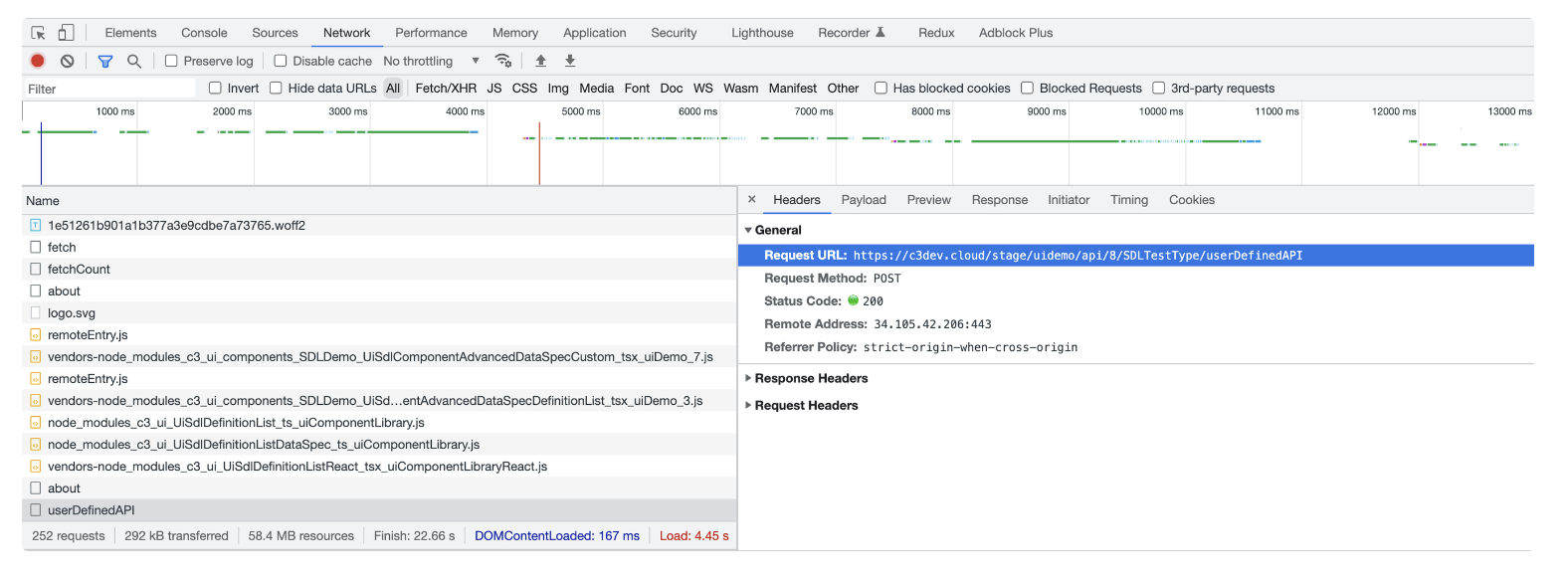
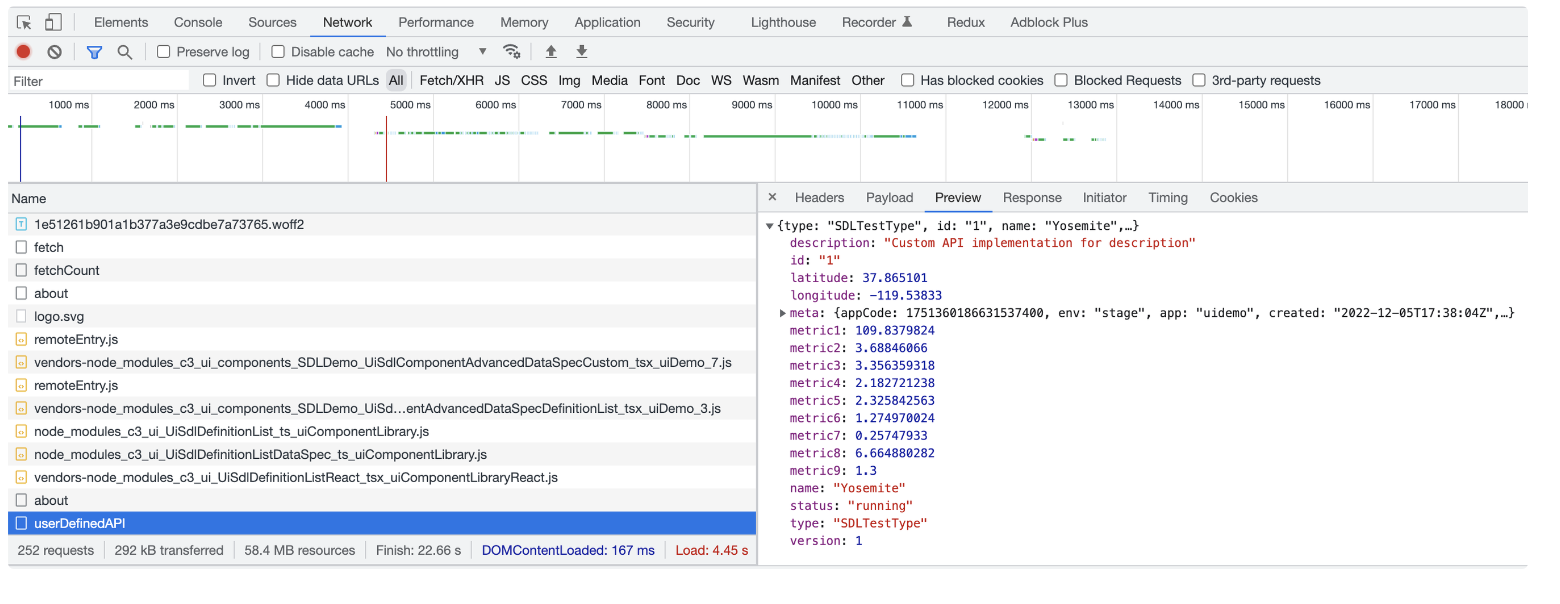
In the following example, the userDefinedAPI function is called instead of the built-in fetch API to retrieve data. The name variable is set to blue and passed into the userDefinedAPI.
To set the static actionArgs:
Configure your UI component and enter the
dataSpecfield:- Create a
StaticComponent.jsonfile.
JSON{ "type": "UiSdlConnected<UiSdlDataGrid>", "dataSpec": { "dataType": { "typeName": "SDLDemoMachine" } } }- Create a
In the same file, set up your advanced data spec field:
JSON{ "type": "UiSdlConnected<UiSdlDataGrid>", "dataSpec": { "dataType": { "typeName": "SDLDemoMachine" }, "advancedDataSpec": { "actionName": "userDefinedAPI", "actionArgs": { "color": "Blue" } } } }- The previous codeblock uses the
advancedDataSpecfield to define the function calleduserDefinedAPI. Thecolorvariable is set to the value"Blue"and passed into theuserDefinedAPI.
- The previous codeblock uses the
Implement the
userDefinedAPI:JavaScriptfunction userDefinedApi(color) { return { id: object.id, color: color, // this will be set based on how it was defined in the .json file. In our case, it is Blue. latitude: object.latitude, metric1: getMetric1(), //... add more fields } }
Set dynamic actionArgs
You can set up advancedDataSpec, and actionArgs by the following methods:
- Epics
- Dynamic Components
Use epics to set dynamic actionArgs
The following example creates an advancedDataSpec and calls an epic to update the actionArgs of the actionName. You can use the epic to dynamically set the actionArgs from the front-end code.
The following example sets the color function argument to green:
Configure your UI component and enter the
advancedDataSpecfield:Create a
Sailboat.jsonfile.JSON{ "type": "UiSdlConnected<UiSdlDefinitionList>", "component": { "dataSpec": { "dataType": "Sailboat", "advancedDataSpec": { "actionName": "getSailboatsByColor", "actionArgs": { "color": "" } } } } }
Add an
effectTriggerto call aSailboatEpicepic. In the next step, we create the epic.JSON{ "type": "UiSdlConnected<UiSdlDefinitionList>", "component": { "dataSpec": { "dataType": "Sailboat", "advancedDataSpec": { "actionName": "getSailboatsByColor", "actionArgs": { "color": "" } } } }, "effectTriggers": [ { "trigger": "SailboatData.INITIAL_RENDER", "effectType": "SailboatEpic" } ] }Create the SailboatEpic epic
- SailboatEpic.js
JavaScriptexport const epic: Epic<AnyAction, AnyAction, ImmutableReduxState> = (actionStream, stateStream) => { return actionStream.pipe( mergeMap((action) => { const color = 'green'; const advancedDataSpec = { color: color, }; const dataSource = getAllComponentDataSourceIds(componentId, state)[0]; return concat( of(mergeArgumentsAction(dataSource, advancedDataSpec, componentId)), of(requestDataAction(dataSource)) ); }) ); };
Dynamic Components
Learn how to return a dynamically generated component that allows advancedDataSpec with dynamic actionArgs. By updating the actionArgs in dynamic components, you can update the actionArgs from server-side code. For more context on how dynamic components are rendered, see: Dynamic Component.
Configure your UiSdlDynamicComponentRenderer component and enter the
dataSpecfield and callgetDynamicComponent:- Create a
DynamicComponent.jsonfile.
JSON{ "type": "UiSdlConnected<UiSdlDynamicComponentRenderer>", "component": { "dataSpec": { "dataType": { "typeName": "ExampleDynamicComponentHelper" }, "actionName": "getDynamicComponent" } } }- Create a
Create the
DynamicComponent.jsfile to define the action implementation. It should return a component to dynamically render. This component should contain an advancedDataSpec to populate the data for the component however you choose. This allows the data coming from advancedDataSpec to be specified from backend code.
The DynamicComponent.js file implementation:
function fetchData(color) {
  return {
    data: { id: '1', color: color };
  }
}

function getSailboatColor() {
  return 'green';
}

function getDynamicComponent() {
  return {
    children: [
      {
        type: 'UiSdlConnected<UiSdlImage>',
        id: 'ExampleApp.DynamicallyRenderedImage',
        component: {
          horizontalAlign: 'center',
          altText: 'sailboat',
          size: 'LARGE',
          className: 'block',
          url: '/assets/images/imagedemo.jpg',
          dataSpec: {
            advancedDataSpec: {
              actionName: 'fetchData',
              actionArgs: {
                color: getSailboatColor(),
              },
            },
            dataType: {
              typeName: 'ExampleDynamicComponentHelper',
            }
          }
        },
      },
    ]
  };
};Note: The UiSdlDynamicValueSpec does not allow the advancedDataSpec actionArgs to be overridden.