Fix Errors Automatically
As the agent changes your application, a change sometimes breaks the running preview or leaves an error in your package. C3 Code watches the preview and your package for errors. When an error appears, C3 Code offers to send it to the agent, so you never copy the message into chat yourself. You choose whether the agent fixes it, and you can turn on a setting that sends every error automatically.
Respond to the fix prompt
When C3 Code detects an error, a prompt appears in the chat panel with three choices:
- Fix it: sends the error to the agent. The agent finds the cause, applies a fix, and rebuilds the preview.
- Dismiss: clears the prompt and leaves the error for you to handle.
- Always fix automatically: turns on automatic fixing, so C3 Code sends this and every later error without asking.
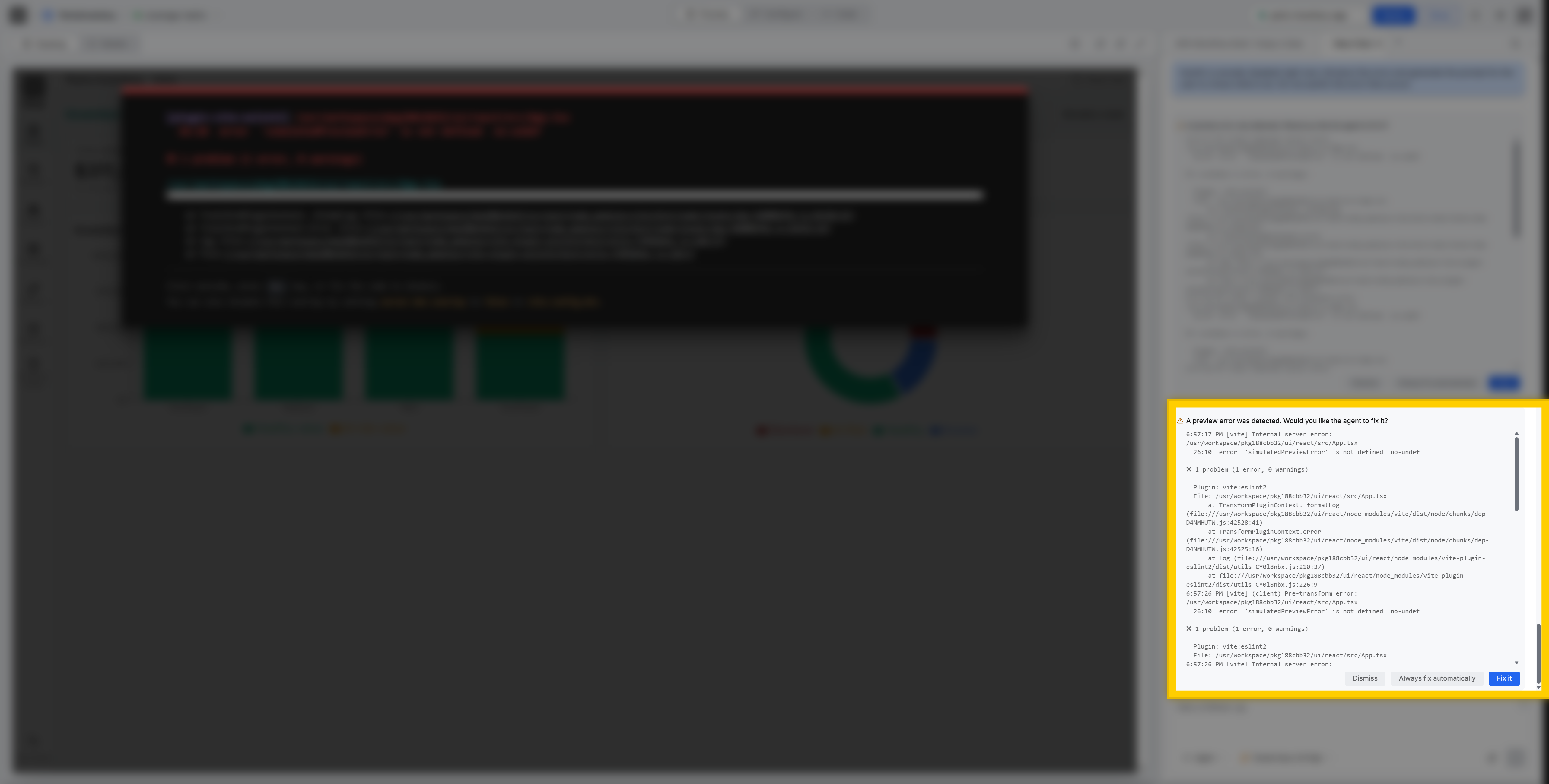
For example, a change makes a component read a property from a value that is undefined, so the section fails with an error while it renders. C3 Code detects the error and prompts you to send it to the agent. Select Fix it, and the agent finds the cause and restores the code, so the preview renders again.
Turn on automatic fixing
To skip the prompt, turn on Always Auto-Fix Errors on the User Settings page. C3 Code then sends every detected error straight to the agent while the agent works.
- Open the User Settings page and find the Preferences section.
- Turn on Always Auto-Fix Errors.
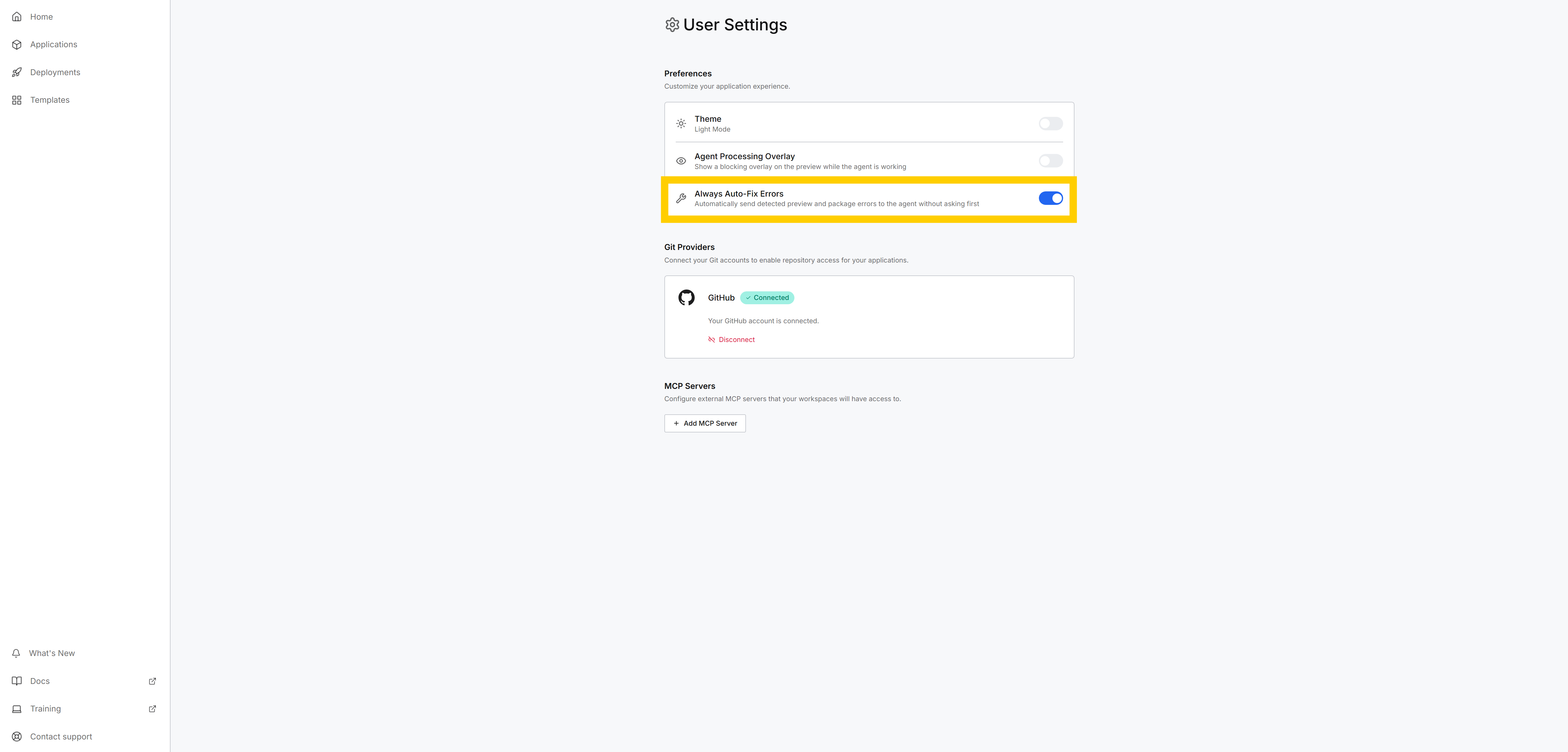
The setting stays off until you turn it on. Selecting Always fix automatically on any prompt turns on the same setting.
What C3 Code detects
C3 Code offers a fix for two kinds of error:
- Preview errors: runtime errors in the running application, such as a component that throws an error while it renders.
- Package errors: build and validation problems in your application's code, the same issues that block a deployment.
C3 Code follows two rules when it sends errors to the agent:
- It offers a fix for errors only, not warnings.
- It sends each distinct error only once per session, so repeated occurrences of the same problem do not trigger repeated prompts.
Where to go next
These pages cover where the automatic-fix setting lives and what package errors block at deploy time: