C3 AI Studio App User Management
The User Management page in C3 AI Studio lets administrators view and manage application access. Application administrators can assign access directly to individual users or user groups. This enforces consistent security practices across the application.
Navigate to User Management
Complete the following steps to navigate to the User Management page:
- In C3 AI Studio, navigate to the Apps page.
- Select an application.
- Navigate to Administrative and then select User Management.
<img src="img/usermgmt-1.png" alt="User Management" height="400"/>
The same steps apply at the environment level. Select Envs instead of Apps, then select an environment instead of an application.
Users
The Users tab lists all individuals who can access the application.
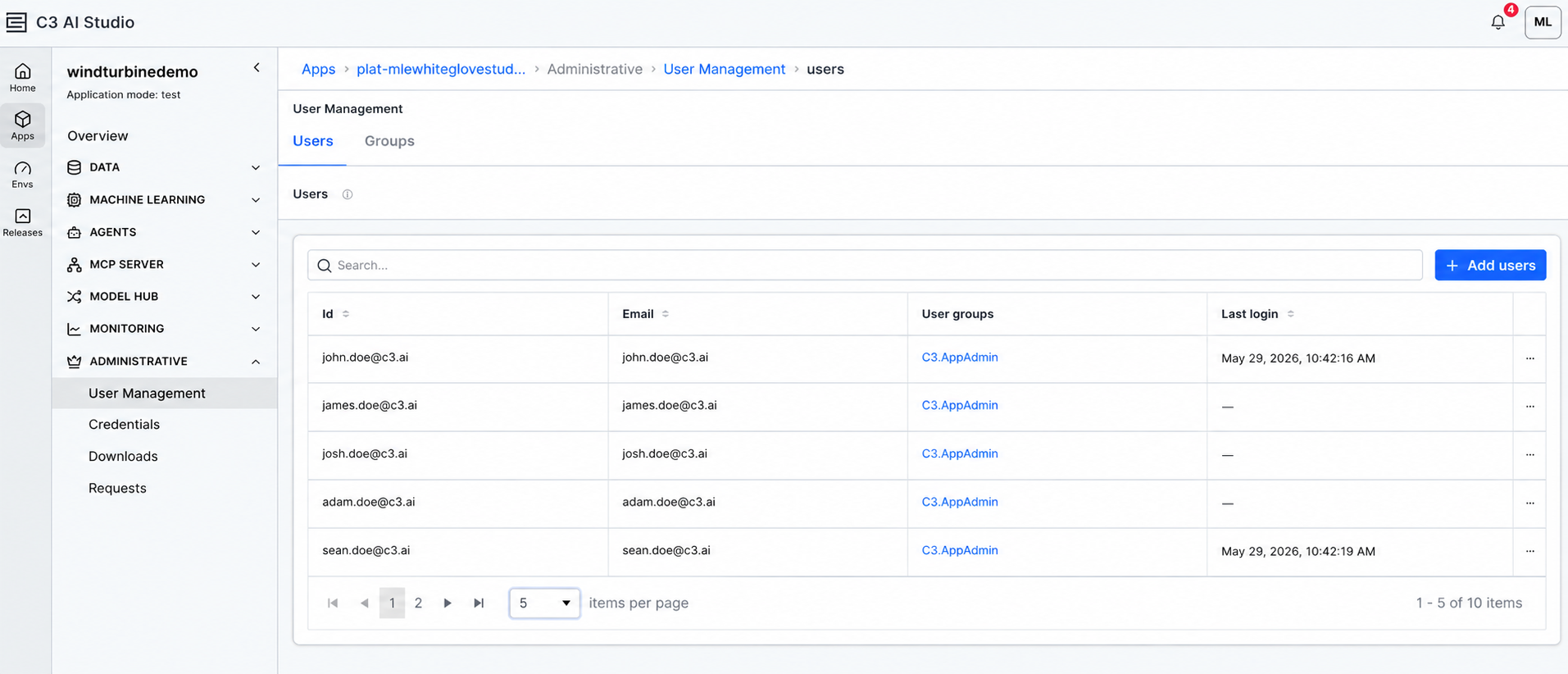 |
| Users Tab |
For each user, the list shows:
- ID: The user's unique identifier.
- Email: The user's email address.
- User groups: Any groups the user belongs to. The application creator is automatically part of the
C3.AppAdmingroup. - Last login: The date and time of the most recent login.
Groups
The Groups tab shows pre-defined user groups that can simplify application access configuration. A user group is a collection of users associated with specific roles.
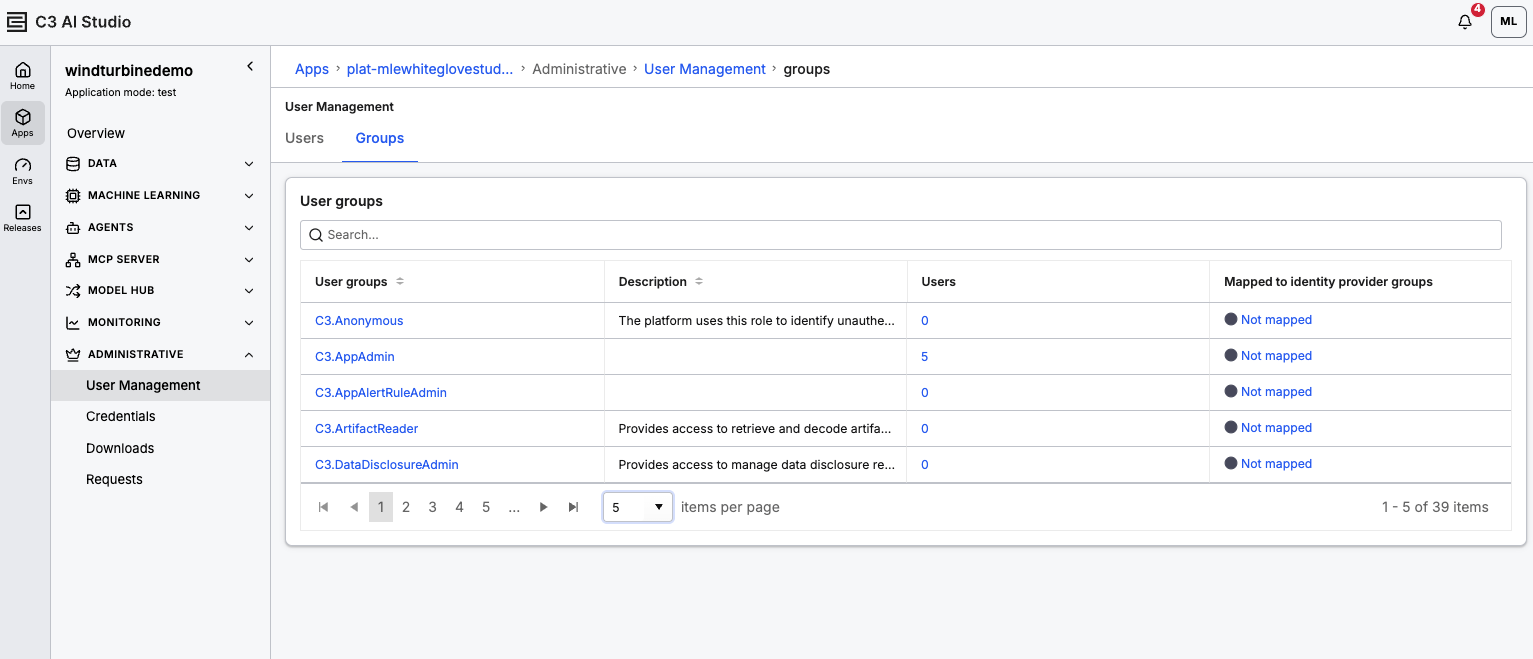 |
| Groups Tab |
The list shows the following information for each group:
- User groups: The group's name.
- Select the group name to open a details modal with IdP mapping and page access settings.
- Description: A short description of the group.
- Users: The number of members in the group.
- Select the Users value to open a modal where you can view and add members.
- Mapped to identity provider groups: Any IdPs linked to the group. Selecting this opens the IdP mapping configuration.
For details about managing user groups, see User Groups in C3 AI. For details about role assignment, see Assign Users.
Page access summary
The Page access summary tab shows page-level permissions when restrictions are configured. Administrators can review which groups are allowed to view specific pages in the application.
Available only for applications (not at the environment level) built with the C3 UI Framework. This does not appear for applications built with a different framework, such as React.