C3 AI Type
A C3 Type represents underlying data, including tabular data, timeseries data, or more complex data objects and relationships. The source of all C3 AI platform data access operations are done via C3 Types.
C3 Types provide an abstraction layer with a simple interface to retrieve, update, and persist data without worrying about implementation details like what enterprise system is used--whether it be a SQL database, NoSQL database, or filesystem.
This enables users to retrieve data through simple APIs and consistent interaction patters across all data stores rather than needing to know CQL or SQL and updating logic if underlying data systems change.
Many developers with an object-oriented background might feel comfortable thinking of a C3 Type as similar to a class in Java, which describes data fields, operations and static methods that can be called on the type by one or more applications.
Analysts can also think of a C3 Type as a "table" in a more traditional enterprise system.
Prerequisites
The user must be in the appropriate Admin Group and have the correct roles to be authorized to read data from the selected Type. By default, C3 AI follows the principle of least privilege and users may not have been granted access to retrieve data from Types. Please speak to the C3 AI Support Team to ensure proper setup.
Configuration
| Field | Description |
|---|---|
| Name default=none | A user-specified node name displayed in the canvas |
| Filter default=none | The simple or complex expression that will be used to identify and retrieve specific data elements (rows) and object instances |
| Use the C3 Type query interface to define which C3 Type instances to return. Filter on time, strings, or numerical values. | |
| Ids default=none | Specific ids to use in retrieving C3 Type objects |
| Enter a comma delimited list of object identifiers to be used for investigation. | |
Limit default=200 | Number of rows to be retrieved |
| The number of rows to be used for investigation. In many instances this is a subset of of the results returned by the filter specification. For example, if the filter returns 900 rows and the limit is 200, only 200 rows will be used for investigation. | |
| C3 AI Type Required | The C3 Object (Type) to be used for investigation |
| Select the desired type from the C3 AI Application data model. |
Node Inputs/Outputs
| Input | None |
|---|---|
| Output | None. Double clicking the node shows a summary with the selected Type and filter. Connect the C3 AI Type node to a C3 AI Fetch or C3 AI Analytics node to retrieve data from the C3 AI Application data model |
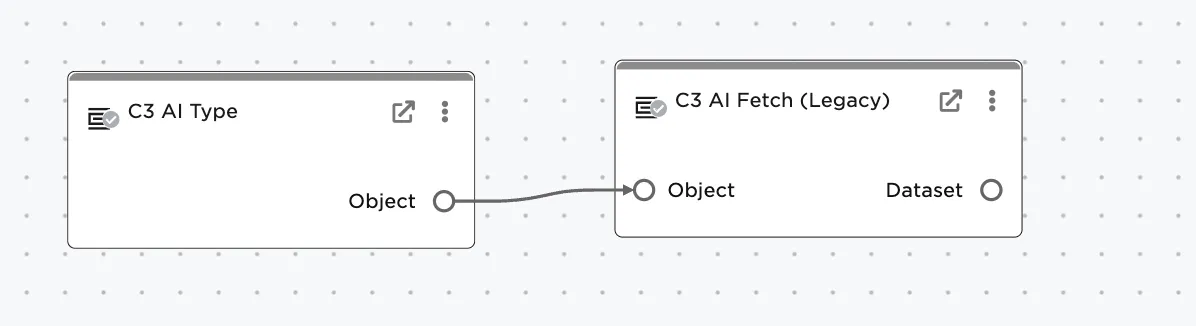
Figure 1: Example node setup. Note the node must be connected to a C3 AI Fetch or C3 AI Evaluate Analytics node before data will load.

Figure 2: Type node output displays the selected C3 Type and any applied filters.
Examples
Select the ServicePoint Type and limit to retrieve only 200 instances.
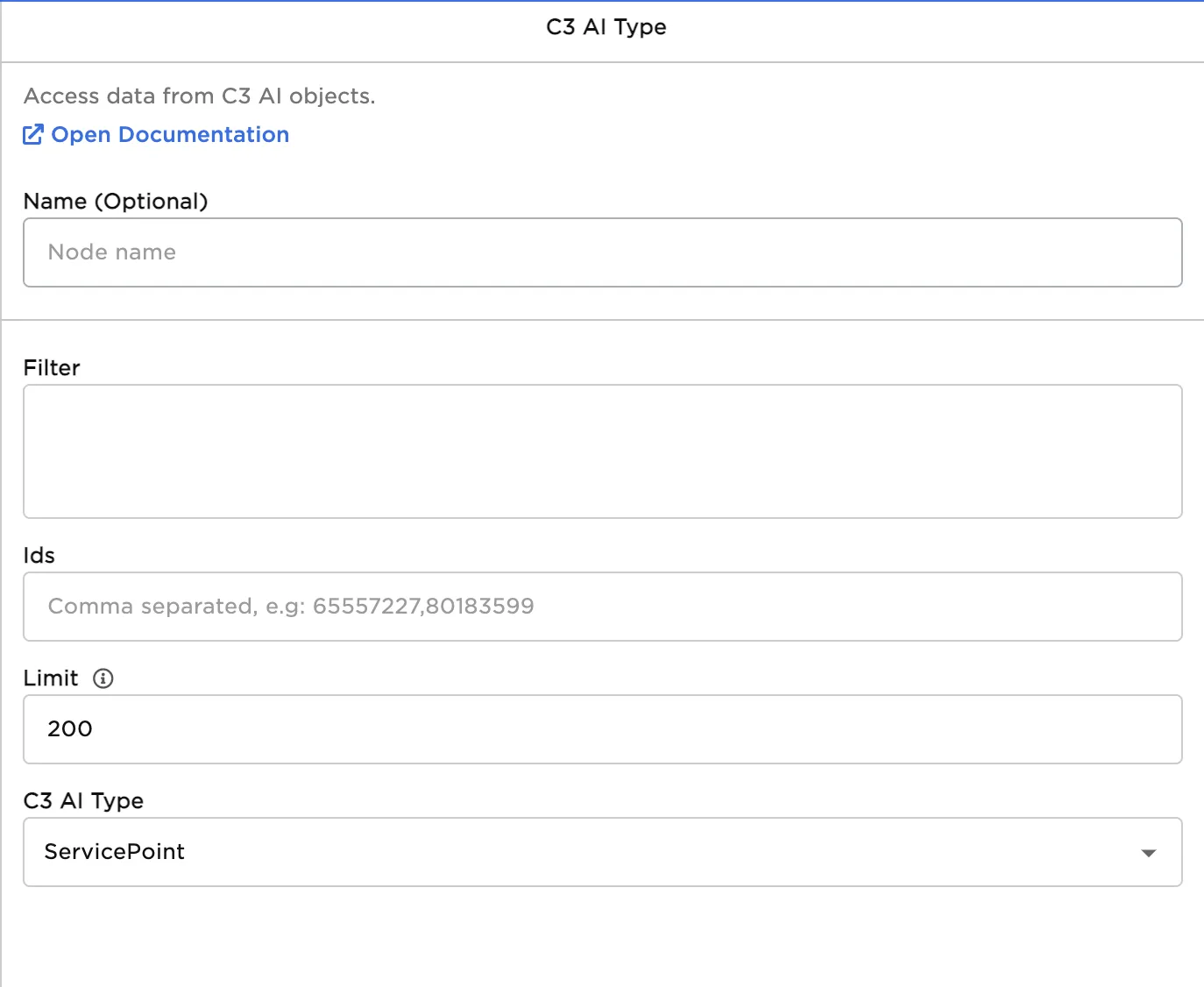
Figure 3: Properties panel to retrieve 200 instances
Retrieve all instances of the ServicePoint Type by specifying -1 as the limit. NOTE: depending on the data, this operation may take some time to complete.
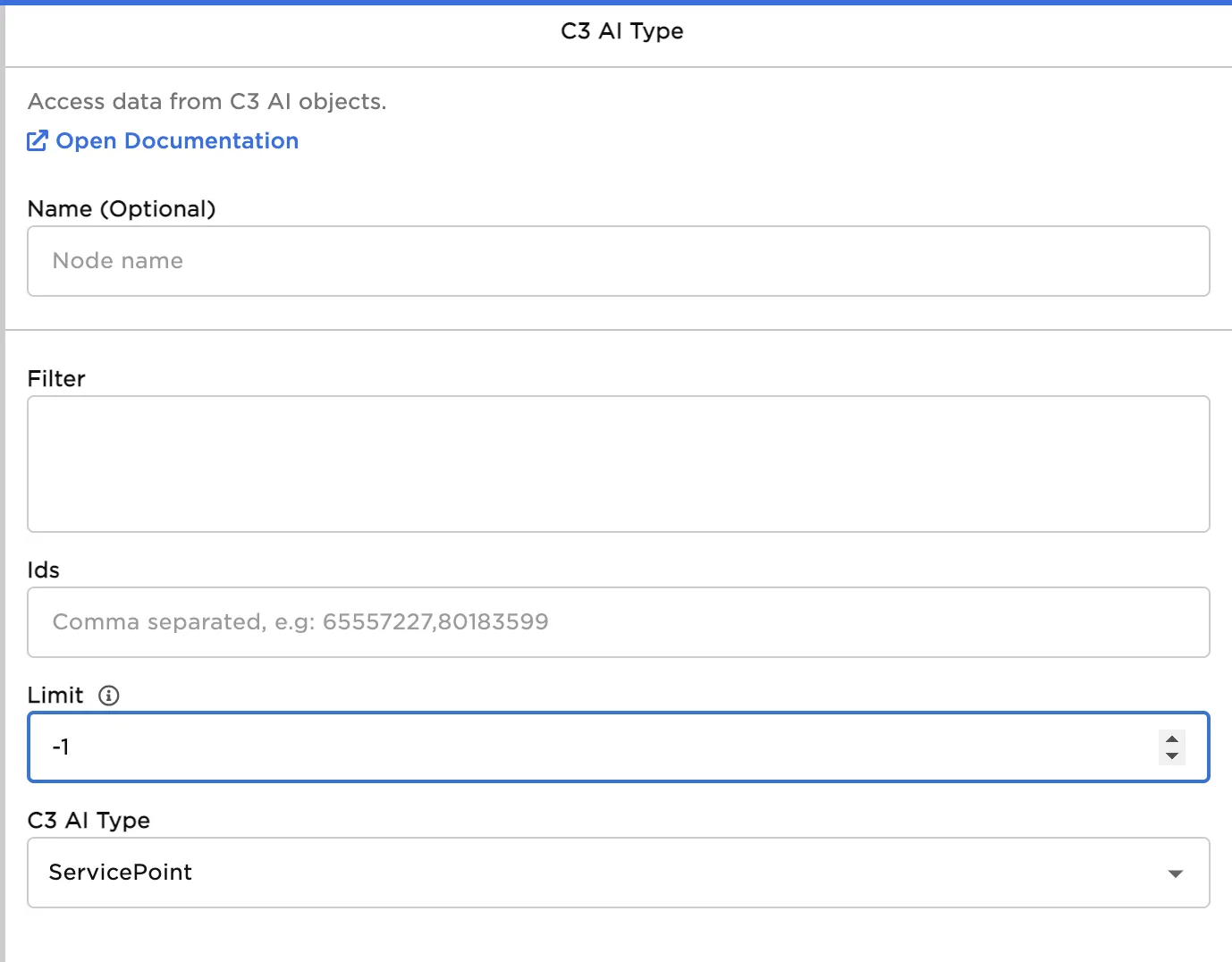
Figure 4: Properties panel to retrieve ALL instances
Apply a filter and retrieve only ServicePoint Types that have an ID value that begins with the value "abc".
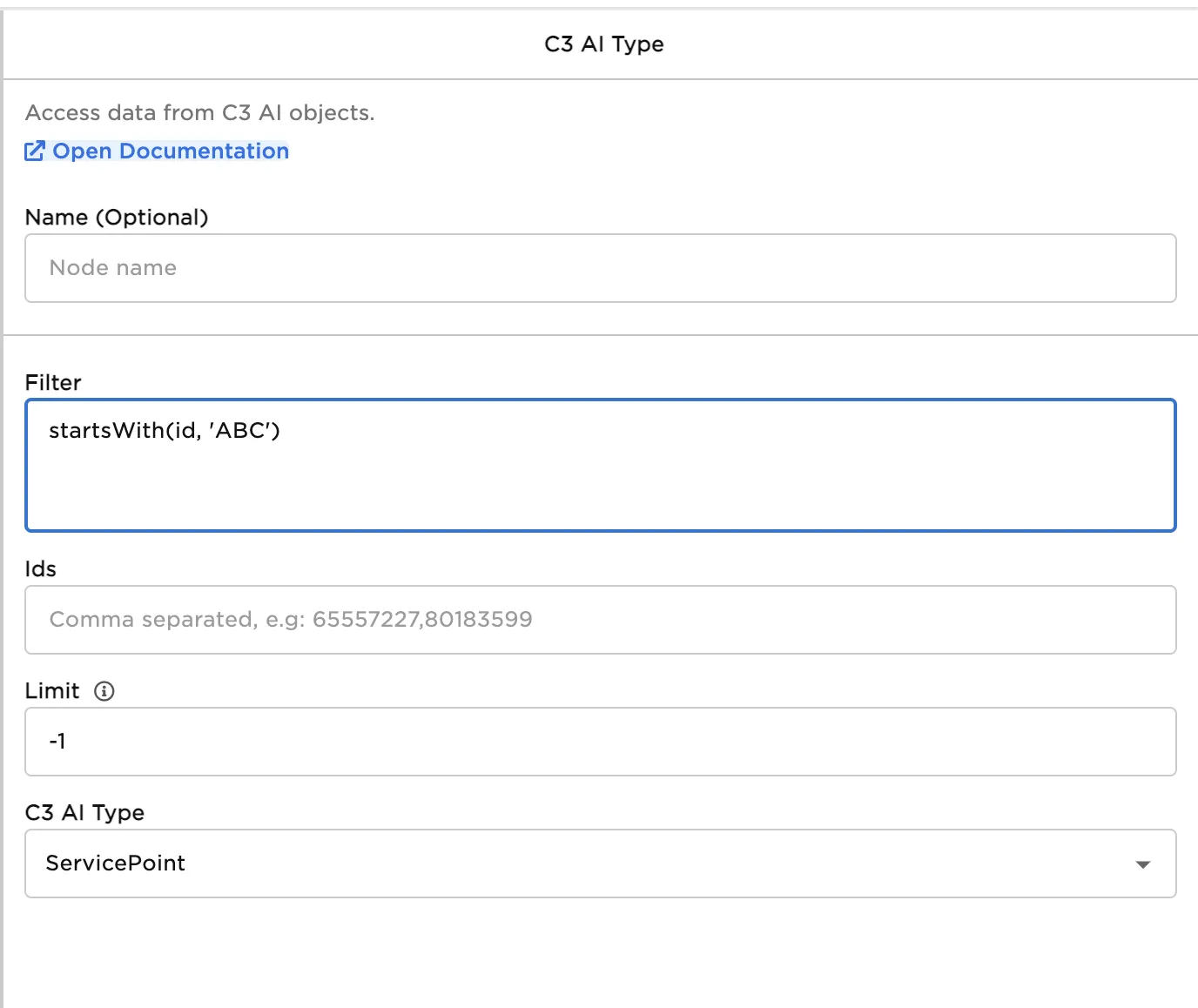
Figure 5: Properties panel applying a simple filter
Apply a filter and retrieve ServicePoint Types that were activated after 10/01/2022.
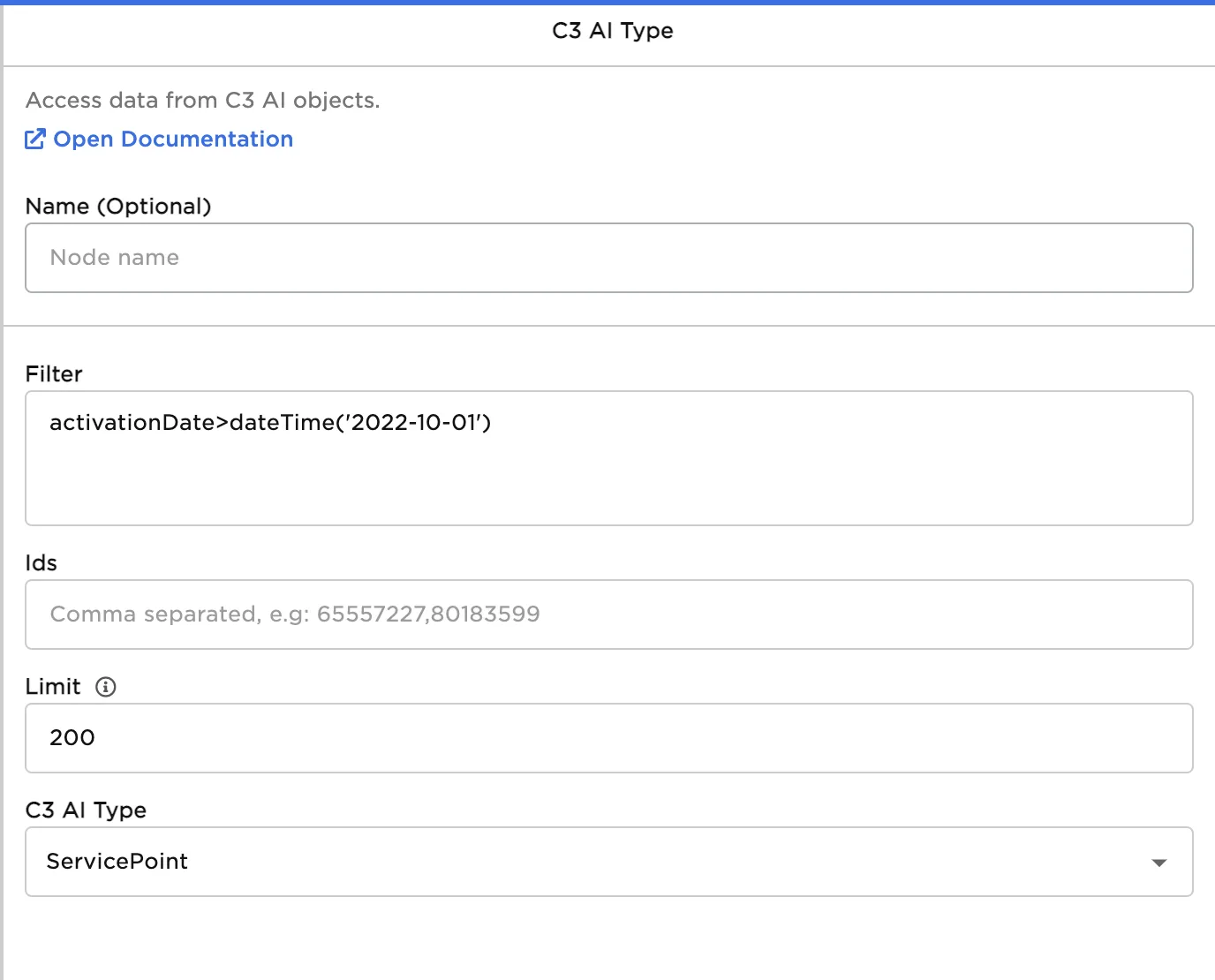
Figure 6: Properties panel with filter on a datetime
Use a complex filter to select ServicePoint Types with an activation date after 10/1/2022 and an ID value that begins with the value "abc". Limit to 200.
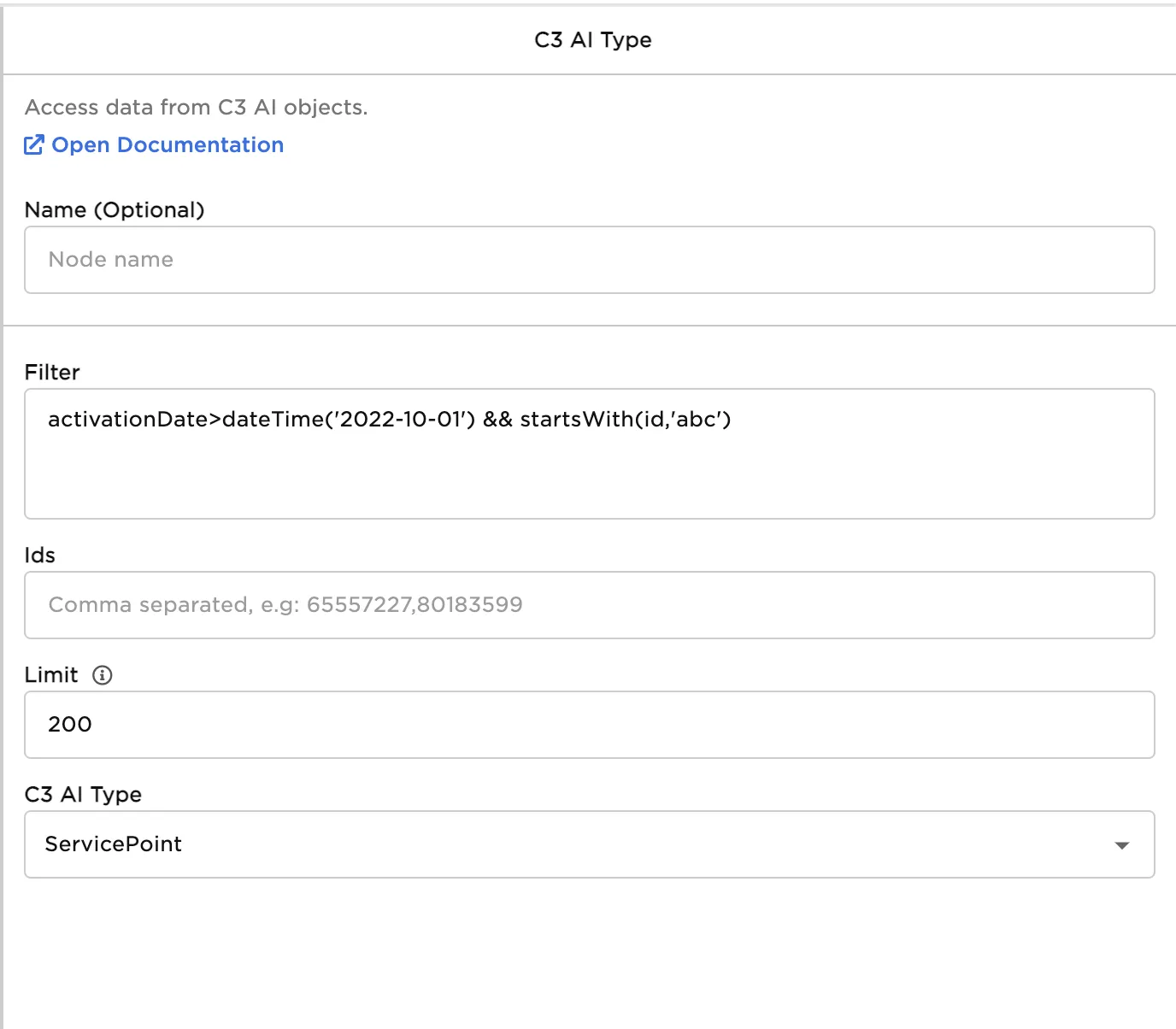
Figure 7: Properties panel with complex filter with conditional logic
Select two specific instances of the ServicePoint Type using their IDs.
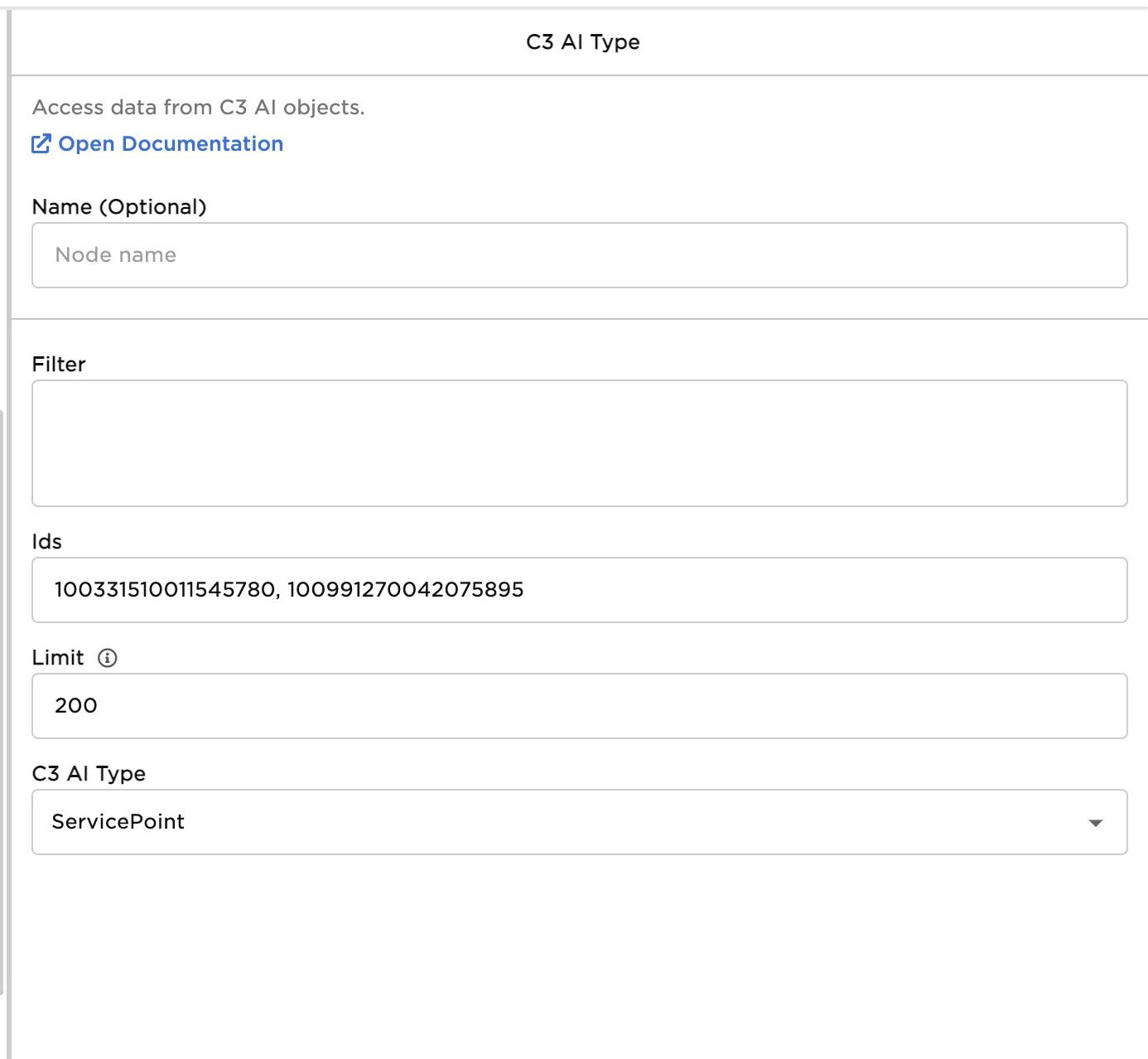
Figure 8: Properties panel configuration to select two specific objects
Additional possible filters are shown in Figure 9.
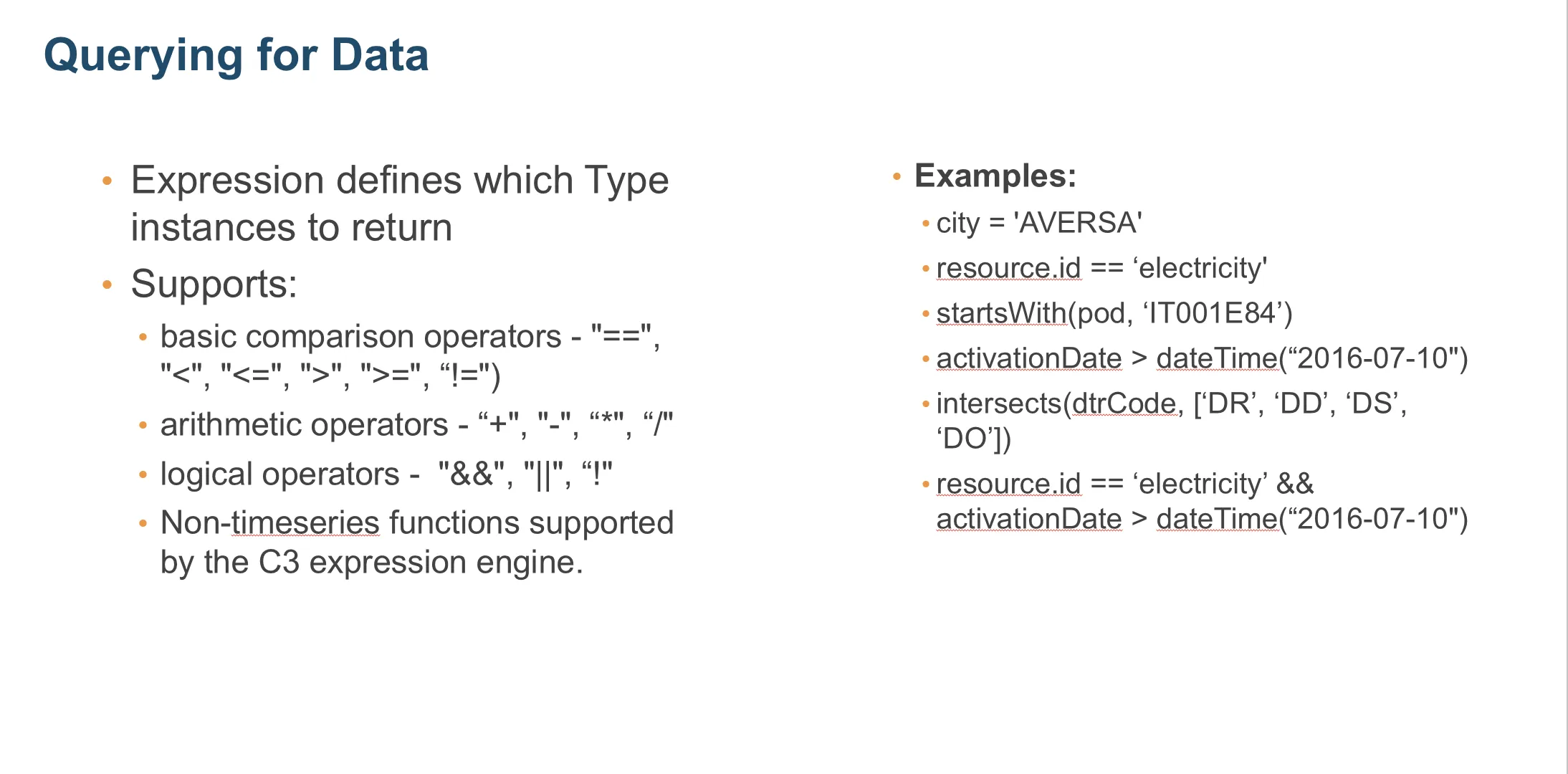
Figure 9: Additional filter expressions