JSON string to Object
Convert a column of JSON (JavaScript Object Notation) strings into a column of type Object, consisting of key/value pairs, or nested key/value pairs.
Objects in Visual Notebooks are equivalent to:
- JavaScript objects as defined using JSON syntax
- Python dictionaries
Data formatted as JSON is typically provided in a JSON input file, which can be read with the JSON node in Visual Notebooks. The JSON string to Object node is useful when JSON data is presented within a flat tabular structure, such as that of a CSV file. Since the "semi structured" JSON data does not cleanly fit into this structure, wrangling it requires conversion to a more complex "Object" type. Visual Notebooks provides several transformations for manipulating Objects, including creating Objects, extracting fields from Objects, and disassembling Objects.
Configuration
| Field | Description |
|---|---|
Name default=none | Name of the node A user-specified node name, displayed in the canvas and in the dataframe as a tab. |
| Column *Required | Select a single string column Select a column of JSON formatted strings to convert into an Object. |
Number of Rows to Use in Schema Inference default=5 | Rows used to determine column data type Set this value to any valid whole number. Visual Notebooks reads the number of rows specified, starting with the first row of the file. The majority data type among these rows determines the column data type. |
Output column suffix default=none | Column suffix Enter a suffix to append to the new Object column. The suffix can only contain alphanumeric characters and underscores. |
Drop Original Column(s) default=On | Toggle indicating whether the selected input column should be dropped from the output Leave the switch on to delete the input JSON string column from the output dataframe. The column information, however, is preserved in the new Object column. Toggle the switch off to keep the input column. |
Node Inputs/Outputs
| Input | A Visual Notebooks dataframe with at least one column of JSON formatted strings |
|---|---|
| Output | A dataframe with at least one Object column |
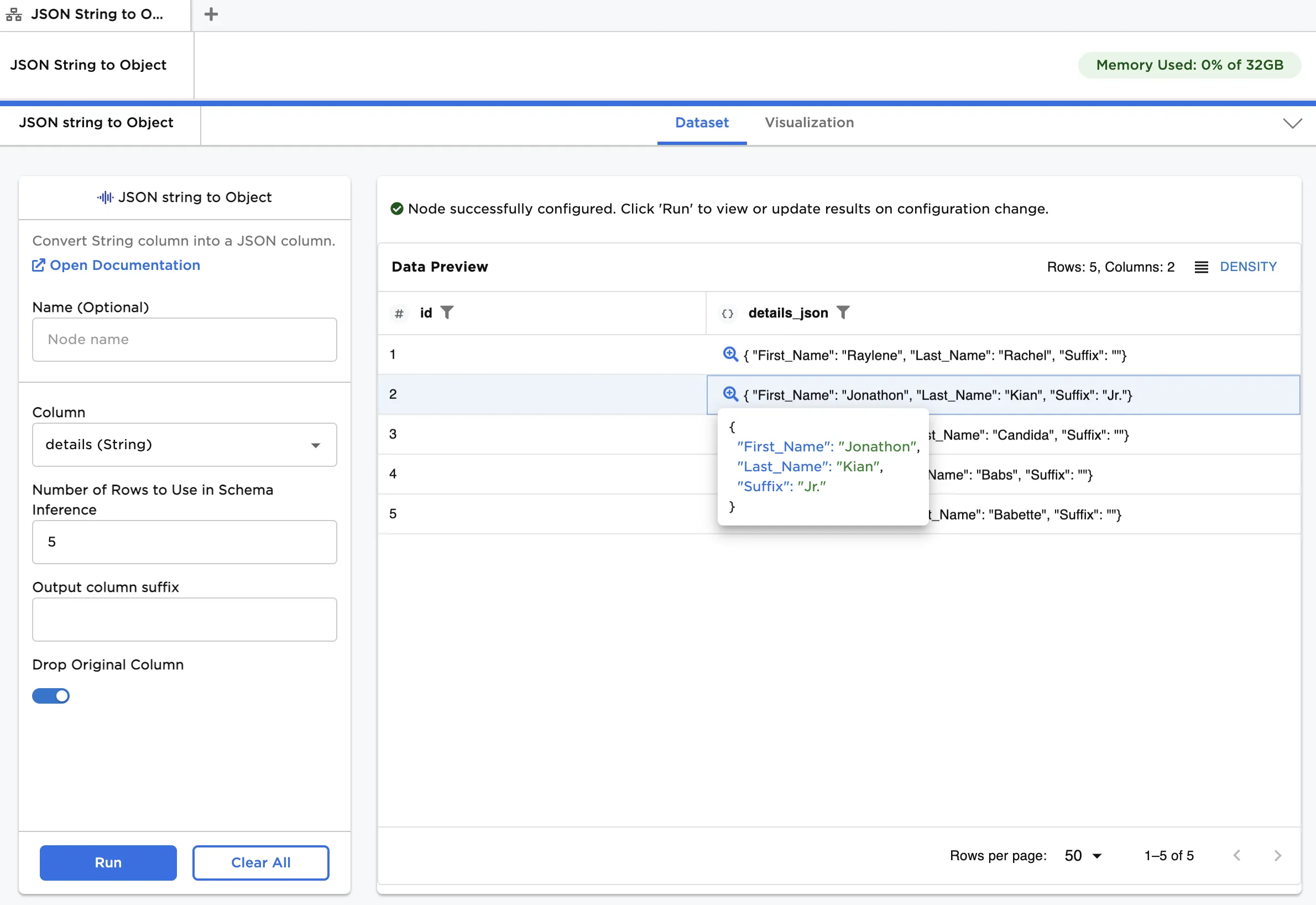
Figure 1: Example dataframe output
Examples
The data shown in Figure 2 is used in the following example. We start with a CSV file comprising basic customer details, which are presented as JSON formatted strings. To learn more about JSON syntax, visit Introducing JSON.
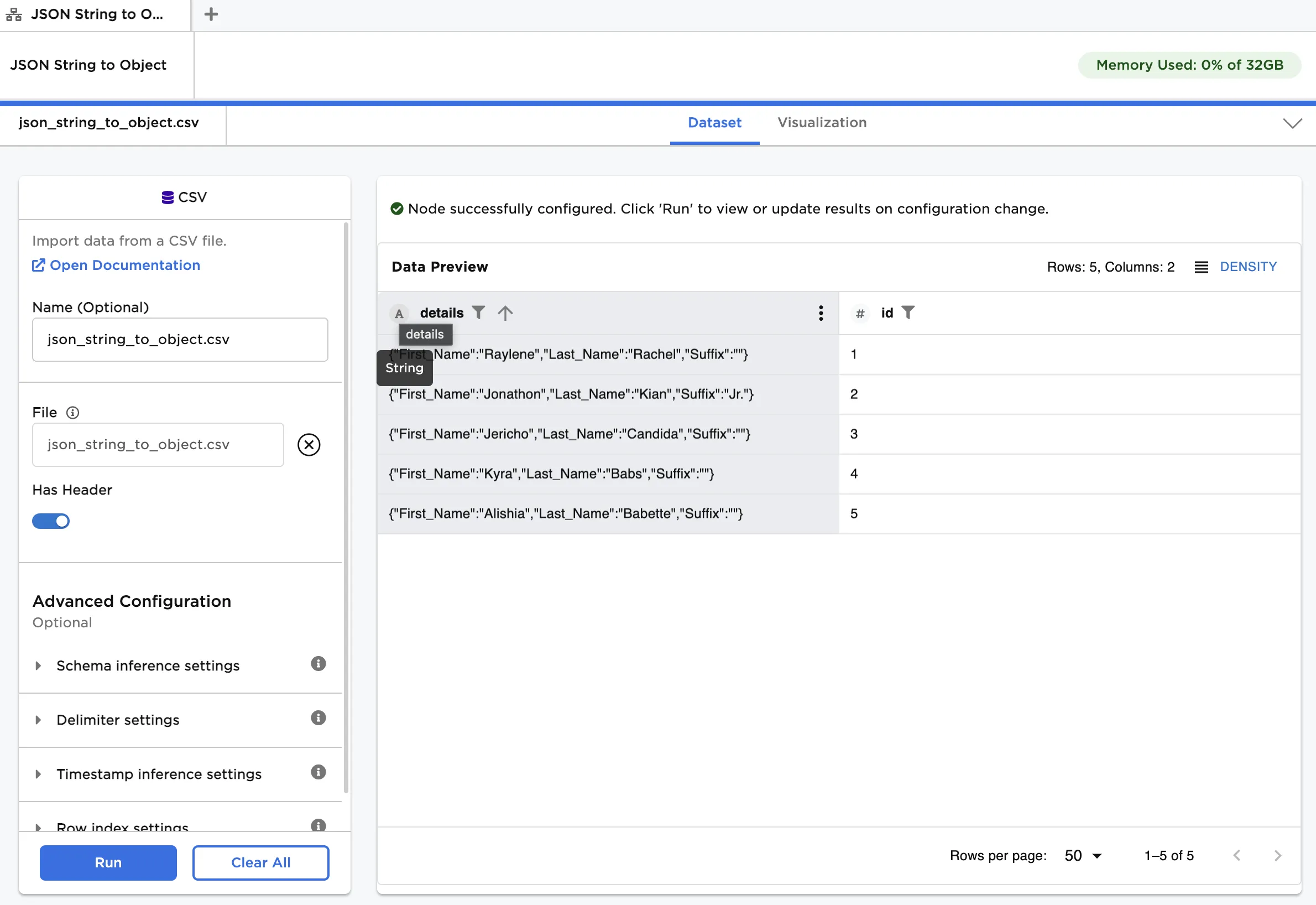
Figure 2: Example input data
Follow the steps below to convert the column of strings into Objects:
- Load the example file into a CSV node.
- Under the Advanced Configuration, click to expand the Delimiter settings and change Escape to "\backslash."
- Connect a JSON string to Object node to the CSV node.
- Under Column, select
details (String). Click Run.
After running the node, the column of customer details changes from a string to an Object data type. This is shown in Figure 3.
Figure 3: Converting a JSON string into an Object