REST Node
The REST node provides users access to data through a REST API Endpoint.
Configuration
| Field | Description |
|---|---|
| Name Optional | A user-specified node name displayed in the canvas |
| URL Required | The URL of the REST API |
| Request Headers Optional | HTTP headers to be included in in the REST API call. For each header required, add a header and value entry. |
| Request Type Default: GET | The HTTP request method to be used for the API call. |
| Body Optional | Static content to be included in the body of the HTTP(S) request. |
| Response Accessor Optional | The path, using dot notation to the object or object of interests in the API response. The dot path traverses the JSON document until it reaches the object of interest. |
Node Inputs/Outputs
| Input | None |
|---|---|
| Output | Visual Notebooks returns a table, called a dataframe, that contains all uploaded data. Columns are labeled and include a symbol that specifies the data type of that column. |
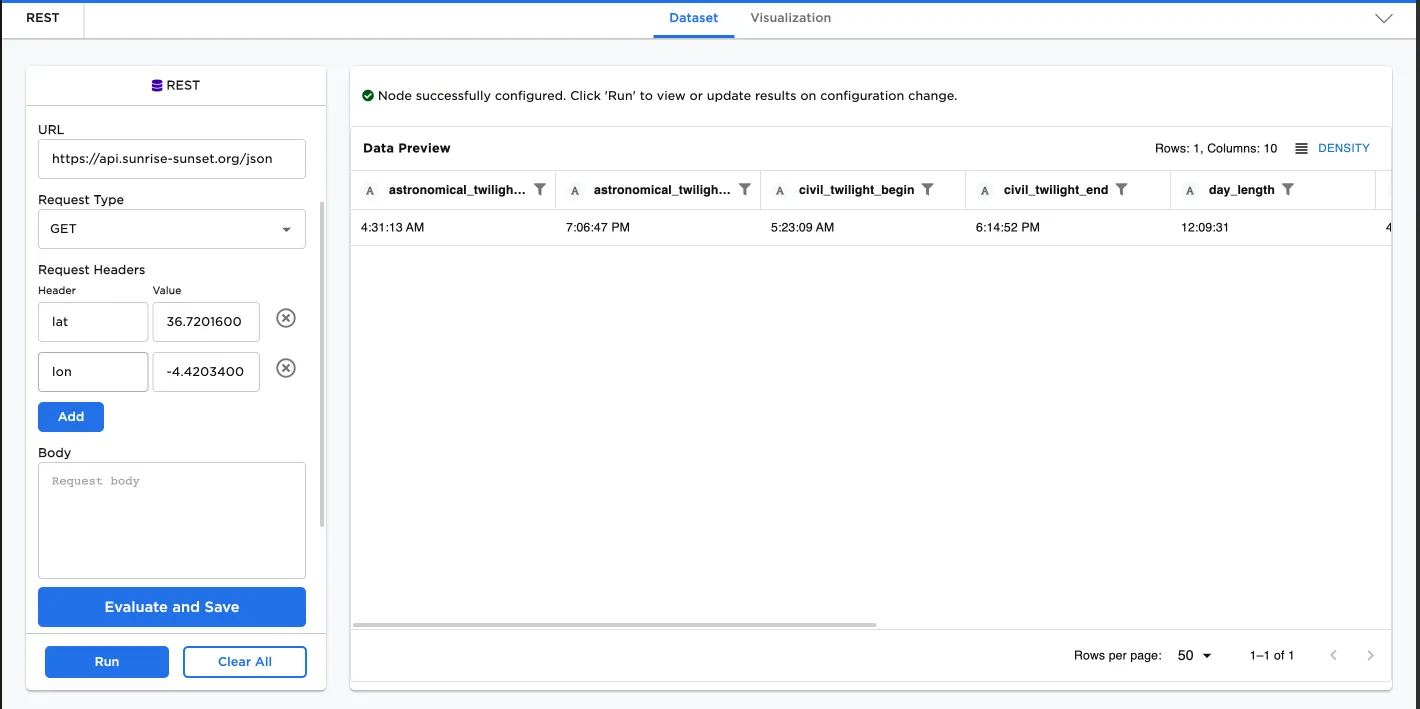
Figure 1: Example dataframe output
Examples
- Specify the URL:
https://api.sunrise-sunset.org/json - Use
GETas the Request Type (default selection) - Add headers for lat and long
- Data is accessed in "results" accessor
- Select Run to create a dataframe
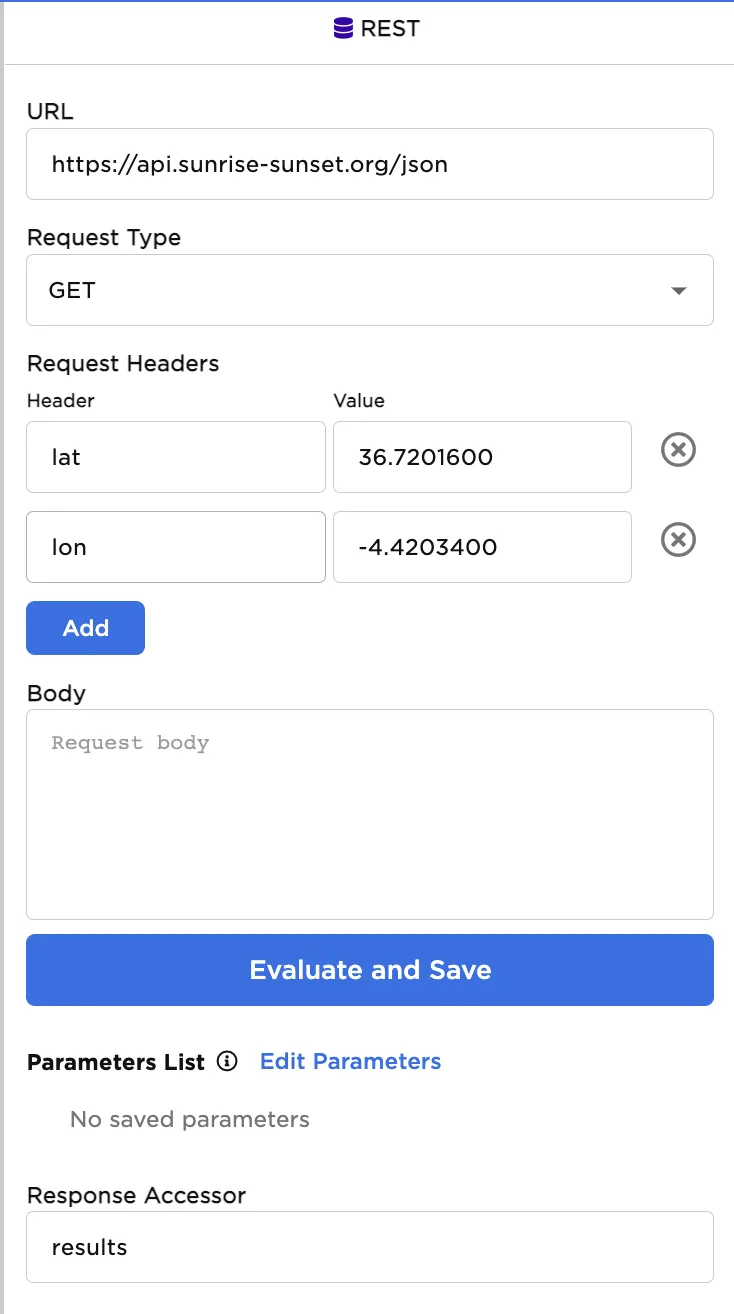
Figure 2: Example REST node configuration
Figure 3: Example dataframe created from a REST Endpoint