C3 AI Timeseries Upsert
The C3 AI Timeseries Upsert node enables a user to load timeseries datapoints from C3 Visual Notebooks into the relevant C3 Type (PointMeasurement).
A C3 Type represents underlying data, including tabular data, timeseries data, or more complex data objects and relationships. The source of all C3 AI platform data access operations are done via C3 Types.
The PointMeasurement type is used to represent discrete measurements for a specific point in time.
Prerequisites
The user must be in the appropriate Admin Group and have the correct roles to be authorized to load data to the selected C3 Type. By default, C3 AI follows the principle of least privilege and users may not have been granted access to write data (rows) into C3 Types. Please speak to the C3 AI Support Team to ensure proper setup.
Configuration
| Field | Description |
|---|---|
| Name | A user-specified node name displayed in the canvas |
| C3 AI Type | The C3 Object (Type) to insert data into Cannot be changed--set to PointMeasurement |
| Mappings | The dataset to use for C3 Type mapping Mapping a dataset to a C3 Type requires one or more dataset columns be mapped to a C3 Type field. C3 Type fields can be simple data types (string, double, datetime) or reference C3 Types requiring a path (i.e., parent.id, quantity.value). |
| Select column to partition with | The column that should be referenced as the "parent"column for the partition upload The parent type is PointPhysicalMeasurementSeries--each PointMeasurement is related to a series. This selection is used to identify the series the point is a "child" of. Note the column used to partition must be a string to match the C3 Type System. |
Node Inputs/Outputs
| Input | A Visual Notebooks dataframe |
|---|---|
| Output | None. The data is uploaded to the PointMeasurement C3 Type and may be accessed by data scientists and other teammates by "fetching" or evaluating metrics |
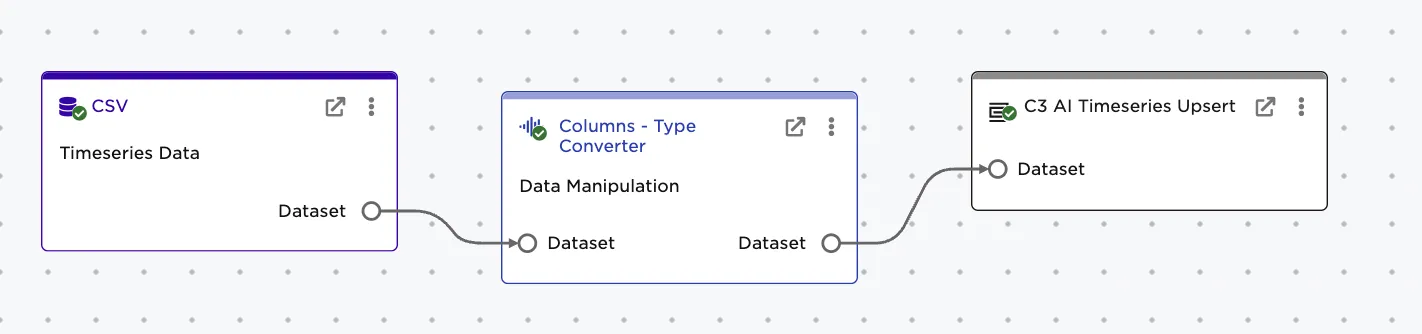
Figure 1: Example node setup. Note the node must take a dataframe as input. The output will persist the data as rows to the PointMeasurement C3 Type.
Examples
The sample data represents timeseries data from a set of ServicePoints. A ServicePoint represents a service delivery point or customer using electricity in their home.
The data was loaded from CSV and appears as follows with the following fields: id, timestamp, AllMeterEventsInLast6Days,AmbientTemperatureCelsius
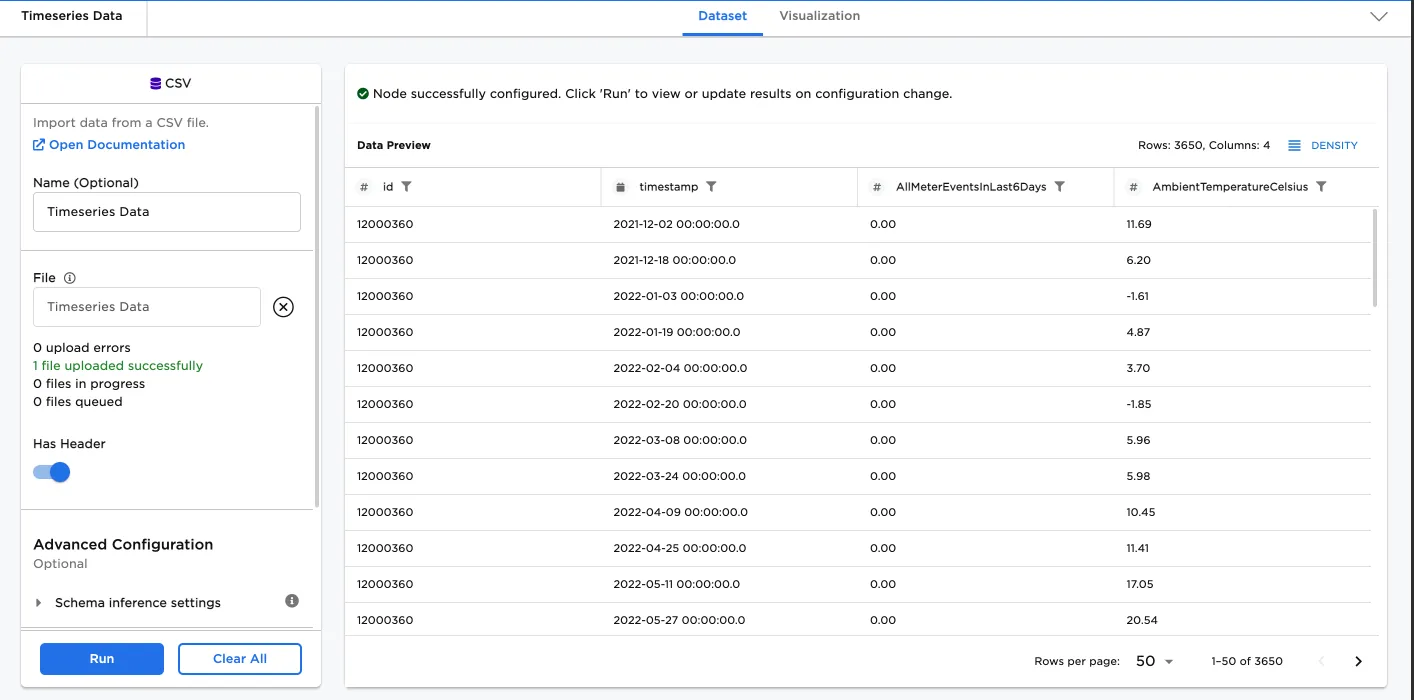
Figure 2: Sample data from a CSV to be uploaded to the PointMeasurement C3 Type.
Some preprocessing was done to convert the "id" column to string. This is necessary as the data points need to be associated with a parent series that must be a string.
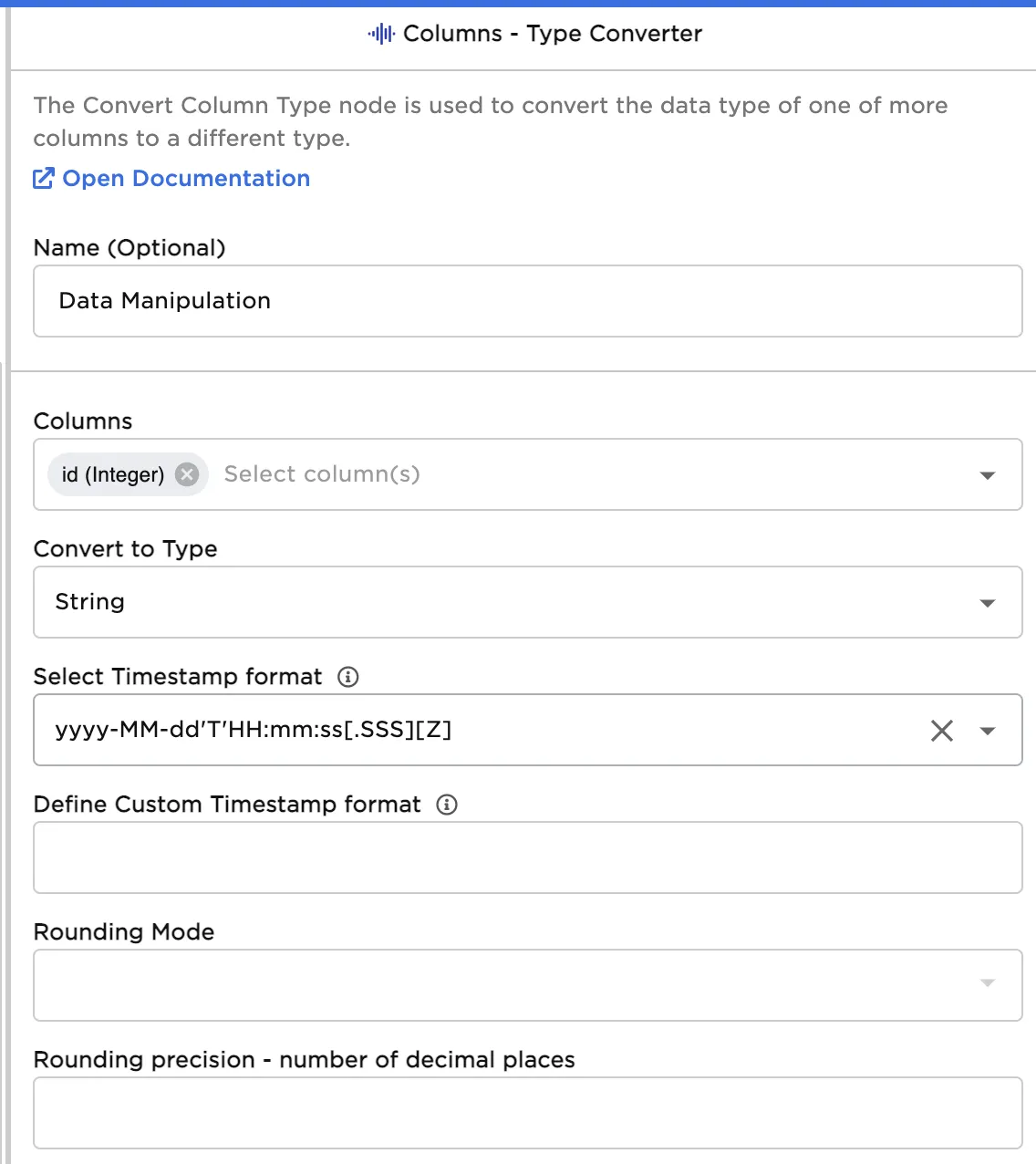
Figure 3: Preprocessing step configuration to create the appropriate parent series id. The parent series is used as to group similar data points that come from the same source.
Create a mapping (Column and Field Path) for each dataset column to be mapped to a field on the PointMeasurement C3 AI Type. Column is the dataset column to be mapped to the C3 AI attribute. Field Path is the attribute or path to the C3 Type field. The field path can be a C3 Type field name (i.e., name), or a path (i.e., quantity.value).
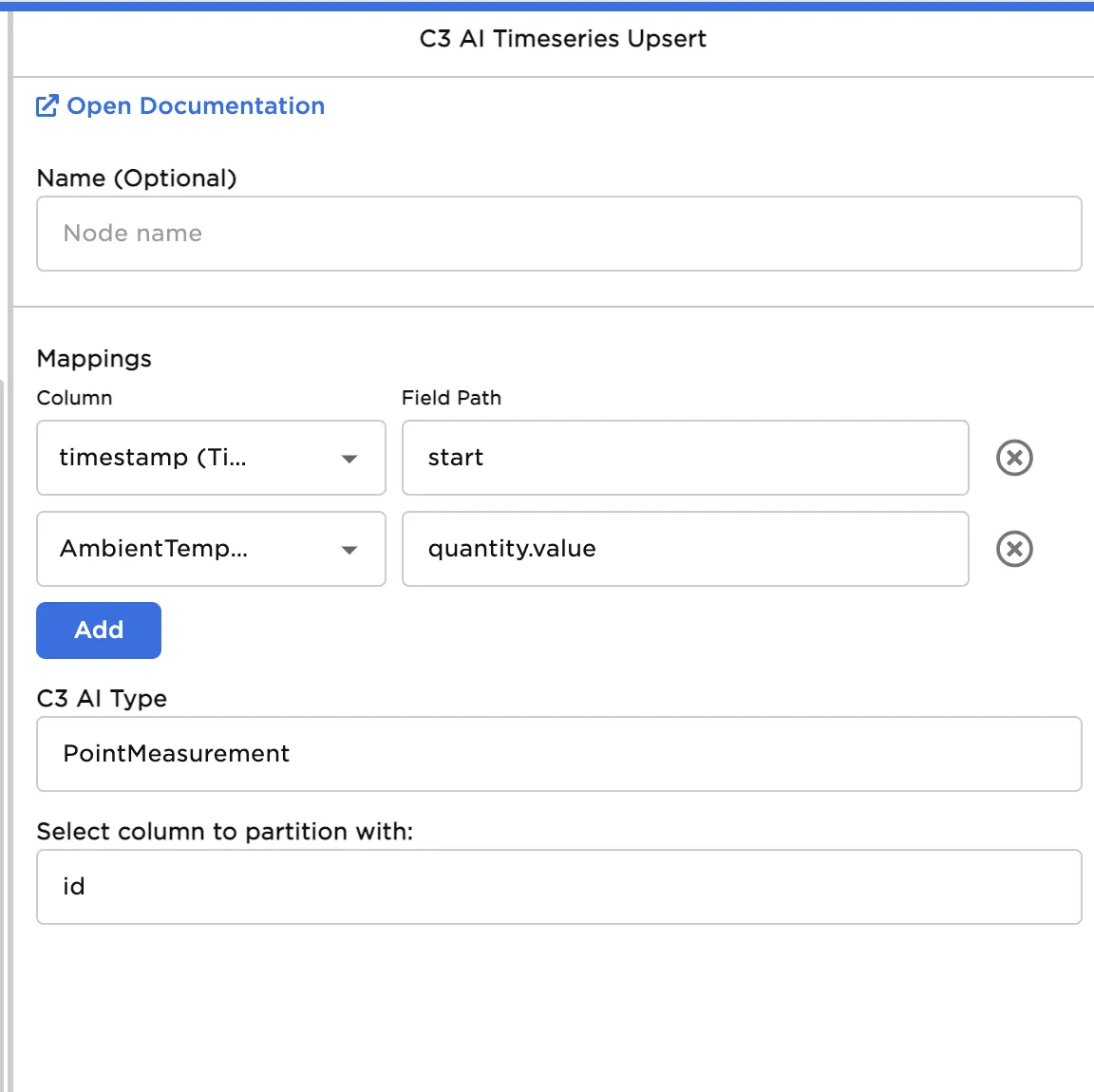
Figure 4: Mapping the input data to the type fields.
Select Run to upload the data to the specified "PointMeasurement" Type which can now be fetched by any user or evaluated as part of a metric evaluation.