[Beta] UI Code Coverage
C3 AI Platform makes it easy to generate code coverage reports so you can assess how much functionality your tests cover of the overall application logic.
As part of that, you can generate an integrated code coverage report for both back-end and front-end logic. The functionality to generate front-end coverage is in beta and not enabled by default.
Enable code coverage for front-end
To enable the beta code coverage for front-end you need access to a Studio console, know your branch group ID and run the following command:
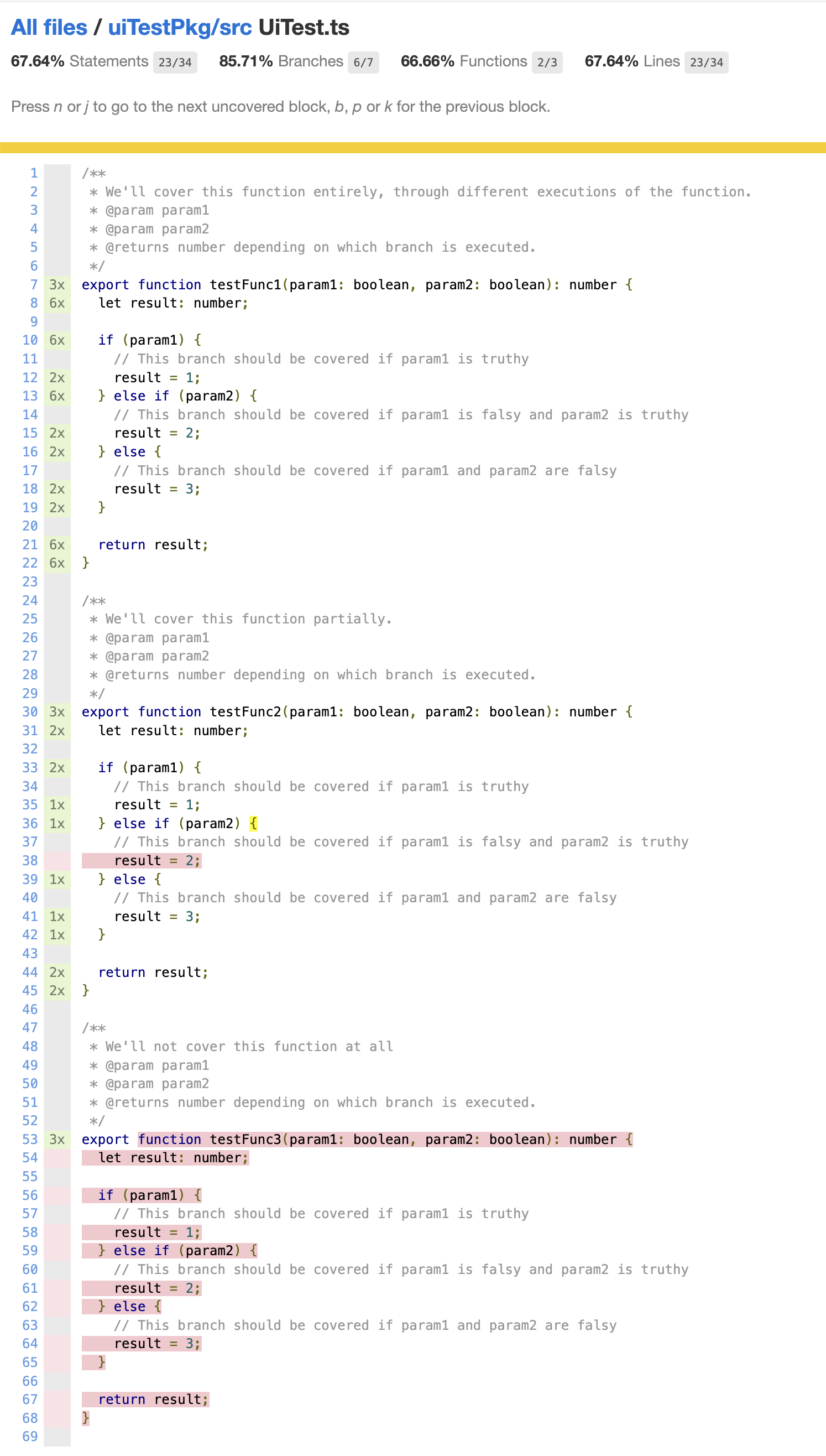
Jarvis.setBranchGroupConfigValue(Jarvis.BranchGroup.make(YOUR_BRANCH_GROUP_ID), "enableC3UiCoverage", true);Once enabled, the next build for all branches belonging to that branch group will gather code coverage information from UI tests (ts-c3ui-browser and js-luke-browser) and will include reports for UI files in a similar fashion to the following example, where each line is displayed with an annotation for how many times it was called and indicating uncovered code with red highlights: