Web Search Tool
Use the web search tool to include real-time web data in Dynamic Agent responses.
You can configure it for specific instances of CanvasAgent_default or CanvasAgent_deep_research, connecting each to providers such as OpenAI Search API or Vertex AI Search API.
This document covers configuration for CanvasAgent_default and CanvasAgent_deep_research. All other agents are instances of Dynamic Agent Canvas or Dynamic Agent Deep Research, so you can follow the same steps for any agent instance.
Learn more about creating agents in Create Agents and Toolkits.
Prerequisites
Before you begin, ensure the following:
- You can access Jupyter Notebook and the Application C3 AI Console.
- You have a valid API key for OpenAI Search API to use the default configuration. If you prefer Vertex AI, you don't need API credentials since it works out of the box.
Open Jupyter Notebook
Open Jupyter Notebook from the C3 Generative AI Application card:
- Navigate to your application in C3 AI Studio.
- Select Jupyter Notebook.
- Set the
py-query-orchestratorruntime as the notebook kernel.
Set up LLM credentials
Configure the API credentials for your chosen search provider.
# Configure OpenAI for web search tool
openai_config = c3.Genai.Llm.OpenAI.Config.inst()

# Set your OpenAI API key (replace 'your-api-key-here' with actual key)
openai_config.setSecretValue('apiKey', 'your-api-key-here')Get the list of agents
Get the config.name of the Dynamic Agent you want to configure the web search tool for. Run this command in your Python notebook.
c3.Genai.Agent.Dynamic.Canvas.fetch()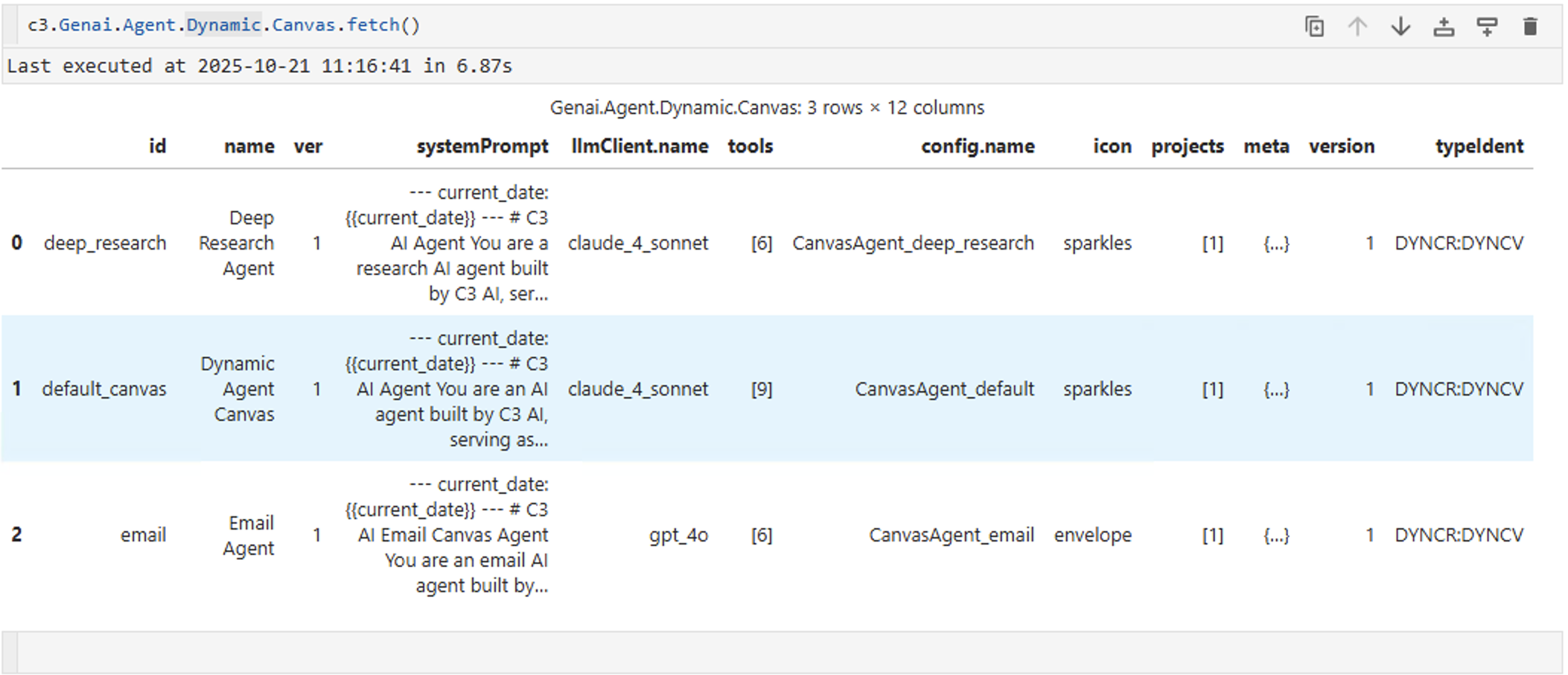
You can have multiple instances of CanvasAgent_default or CanvasAgent_deep_research. To configure the web search tool for a specific agent, identify the correct instance by checking the config.name value.
Web search tool for CanvasAgent_default
After you identify your agent, configure the web search tool for Dynamic Agent Canvas.
Get the current toolkit configuration
toolkit = c3.Genai.Agent.Dynamic.Toolkit.forId('canvas_agent_default_toolkit')
print(f"Current toolkit: {toolkit.id}")
print(f"Current tools: {[tool.id for tool in toolkit.tools]}")# Get the pre-seeded web search tool
web_search_tool = c3.Genai.Agent.Dynamic.Tool.forId('openai_web_search')
print(f"Web search tool: {web_search_tool.id}")
print(f"Tool config params: {web_search_tool.toolConfigurationParams}")# Get current tools and add the web search tool
current_tools = toolkit.tools
updated_tools = current_tools.with_(web_search_tool)
# Update the toolkit with the new tool list
toolkit.withTools(updated_tools).merge()
print("OpenAI web search tool successfully added to toolkit")# Restart all engines to pick up the toolkit changes
c3.Genai.PyUtil.restartAllEngines()
print("Engines restarted successfully")Web search tool for CanvasAgent_deep_research
Dynamic Agent Deep Research includes the web search tool out of the box and uses OpenAI Search API by default. You must set up OpenAI API credentials first. If you prefer Vertex AI, you can switch to it without needing credentials.
Dynamic Agent Deep Research works with OpenAI Search by default. After you set up the OpenAI API credentials in the first step, the agent can use the web search tool without additional configuration.