ServiceNow Connector
The C3 Agentic AI Platform has a built-in Java Database Connectivity (JDBC) connector for integrating with ServiceNow databases.
To connect to ServiceNow from your application:
- Add a SqlSourceSystem modeling the ServiceNow source system to your package.
- Configure the JdbcCredentials authorizing the connection to the external ServiceNow table.
- Add a SqlSourceCollection modeling the target ServiceNow table to your package.
- Create an External Type modeling the schema of the external ServiceNow table.
- Fetch data through the
ExternalType to confirm that the connection works.
For more information, see the ServiceNow driver documentation.
Model the source system
Create a SqlSourceSystem and set the name field as the identifier for the external database system.
For example, add the following ServiceNowSourceSystem.json to the \metadata\SqlSourceSystem directory of your package:
{
    "name": "ServiceNowSourceSystem"
}Configure the credential used to authorize the JDBC connection
In the C3 AI Console, create a JdbcCredentials Type instance to configure the connection to the external ServiceNow database.
var credsRaw = {
    "url": "jdbc:servicenow:URL=< SERVER_HOSTNAME >",
    "username": "< DB_USERNAME >",
    "password": "< DB_PASSWORD >",
    "datastore": DatastoreType.SERVICENOW
    }

creds = JdbcCredentials.make(credsRaw)

SqlSourceSystem.forName("ServiceNowSourceSystem").setCredentials(creds);Model the table containing the data
To model the external ServiceNow table in your application, create a SqlSourceCollection and set the following fields:
name: Identifier for the ServiceNow tablesource: Name of the External Type that models the schema of the external ServiceNow tablesourceSystem: Name of the ServiceNow SqlSourceSystem
For example, to model a table called TestDocumentApproval, add the following TestDocumentApproval.json to the \metadata\SqlSourceCollection directory of your package:
{
    "name": "TestDocumentApproval",
    "source": "TestDocumentApproval",
    "sourceSystem" : {
      "name" : "ServiceNowSourceSystem"
    }
}Model the table schema
To model the schema of the ServiceNow table in your application, create an External entity Type. Give the entity Type a schema name that matches the internal name of the table in ServiceNow.
Start by adding the following TestDocumentApproval.c3typ file to the \src directory of your package:
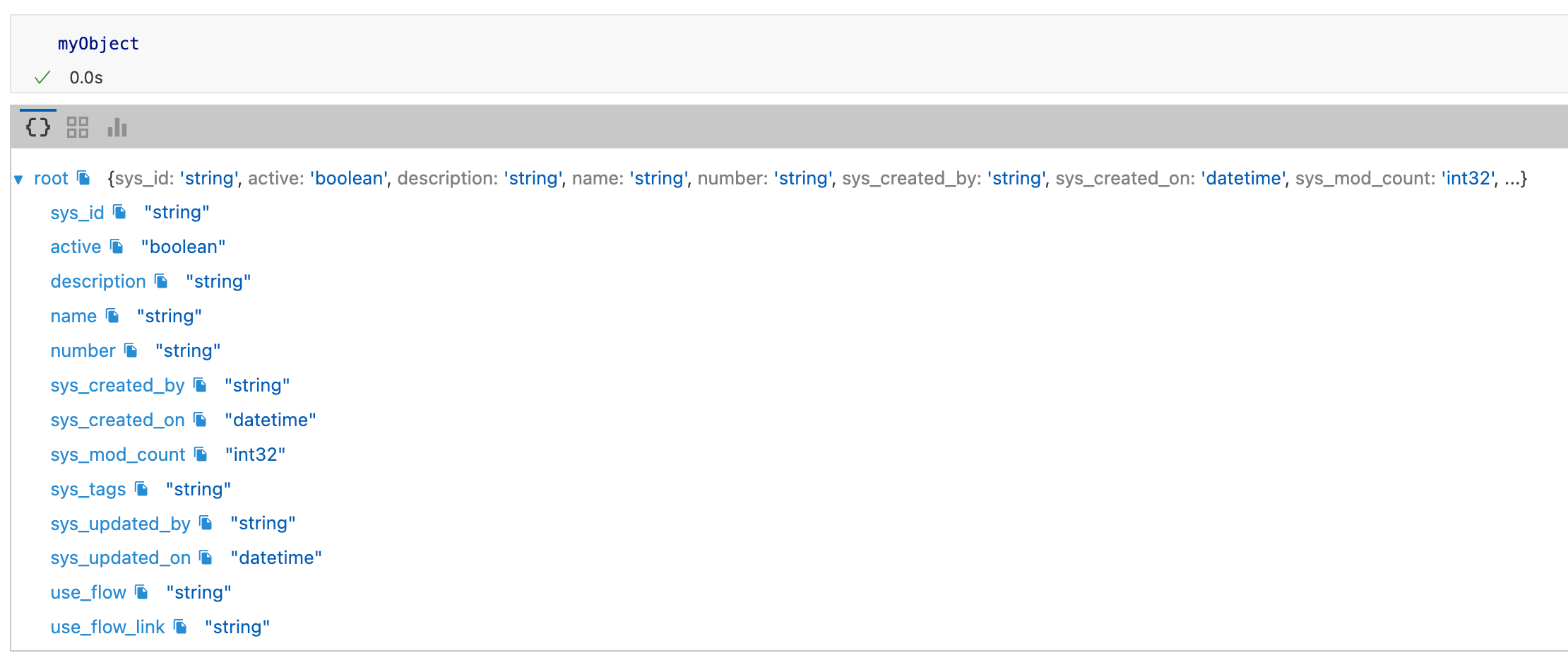
entity type TestDocumentApproval mixes External, NoSystemCols schema name 'x_1385199_c3_test_document_approval_category'Use the inferSourceType() method to see the C3 AI data types that the platform infers from the source data types of the table:
var schema = SqlSourceCollection.forName("TestDocumentApproval").inferSourceType().declaredFieldTypes;

var myObject = {};
for (let i = 0; i < schema.length; i++) {
        schemaName = schema[i].schemaName;
        myObject[schemaName] = schema[i].valueType.name;
    }
To validate the type inference, view the source data types:
SqlSourceCollection.forName("TestDocumentApproval").connect().columns;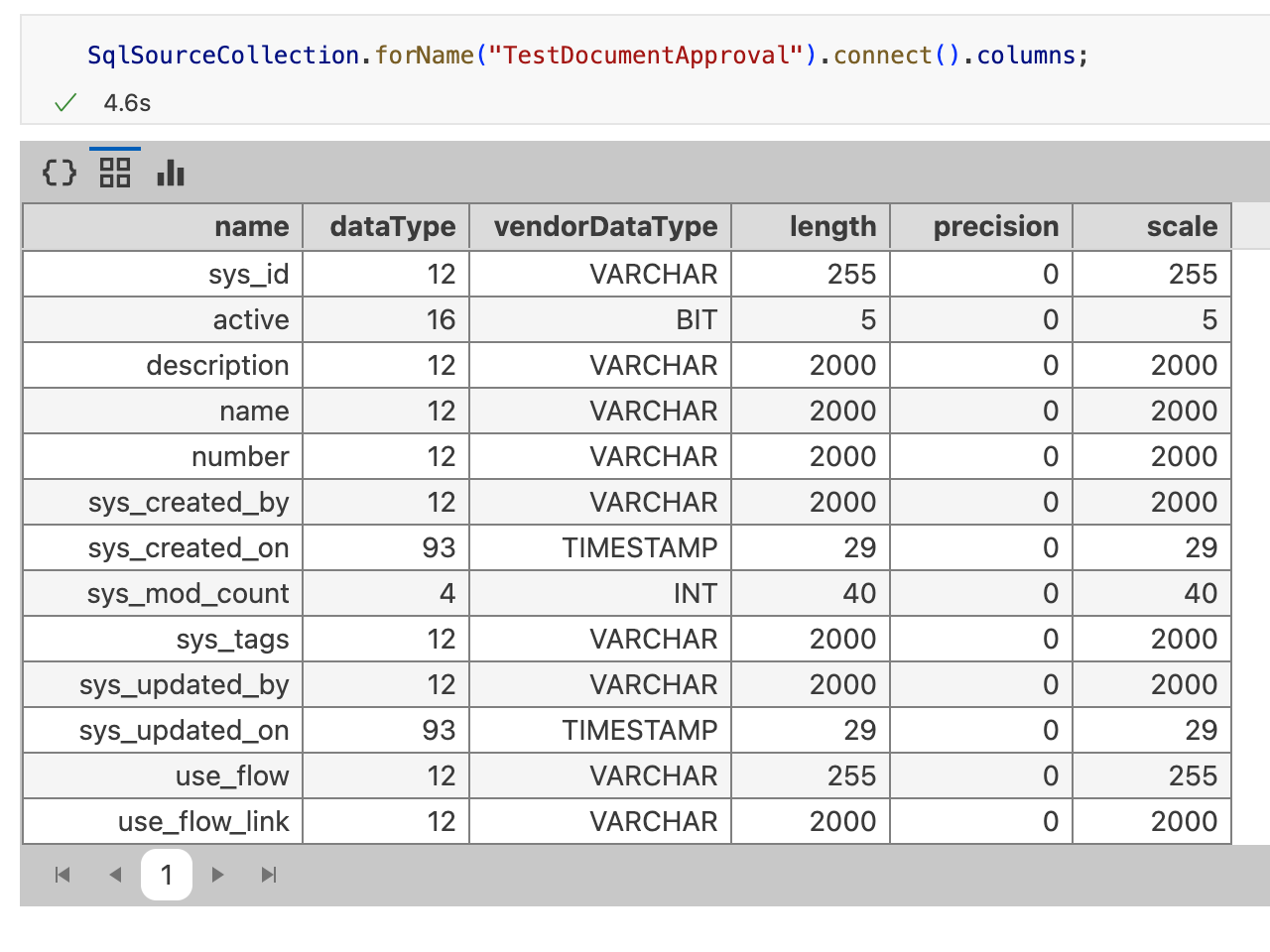
Complete the External entity Type definition:
entity type TestDocumentApproval mixes External, NoSystemCols schema name 'x_1385199_c3_test_document_approval_category' {

  id:             string schema name 'sys_id'
  active:         boolean schema name 'active'
  description:    string schema name 'description'
  name_:          string schema name 'name'
  number:         string schema name 'number'
  sys_created_by: string schema name 'sys_created_by'
  sys_created_on: datetime no tz schema name 'sys_created_on'
  sys_mod_count:  int32 schema name 'sys_mod_count'
  sys_tags:       string schema name 'sys_tags'
  sys_updated_by: string schema name 'sys_updated_by'
  sys_updated_on: datetime no tz schema name 'sys_updated_on'
  use_flow:       string schema name 'use_flow'
  use_flow_link:  string schema name 'use_flow_link'
}
The id field is required. If your table has no column called id, change the schema name for the corresponding id field with the following annotation:
@db(dataTypeOverride="ID_FIELD_DATA_TYPE")
id: ~ schema name "ID_FIELD"Read data from the table
After you complete the External entity Type definition, validate the configuration. Fetch the External Type data from the ServiceNow table:
c3Grid(TestDocumentApproval.fetch());