Code Assistant for Jupyter
The C3 AI Code Assistant offers interactive assistance with C3 AI APIs and concepts directly within your development tools, including the C3 AI Jupyter Service. It answers questions using C3 Documentation and a Large Language Model (LLM) specifically fine-tuned on C3 code.
Enable the Code Assistant
The Code Assistant is disabled by default. To enable it, contact your Cluster Administrator. If you are the Cluster Administrator, reach out to C3 AI, as enabling the Code Assistant requires configuration changes both in your cluster and at C3 AI to allow access.
Use the Code Assistant from Jupyter
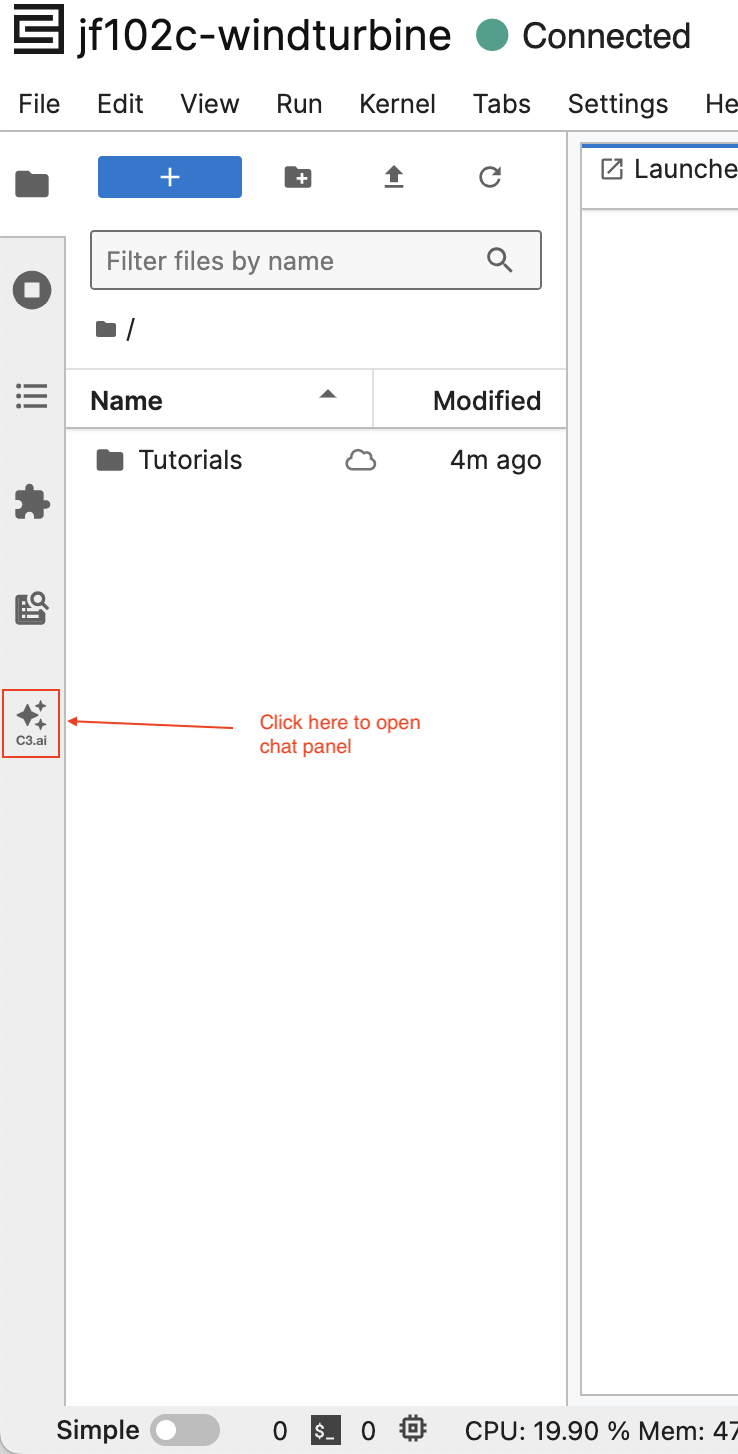
To open the chat panel, select the GenAI Icon on the left side panel:
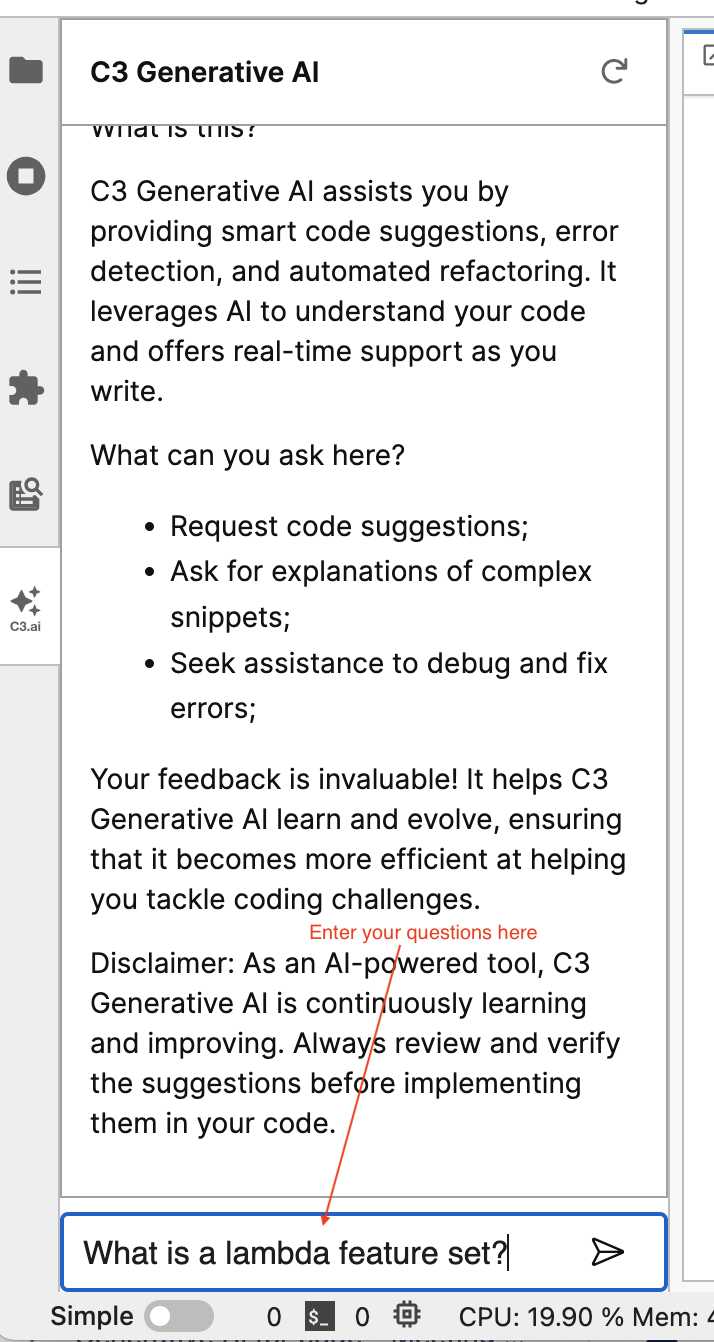
After it is open, you can enter questions in the text box at the bottom of the panel:
Data protection
Your questions and feedback may be transmitted from your data center to a central C3 cloud environment where the C3 AI service is hosted. C3 AI handles your data with care and protects it in accordance with the standard C3 AI license terms. Customer questions, answers, and feedback may be retained solely for debugging purposes. The C3 AI data retention policy ensures that this information is deleted within a maximum of two weeks. C3 AI does not use customer data (questions or responses) for model training or any other non-diagnostic purposes. Additionally, users cannot view each other's questions or responses.
Feedback
If you wish to share any feedback with the developer team, please reach out to us.