Troubleshoot Jupyter using OpenSearch
Sometimes, you may run into various issues starting or using C3 AI-managed Jupyter. One of the ways you can troubleshoot this issue is by using OpenSearch logs to determine where the error occurred.
Accessing OpenSearch
Access the OpenSearch discover page by going to https://{CLUSTER_URL}/opensearch/app/discover/. By entering specific queries, you can find relevant information or logs for what you're looking for.
For troubleshooting Jupyter, switch the index to Jupyter by changing the index pattern to jupyter*.
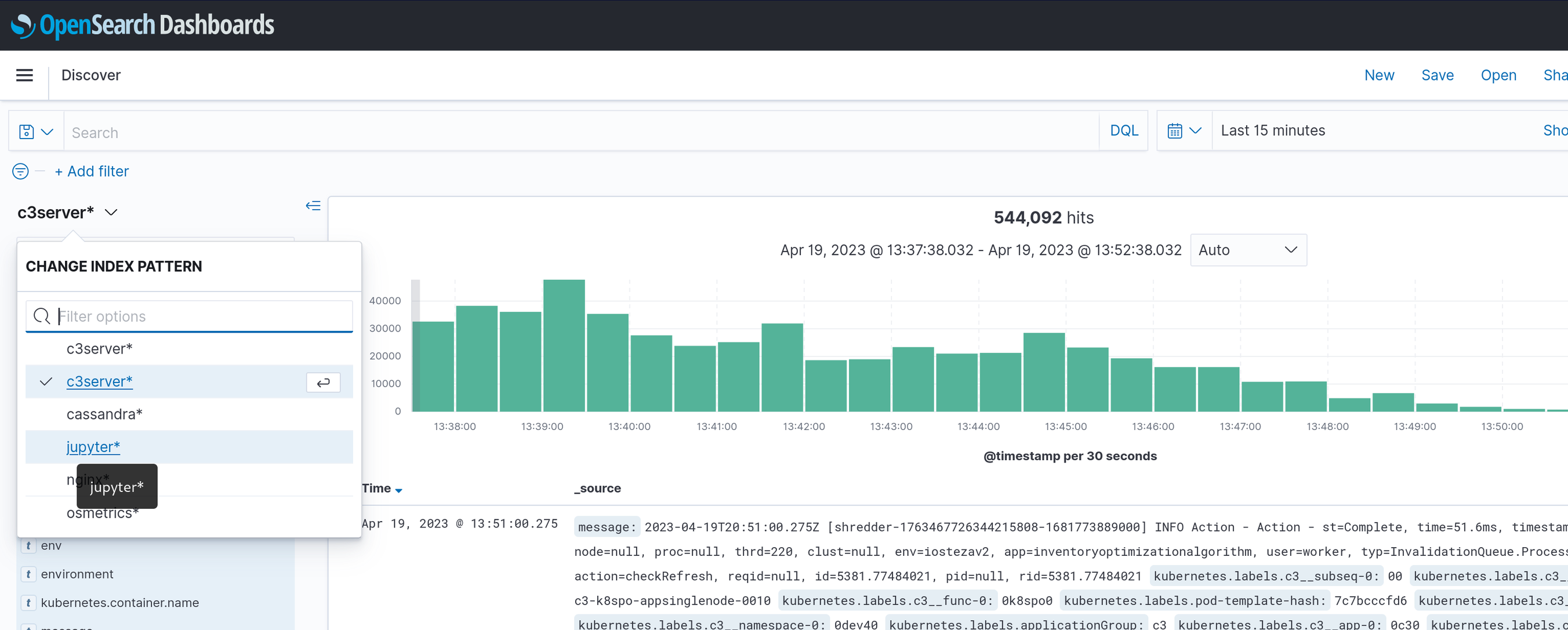
Find encoded user email
You may need to find your encoded_user_email to effectively navigate OpenSearch for C3 Jupyter. You can determine the encoded_user_email through the URL of your Jupyter instance.
https://cluster.url.cloud/environment/app/jupyter/user/firstname2elastname40c32eai/labIn the above example, the encoded_user_email is firstname2elastname40c32eai, the string between user/ and /lab.
JupyterHub logs
Debugging Jupyterhub logs can be useful to identify issues around authentication, 404 errors, or other similar issues.
Use the following query to target authentication issues:
application: "<cluster>-<env>-<app>" AND c3hostname: "-hub-" AND message: *<encoded_user_email>*Note: * is required, as it is a wildcard.
JupyterLab Logs
Debugging JupyterLab logs can be useful to identify any errors with kernel installation, and issues saving or downloading notebooks from c3server.
For each user, the JupyterLab pod name is in the format j-<encoded_user_email>-<serverurl>. You can get the encoded user email from the JupyterLab browser URL. An example URL while using Jupyter is shown below.
https://cluster.url.cloud/environment/app/jupyter/user/firstname2elastname40c32eai/labConcatenate the cluster, environment, and app names to determine the serverurl, and use the latter part of the URL for Jupyter to determine the encoded_user_email.
In this example, the serverurl is clusterurlcloudenvironmentapp, and the encoded_user_email is firstname2elastname40c32eai-cluster.
j-firstname2elastname40c32eai-clusterurlcloudenvironmentappTo filter for logs for your singleuser pod, use the following query:
application: "<cluster>-<env>-<app>" AND c3hostname:*encoded_user_email* AND message:* Note: * is required, as it is a wildcard.