1-Sample Mean
Determine whether the mean of a population differs significantly from a specified value.
Configuration
| Field | Description |
|---|---|
| Name default=none | A user-specified node name displayed in the workspace |
| Column Required | Column to use in the calculation |
| Select the column that contains the data you want to use in the calculation. | |
| Target value for Mean - 𝜇₀ Required | The mean for the larger population |
| Enter a decimal or integer. Visual Notebooks determines whether the population mean differs from this value. | |
What do you want to determine? default=Is the mean of the sample column greater than the target value? | The relationship between the target mean and the sample mean |
| Select less than, greater than, or different than. Selecting different than runs a 2-tailed test while selecting greater than or less than runs a 1-tailed test. | |
Desired Significance Level - 𝛼 default=0.05 | The probability of an error |
| Select 0.01, 0.05, 0.1, 0.2, or Custom. | |
| Custom value for alpha default=none | Custom probability of an error |
| If Custom is selected in the field above, enter a number between 0 and 1. | |
Is the population variance or standard deviation known? default=Not known - estimate from sample | Type of test |
| Select Not known - estimate from sample to use the sample data to estimate the standard deviation of the population and perform a t-test. Select Population standard deviation 𝝈 specified to use a known standard deviation and perform a z-test. The difference between a t-test and a z-test is whether the standard deviation is known. | |
| Standard Deviation default=none | Known standard deviation |
| If Population standard deviation 𝝈 specified is selected in the field above, enter the standard deviation of the larger population. |
Node Inputs/Outputs
| Input | A dataframe in Visual Notebooks |
|---|---|
| Output | Results of the 1-sample mean test |
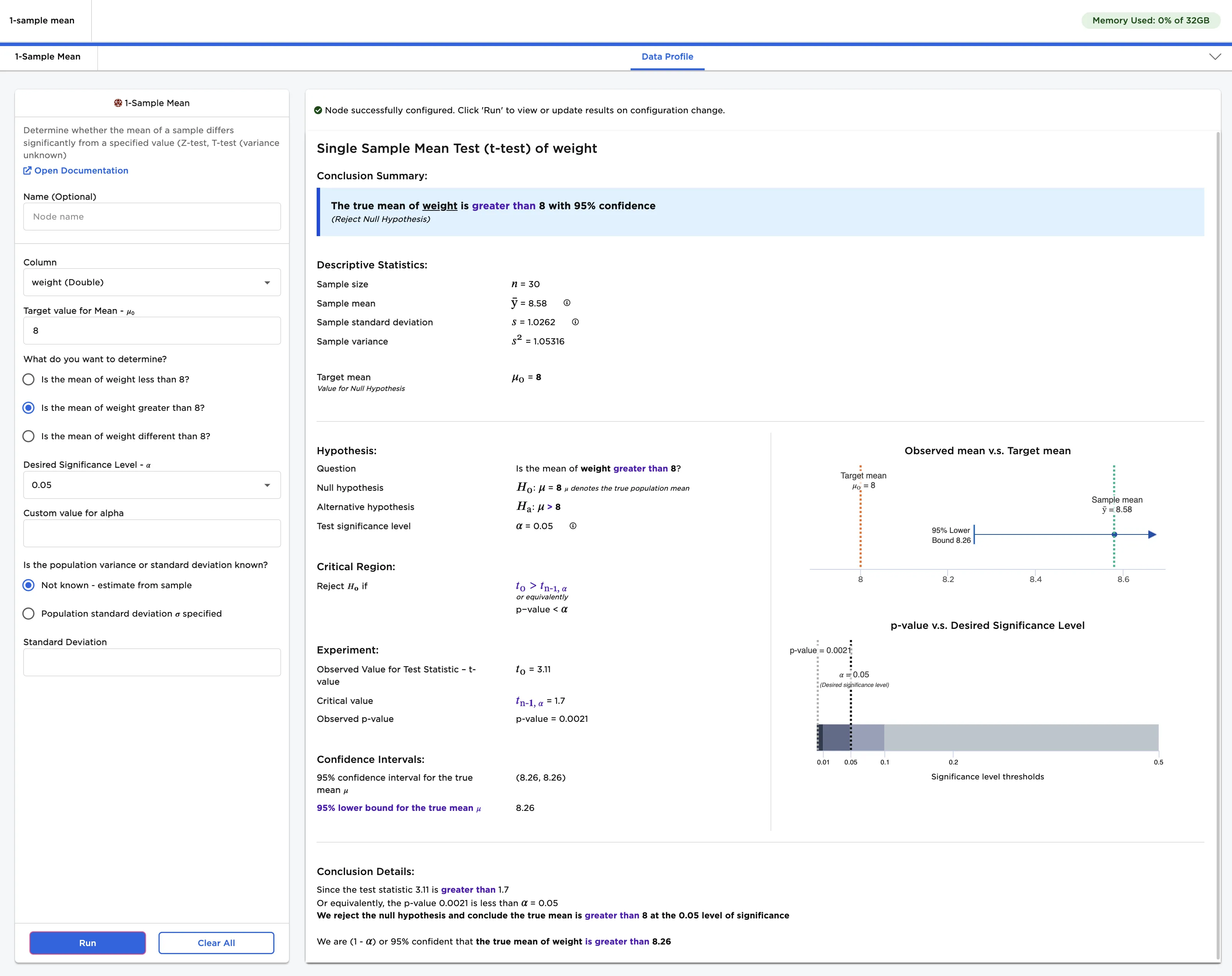
Figure 1: Example output
Examples
Imagine you read that the average weight of a bag of chips is 8 oz, but you suspect that chip bags actually weigh more than that. You can't go to the factory where the chips are made and weigh each individual bag, but you can collect a small sample of chip bags and try to gain insights from the sample. Imagine that you collect and weigh 30 chip bags from different locations. The weights of the 30 bags you collected are shown in the dataframe below.
Given the use case described above, the following terminology is used in the rest of this example:
- "Population" is the immeasurable group of chip bags made in the factory.
- "Sample" is the small, hand-collected group of chip bags used for testing.
- The "null hypothesis" is the information you are disputing: the mean weight of the chip population is 8 oz.
- The "alternative hypothesis" is the theory you are proposing: the mean weight of the chip population is larger than 8 oz.
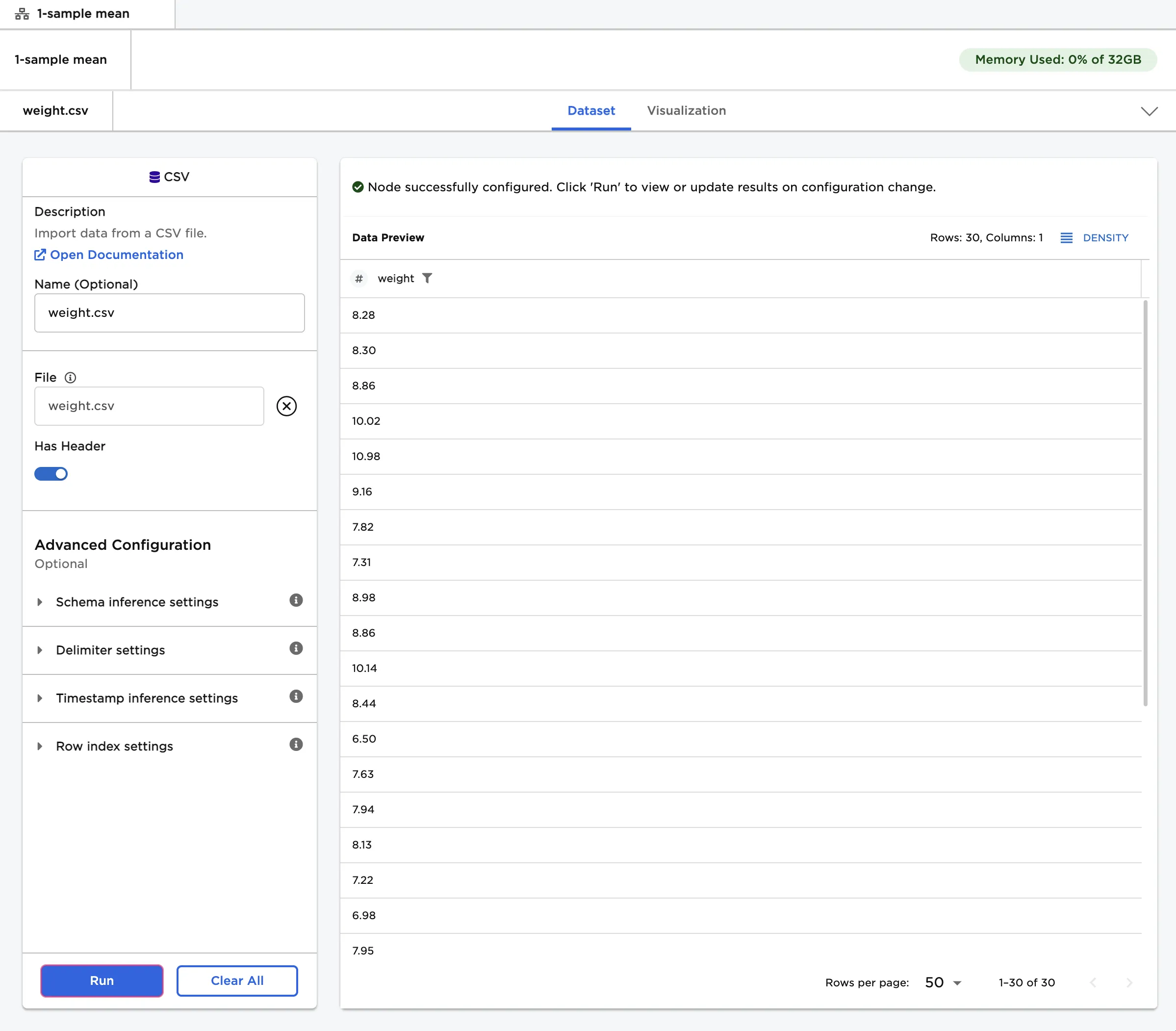
Figure 2: Example input
- Connect a 1-Sample Mean node to an existing node.
- Select weight (Double) for the Column field. Enter "8" as the target value for mean, as that is the stated weight of the population.
- Select Run to perform a 1-sample mean test with the default settings.
Notice that Visual Notebooks presents a page of results. At the top of the page is a single-sentence summary. In this case, the test determined that the true mean of the population is greater than 8 with 95% confidence.
Since the population standard deviation is unknown, this type of calculation is called a t-test.
Figure 3: 1-sample t-test with default settings
The desired significance level, or alpha (𝛼), is the probability of making a false conclusion. A small alpha value allows you to make strong, well-tested claims. A large alpha value allows you to make more general, speculative conclusions. Alpha is used to calculate the confidence that the result of the test is accurate.
- Select Custom for the Desired Significance Level - 𝛼 field.
- Enter "0.5" for the Custom value for alpha field.
- Select Run to perform a 1-sample t-test with a custom alpha value.
As noted above, using a large alpha value results in more speculative predictions. Running a t-test with an alpha value of 0.5 suggests that the population mean is actually greater than 8.58, but the confidence in that prediction is only 50%.
Notice that alpha is related to the p-value. In this example, the p-value is the likelihood that the population mean is still 8 even though the sample mean is greater than 8. The p-value is extremely low, so you can confidently assume that the population mean is indeed greater than 8. If the p-value is less than the specified alpha value, the test is deemed significant.
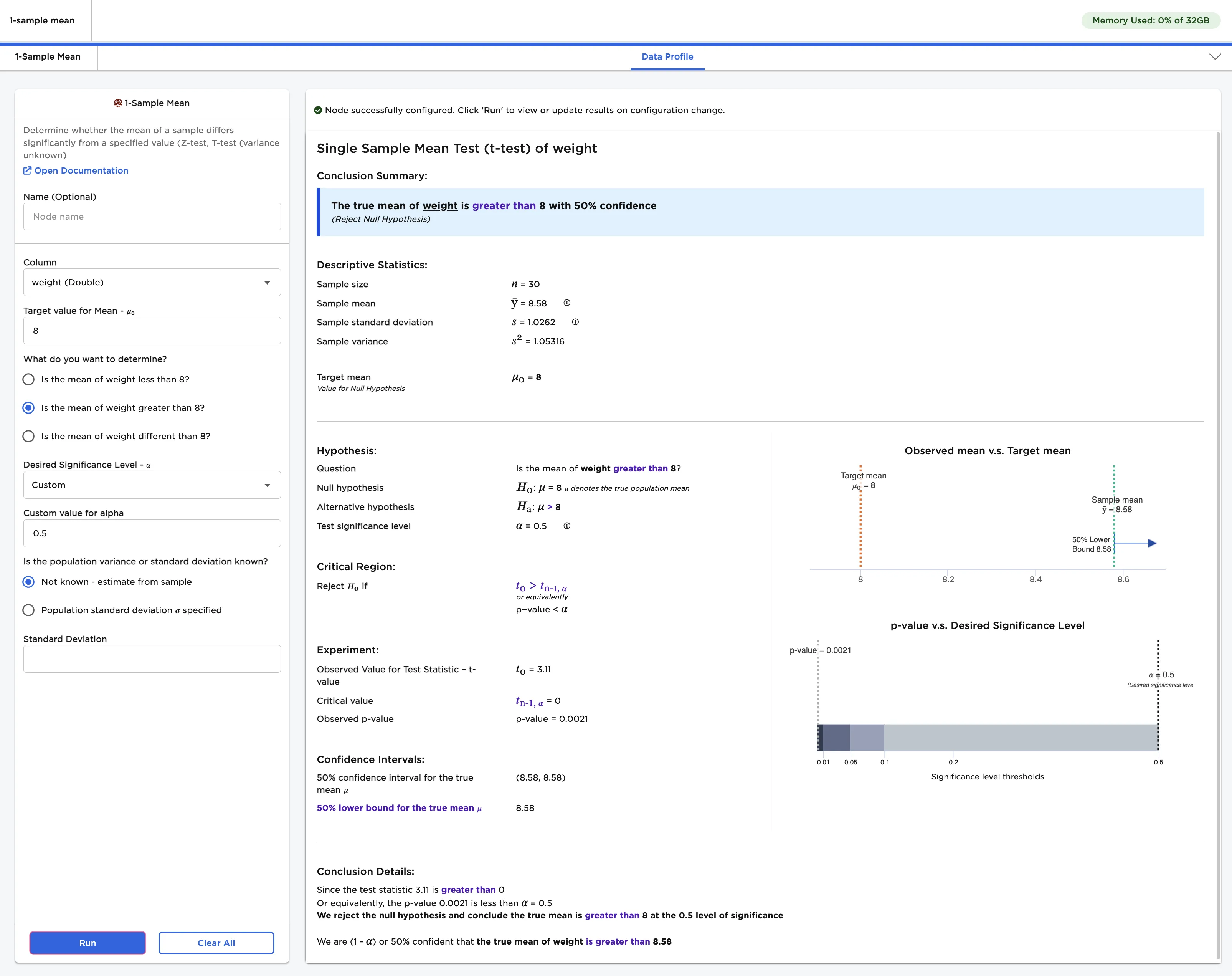
Figure 4: 1-sample t-test with a custom alpha value
Now imagine that you work in the chip factory and you know both the population mean and the standard deviation. It is still impractical to weigh every single bag, so you repeat the sample test to ensure that the stated weight is accurate. Since you know the standard deviation, a z-test is used. A z-test uses the same calculation as a t-test, but skips the extra step of estimating the standard deviation from the sample.
- Change the What do you want to determine? field to Is the mean of the sample column different than the target value?
- Change the Is the population variance or standard deviation known? field to Population standard deviation 𝝈 specified. Enter "1" as the standard deviation.
- Select Run to perform a 1-sample mean z-test.
Notice that the output looks very similar to the output for a t-test. Since you simply want to determine if the true mean population weight is different than the stated mean, the test outputs a range of values for the true population mean.
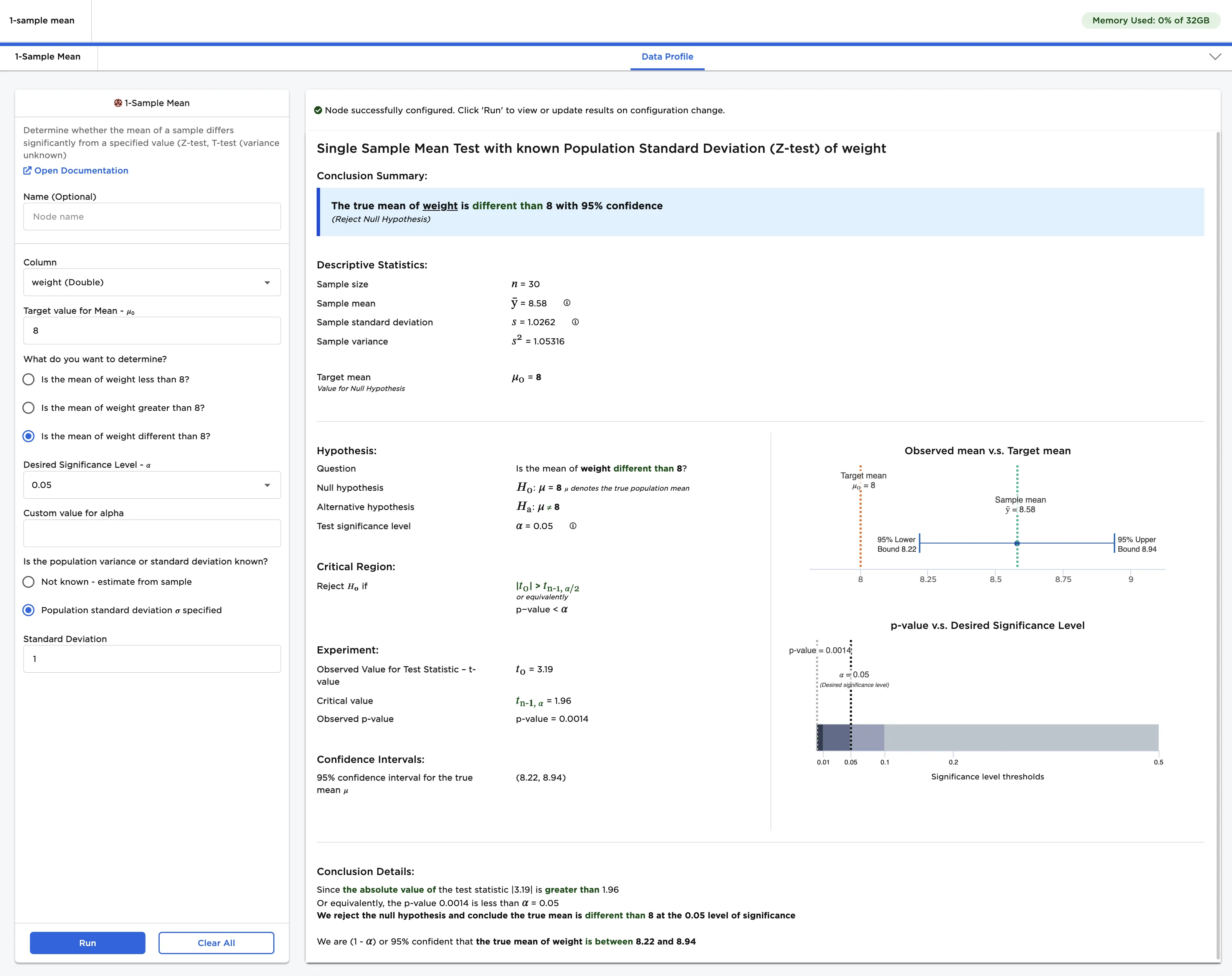
Figure 5: 1-sample z-test