Columns - Reorder
Reorder columns in Visual Notebooks.
Configuration
| Field | Description |
|---|---|
Name (default=Columns - Reorder) | A user-specified node name displayed in the workspace |
Select ordering method (default=Specify custom column order) | Column ordering method |
Reorder columns alphanumerically, by type, or in a custom arrangement. After selecting an ordering method, specify ordering details using the corresponding fields that appear. |
Node Inputs/Outputs
| Input | A Visual Notebooks dataframe |
|---|---|
| Output | A dataframe with reordered columns. |
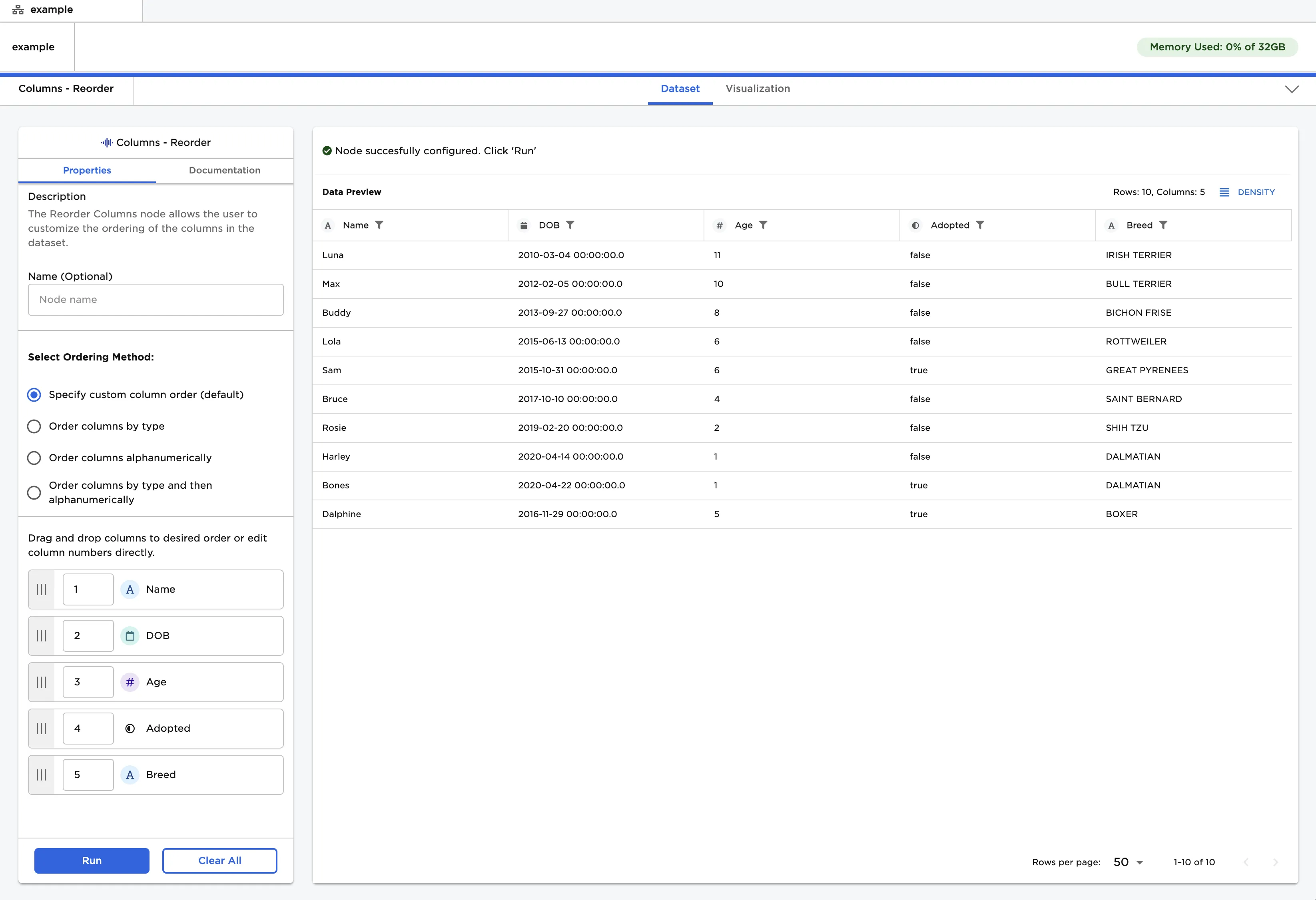
Figure 1: Example dataframe output
Examples
- Connect a "Columns - Reorder" node to an existing node.
- Leave "Specify custom order" selected.
- Drag columns into the desired order or number them directly.
- Select "Run" to create a dataframe with the custom column order.
Figure 2: Example dataframe with columns in a custom order
- Select the "Order columns by type" option.
- Drag the data types into the desired order or number them directly.
- Select "Run" to create a dataframe with the columns sorted by type.
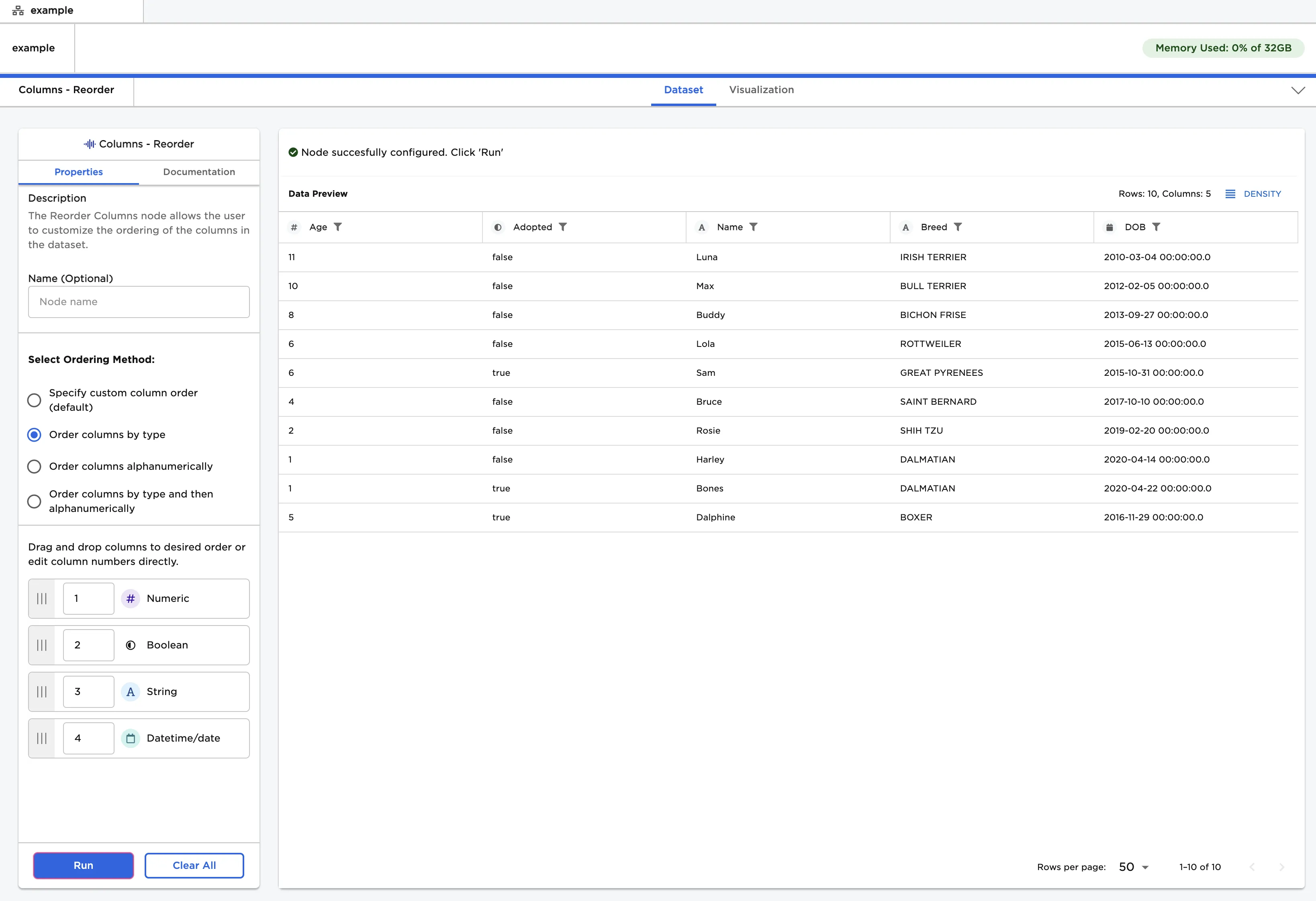
Figure 3: Example dataframe with columns ordered by type
- Select the "Order columns alphanumerically" option.
- Select "Ascending" or "Descending" order.
- Select "Run" to create a dataframe with columns in alphanumeric order.
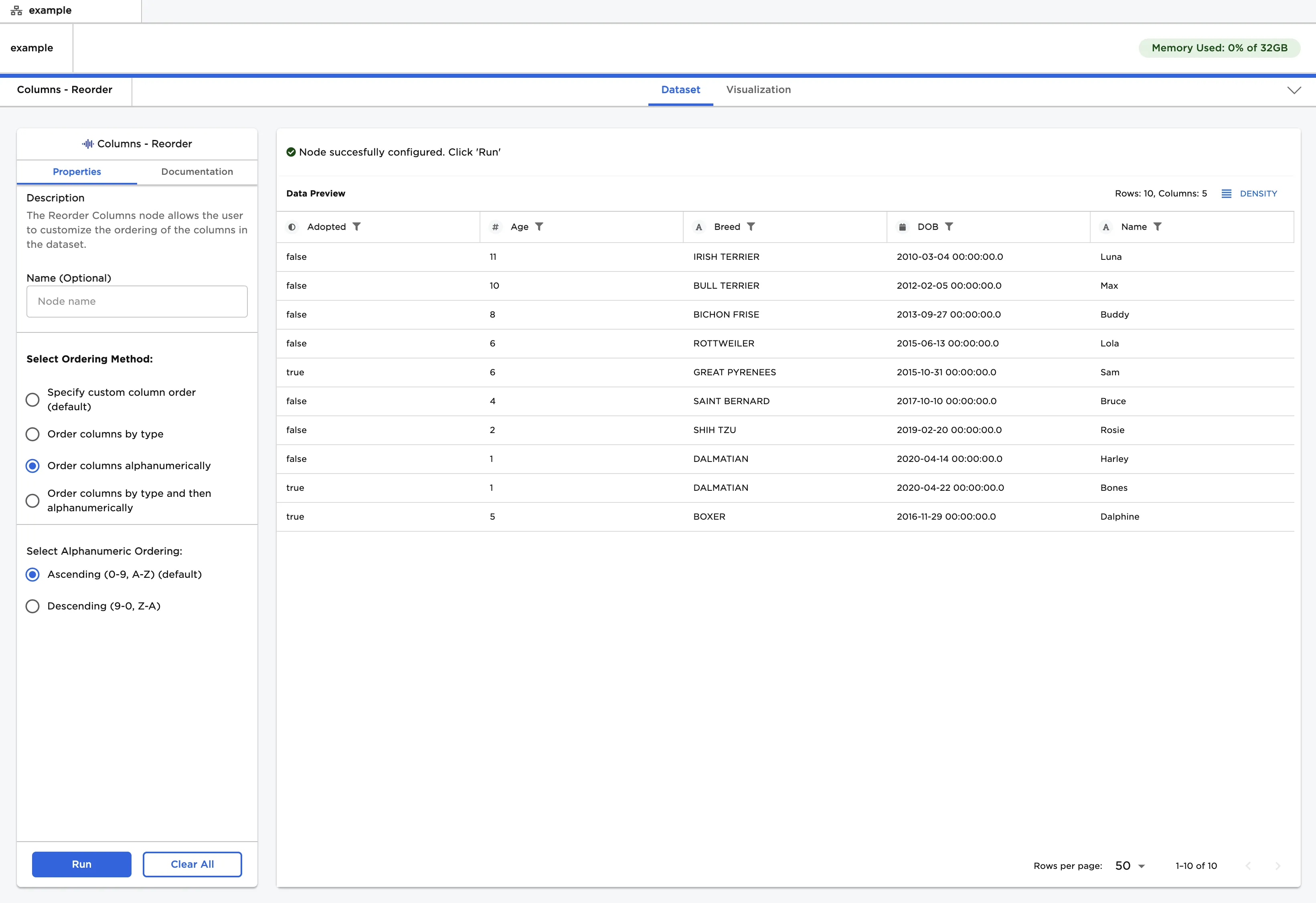
Figure 4: Example dataframe with columns ordered alphanumerically
- Select the "Order columns by type and then alphanumerically" option.
- Drag the data types into the desired order or number them directly.
- Select "Ascending" or "Descending" order.
- Select "Run" to create a dataframe with columns sorted alphanumerically within each data type.
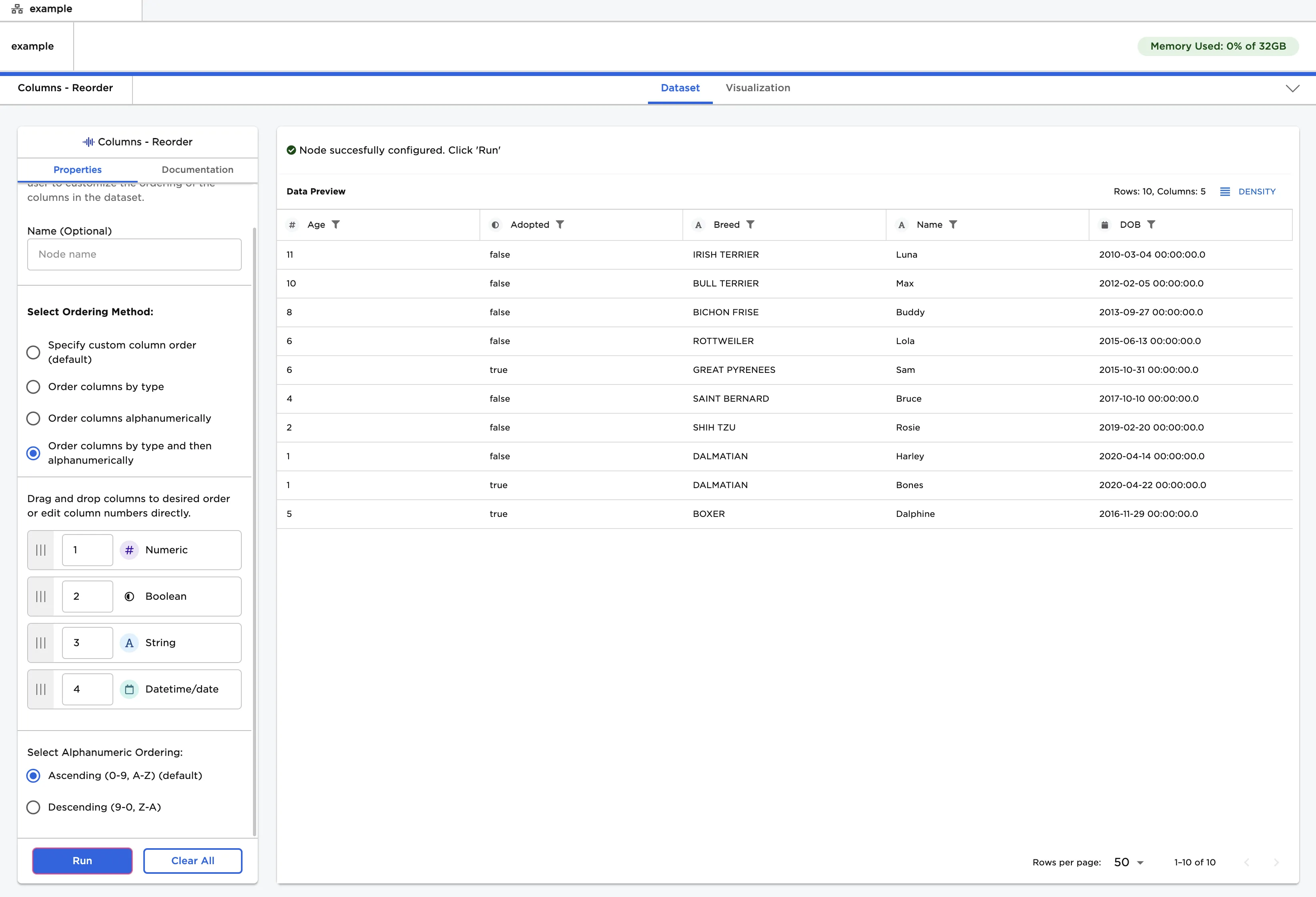
Figure 5: Example dataframe with columns ordered by type then ordered alphanumerically