Datetime Binarizer
Use the Datetime Binarizer node in Visual Notebooks to convert a timestamp column into multiple binary categorical columns, which is one option for preprocessing your data for machine learning. A Datetime binarizer assigns a binary column of 0s or 1s per category.
Configuration
| Field | Description |
|---|---|
| Name default=none | Field to name the node: An optional user-specified node name displayed in the workspace, both on the node and in the dataframe as a tab. |
| Column Required | Add a column from the dataset: Select a timestamp column from your dataset to binarize. The acceptable timestamp format for this node is: dd/mm/yyyy*hh:mm:ss. |
| DateTime Binarization Type default=none | Select the time frames to binarize: Specify how you want to binarize the date and time column. Options are: Hour of Day, Day of Week, Day of Month, and Month of Year. |
Node Inputs/Outputs
| Input | A Visual Notebooks dataframe |
|---|---|
| Output | A dataframe with binarized date and time columns |
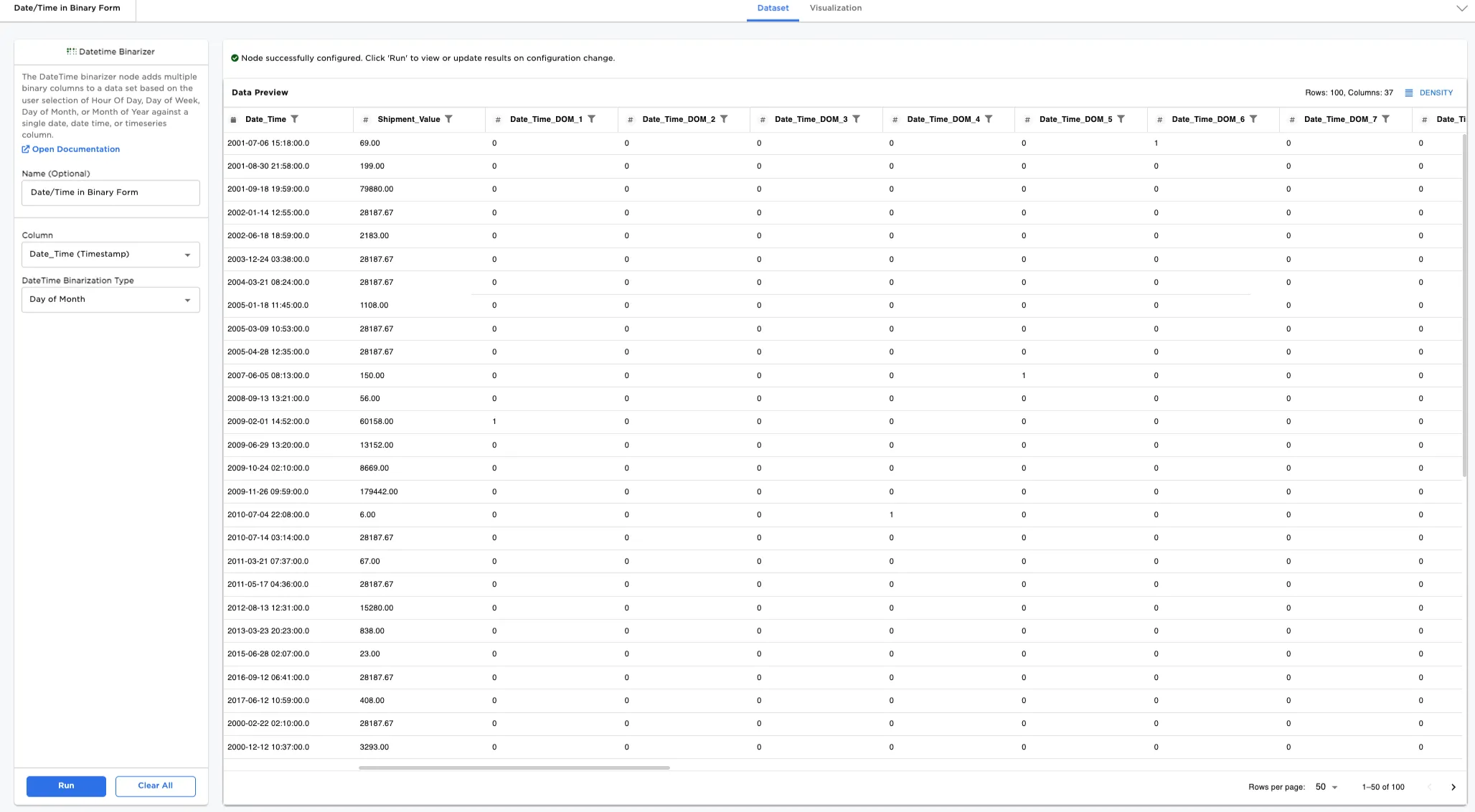
Figure 1: Example output dataframe
Examples
In this example, we use a dataset representing shipments within the United States. There are 100 rows of data with one column for timestamps.
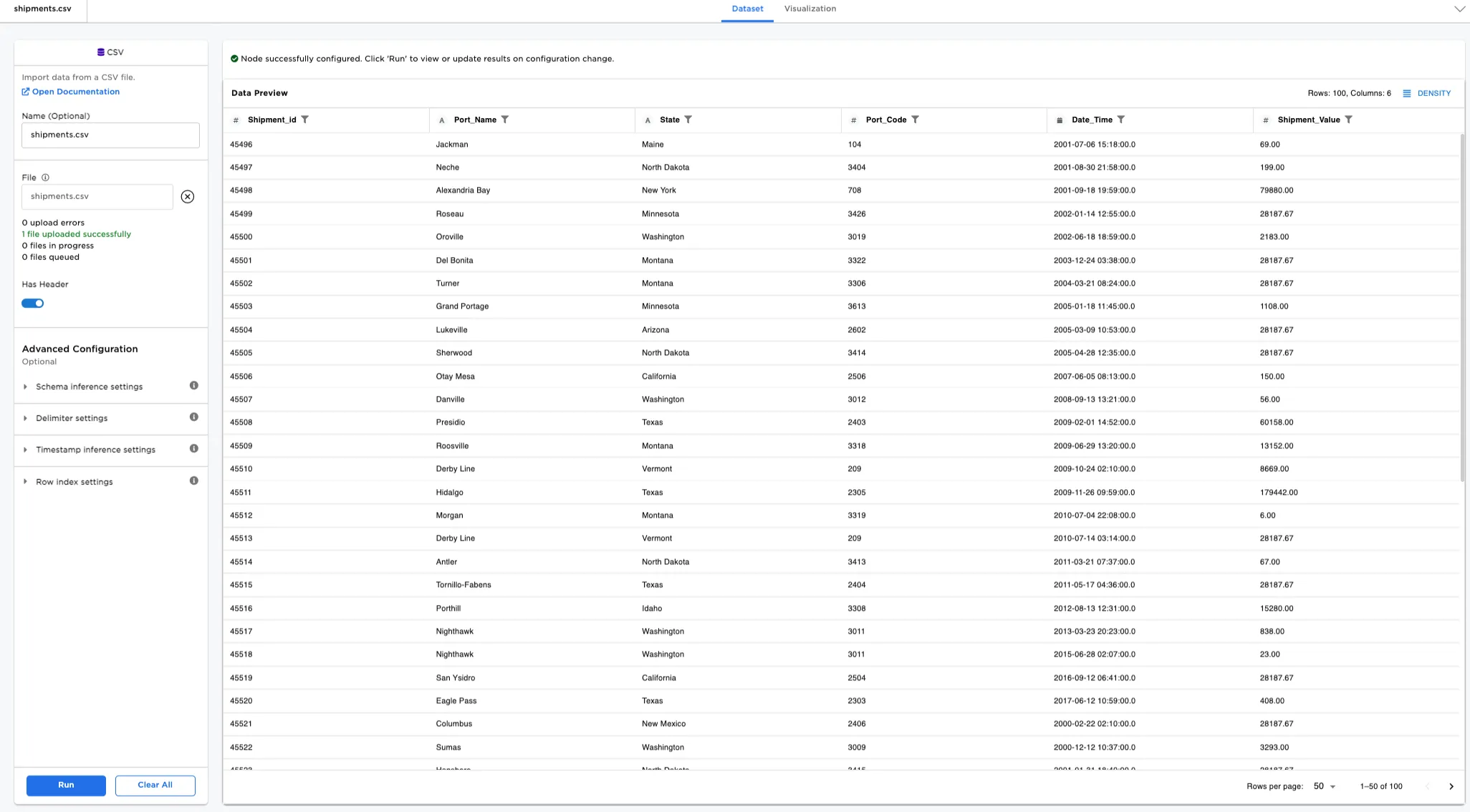
Figure 2: Example input data
- Connect a Datetime Binarizer node to an existing node. In this case, it is connected to the Shipments CSV file.
- Optionally, name the Datetime Binarizer node. In the example, the node is named,
Date/Time in Binary Form. - Select the Column to binarize. In Figure 3, the
Date_Timecolumn is selected. - Select the DateTime Binarization Type. In the example,
Month of Yearis entered. - Select Run.
Notice that Figures 3 has binary columns (0 for false, 1 for true for that row and column) added to the end of the dataset. If the date and time column is in that month, a 1 is entered in that row and column instead of a 0.
Selecting the Date_Time_MOY1 column opens the analytics for the column. Notice that there are 12 rows in the Date_Time_MOY1, or in the month of January, that are binarized to 1, and 88 rows that are not in the month of January and binarized to 0.
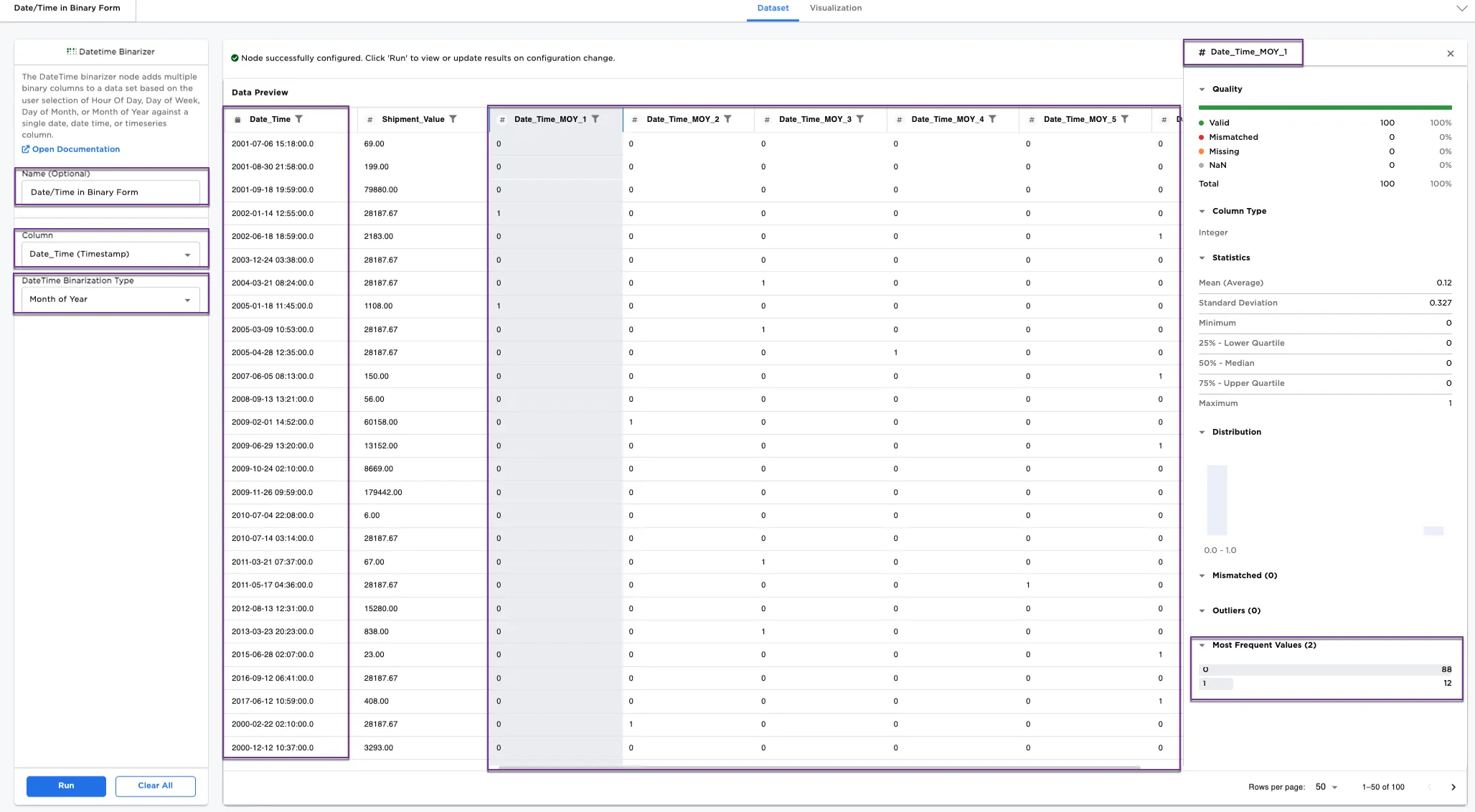
Figure 3: Example dataframe with date and time binarized by "month of year"
Optionally, depending on your date, we can binarize date and time in different ways. In Figure 4, try using Day of Week for the DateTime Binarization Type.
Notice Figure 4 shows new columns added to the end that show the binary values for each row in the day of week column. Selecting the Date_Time_DOW_1 column shows that there are 16 1s in the column, and 84 0s. Note: DOW_1 (day of week 1) = Sunday; DOW_2 = Monday, etc.
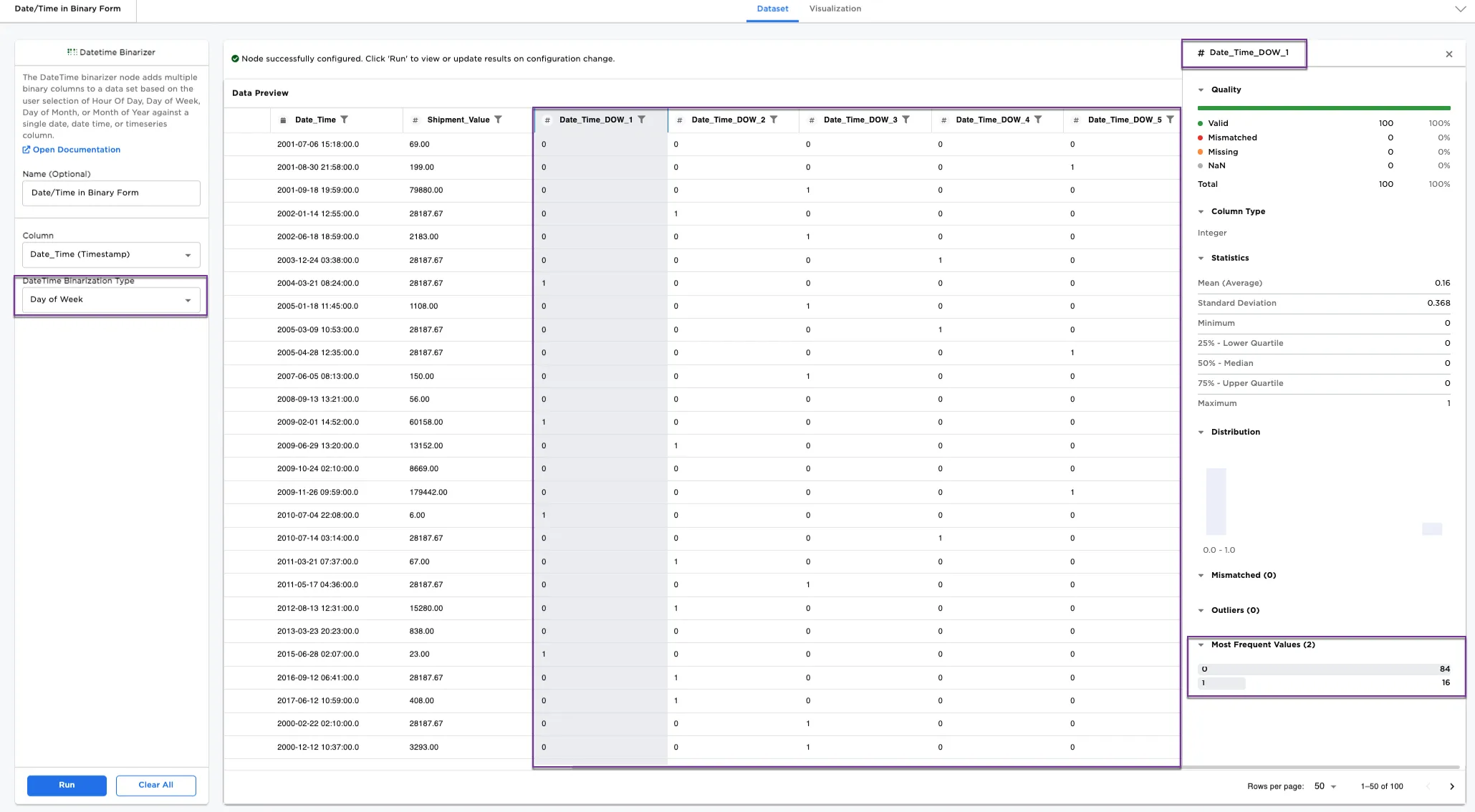
Figure 4: Example dataframe with date and time binarized by "day of week"