Hash
Use the Hash node in Visual Notebooks to convert categorical data variables so they can be provided to machine learning algorithms. MD5, SHA-1, and SHA-256 are all different hash functions. A hash function accepts an input value like a number or text, and returns an alphanumeric string, which we call the hash code or hash value. Hashes are the products of cryptographic algorithms designed to produce a string of characters.
Configuration
| Field | Description |
|---|---|
| Name default=none | Field to name the node An optional user-specified node name displayed in the workspace, both on the node and in the dataframe as a tab. |
| Columns to Hash *Required | Select columns for hashing Columns with less than 100 unique values can be selected for hashing. The columns can be strings, integers, or doubles. |
| Column Name default=none> | Select a hashed column name Create a column name for the new hashed column. |
Hash Function default=MD5 | Select hash function Select between MD5, SHA-1, SHA-256, and Unique IDs. |
Node Inputs/Outputs
| Input | A Visual Notebooks dataframe |
|---|---|
| Output | A dataframe with a hash column |
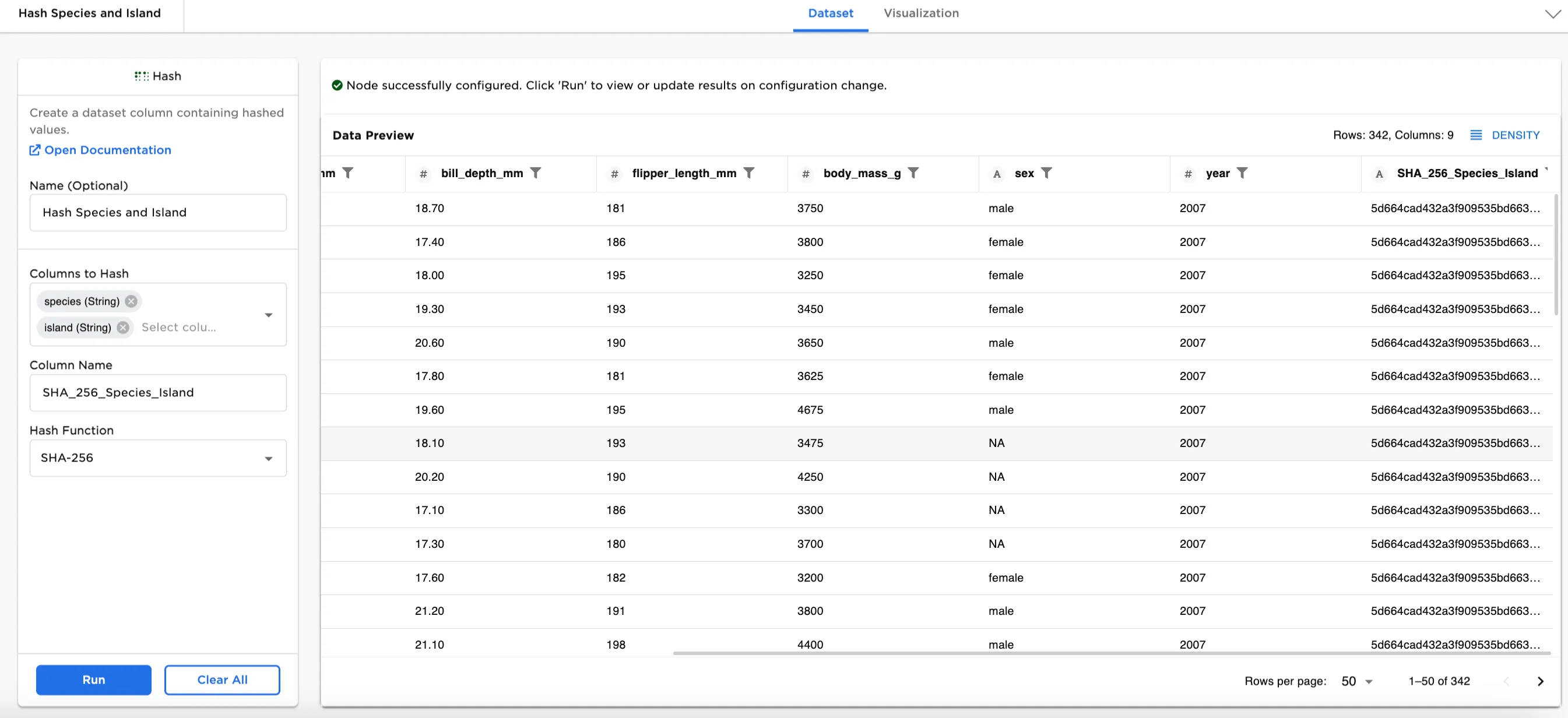
Figure 1: Example dataframe output
Examples
In this example, we have a dataset used for Penguin Analysis. There is data collected about different species of penguins on different islands. Using a hash function on a column or combination of columns, creates an identifier for each.
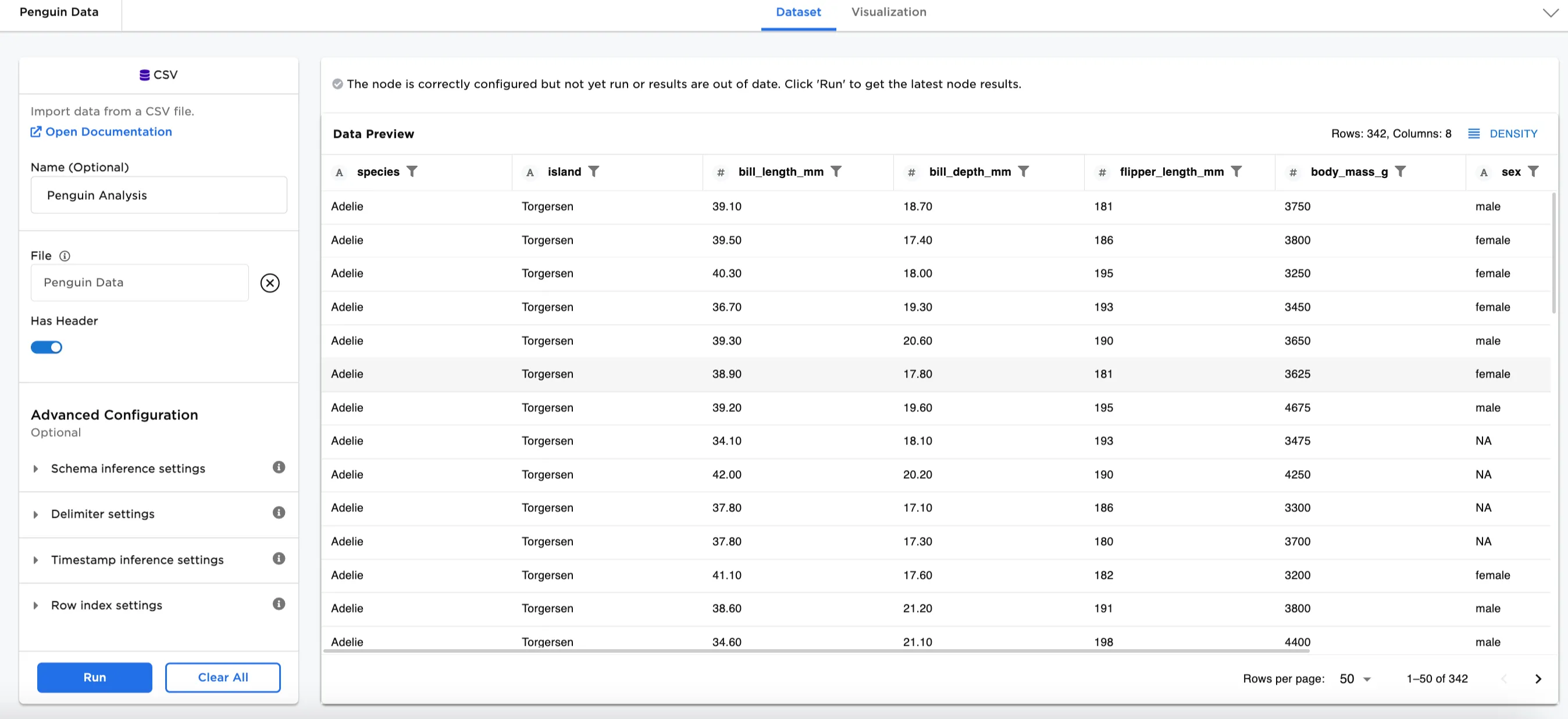
Figure 2: Example input data
Hash function selection table
| Hash Type | Definition | Benefits | Considerations |
|---|---|---|---|
| MD5 | The MD5 hash function produces a 128-bit hash value. | Used for database partitioning and computing checksums to validate files transfers. | Designed for use in cryptography, but vulnerabilities were discovered over time, so it is no longer recommended for that purpose. |
| SHA-1 | SHA stands for Secure Hash Algorithm. The first version of the algorithm was SHA-1. Produces a 160-bit hash (20 bytes). In hexadecimal format, it is an integer 40 digits long. | First generation of SHA that can widely be used. | Designed for use in cryptology applications, but was soon found to have vulnerabilities. |
| SHA-256 | The second version of SHA, called SHA-2, has many variants. The one most commonly used is SHA-256, which is 256-bits, or 64 hexadecimal digits. | More secure than either MD5 or SHA-1. The National Institute of Standards and Technology (NIST) recommends using instead of MD5 or SHA-1. | A SHA-256 hash is about 20%-30% slower to calculate than either MD5 or SHA-1 hashes. |
| Unique IDs | Creates an index column. | Easy to use and calculate. | Unencrypted and is applied row by row. |
- Connect a Hash node to an existing node. In this case, it is connected to the Penguin Analysis CSV file.
- Optionally, name the Hash node. In the example, the node is named,
Hash Species and Island. - Select the column(s) you'd like to hash. In Figure 3, the species (String) and island (String) columns are selected.
- Create a column name to assign to the hashed column. In Figure 3, the column is named
MD5_Species_Island. - Select your hash function. Figure 3 shows the MD5 function.
- Select Run
Notice that Figure 3 shows the dataframe with a new hash column at the end called, MD5_Species_Island. Notice the combination of the "Adelie" string with the "Biscoe" string produces a hash value that is different than the hash produced from other combinations.
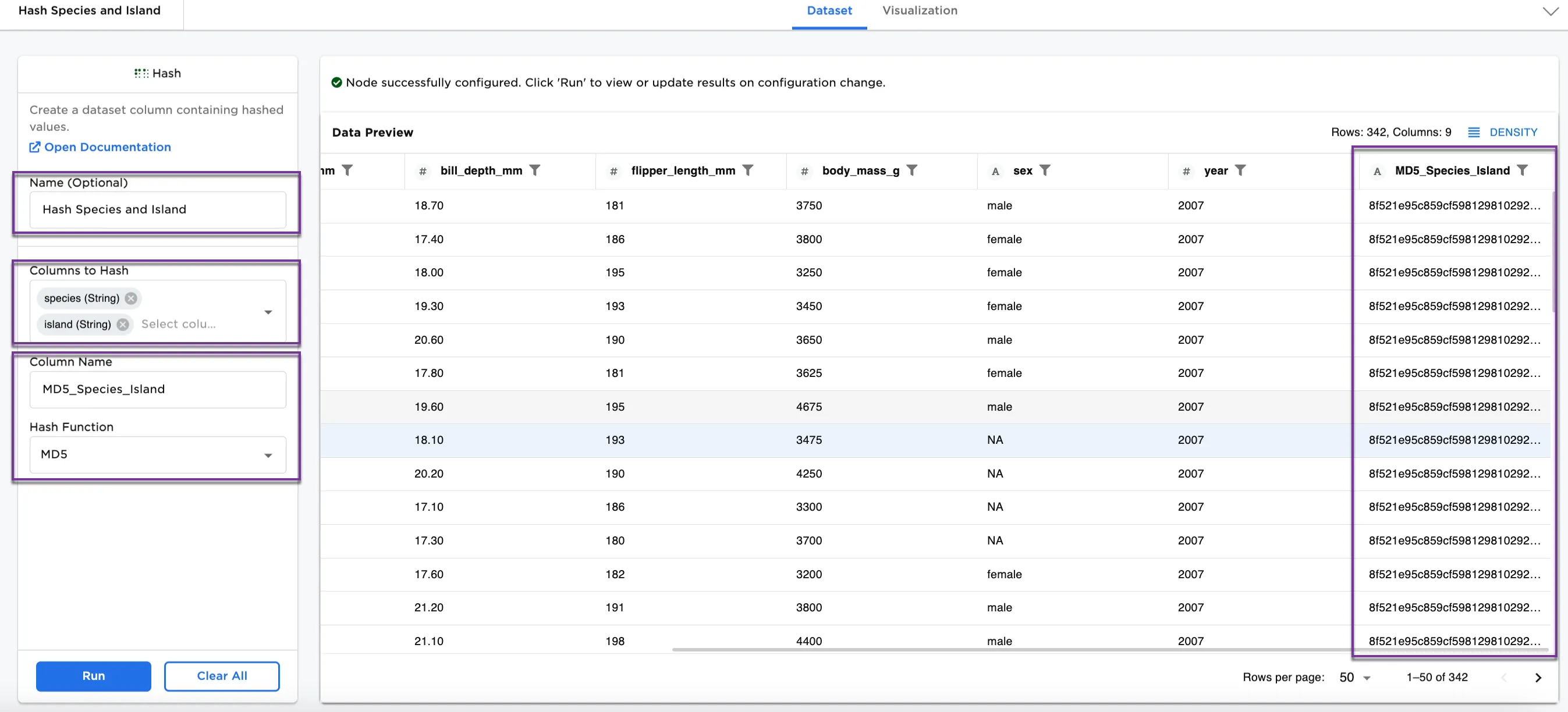
Figure 3: Example dataframe with MD5 function
We can also use a different hash function on the same data. For Figure 4, the following selections have been made:
- Column Name:
SHA_1_Species_Island - Hash Function:
SHA-1
This dataset shows a new column called SHA_1_Species_Island. Looking at Adelie again, the identifiers by island are different. Each species and island combination has its own hash.
Other functions to try are SHA-256 and Unique IDs. See Hash function selection table for more information on each function.
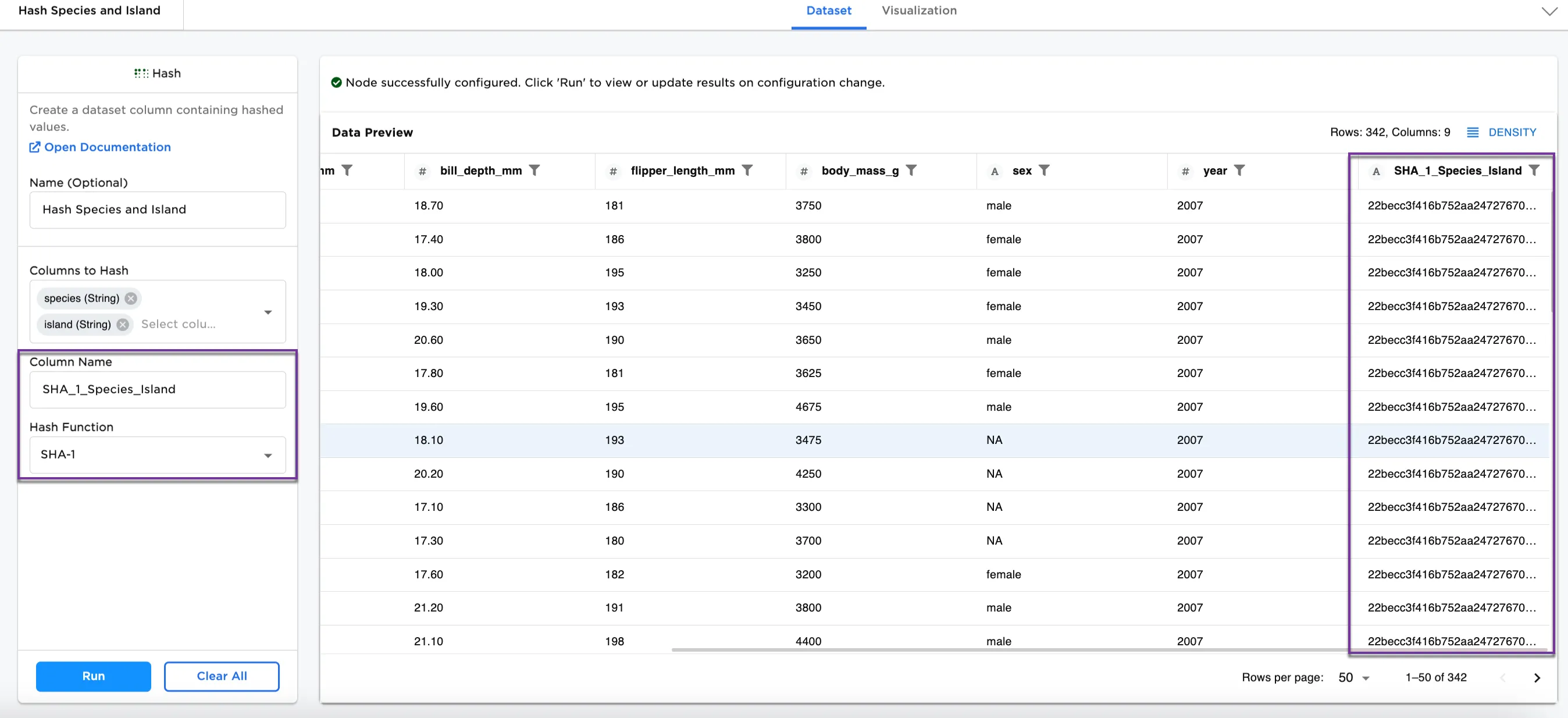
Figure 4: Example dataframe with SHA-1 function