Drop Duplicates
Drop duplicate rows in Visual Notebooks.
Configuration
| Field | Description |
|---|---|
| Name default=none | A user-specified node name displayed in the canvas |
| Columns Required | Columns to search for duplicates: Select columns from the dropdown menu. These columns are searched for duplicate values. Records are removed only if there are duplicates in all selected columns. |
Rows to keep default=First | Which duplicates to keep: Select First to drop all but the first row of duplicates. Select Last to drop all but the last row of duplicates. Select None to drop all rows of duplicates. |
Case Sensitive default=Off | Case sensitivity: Toggle the switch off to ignore case when finding duplicates. Leave the switch on to find case-sensitive duplicates. |
Node Inputs/Outputs
| Input | A Visual Notebooks dataframe |
|---|---|
| Output | A dataframe without duplicate values in the selected columns |
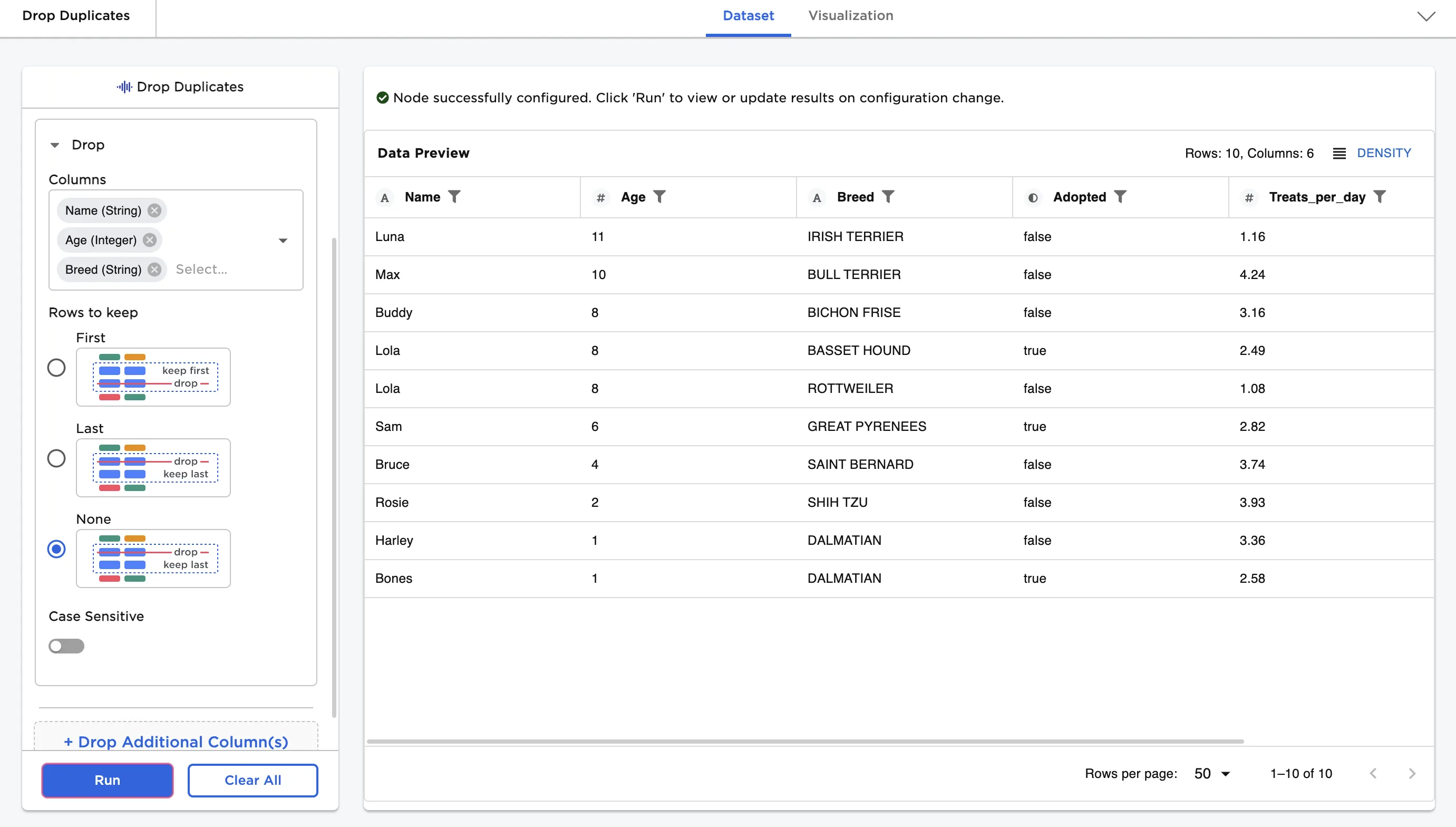
Figure 1: Example dataframe output
Examples
- Connect a Drop Duplicates node to an existing node.
The data below is used in this example. Notice that rows four and five contain duplicates in the "Name" and "Age" column, but have unique values in the remaining columns. In contrast, rows eleven and twelve contain duplicates in every column.
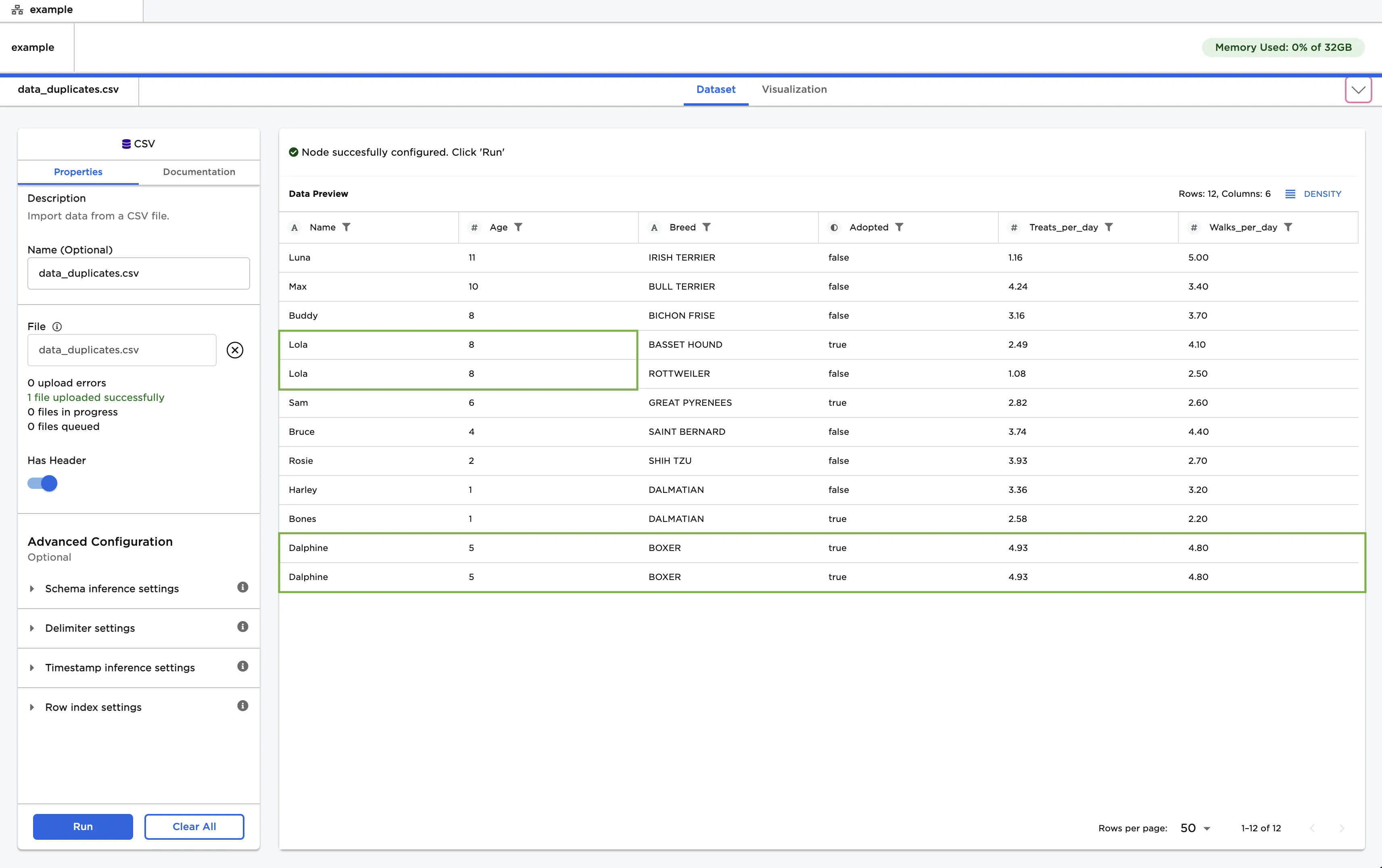
Figure 2: Example data with duplicates
- Select the "Name" and "Age" columns from the dropdown menu.
- Select Run to create a dataframe without duplicates in the selected columns.
Notice that the resulting dataframe no longer contains the second "Lola" and "Dalphine" rows.
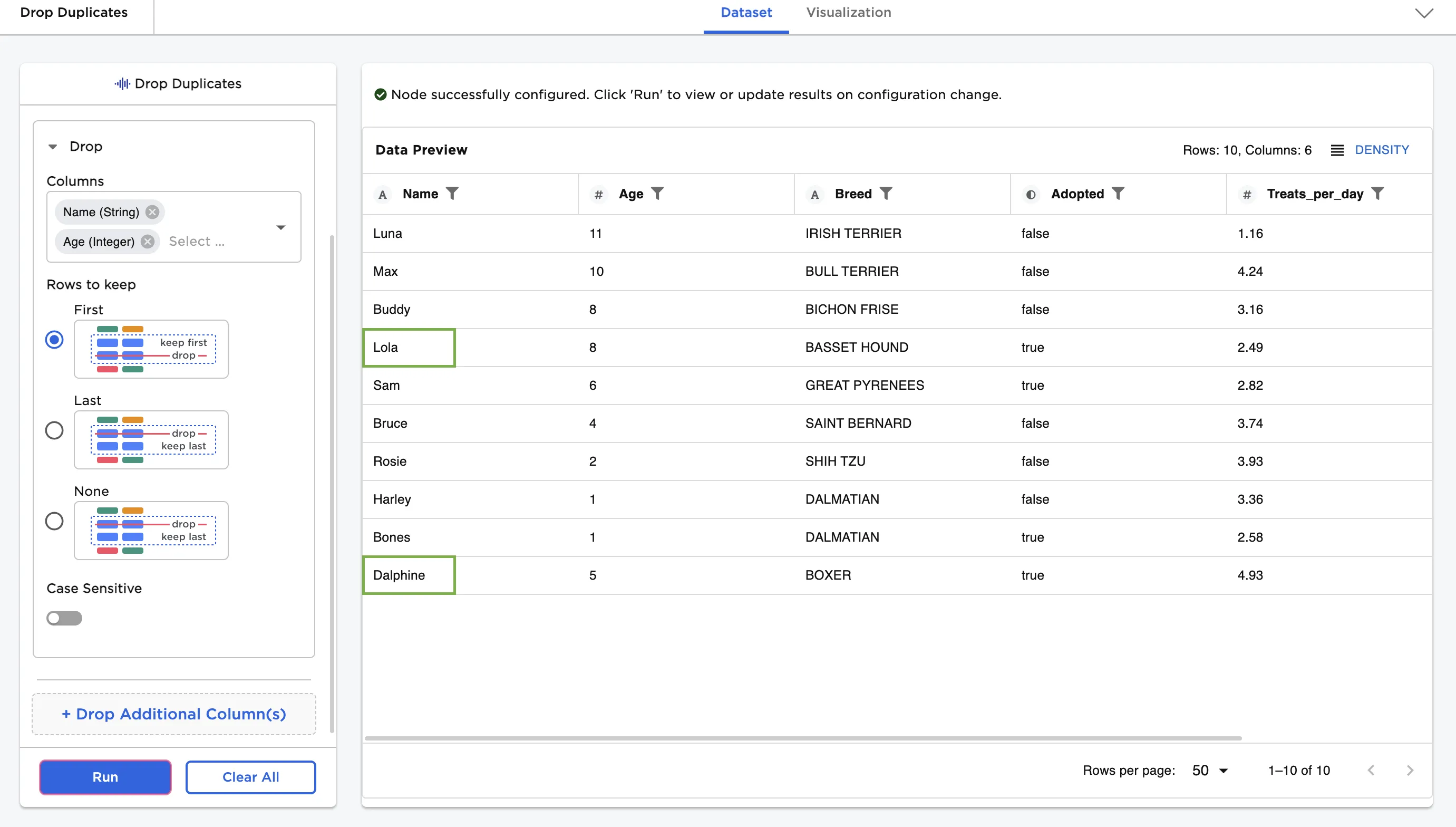
Figure 3: Example dataframe without duplicates found in the "Name" and "Age" columns
- Add the "Breed" column to the Columns field and select Run.
Notice that the resulting dataframe no longer contains the second "Dalphine" row, but does contain the second "Lola" row.
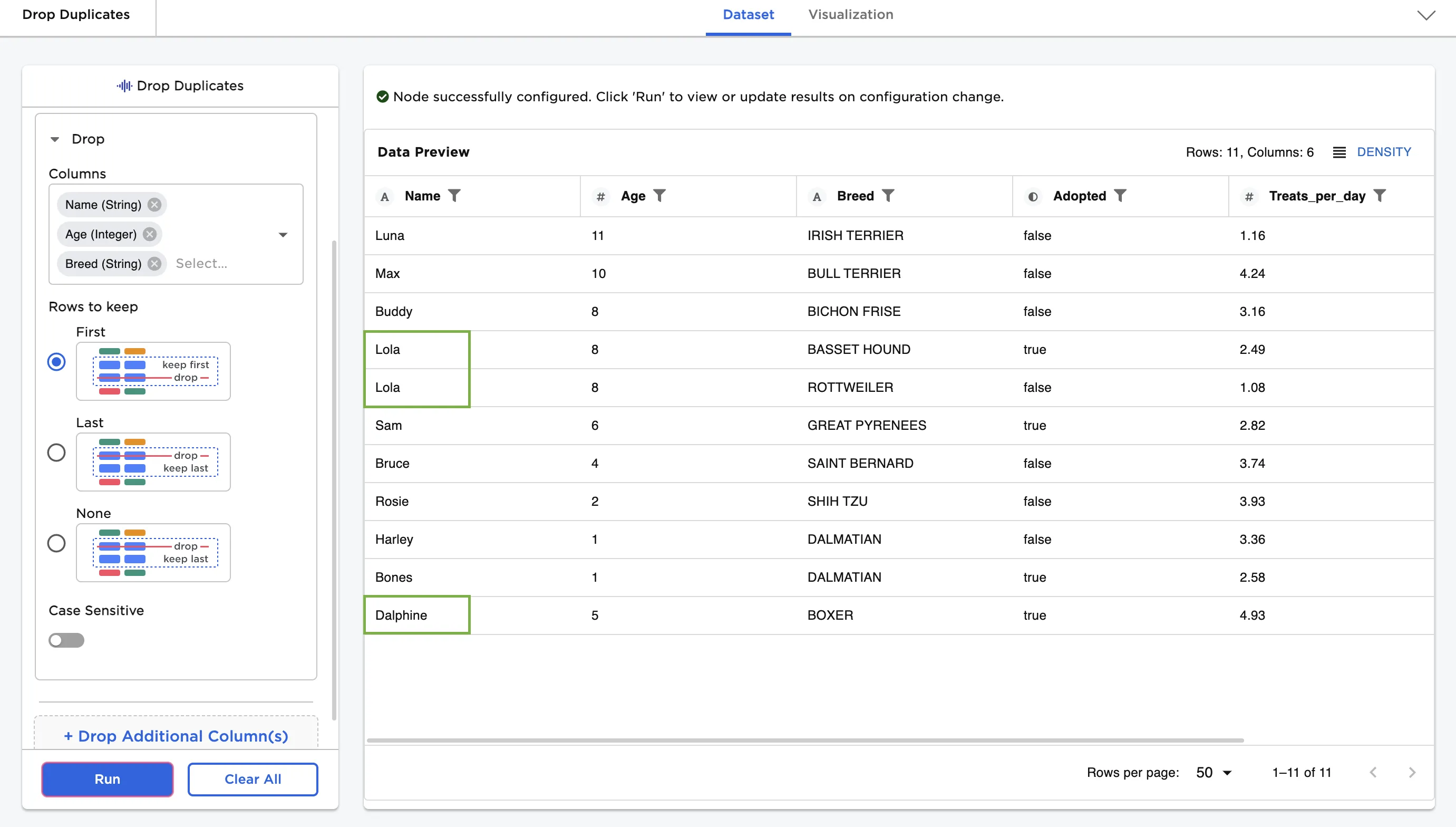
Figure 4: Drop the all but the first duplicate found in the "Name", "Age", and "Breed" columns
- Change the Rows to keep to None and select Run.
Notice that the resulting dataframe no longer contains either of the "Dalphine" rows.
Figure 5: Drop all duplicates found in the "Name", "Age", and "Breed" columns