C3 AI Expression Select
The C3 AI Expression Select node allows users to select certain expressions (timeseries/ features defined on a type) to include in one group and the remainder in another. This is particularly useful if certain analytics should be evaluated at different intervals or over different time frames.
The expressions are defined on a C3 Type. A C3 Type represents underlying data, including tabular data, timeseries data, or more complex data objects and relationships. The source of all C3 AI platform data access operations are done via C3 Types.
Prerequisites
The user must be in the appropriate Admin Group and have the correct roles to be authorized to read data from the selected C3 Type. By default, C3 AI follows the principle of least privilege and users may not have been granted access to retrieve data from C3 Types. Please speak to the C3 AI Support Team to ensure proper setup.
Configuration
| Field | Description |
|---|---|
| Name default=none | A user-specified node name displayed in the canvas |
| Select Expressions Required | List of expressions to be included in the first expression output. |
Node Inputs/Outputs
| Input | Expressions from a C3 AI Custom TS Decl, C3 AI Analytics, C3 AI Expression, or C3 AI Custom Analytics node. Multiple inputs allowed. |
|---|---|
| Output | Two output ports, one with the selected metrics to be passed to a C3 AI Evaluate Analytics node, and the other with the unselected metrics that can also be passed to a C3 AI Evaluate Analytics nodes. |
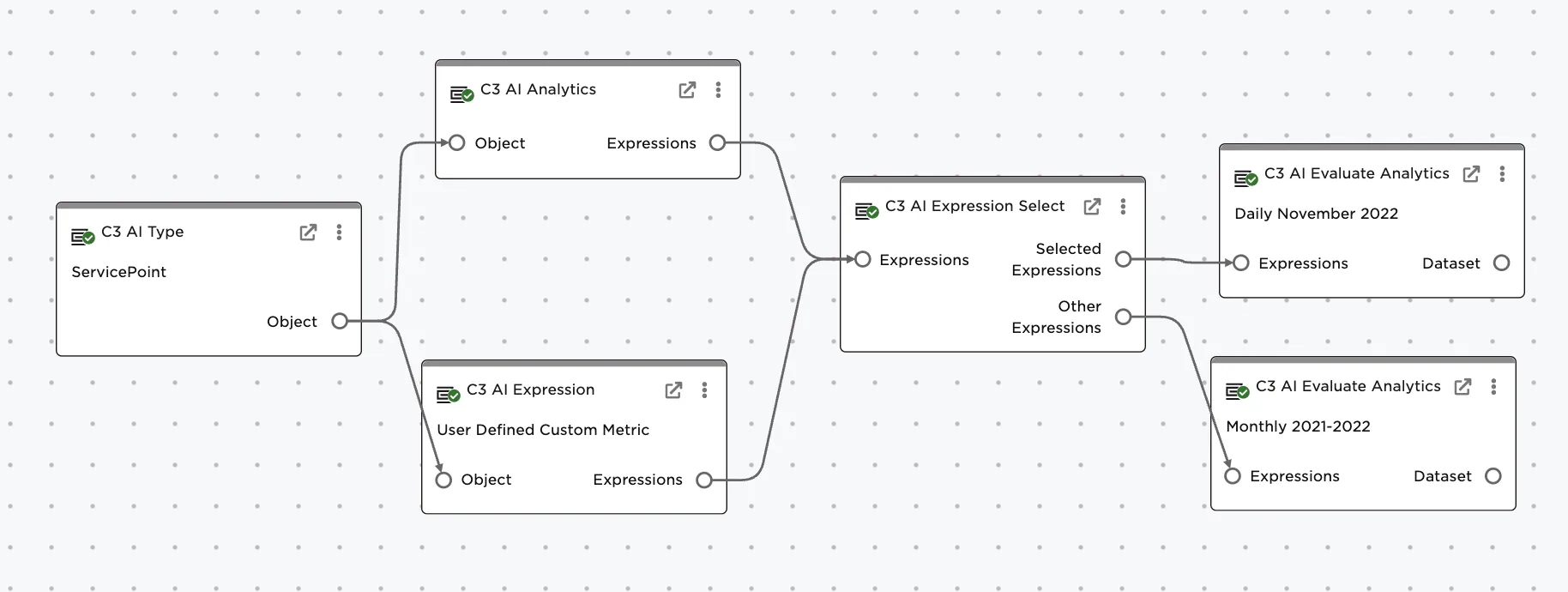
Figure 1: Typical set up and use of C3 AI Expression Select node involves preceding nodes specifying the C3 Type and various metrics followed by multiple evaluations to support different intervals or date ranges.
Examples
The example assumes the "ServicePoint" Type is being used. A ServicePoint represents a service delivery point or customer using electricity in their home.
The desired outcome is to retrieve two timeseries related to the ServicePoint-- the AggregateElectricityDemandBilled and a user defined metric called TotalBilled (which combines Electricity and Natural Gas) to be retrieved monthly from Jan 2021 until the present time. Additionally the goal is to retrieve two other metrics, AmbientTemperatureCelsius and MeterEventsLast6Days (which captures whether the meters broke for example or stopped recording), at a daily interval for the month of November 2022.
Connect the desired expression nodes, in this case a C3 AI Analytics node and C3 AI Expression node to the C3 AI Expression Select node.
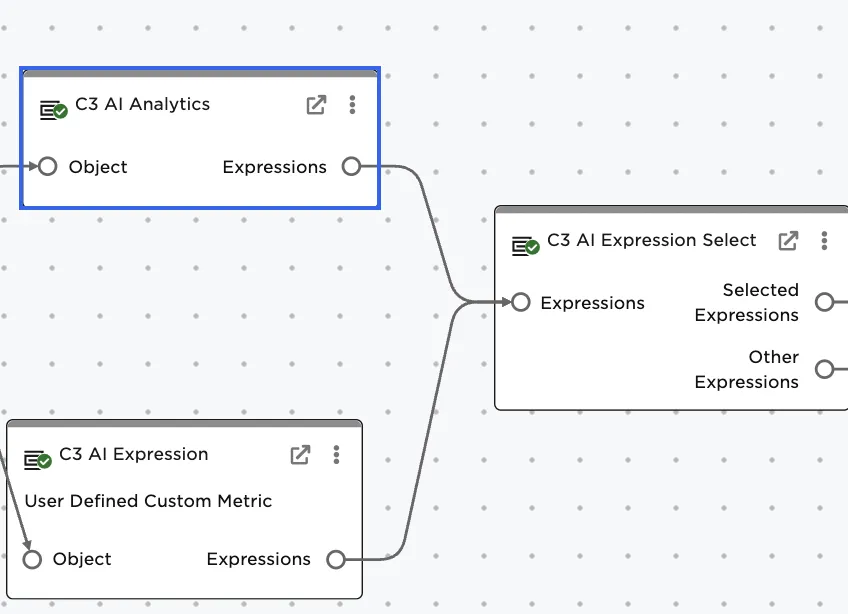
Figure 2: Connect the desired expressions to the C3 AI Expresison Select node. Multiple inputs allowed.
Specify the metrics to be included in the first group using the multi-select dropdown. In this case, select AllMeterEventsLast6Days and AmbientTemperatureCelsius.
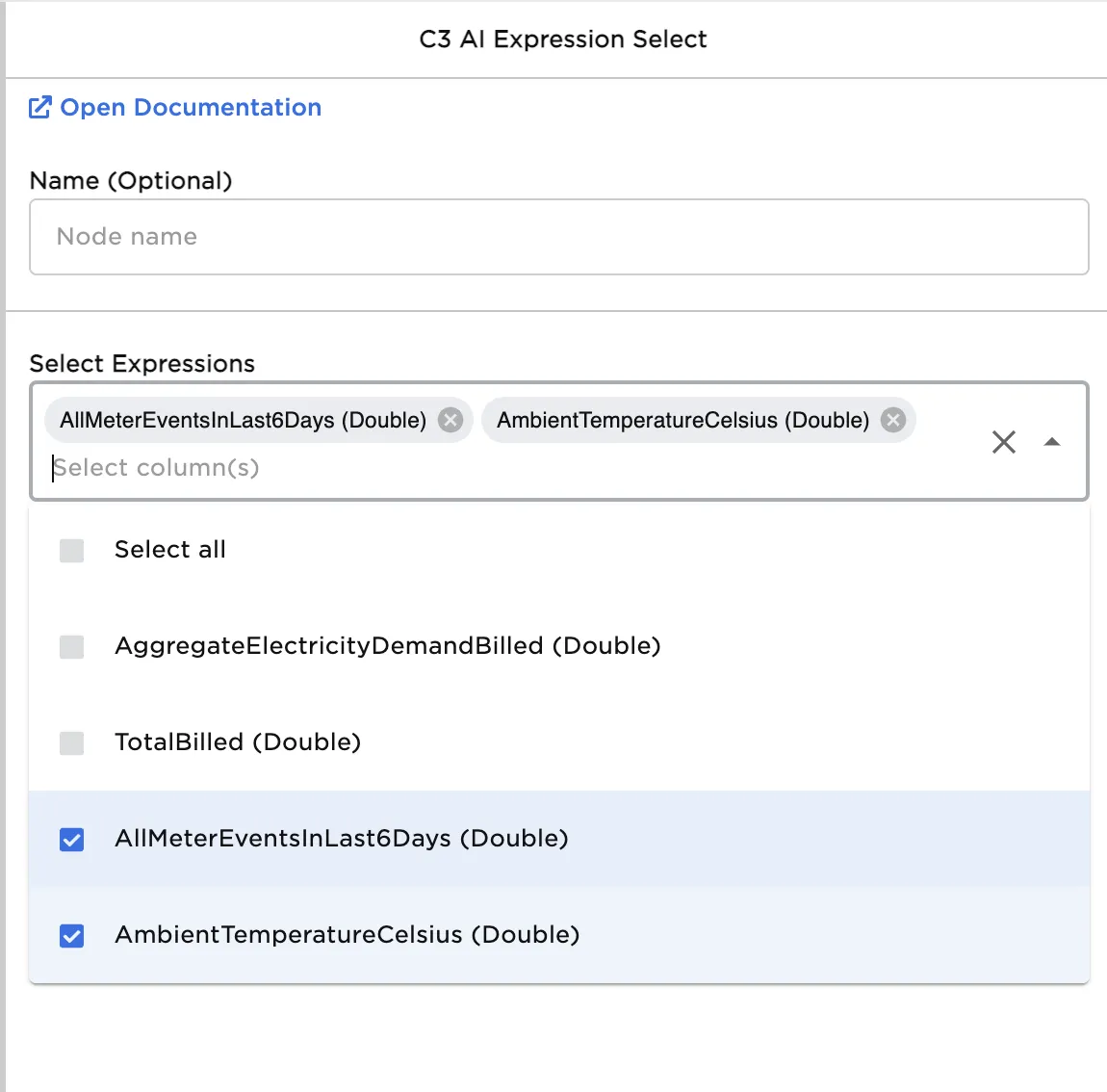
Figure 3: Specify the expressions to be selected and available in the "Selected Expressions" output port. The remaining expressions are avaiable via the "Other Expressions" output port.