C3 Metric Binding Eval
The C3 Metric Binding Eval node enables a user to evaluate a metric with bindings from a C3 AI Type or object by identifier or filter specification. Data that match the identifier or filter selection criteria are placed in the output dataset. Bindings are another key concept embedded within metrics. They are a noteworthy field in the EvalMetricsSpec type because they are a way to provide values to variables in a metric expression at runtime.
A C3 Type represents underlying data, including tabular data, timeseries data, or more complex data objects and relationships. The source of all C3 AI platform data access operations are done via C3 Types.
Bindings are often used to parametrize metrics with values specified by the end user and to test compound metrics with simple metrics at runtime. The API definition is shown below:
bindings (anyof(map<string, any>, [map<string, any>]))Prerequisites
The user must be in the appropriate Admin Group and have the correct roles to be authorized to read data from the selected C3 Type. By default, C3 AI follows the principle of least privilege and users may not have been granted access to retrieve data from C3 Types. Please speak to the C3 AI Support Team to ensure proper setup.
Configuration
| Field | Description |
|---|---|
| Name default=none | A user-specified node name displayed in the canvas |
| C3 AI Type *Required | The C3 Object (Type) to be used for investigation. Select the desired C3 Type from the C3 AI Application data model. |
| Filter default=none | The simple or complex expression that will be used to identify and retrieve specific data elements (rows) and object instances. Use the powerful C3 Type query interface to define which type instances to return. Filter on time, strings, or numerical values. |
| Ids default=none | Specific IDs to used when retrieving C3 Type objects Enter a comma delimited list of object identifiers to be used for investigation. |
Limit default=200 | Number of rows to be retrieved The number of objects to be used for investigation. In many instances this is a subset of of the results returned by the filter specification. For example, if the filter returns 900 instances of the type object and the limit is 200, only 200 objects will be used for investigation. |
| Metrics *Required | The metrics, timeseries, or features to be retrieved from the selected C3 Type. Metrics are instructions for how to transform data that is modeled as timeseries, into Time series data. They are used to generate data like the electricity consumption of a building and may be used as features for machine learning models (e.g., a trailing 3 day average of electricity consumption). |
| Metric Bindings default=none | Bindings are used to parametrize metrics with values specified by the end user and executed at runtime |
| Interval *Required | Interval of evaluation. This sets the "x-axis" or index to an equally spaced timestamp with specified interval units Allowed values are SECOND, MINUTE, QUARTER HOUR, HOUR, DAY, MONTH, YEAR. |
| Start *Required | The start date of the evaluation period. The initial date for the timeseries. |
| End *Required | The end date of the evaluation period. The last date for the timeseries. |
Flatten Timeseries default=On | Group output by source record and analytic or output to a "flat" list Flattened returns a flat list where each object/timestamp combination is its own row. |
| Assign Timezone default=none | Specify a timezone to be assigned to the timeseries. UTC is the assumed default. |
Show Missing Column default=Off | The metrics, timeseries, or features to be retrieved from the selected C3 Type. Include gaps and unavailable results for each analytic in the output dataset. Value is between 0 (no data missing) to 100 (all data missing) |
| BatchSize Override default=none | Advanced configuration for controlling parallelism of data retrieval Break a metric evaluation into smaller or larger pieces by controlling the number of data points to be retrieved in each "batch". |
Node Inputs/Outputs
| Input | None |
|---|---|
| Output | Visual Notebooks returns a table, called a dataframe, from the C3 AI Application Data Model that contains all relevant data. Columns are labeled and include a symbol that specifies the data type of that column. |
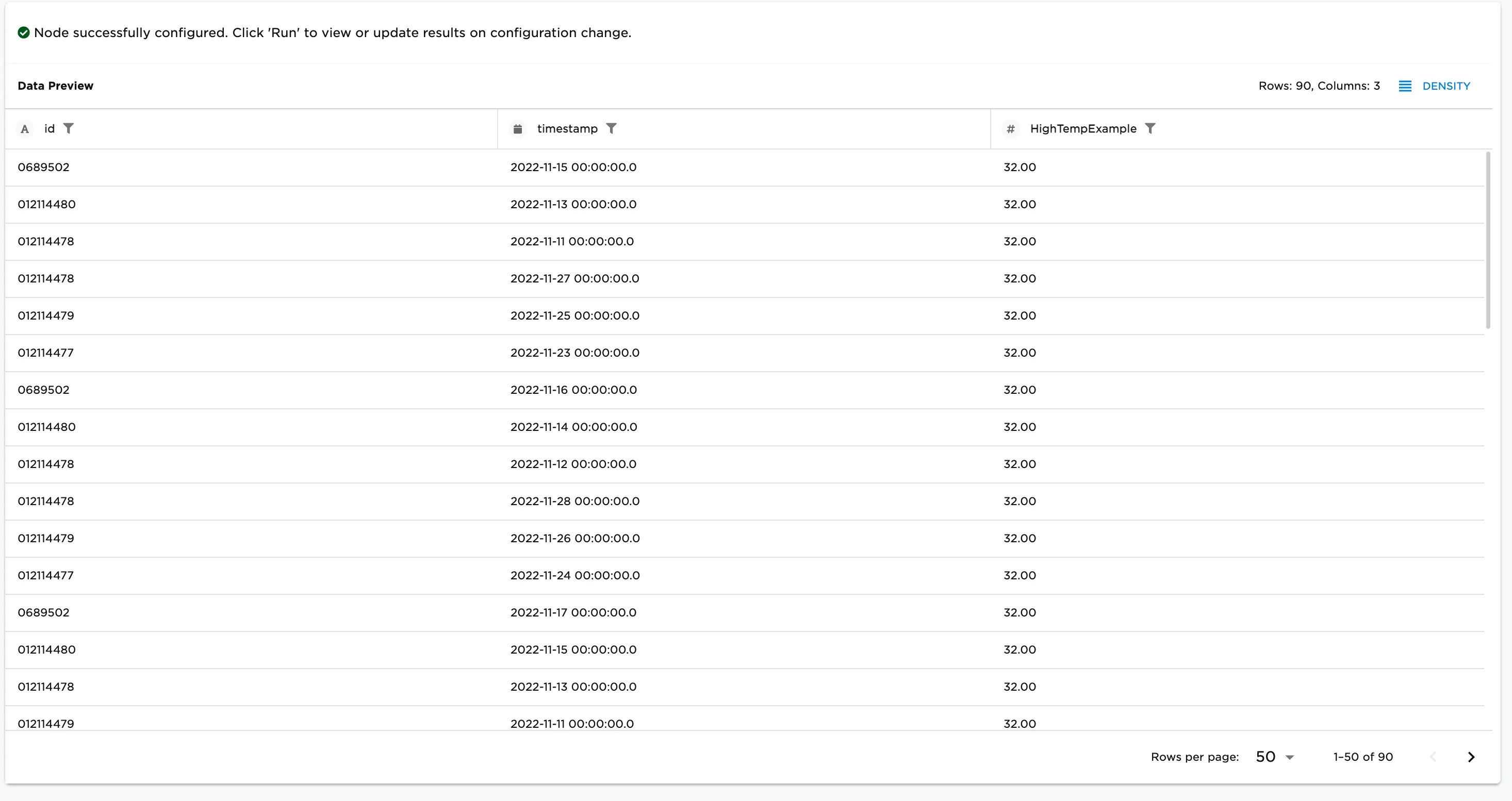
Figure 1: Resulting dataframe with C3 Type objects and associated Metric resulting from provided bindings.
Examples
The example assumes an existing simple metric defined on a "SmartBulb" type, same as for any simple metric. Note, however, that there is an additional variables field that has two variables listed alongside their data types. The expression refers to variable1 and variable2 that are defined in the field "variables" of the metric definition. At runtime, the values of variable1 and variable2 must be specified and passed in the field "bindings" of the EvalMetricsSpec.
var m = SimpleMetric.make({
  id: "MyParametricMetric_SmartBulb",
  name: "MyParametricMetric",
  srcType: "SmartBulb",
  expression: "identity(2) * variable1 + variable2",
  variables: [{
    name: "variable1",
    dataType: "double"
  },{
    name: "variable2",
    dataType: "double"
  }]
});
Provide the following for variable values: variable1 = 15 and variable2 = 2. This means all values when evaluating this metric will be 32.
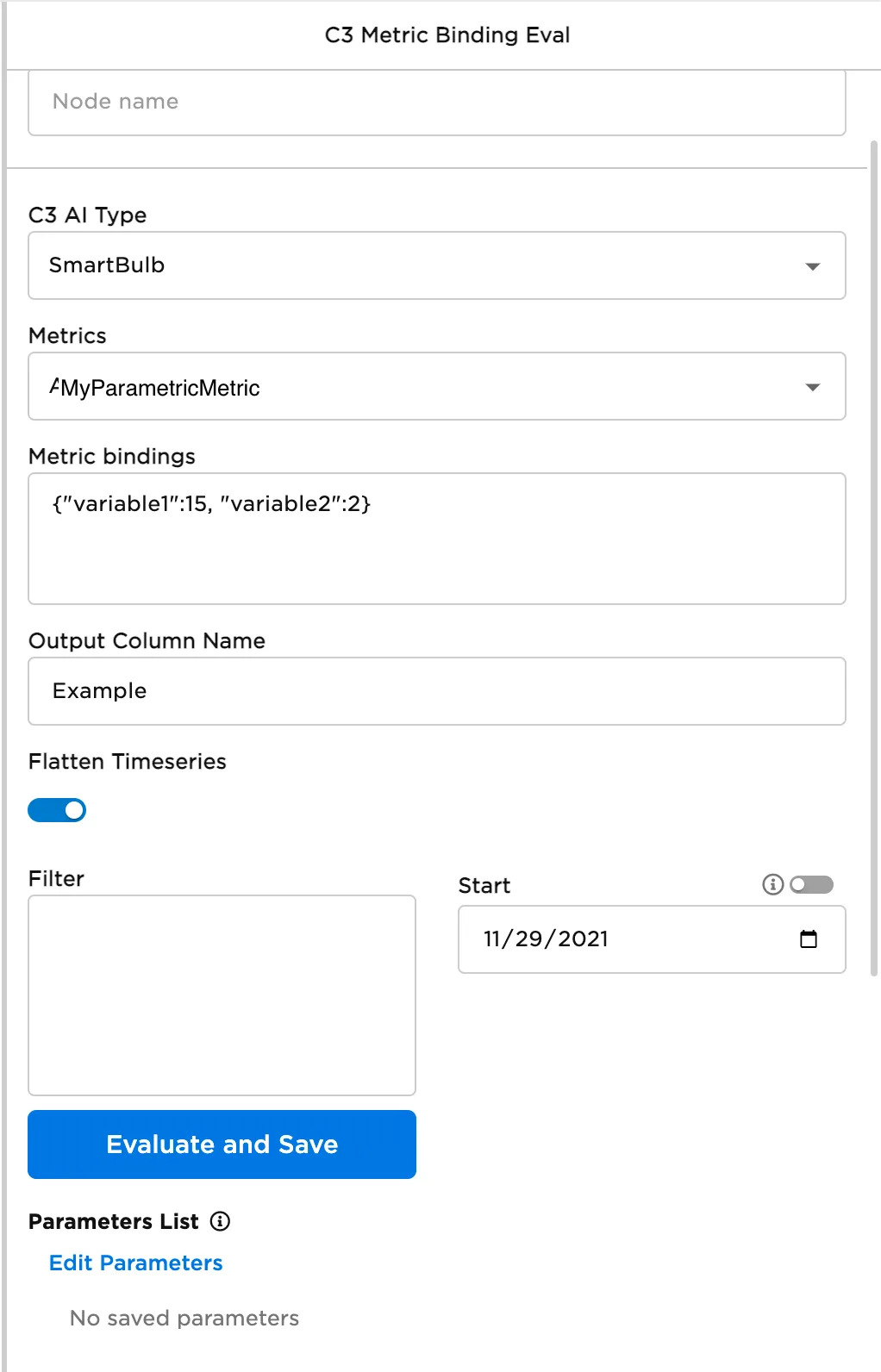
Figure 2: Example configuration.