MaxAbs Scaler
Normalize data in Visual Notebooks by scaling each feature by its maximum absolute value. This is equivalent to scaling to the range [-1, 1].
Normalization can be useful, and even required in some machine learning algorithms, when your data has input values and features with differing measurements and dimensions. The goal is to change the values of numeric columns in the dataset to use a common scale, without distorting differences in the ranges of values or losing information.
This scaler is meant for data that is already centered at zero or sparse data (i.e., many of the values are zero). It does not shift/center the data, and thus all zero values remain zero. This is important when zero values contain special information (e.g., a voltage sensor indicating an appliance is off) and shifting them to non-zero values would effectively destroy the information.
Configuration
| Field | Description |
|---|---|
| Name default=none | Name of the node A user-specified node name, displayed in the canvas and in the dataframe as a tab. |
| Select columns to scale *Required | Columns to transform with scaling operation Select one or more numerical columns to scale. Values in each column will be scaled by the maximum absolute value in the column. |
Keep Original Columns default=Off | Keep columns with unscaled data Toggle this switch on to keep the unscaled columns and create a new column with the scaled data. Keep the switch on to replace the unscaled columns with scaled data. |
Output column suffix default=_scaled | Column suffix Enter a suffix to append to the scaled columns. The suffix can only contain alphanumeric characters and underscores. |
Node Inputs/Outputs
| Input | A Visual Notebooks dataframe |
|---|---|
| Output | A dataframe with scaled data |
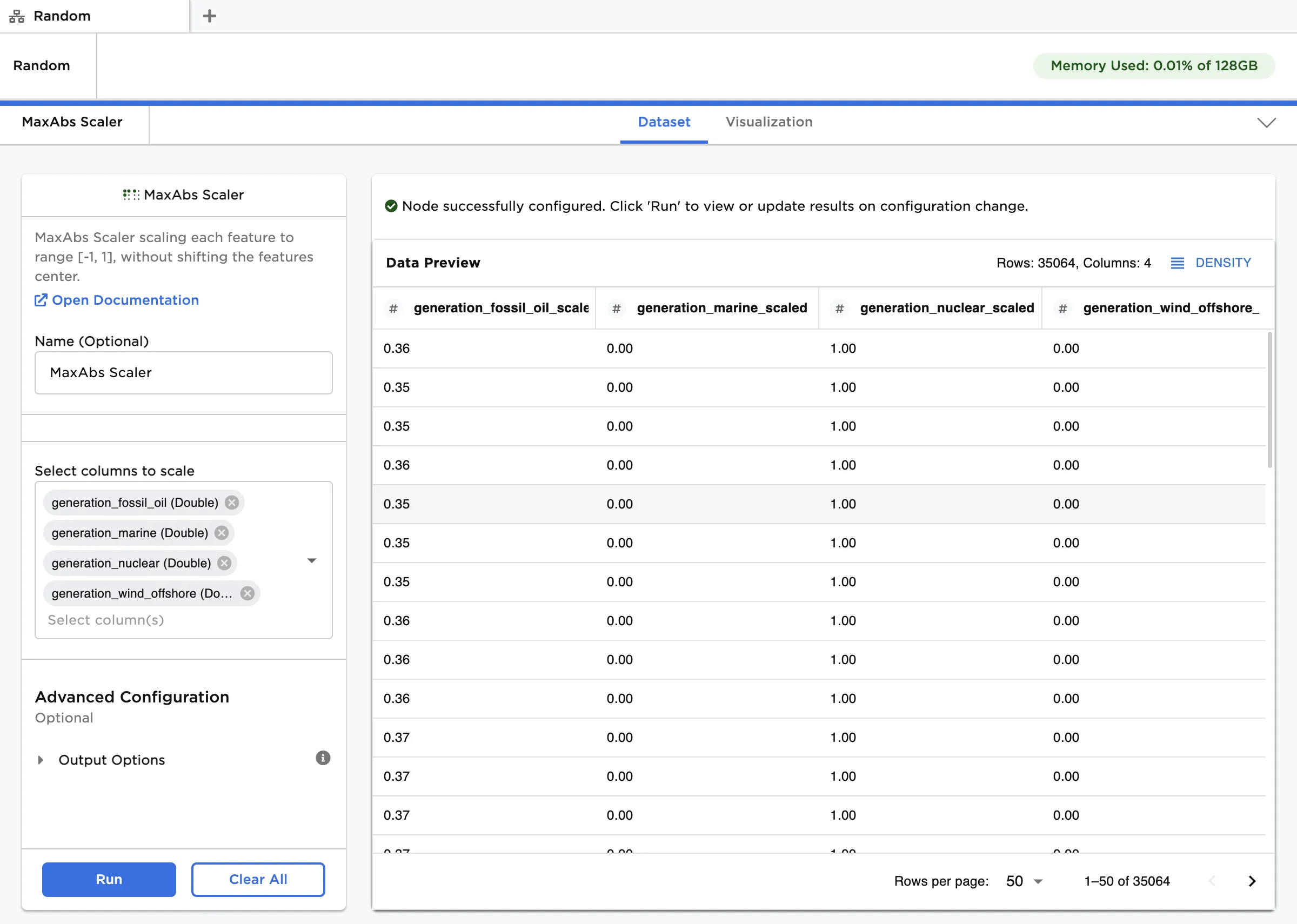
Figure 1: Example dataframe output
Examples
The data shown in Figure 2 is used in this example. It contains daily diet and behavior data for a pet cat, along with its change in weight. We would like to train a multivariate timeseries forecasting model to predict changes in weight several days into the future. Given that the _Treats and Vomit_Events columns have sparse data, we will first normalize all data using the MaxAbs Scaler node.
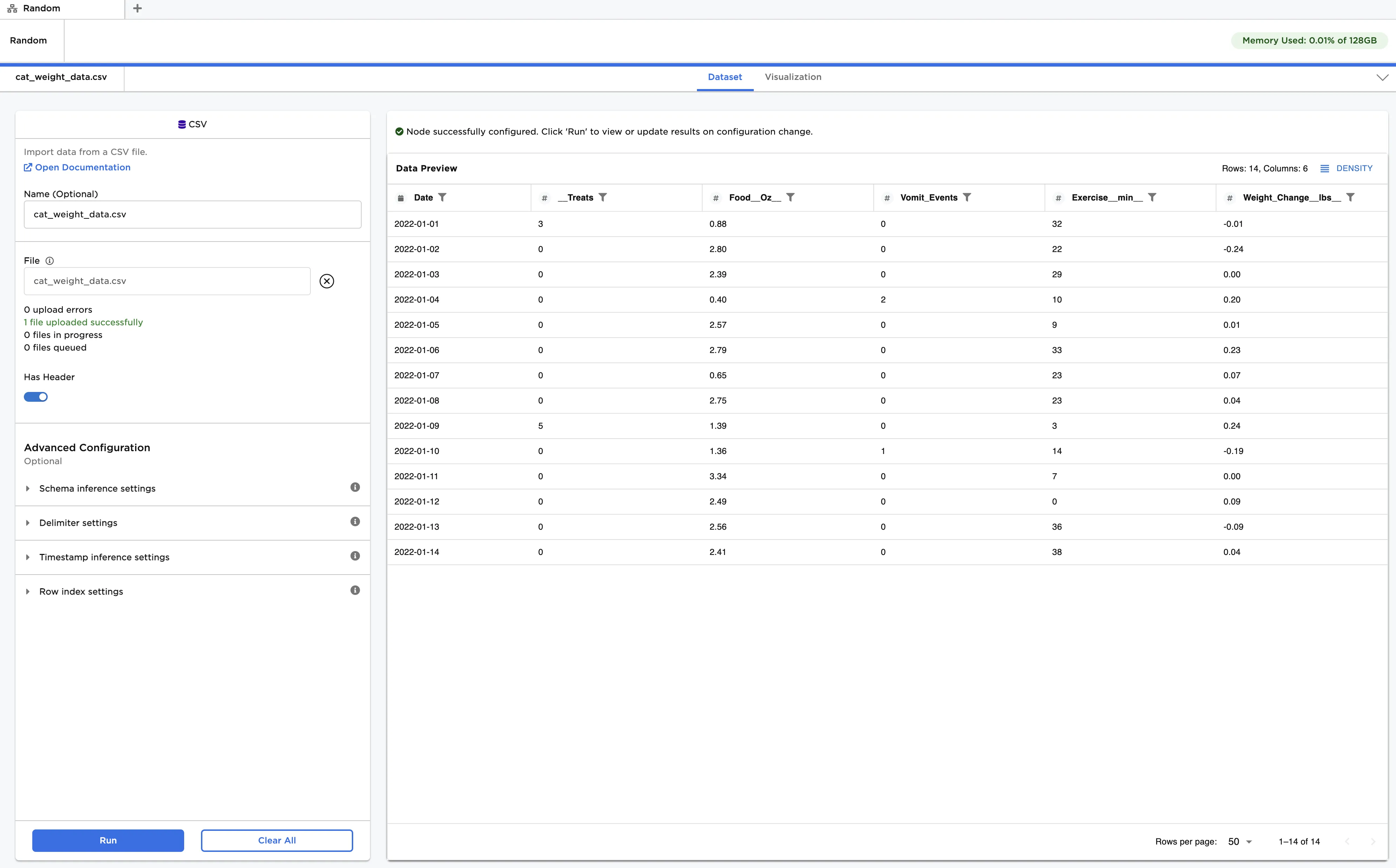
Figure 2: Example input data
Follow the steps below to normalize the input features:
- Connect a MaxAbs Scaler node to an existing node.
- In Select columns to scale, select all columns except Weight_Change_lbs_.
- Click Run to create a dataframe with the default settings. Observe that the original data is replaced with the scaled data. Each entry has been modified according to the following formula:
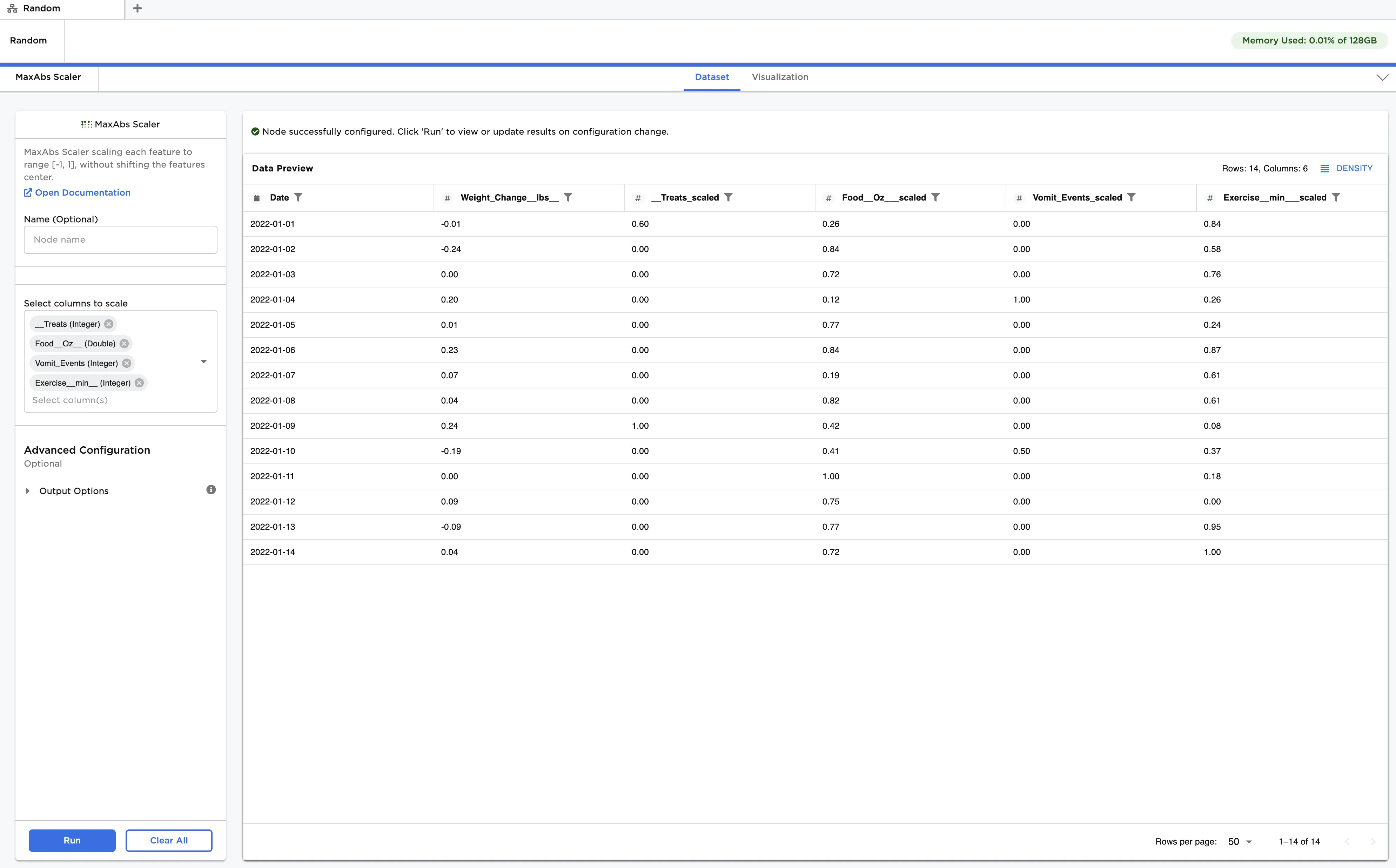
Figure 3: Example dataframe with default settings