Configure RAG Tool
Agents in C3 Generative AI can run unstructured queries with the built-in retrieval augmented generation (RAG) tool called the RAG unified tool. The RAG tool is fully modular. This tool allows you to customize:
- Query rewriting
- Retriever behavior
- Reranker configuration
- Input messages structure
- Question answering behavior
The RAG unified tool
The rag_unified tool takes in a query as a string and returns a string. You must specify the retriever id, the message builder, and the question answering behavior. A tool has specific toolConfigurationParams that define its initialization, call behavior, and cleanup.
The rag_unified tool has an initialize method with specific configurations within its toolConfigurationParams:
queryRewriterArgs(optional):- Rewrites the query for retrieval and/or QA.
retrievalArgs(required):- Fetches top relevant passages using semantic, keyword, and metadata signals.
rerankerArgs(optional):- Reorders the retrieved passages using LLM-based, Cross Encoder or custom scoring.
messageBuilderArgs(required):- Builds structured LLM messages using selected passages.
queryAnsweringArgs(required):- Produces the final answer from the LLM based solely on retrieved context.
An example of the RAG tool configuration
The agent will follow the steps of rewriting, retrieving, reranking, building the messages, and answering the question. However, rewriting the query and reranking the retrieved passages is optional. The steps can be modified in the tool configuration params:
from rag_unified import initialize, rag_unified, toolConfigurationParams

toolConfigurationParams = {
    "enableProfiling": False,
    "queryRewriterArgs": {
        ...
    }
    "retrievalArgs": {
        ...
    },
    "rerankerArgs": {
        ...
    }
    "messageBuilderArgs": {
        ...
    },
    "queryAnsweringArgs": {
        ...
    }
}

# Initialize and ask a test question
initialize()
answer = rag_unified("What is the first day of instruction?")
print(answer)
In the optional queryRewriterArgs field, you can specify how the agent will rewrite the query. Only enable or rely on query rewriting if you have a well-curated set of accurate, domain-specific few-shot examples. This is critical to maintaining the quality and precision of rewritten queries.
queryRewritingLlmClientConfigName: Can be any LLM of your choice.queryRewritingLlmOptions: Best left as a safe default.queryRewritingNumFewShotExamples: Number of few shot examples () to give to the LLM. Setting the number of few-shot examples to 10 can help the model rewrite queries more accurately by learning from more examples, but it might also make the system slower and more expensive if the examples aren’t clear or consistent. The few shots are retrieved from Genai.FewShotExample.Context and have examples of sample queries and context.queryRewritingGlossary: You can also set a glossary that the LLM will use to match terms and rewrite the query which is useful for domain-specific terminology.queryRewritingLambdaStr: A lambda function () to write queries in a specific, custom way. If it is enabled the code will use the lambda instead of the llm rewriting. The glossary will still be applied.queryRewritingLambdaArgs: Arguments for the optional lambda function.queryRewriterPromptId: The ID of the system prompt used for query rewriting. Customize this if you have a specific prompt template. Otherwise, use the existing default.
    "queryRewriterArgs": {
        "queryRewritingLlmClientConfigName": "gpt_4o", # or any llm of your choice
        "queryRewritingLlmOptions": {}, # safe default
        "queryRewritingNumFewShotExamples": 2, # number of few shots the llm will consider
        "queryRewritingGlossary": {'DS': 'Data Science'}, # a glossary (vocabulary) that the llm will match to rewrite the query
        #"queryRewritingLambdaStr": "",  # Optional, safe default
        "queryRewritingLambdaArgs": {}, # safe default
        "queryRewriterPromptId": "default_query_rewriting_prompt"
    },
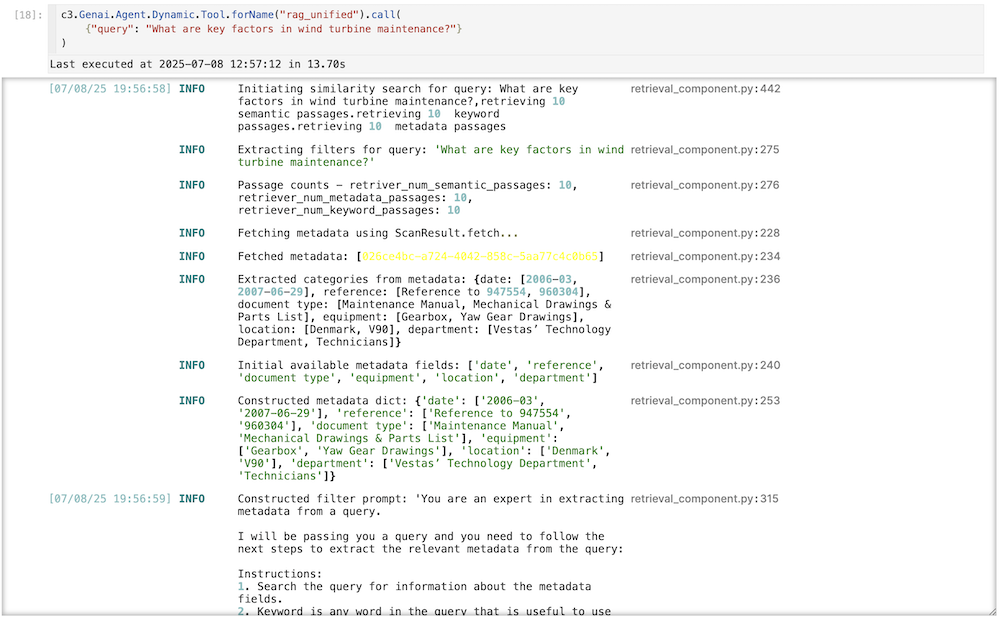
In the required retrievalArgs field, you can specify how the agent will retrieve the relevant passages. In the following example, the agent will retrieve 10 passages from a semantic search, 10 from a metadata search, and 10 from a keyword search. After retrieving 10 from each search, the LLM will also de-duplicate the passages. You can specify a filter prompt and the LLM to do the filtering. These are the fields to modify:
retrieverId: The ID of the retriever index used to fetch relevant passages.retrieverNumSemanticPassages: Number of passages to retrieve based on semantic similarity. Adjust this based on the expected relevance and volume of results.retrieverNumMetadataPassages: Number of passages to retrieve based on metadata. Increase this if metadata is highly informative for your use case.retrieverNumKeywordPassages: Number of passages to retrieve based on keywords. Adjust based on the importance of exact keyword matching.retrieverFilterExtractionPromptId: The ID of the prompt used for extracting filters during retrieval.retrieverFilterExtractionLlmClientConfigName: The LLM used for extracting filters during retrieval.retrieverFilterExtractionLlmOptions: Additional options for the LLM used for filter extraction. Use a safe default if unsure.
    "retrievalArgs": {
        "retrieverId": "my_pg_index", # a postgres vector db is needed to retrieve documents
        "retrieverNumSemanticPassages": 10, # number of passages to return
        "retrieverNumMetadataPassages": 10, # number of passages to return based on metadata
        "retrieverNumKeywordPassages": 10, # number of passages to return based on the keyword
        "retrieverFilterExtractionPromptId": "default_filter_extraction_prompt", # a prompt to extract the metadata from an llm
        "retrieverFilterExtractionLlmClientConfigName": "gpt_4o", # or any llm of your choice
        "retrieverFilterExtractionLlmOptions": {} # safe default
    },
In the optional rerankerArgs field, you can specify how the agent will rank the retrieved passages. In the following example, the agent will keep four passages to rank in its answer. It will use ms-marco-MiniLM-L6-v2 as the default crossencoder, combining the query and the passages for better context in the response. Optionally, you can use a lambda to do re-ranking on the fly:
rerankerNumPassagesToKeep: The number of unique passages to keep after ranking. This helps reduce context overload. Adjust based on the desired level of detail in the final response.rerankerType: The type of reranker to use. In this case, a cross-encoder is used to combine query and passage contexts. This can be 'llm' or 'crossencoder.'rerankerParams: Parameters for the reranker. Use a safe default if not specified. "crossEncoderName", "topK", "queryLength" are examples of keys you can use for thems-marco-MiniLM-L6-v2encoder, but you can use any additional args if you want to use a different crossEncoder.rerankerLlmClientConfigName: The LLM used for reranking the passages.rerankerLlmOptions: Additional options for the LLMrerankerLambdaStr: An optional lambda function () to rerank in a custom way. You can send in additional context by sending in additional passages.rerankerLambdaArgs: Arguments for the optional lambda function.
    "rerankerArgs": {
        "rerankerNumPassagesToKeep": 15, # retrieves unique passages only. hyperparameter to reduce context. for example, this would retrieve 15 out of 30 passages.
        "rerankerType": "crossencoder", #or 'llm' if needed. If you use crossencoder, there will be no llm reranking. The recommended value is crossencoder which uses sentence transformers.
        #"rerankerParams": {}, # safe default
        "rerankerLlmClientConfigName": "gpt_4o", #or gemini_2.0_flash, etc
        #"rerankerLlmOptions": {}, # safe default
        #"rerankerLambdaStr": "",  # Optional, safe default
        #"rerankerLambdaArgs": {} # safe default
    },
In the required messageBuilderArgs field, you can specify how to build the messages we are going to send to the llm. It also adds a question answering prompt to the messages and it can also incorporate few shot examples:
messageBuilderPromptId: The ID of the prompt used for building the messages sent to the LLM. Customize this if you have a specific prompt template.messageBuilderUseRawImages: Whether to use raw images in the message response. Keep as True unless otherwise not needed.messageBuilderTreatTablesAsImages: Whether to send PDF tables as raw images. Keep as True unless otherwise not needed.messageBuilderLambdaStr: Optional: A lambda function to customize message building. Leave empty if not needed.messageBuilderLambdaArgs: Arguments for the message building lambda function. Use an empty dictionary if not applicable.messageBuilderNumFewshotExamples: Number of few-shot examples to consider when building the messages. Adjust based on the desired context for the LLM and increase them for additional context.
    "messageBuilderArgs": {
        "messageBuilderPromptId": "default_message_builder_prompt", # this is a system prompt
        "messageBuilderUseRawImages": True, # keep this as True to use images in the message response. You need mew3 for this to work.
        "messageBuilderTreatTablesAsImages": True, # keep this as True to treat the pdf tables as images
        #"messageBuilderLambdaStr": "",  # Empty string instead of None for safe execution
        #"messageBuilderLambdaArgs": {}, # Empty dict is safe
        "messageBuilderNumFewshotExamples": 2, # number of few shots to consider
        "messageBuilderUseFullDocuments": False # whether to include full document content for retrieved passages
    },
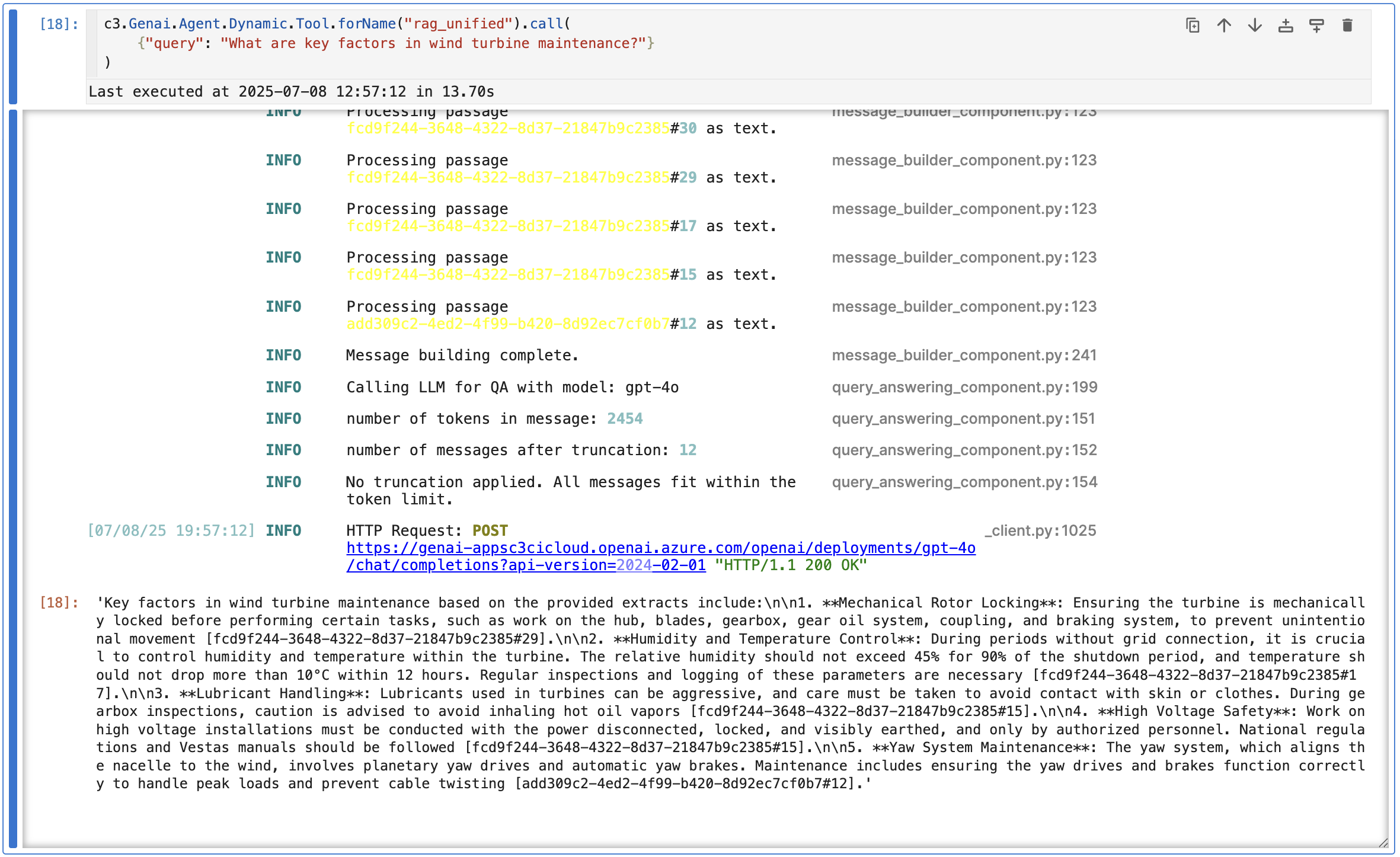
In the required queryAnsweringArgs field, you can specify which LLM the agent will use to answer the query, as well as the number of max input and output tokens to use:
queryAnsweringLlmClientConfigName: The LLM used for generating the final answer. Choose the appropriate LLM based on your requirements.queryAnsweringLlmOptions: Additional options for the LLM used for answering the query. Use a safe default if not specified.queryAnsweringMaxInputTokens: Maximum number of input tokens allowed. Set to a value that fits your use case, balancing context and performance. If the message payload exceeds this value it will be truncated.queryAnsweringMaxOutputTokens: Maximum number of output tokens allowed. Set to a value that ensures comprehensive but manageable responses.queryAnsweringLambdaStr: Optional: A lambda function to customize the query answering process. Leave empty if not needed.queryAnsweringLambdaArgs: Arguments for the query answering lambda function. Use an empty dictionary if not applicable.
    "queryAnsweringArgs": {
        "queryAnsweringLlmClientConfigName": "gpt_4o", # or any llm of your choice
        #"queryAnsweringLlmOptions": {}, # safe default
        "queryAnsweringMaxInputTokens": 8192,  # Safe default
        "queryAnsweringMaxOutputTokens": 2048,  # Safe default (if both input and output tokens are set to None, there is no truncation of input/output.)
        #"queryAnsweringLambdaStr": "",  # Optional, safe default
        #"queryAnsweringLambdaArgs": {} # safe default
}Configure the dynamic agent with the RAG unified tool
To add the RAG tool to the dynamic agent, you need to specify the agent and make the necessary changes to the system and solution prompts.
Select
py-query_orchestratoras the kernel for the Jupyter runtime.Check your tools in your dynamic agent by running:
Pythonc3.Genai.Agent.Dynamic.Tool.fetch() c3.Genai.Agent.Dynamic.Tool.forId('rag_unified')Run the following code to update the tool's configuration params.
Pythontool = c3.Genai.Agent.Dynamic.Tool.forName("rag_unified") newparams = { "enableProfiling": False, "queryRewriterArgs": { ... }, "retrievalArgs": { ... }, "rerankerArgs": { ... }, "messageBuilderArgs": { ... }, "queryAnsweringArgs": { ... } } tool.withToolConfigurationParams(newparams).merge(mergeInclude="toolConfigurationParams")Define your toolkit with the RAG unified tool.
Pythontoolkit = c3.Genai.Agent.Dynamic.Toolkit( id="rag_unified_toolkit", name="rag_unified_toolkit", descriptionForUser="Toolkit for RAG Unified on Unstructured Data", tools={ "rag_unified" : tool }, ).create()You can see that the agent is now rewriting queries, reranking passages, and building custom messages.