Connect OpenHands Cloud
Connect OpenHands Cloud when you want an agent's conversations to run on OpenHands Cloud infrastructure instead of in a C3 AI Agentix-managed pod. Your OpenHands Cloud account creates and owns those conversations, so each user supplies their own API key instead of sharing a workspace credential, which keeps ownership, quota, and history tied to the right account.
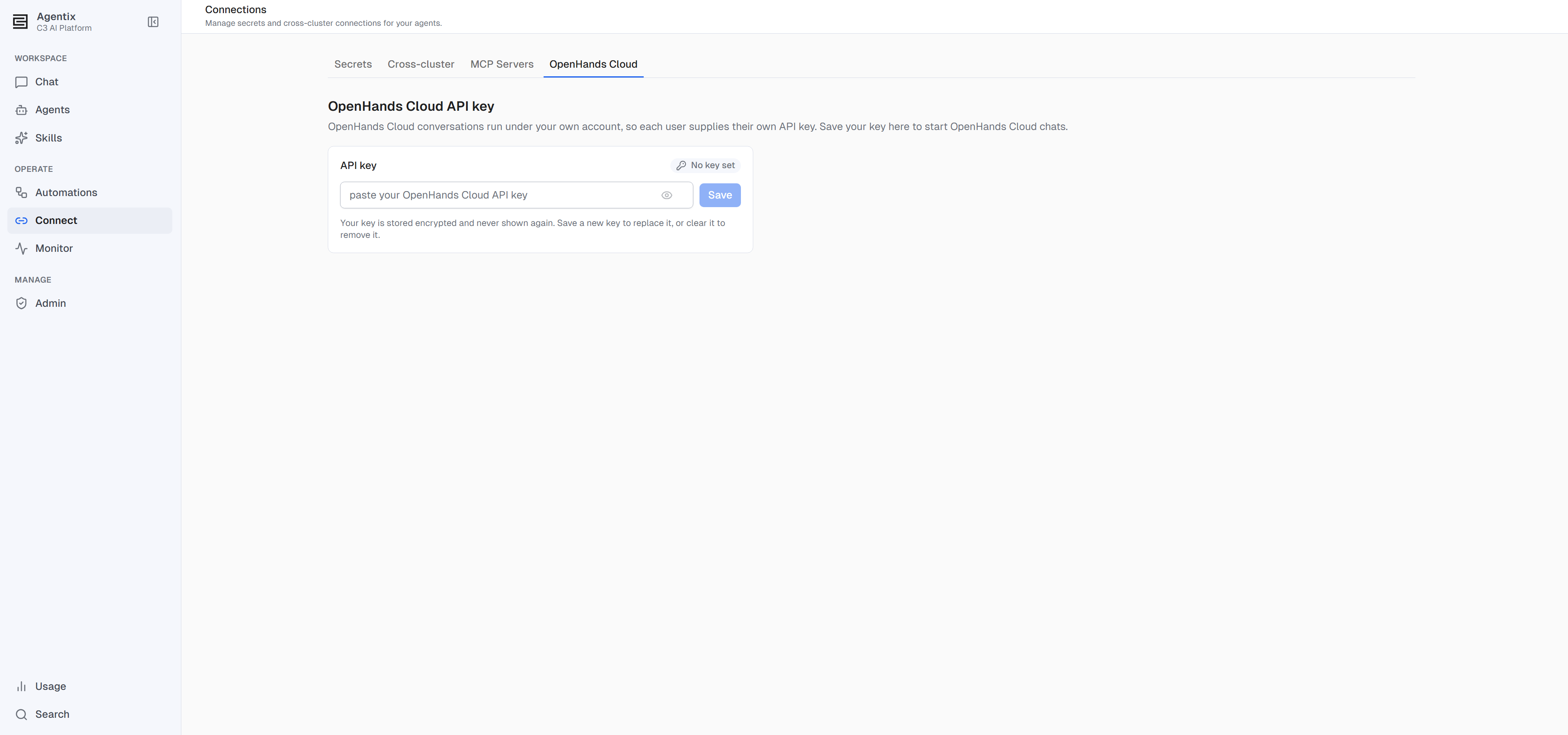
You manage the key on the Connect page (the Connect item in the left navigation), under the OpenHands Cloud tab.
Save your API key
Save your OpenHands Cloud API key in three steps:
- Open Connect from the left navigation and select the OpenHands Cloud tab.
- Paste your OpenHands Cloud API key.
- Select Save.
The key is stored encrypted against your user. Afterwards, the page reports only whether a key is set, never the value itself — the same protection every credential in C3 AI Agentix gets.
Replace or remove the key
Update the saved key from the same tab whenever your OpenHands Cloud account issues a new one or you no longer want conversations tied to it:
- Replace: save a new key over the old one.
- Clear: remove the stored key.
Save a key here first: an OpenHands Cloud chat needs one before it can start.
Permissions
Every user manages their own OpenHands Cloud key. No administrator role is required, and no user's key is ever shared with another. The base Agentix.User role is enough. For the full role ladder, see Roles and Permissions.
Where to go next
- Build an Agent: Overview — what a connection is and when an agent needs one.
- Connect Secrets — store the credentials a skill or script reads at runtime.
- Connect MCP Servers — extend an agent's tools to an outside service.
- Have your first conversation — start a chat once your key is saved.
- Roles and Permissions — the role ladder for C3 AI Agentix.