Connect MCP Servers
Connect an MCP server when an agent needs to reach a third-party service as part of a chat — search Jira issues, open a GitHub pull request, or call any other tool that lives outside the C3 platform. MCP stands for Model Context Protocol. By default, an agent's tool catalogue is the C3 platform itself; an MCP server extends that catalogue to a third-party service.
Manage MCP connections on the Connect page (the Connect item in the left navigation), under the MCP Servers tab.
Per-user authentication
The defining design choice is per-user authentication. For OAuth- and API-key-based servers, each user signs in with their own credential. The agent then acts on the service as you, never as whoever configured the server. One user's token never serves another. A registration holds only non-secret configuration; every credential lives in an encrypted vault. See Connect Secrets.
Scope and authentication kind
A connection has a scope:
- Global: admin-curated, visible to every user in the cluster.
- Personal: private to you.
And an authentication kind:
- None: a public server, no credential needed.
- Static bearer token (shared): one workspace-wide token, supplied by an administrator.
- API key (per-user): each user pastes their own key, sent in a configurable header.
- OAuth (per-user): each user signs in through the provider's consent screen (PKCE flow).
Registering a connection — Global or Personal — requires an administrator. An administrator scopes a connection to one user (Personal) or to everyone (Global), and may mark a bearer or API-key credential as shared workspace-wide.
Register a server
Register a server through two steps:
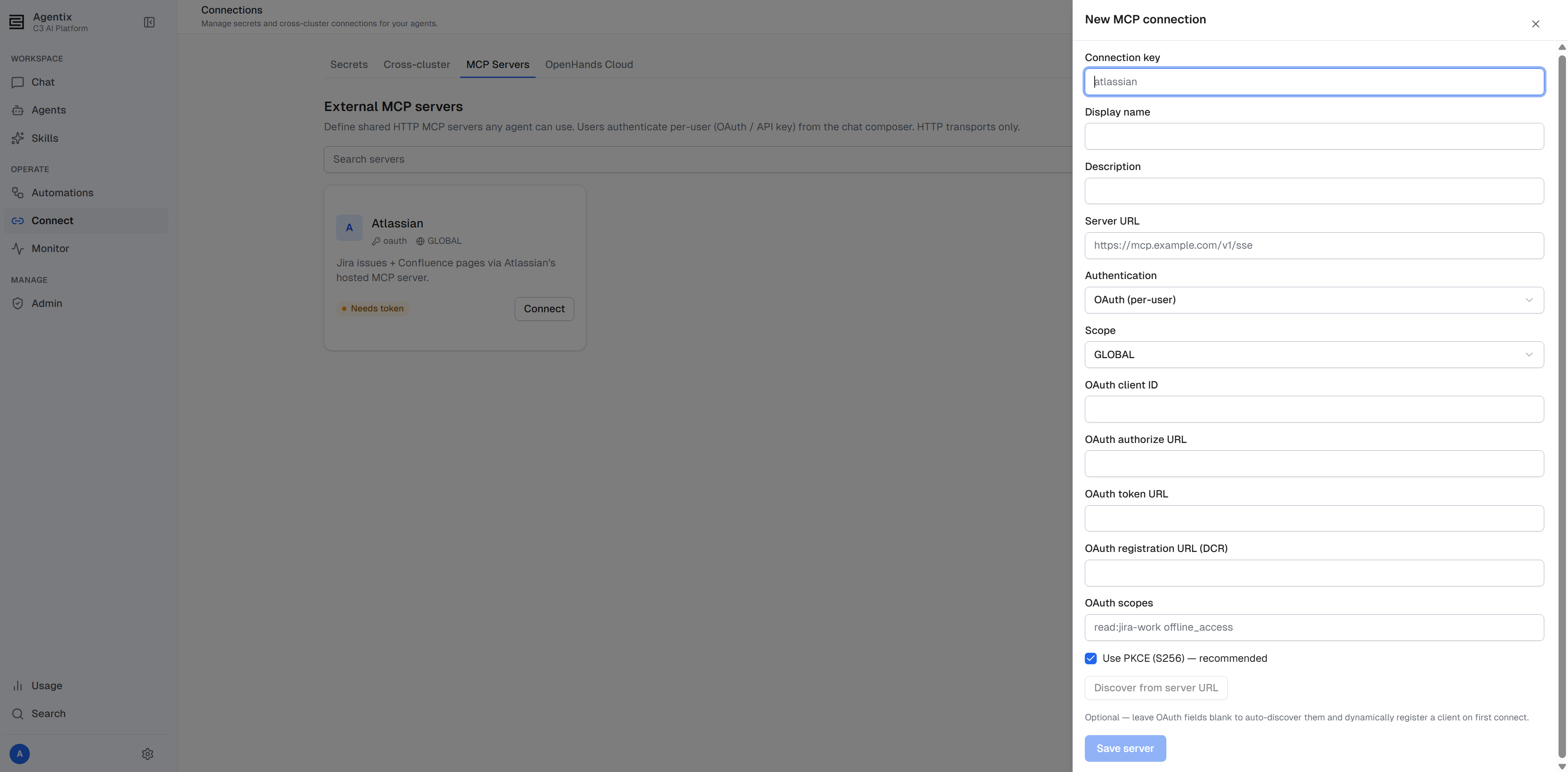
- On the MCP Servers tab, select New MCP connection. Adding a connection requires the
Agentix.AgentAdminrole; without it, this button is disabled. - Give it a connection key (a short slug like
atlassian), a display name, the server URL, and the authentication kind.
C3 AI Agentix supports only HTTP transports — there is no stdio option. For OAuth servers, you can usually leave the endpoint details blank. C3 AI Agentix auto-discovers the OAuth metadata from the server's .well-known endpoints and registers a client dynamically on first connect. A URL plus "OAuth" is often the whole configuration.
Attach a connection, then sign in from chat
Registering a connection does not make it available. You must attach it to an agent: from the agent's detail page for a global connection, or by adding your personal connections at chat time. See Attach MCP connections.
From there each user manages their own sign-in from the chat surface. The composer's MCP menu shows every connection the agent carries, with its status.
- Connected: you have authenticated.
- Active: no sign-in needed, because the server is public or uses a shared credential.
- Needs token: you must authenticate before using it.
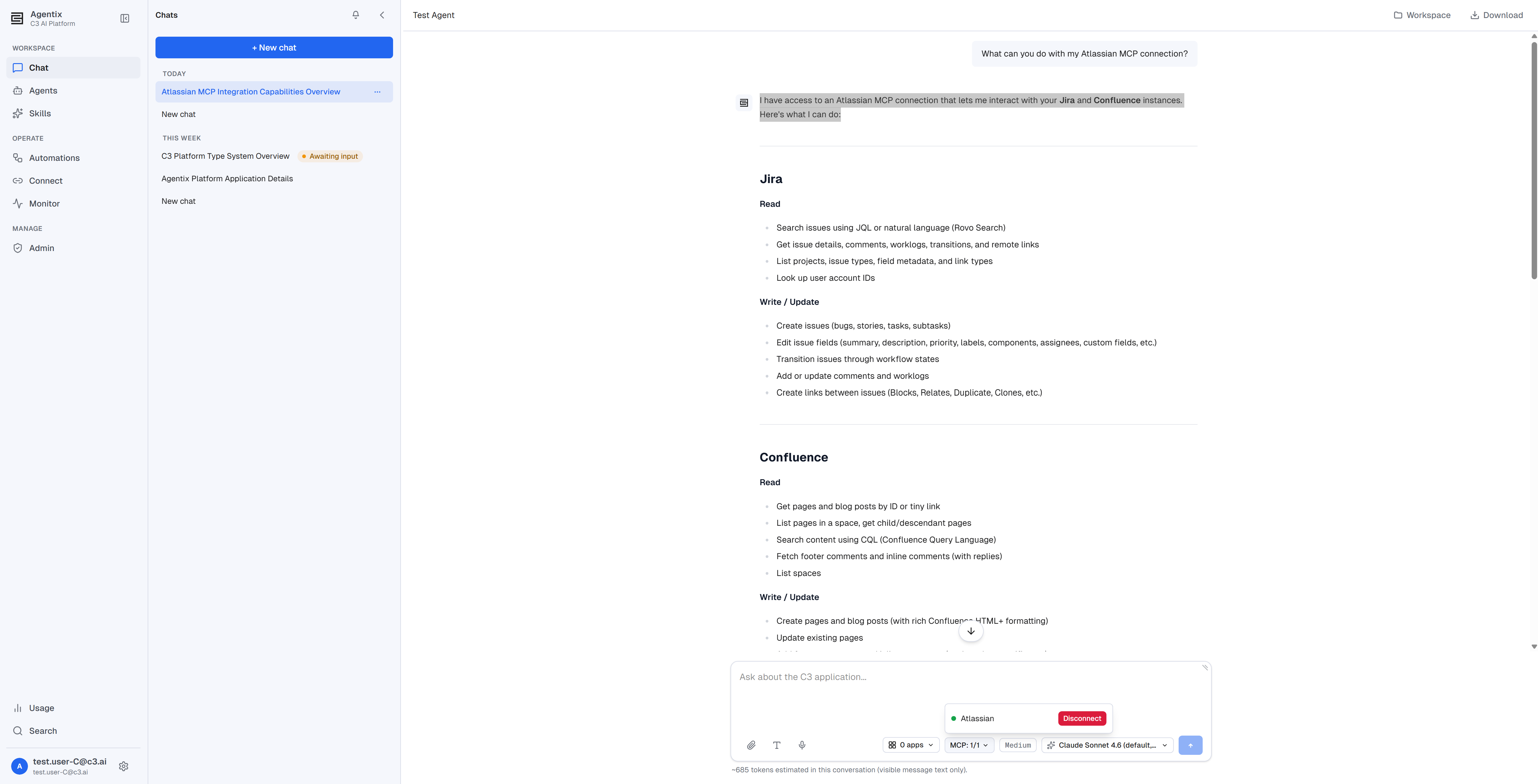
A chat that carries unauthenticated required connections prompts you to connect before you start. As with skills, creating a chat fixes its connection set, so a newly attached server applies only to new chats, not one already in progress. See Step 4: Have your first conversation in Quick Start.
Confirm and disconnect
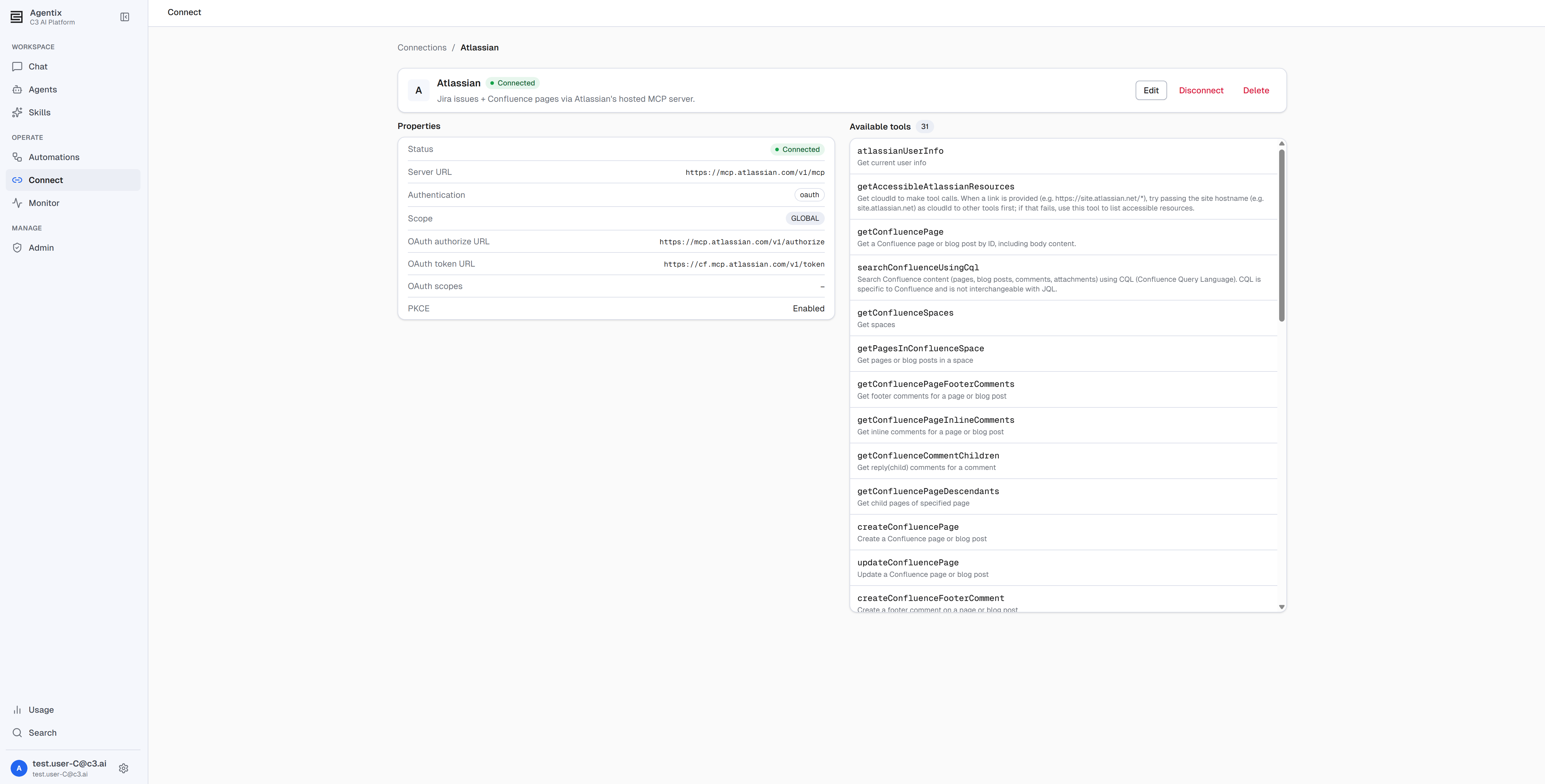
Each connection's detail view lists the tools the server exposes, fetched live with your credential — useful to confirm a sign-in worked. Disconnect revokes your stored credential at any time.
Permissions
Two roles govern MCP connections:
Agentix.User: sign in to, and disconnect from, any connection an agent carries, including setting your own API key.Agentix.AgentAdmin: also register and manage every connection, Personal or Global, in the shared registry; mark a shared credential workspace-wide; and attach a connection to an agent's definition.
For the full role ladder, see Roles and Permissions.
Where to go next
- Build an Agent: Overview — what a connection is and when an agent needs one.
- Create and Configure an Agent — attach a global MCP connection to an agent.
- Connect Secrets — store the credentials a skill or script reads at runtime.
- Connect Apps on Other Clusters — reach a C3 application on a different cluster.
- Roles and Permissions — who can register and manage MCP connections.