My Usage
You don't need to be an administrator to wonder how much your own chatting has cost, or how it has trended over the past month. My usage answers that directly.
My usage is open to every signed-in user, no administrator role required. It shows only your own activity: input tokens, output tokens, and spend, over a fixed rolling 30-day window. No other user's activity can appear here, and there is no setting or link that changes that.
This page is deliberately simple: no agent, app, or user filters, and no adjustable window. It answers one question: what have I been using? For the team-wide picture instead, see Monitor Usage and Cost, which requires an administrator role. It slices usage by agent, application, or user, with a path down to individual traces.
Read your usage
Open Usage from the left navigation.
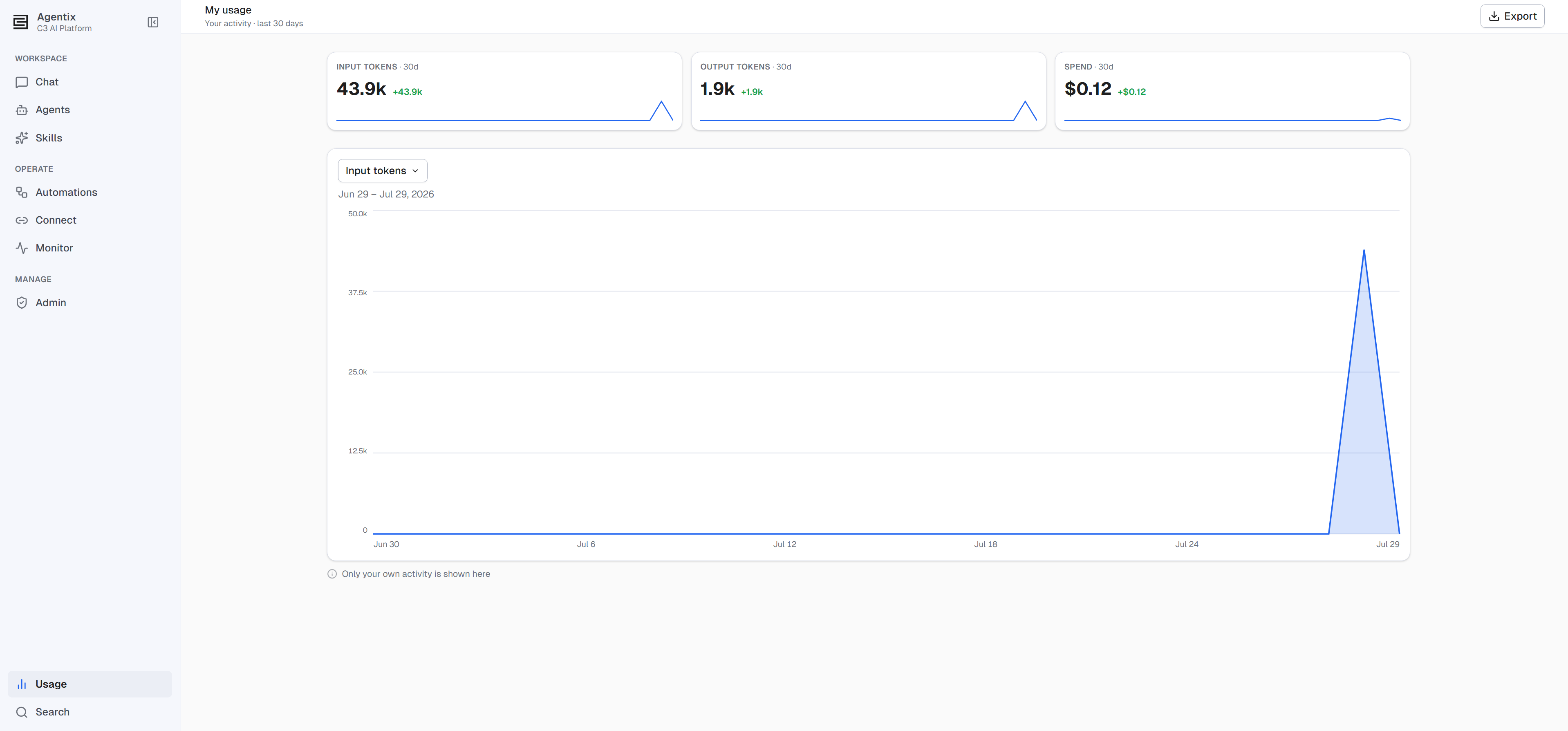
- Three KPI tiles (input tokens, output tokens, and spend) summarize the last 30 days, each with a delta against the preceding 30 days and a small trend sparkline.
- One chart, switchable by metric. A dropdown picks which of the three metrics it plots by day; switching metrics is instant. Hover a point for its exact value and date. A label spells out the exact 30-day span the chart covers, resolved the moment you opened the page. The span is fixed the moment the page loads and stays put while you read.
- Export downloads all three metrics as a CSV, one row per day, regardless of which one the chart is currently plotting. Use it to track your own numbers outside the product.
- A note reads Only your own activity is shown here. Hovering its info icon spells out the guarantee in full: this page scopes usage to your account only, and never includes other users' activity.
This page intentionally fixes its scope at the last 30 days; there is no date picker to widen or narrow the window.
Permissions
Every signed-in user can view My usage — no elevated role required:
| Action | Role required |
|---|---|
| View My usage | Every Agentix.User, no special role |
For the full role ladder, see Roles and Permissions.