View Package Builds Within the Branch Build in C3 AI Release Management
Select Releases and then Branches on the left sidebar of C3 AI Studio.
On Branches tab for C3 AI Release Management, there is the list of registered branches.
Select the branch name to be redirected to a page about the specific branch details.
Select a build from the branch page to be redirected to a page about the specific build.
To view package details, scroll down on the build specific page until you see All Packages (#).
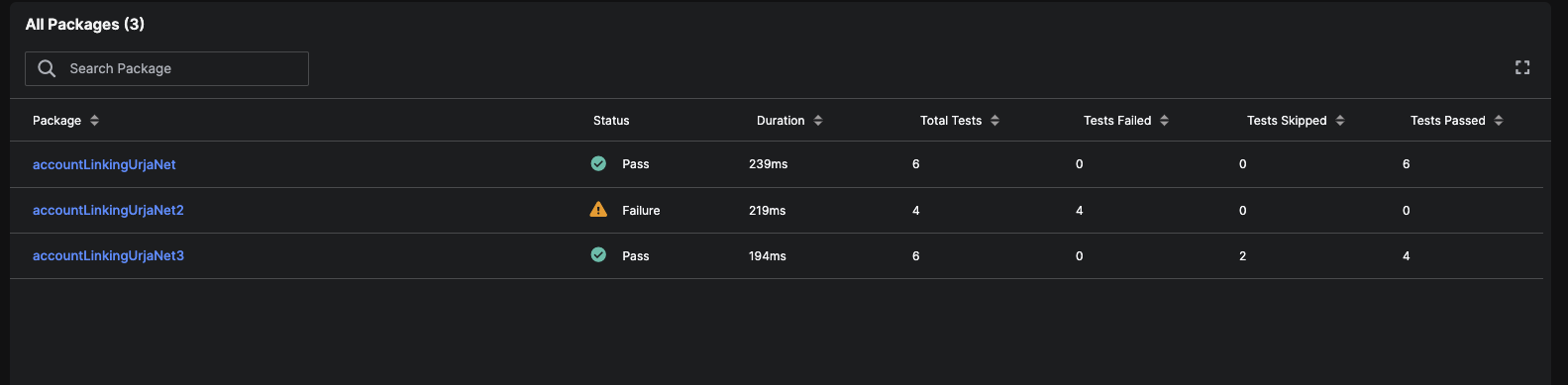
Package section in the build specific page Select the desired package.
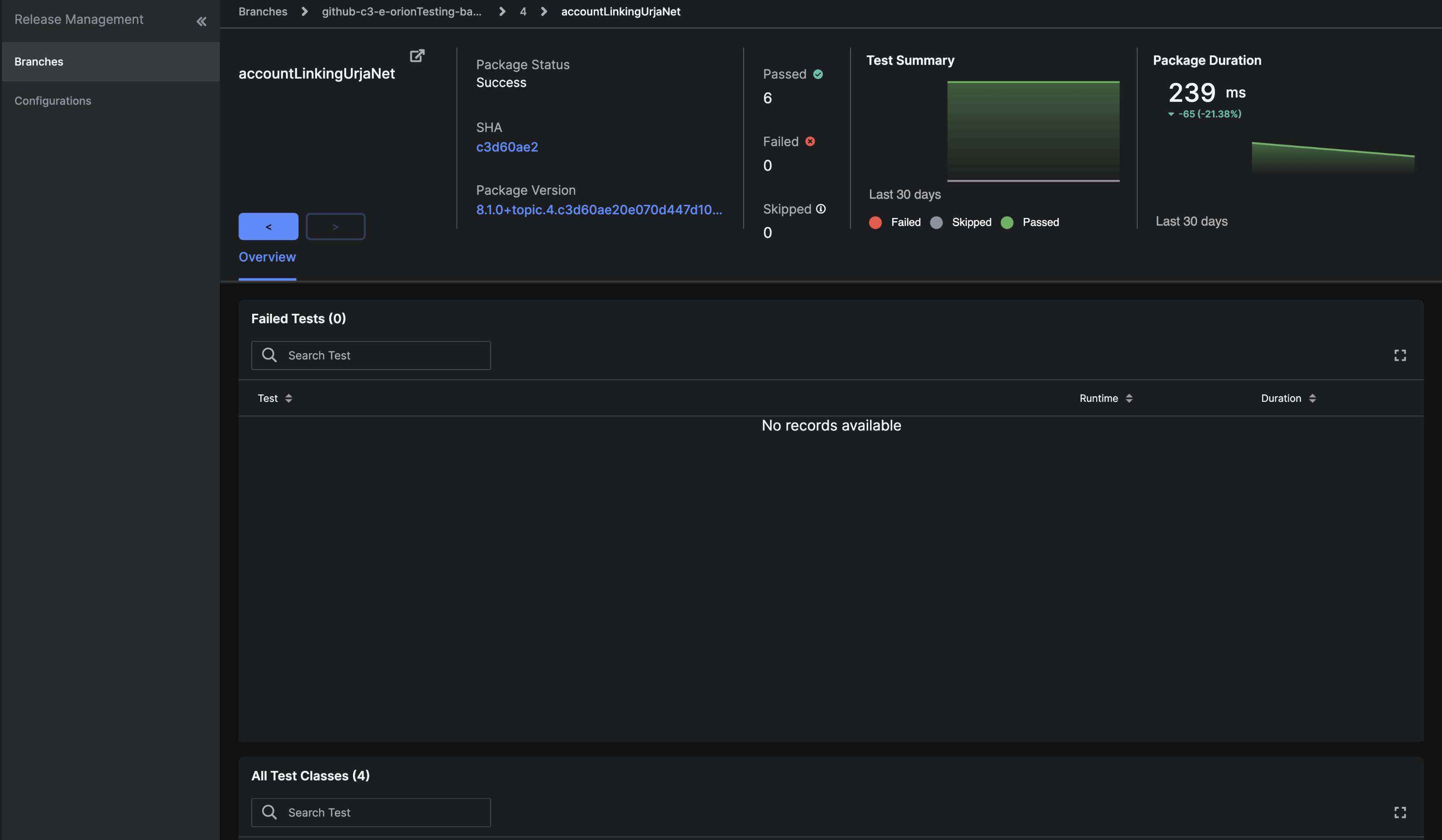
A page about a specific package (this example showcases package accountLinkingUrjaNet)
The Failed Test table shows no records, which means that there are no failed tests recorded. Notice that the status for this package is Success.
To view test details in a package
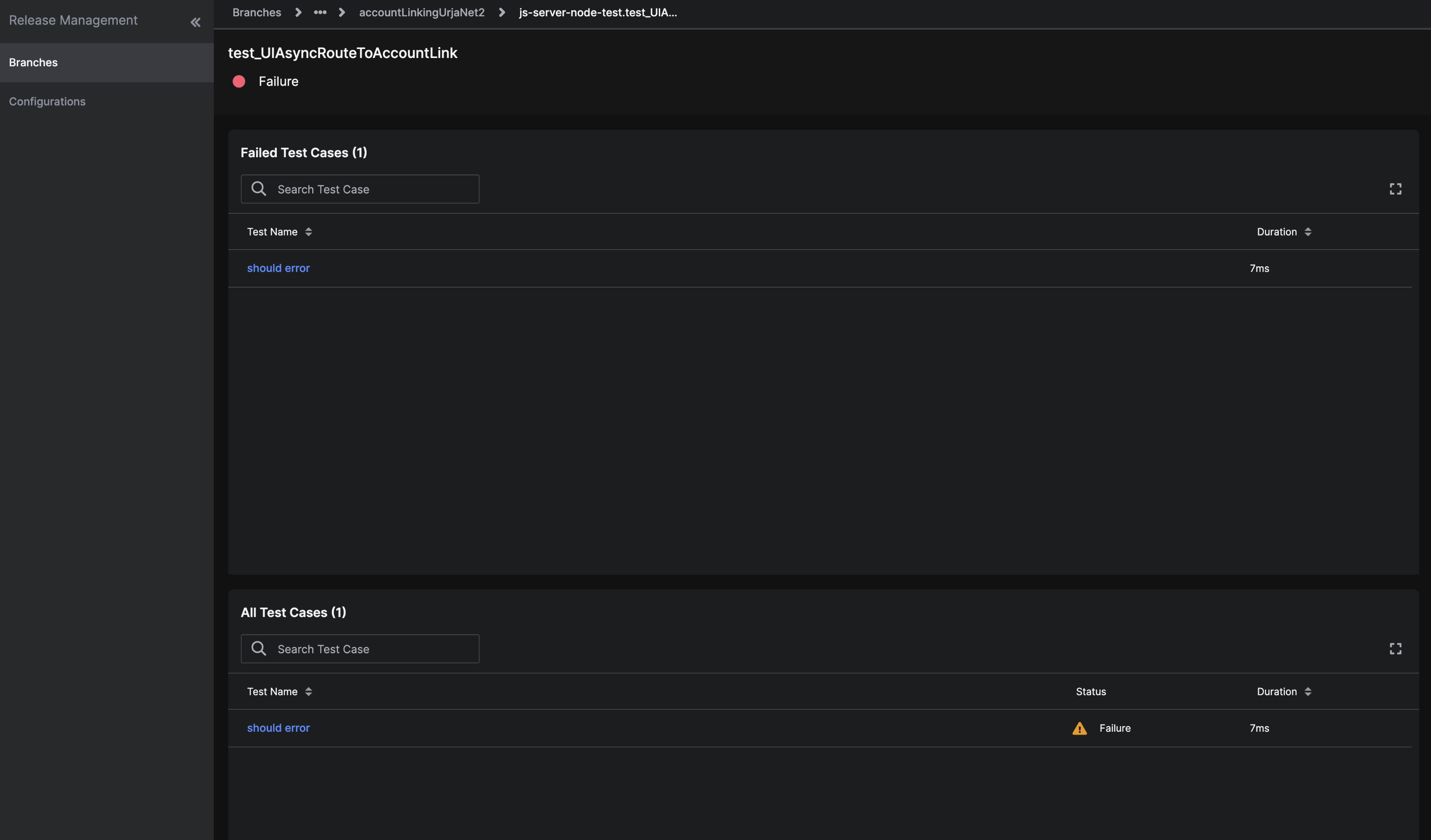
To view test details in a package, select the desired test.
 |
|---|
| A page about a specific test (this example showcases test test_UIAsyncRouteToAccountLink) |