UI directory structure
C3 AI Platform uses a structured approach to front-end development. This page covers how to structure the files and directories for developing the front end of your application.
Creating a new UI package
The C3 AI VsCode Extension has a helper to create a UI package with all of the necessary folders and files. This is useful as it lowers the chance for human error when creating packages and their essential directories. To use this tool, you will first need to sync to your environment. Afterwards, you need to click on the Packages tab of the C3 AI extension. There, upon hovering Packages you'll see a button for Create New UI Package like below:
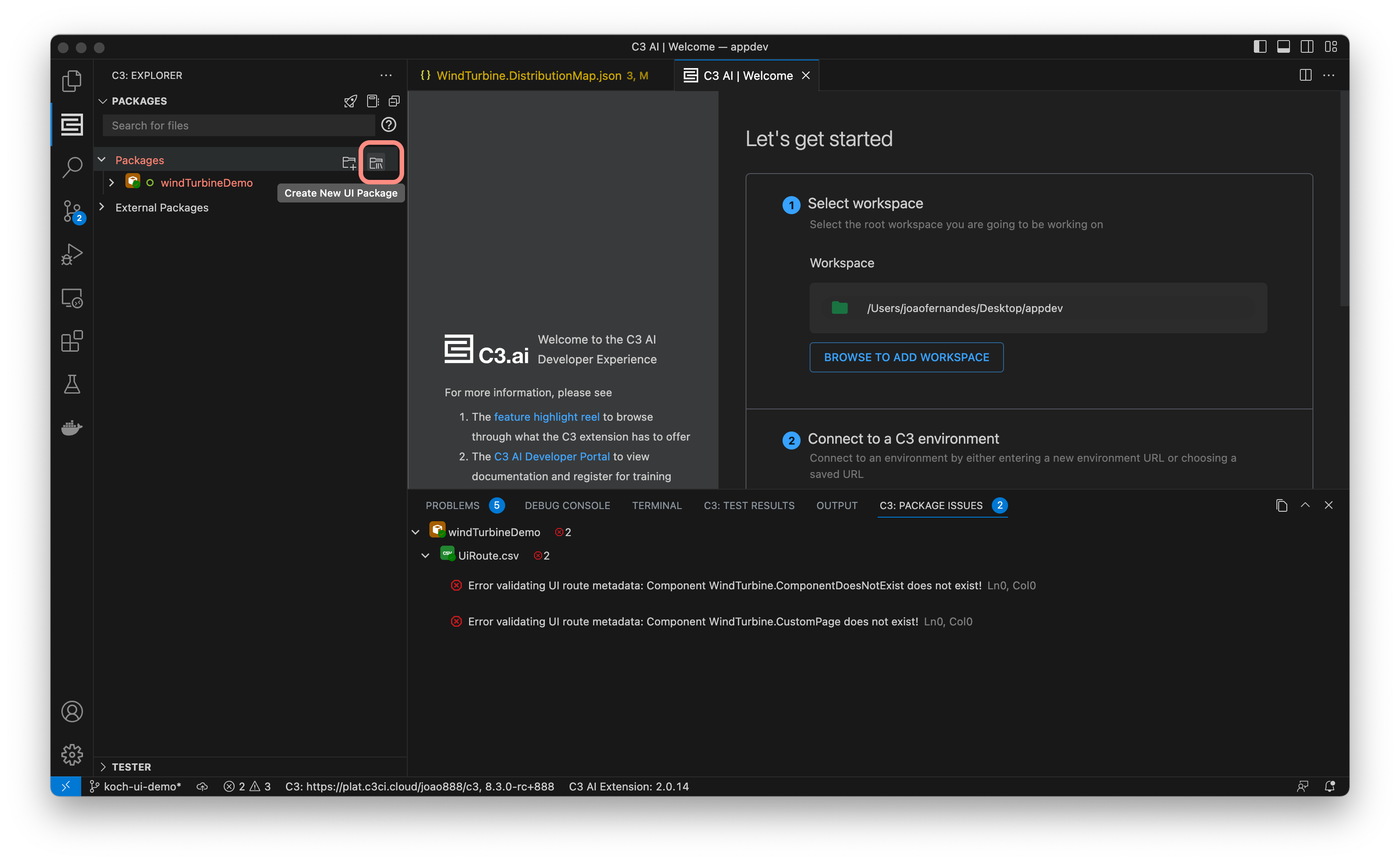
After clicking the button, you just need to name the package, and all of the essential directories (as described in the next section), will be generated for you.
Directory structure
| Folder or File Name | Description |
|---|---|
examplePackage/examplePackage.c3pkg.json | Declare package dependency, name, author, and description. Include dependency to uiComponentLibraryReact for UI. |
examplePackage/config | Configure themes, locales, and bundler configurations. |
examplePackage/metadata | Define translations, routes, roles, and metrics. |
examplePackage/seed | Provide seed data. |
examplePackage/src | Implement C3 AI Type, methods, and epics. |
examplePackage/test | Implement C3 AI Types and data for testing. |
examplePackage/ui | Manage the application state |
examplePackage/ui/c3/meta | Configure UI component configurations. |
examplePackage/ui/content/assets | Store static assets like images or stylesheets. |
Here is an example package for a simple full-stack application that allows storing and visualizing a list of machines.
examplePackage
├── examplePackage.c3pkg.json
├── config
│   └── UiSdlConfig
│       └── UiSdlConfig.json
├── metadata
│   └── Translation
│   └── UiSdlRoute
│       └── routes.csv
│   └── Role
│   └── SimpleMetric
├── seed
│   ├── Locale
│   │   └── en.csv
│   └── SDLDemoMachine
│       └── SDLDemoMachine.csv
├── src
│   └── Machine.c3typ
├── test
└── ui
    ├── c3
    │   └── meta
    │       ├── examplePackage.Dashboard.json
    │       └── examplePackage.MachineList.json
    └── content
        └── assets
            └── images
                └── logo.svg
├── ...