Agents and Tools Overview
The C3 Generative AI Application uses agents and tools to answer natural language questions based on your data. When you ask a question, the agent interprets it and selects the appropriate tools to generate a response. Each tool performs a specific task, such as searching documents, querying structured data, or generating charts.
You can use agents and tools to answer a wide range of questions, from document-based queries like, “What is our return policy?” to structured questions like, “How many engines failed last month?” The application supports both built-in and custom tools.
Agents
An agent interprets your question and selects the tools needed to answer it.
The application models agents using the Genai.Agent.Dynamic Type, which interacts with tools defined in a toolkit.
For example:
- A question like, “How many engines failed last month?” triggers a structured query tool.
- A question like, “What's the warranty policy?” triggers an unstructured query tool.
The C3 Generative AI Application includes the Dynamic Agent. This agent understands questions, selects tools, and returns a text or visual response. It supports multi-step queries and can use multiple tools as needed.
Agent types
The C3 Generative AI Application implements agents using the Dynamic Agent architecture, which interprets queries, selects tools, and coordinates reasoning. Two preconfigured agent types are available for general use:
Canvas Agent (default) — The default out-of-the-box agent that extends Dynamic Agent with document creation and editing capabilities. The agent can create, edit, and refine documents directly in a rich text editor within the UI. Use this for general-purpose queries, report generation, and interactive document authoring. Comes pre-deployed. Learn more in Canvas Agent.
Deep Research Agent — Extends Dynamic Agent for research-intensive tasks requiring multi-step reasoning and comprehensive analysis. Coordinates multiple internal roles (research lead, researchers, writers, critics) to generate detailed reports. Use this for complex research queries that benefit from iterative analysis and structured documentation. Requires deployment. Learn more in Deep Research Agent.
Additionally, the Workflow system provides automated multi-step process orchestration. Dynamic Agents can be integrated as intelligent nodes within workflows to provide reasoning, decision-making, and tool access capabilities. Learn more in Workflows Overview.
For details on configuring and extending Dynamic Agent behavior, see Dynamic Agent.
Toolkits
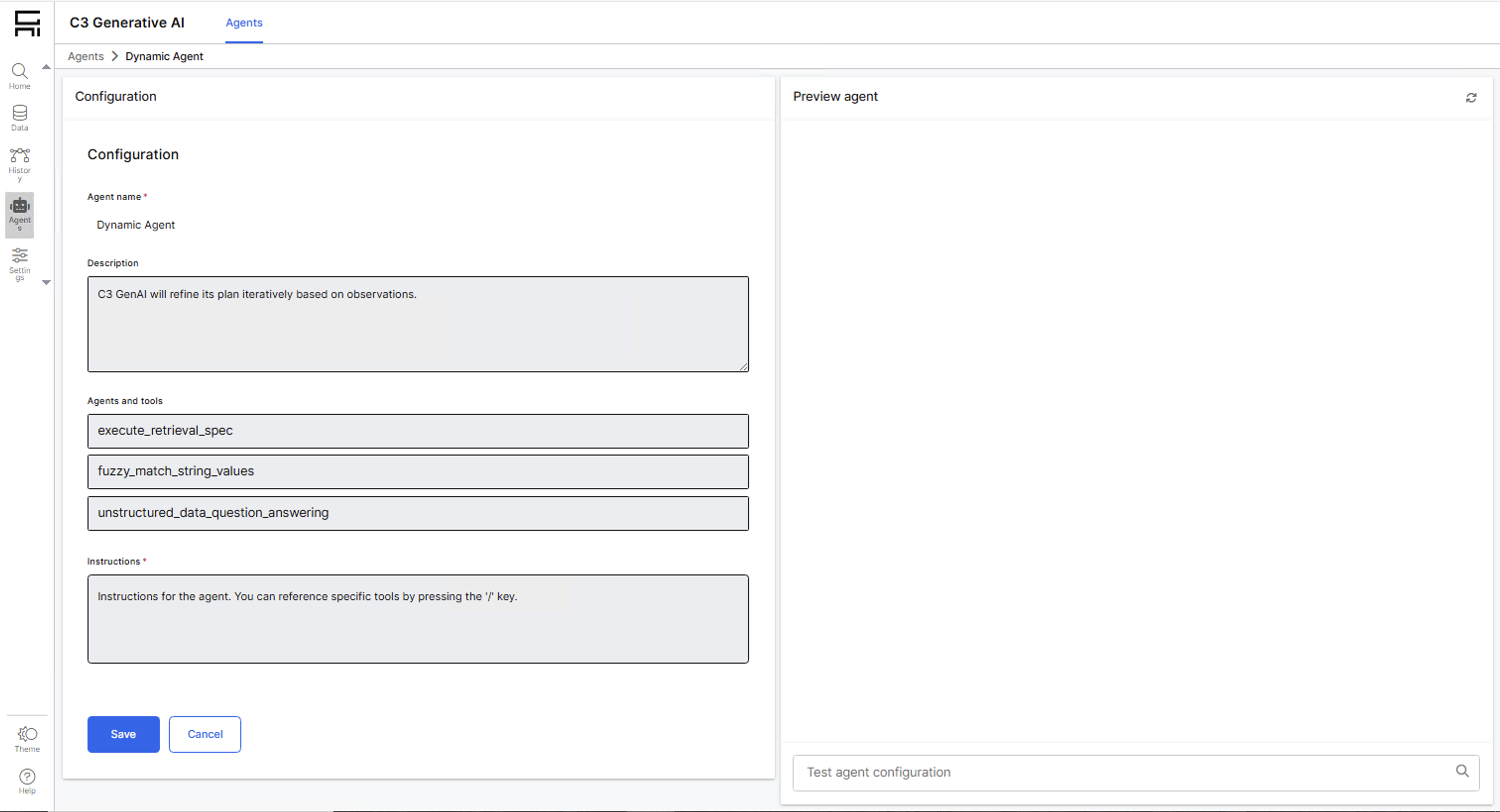
Each agent uses a toolkit, a predefined collection of tools that the agent can access to answer questions. Toolkits help scope agent capabilities to specific applications or environments. Toolkits are represented by the Type Genai.Agent.Dynamic.Toolkit.
The application includes preconfigured toolkits for each agent type:
- default_agent_toolkit — Standard tools for the Dynamic Agent, supporting both structured and unstructured data queries.
- canvas_agent_default_toolkit — Tools for the Canvas Agent, including document creation and editing capabilities.
- canvas_agent_deep_research_toolkit — Specialized tools for the Deep Research Agent, including iterative research capabilities.
Tools
A tool is a small program that performs a specific action on documents, structured tables, external APIs, or other data sources. Tools are modeled using the Type Genai.Agent.Dynamic.Tool and are registered for agent use through a toolkit.
Built-in tools
C3 Generative AI Application provides built-in tools through preconfigured toolkits that support both structured and unstructured data tasks:
Unstructured data tools:
- RAG Unified Tool — Performs Retrieval-Augmented Generation (RAG) on documents and emails. This tool combines semantic search, keyword matching, and metadata filtering to retrieve relevant content, then generates grounded answers based on that content. Ideal for answering questions from unstructured documents. Learn more in RAG Overview.
Structured data tools:
- Structured Retrieval Tool — Queries structured data using predefined settings. Use this tool to retrieve fields or records from a table or database with filtering, aggregation, and sorting.
- Fuzzy String Match Tool — Performs fuzzy string matching to find entities with partial or approximate names. Useful for handling typos, phrasing variations, or inconsistent data entries.
Visualization tools:
- Visualization Creation Tool — Generates dynamic visualizations including charts, plots, and geospatial maps. Returns Plotly figure objects for interactive display.
Document tools (Canvas Agent & Deep Research Agent):
- Document Creation Tool — Creates new documents on the canvas with filename, title, description, and content.
- Document Update Metadata Tool — Updates document title and description without changing content.
- Document Update Content Tool — Replaces entire document content for major revisions.
- Document Replace Content Tool — Replaces specific substrings in document for targeted edits and corrections.
Web search tools:
- Web Search Tool — Enables agents to search the web in real-time when data is not available internally. Learn more in Web Search Tool.
Custom tools
Create a custom tool when your use case involves a system, API, or workflow not already supported by platform tools. Examples include:
- Calling external services or APIs
- Triggering automation pipelines
- Connecting to internal systems or databases
- Performing custom computations or transformations
After you create and register a custom tool in a toolkit, it becomes available to agents in that toolkit. Learn more in Create Custom Tools.
Tool framework
C3 Generative AI uses a type-based architecture for tools and toolkits, structured using the following C3 Types:
- Genai.Agent.Dynamic — An agent that uses an LLM to interpret queries and interact with tools in its toolkit.
- Genai.Agent.Dynamic.Toolkit — A collection of tools available to an agent.
- Genai.Agent.Dynamic.Tool — A specific implementation of a tool with a
call()method that agents can invoke.
This architecture supports extensibility by enabling developers to model, register, and manage tools and toolkits as structured objects. All tools provided by the application and any custom tools you create are configured to work with Dynamic Agents.
How agents and tools work together
Agents and tools follow this execution process:
Parse the query — The agent receives your question and analyzes it to understand the intent and identify what information is needed.
Select tools — Based on the query, the agent selects one or more tools from its toolkit that are best suited to retrieve or process the required information. For example, a question about structured data triggers the Structured Retrieval Tool, while a document question triggers the RAG Unified Tool.
Execute tools — Each selected tool runs and returns results. Tools may be executed sequentially or in parallel depending on the query requirements. For example, the agent might search documents AND query structured data simultaneously.
Combine and synthesize — The agent takes the results from all tools and synthesizes them into a coherent, natural language response. It may also format the response (as text, tables, visualizations, or documents) based on the agent type and output requirements.
This approach enables agents to handle both simple queries (single tool) and complex queries (multiple tools with dependencies).
Example: Multi-tool query
When you ask, "How many engines failed last month, and what are the most common failure modes?", the agent:
- Recognizes this requires two pieces of information: failure count and failure mode details.
- Selects the Structured Retrieval Tool to query structured engine failure data and the RAG Unified Tool to search maintenance documents for failure mode descriptions.
- Executes both tools to retrieve failure records and relevant documentation.
- Combines the results into a comprehensive response with statistics and supporting details from the documents.
See also
Agent Architecture and Configuration:
- Dynamic Agent — Learn the Dynamic Agent architecture and framework that underlies all agent types. Understand system prompts, callbacks, and configuration options.
Preconfigured Agent Types:
- Canvas Agent — The default out-of-the-box agent for general-purpose query answering with document creation and editing.
- Deep Research Agent — Deploy this agent for complex research workflows requiring multi-step reasoning and comprehensive analysis.
Workflow Automation:
- Workflows Overview — Build automated multi-step processes with intelligent agent nodes for orchestrated workflows.
Tools and Data Retrieval:
- RAG Overview — Learn how to implement retrieval-augmented generation for querying unstructured data.
- Web Search Tool — Enable real-time web search capabilities for agents.
Agent Customization:
- Custom Tools — Create custom tools to extend agent capabilities for your specific use cases.