Canvas Agent
The Canvas Agent provides all the capabilities of the dynamic agent, enhanced with tools for document creation and editing. Documents appear in a rich text editor within the UI, where you can make further edits and request additional modifications from the agent.
The Canvas Agent extends the dynamic agent with advanced capabilities for creating and editing documents, submitting forms, and generating emails. You can easily add or extend tools in the agent's toolkit for specific business use cases.
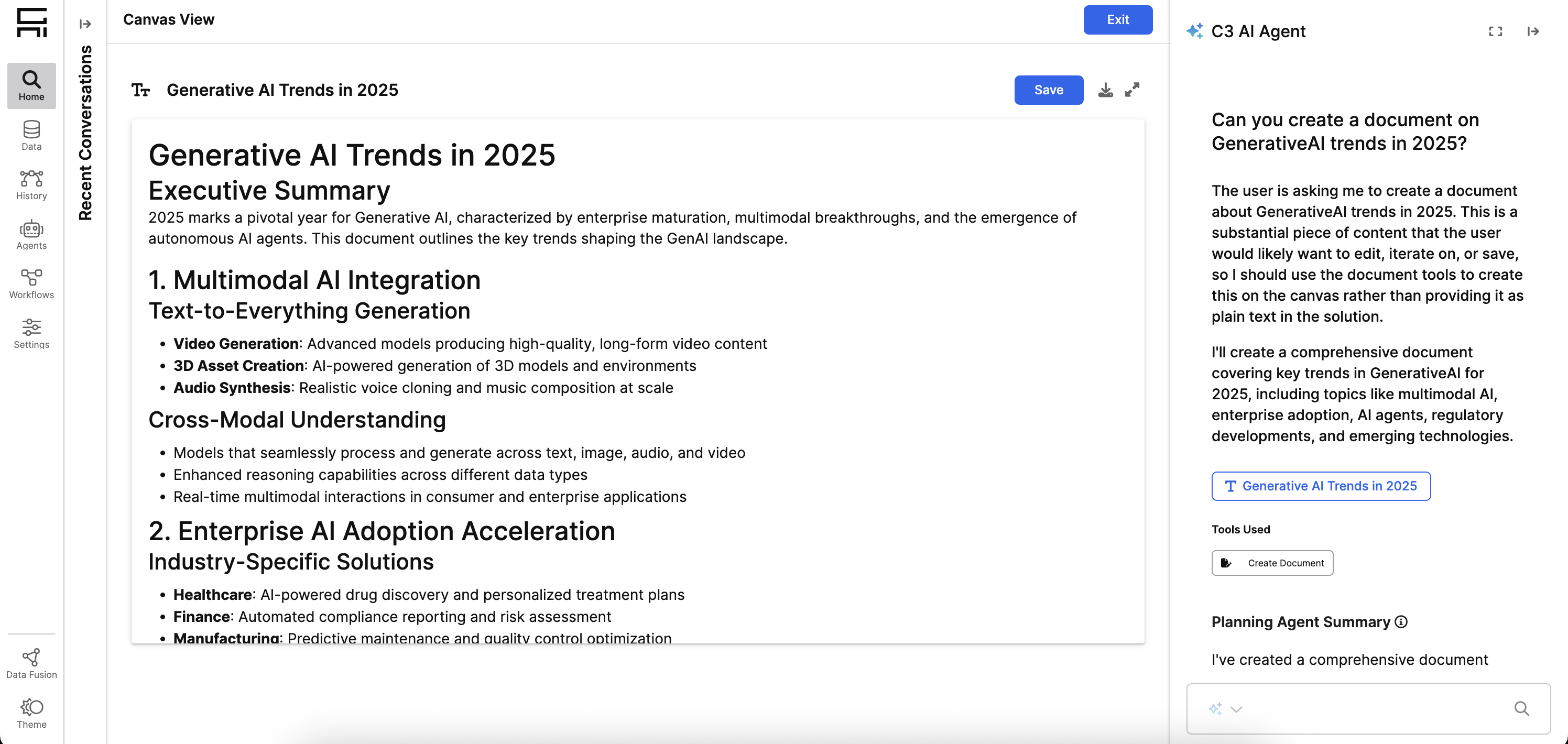
Canvas Agent configuration
After running Genai.QuickStart#setup or Genai.QuickStart#setupApp, the Canvas Agent is automatically deployed within your application.
You can access the Canvas Agent configuration directly in your Application C3 AI Console by running:
Genai.Agent.Dynamic.Config.forConfigKey('CanvasAgent_default')Toolkit and tools
The Canvas Agent uses the canvas_agent_default_toolkit with the following tools:
| Tool Name | Purpose | Key Capabilities |
|---|---|---|
| RAG Unified Tool | Performs retrieval-augmented generation on enterprise data | Complete RAG flow with query rewriting, retrieval from unstructured documents, reranking, and answer generation. Returns semantic, keyword, and metadata passages. |
| Visualization Creation Tool | Generates charts and data visualizations | Supports generic visualizations like scatter plots and line charts, as well as geospatial maps. Returns Plotly figure objects. |
| Structured Retrieval Tool | Executes queries on structured sources | Queries data model with mathematical functions (max, min, avg, sum, count), string operations, Boolean operators, aggregation, ordering, and result limiting. |
| Fuzzy String Match Tool | Performs fuzzy string matching for inexact queries | Finds entities with partial or approximate names. |
| Document Creation Tool | Creates new documents on canvas | Generates drafts of emails, reports, meeting notes, or templates with filename, title, description, and content. |
| Document Update Metadata Tool | Updates document title and description | Refines document properties without changing content. |
| Document Update Content Tool | Replaces entire document content | Supports major document revisions or complete rewrites. |
| Document Replace Content Tool | Replaces specific substrings in document | Enables small, targeted edits and corrections. |
Custom tools for Canvas Agent
You can add custom tools to extend the agent's functionality. Follow the same process described in Create Custom Tools.
For these tools, you can also specify custom outputs to enable the UI to render custom resources. See Step-by-step: Build a custom resource for more information.
Create and modify the Canvas Agent
The Canvas Agent is available in the Store section of the Agent Gallery. Store agents cannot be edited directly. To duplicate, modify the Canvas Agent configuration, toolsets, or prompts see Agent Workbench Documentation and Create Agents from Scratch
See also
To customize how the Canvas Agent interprets queries and coordinates actions, see: