Overview
An automation is a task instruction that runs against a chosen agent on a trigger, with no human present. Unlike a chat, it does not need you there: you might create one that runs every morning, queries an application for unresolved alerts, investigates each one, and records its findings before the start of the working day.
The interface calls it a schedule in some places and a job in others: the button reads New schedule, the dialog reads Create a new job. They are the same object.
To build one, see Create and Schedule an Automation.
The four parts of an automation
An automation has four parts, all set when you create and schedule it. Everyone with access to the automation sees them on its detail page.
| Part | What it is |
|---|---|
| Agent | The agent that does the work — its system prompt, skills, and model. |
| Task instruction | What to do on each run, delivered to the agent as its first message, exactly as if you had typed it in chat. |
| Trigger | A repeating schedule, written as a cron expression that Agentix builds for you from a plain description of the cadence, or manual for on-demand runs you fire yourself. |
| Connected apps | The C3 applications the agent operates against on each run. With none configured, the agent reaches only the C3 application that C3 AI Agentix itself runs in. |
How a run works
A run is one execution of the automation: the agent starts, carries out the task instruction once, and stops.
Each time the trigger fires — or you select Run now — C3 AI Agentix starts an isolated environment for the run, connects the configured apps, and posts the task instruction. The run executes as the user who created the automation, with that user's permissions.
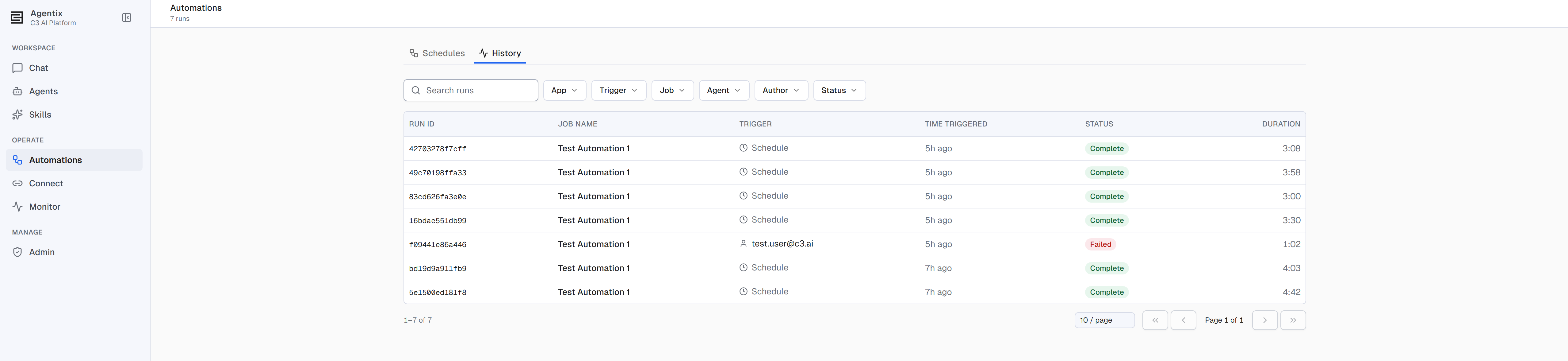
A run moves through Pending, Running, and Completing, then finishes as Complete, Failed, or Timed out.
| Rule | Behavior |
|---|---|
| Timeout | One hour by default, including startup. A run past its timeout is stopped and marked timed out. |
| Retention | Seven days by default. After that the run can no longer be resumed, though its history, summary, and artifacts stay available. |
| No overlap | If a run is still running when the next slot arrives, C3 AI Agentix skips that slot. |
| No backfill | Missed slots are not queued. After downtime, a past-due schedule fires once and returns to its cadence. |
| Schedules per user | Ten by default. |
Browse your automations
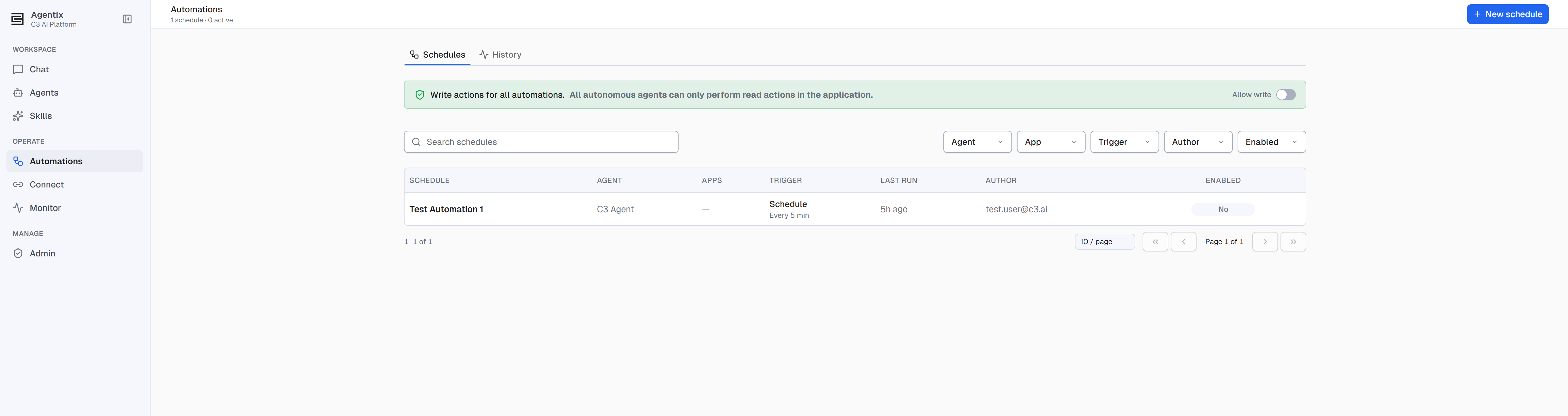
Open Automations. The page has two tabs:
Schedules: every automation you can see, with search and filters by Agent, App, Trigger, Author, and Enabled. Select a schedule to open its detail page.
History: every run across all your automations, with search and filters by App, Trigger, Job, Agent, Author, and Status. Select a run to see everything it produced.
What an automation can change
Automations run unattended, so by default every run is read-only against connected applications: the agent can query and analyze, but not modify. It can always read and write files in its own workspace, the private file store each run gets for its reports and artifacts.
Two admin-only switches grant write access, and an agent gets write scope for a run only when both are on: the app-wide Allow write switch on the Schedules tab, and the per-schedule grant on the schedule's detail page. Turning the app-wide switch off returns every automation to read-only. A schedule's creator cannot grant write access to their own job.
Two further conditions force Read-only whatever those switches say: the app being in read-only mode, and the agent definition itself being read-only. In both cases the Access control names the one that applies.
Permissions
Any user of C3 AI Agentix (the Agentix.User role) can create, run, and manage their own automations and see their own run history.
For the full list of C3 AI Agentix roles and how to assign them, see Roles and Permissions.
See also
- Create and Schedule an Automation — Build a new automation from the Automations page or from any chat, then manage it from its detail page.
- Quick Start — The interactive counterpart to automations, and where a run's own conversation lives.
- Connections — Secrets your automations read at runtime, and the apps and services they reach.
- Roles and Permissions — Who can manage schedules and grant write access.
- C3 AI Agentix Overview — How agents, chat, and the admin surfaces fit together.