Get Started with a Data Science Development Environment
The C3 Agentic AI Platform provides environments and applications for you to manage data science needs. For development work, you can create a Single Node Environment (SNE), and an application within that environment. You can create and manage your environment and application from C3 AI Studio. Then, you can launch JupyterLab for your application in C3 AI Studio.
Additionally, you can use VS Code to directly update metadata for an application. For more information, see Set up the developer environment in the C3 AI Application Development Guide.
If this is your first time using data science in the C3 Agentic AI Platform, see Get started with C3 AI Studio.
The Get started with C3 AI Studio guide walks you through all the essential steps to train and deploy multiple classification models to predict failure in a segmented fleet of wind turbines.
Start a C3 AI environment and app
It may be helpful to start an application that specifies a root package with a dependency on tutorials. This would allow you to view seeded tutorial notebooks within C3 AI-managed JupyterLab.
You can start an environment and application through C3 AI Studio.
- Navigate to C3 AI Studio.
- Select Create new environment. You may need to wait a few minutes to initialize your environment.
- Select Create application. Choose Develop a new package. For Environment, use your environment. For Package name, use
tutorials.
You may need to wait a few minutes for your application to initialize.
Start Jupyter Service
You can start C3 AI managed Jupyter Service through C3 AI Studio with one click.
While viewing your application on the home page or application details page, you'll see a clickable Jupyter icon. Select the Jupyter icon to initiate a C3 AI managed Jupyter instance.
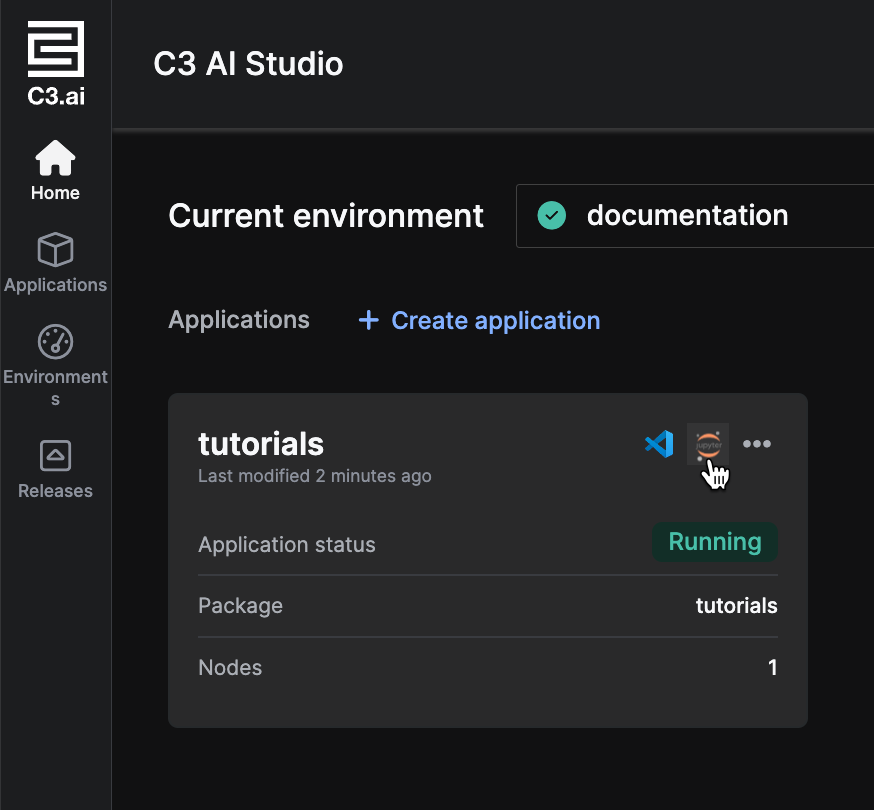
The C3 AI Jupyter experience launches in a new tab. You may need to wait a few minutes for the service to initialize.
For more information on configuring Jupyter service, see Configure and Use C3 AI Managed JupyterLab Notebooks.