Credentials
Agents need credentials to reach outside services, such as a database, a cloud bucket, or a commercial solver license. C3 Intelligence runs each agent, the AI worker that carries out a request, in a sandbox: an isolated computing environment on an agent service called OpenHands. C3 Intelligence sets up its own connection to that service, so you only store the credentials for the outside services your work needs. An agent asks before it uses a stored credential.
A credential is a secret value, such as an API key or a password, that proves your right to use a service. You manage credentials in two places:
- The Connectors page holds the secrets that agents can use, either as connectors or as other secrets.
- The Secrets tile in the sidebar lists your connectors and opens the Connectors page.
Store the secrets your work needs first. Then decide, in the conversation, when an agent may use a stored credential, and keep the list current as your credentials change. The page ends with fixes for the messages you can meet during setup.
Store a secret for agents
A secret is one named value that agents can use, such as MY_API_KEY. C3 Intelligence passes every secret into each agent's sandbox as an environment variable with the same name. An environment variable is a named value that programs in the sandbox can read. Agents read the value from there, and the chat shows only the secret's name.
For a service that has a connector type, such as Postgres or Gurobi, add a connector instead. A connector creates the secret names that agents look for. See Connectors. For any other value, add it as an other secret:
- In Settings, select Open Connectors on the Connectors card.
- Select Add secret.
- Enter the Name, for example
MY_API_KEY, and the Value. - Optionally, enter a Description. Agents see the description with the name, so say what the secret is for.
- Select Add secret.
The secret appears under Other secrets. If the name you type matches a secret already under Other secrets, the form shows A secret named “MY_API_KEY” already exists. The message shows the name you typed in place of MY_API_KEY. Choose another name.
The Connectors page lists your connectors under Recognised connectors and every other secret under Other secrets, with names and descriptions only:
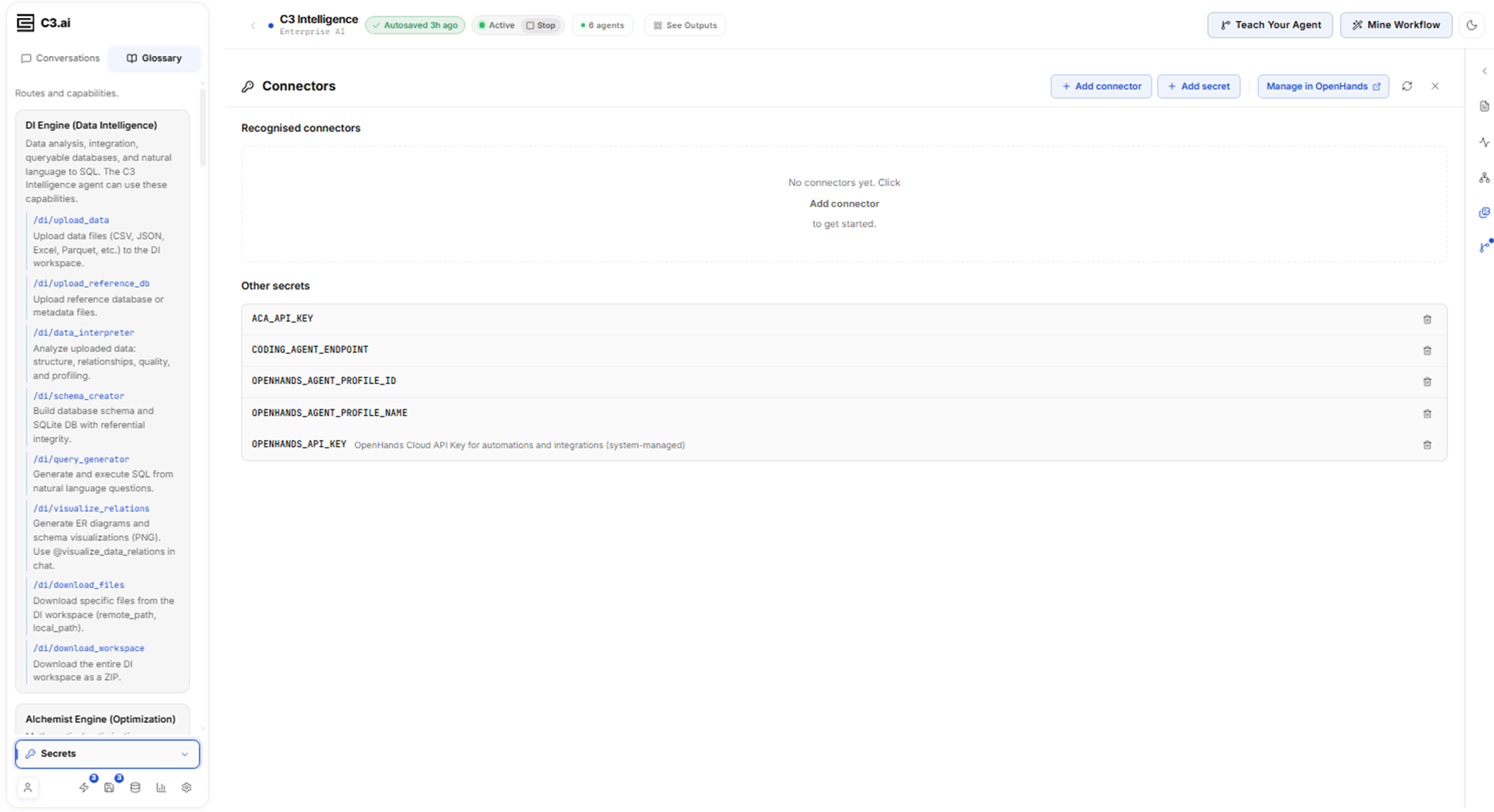
C3 Intelligence stores each value in your account on the agent service and never shows it again. Some secrets in the list belong to C3 Intelligence itself, such as OPENHANDS_API_KEY, whose description ends with "(system-managed)".
Open connectors from the Secrets tile
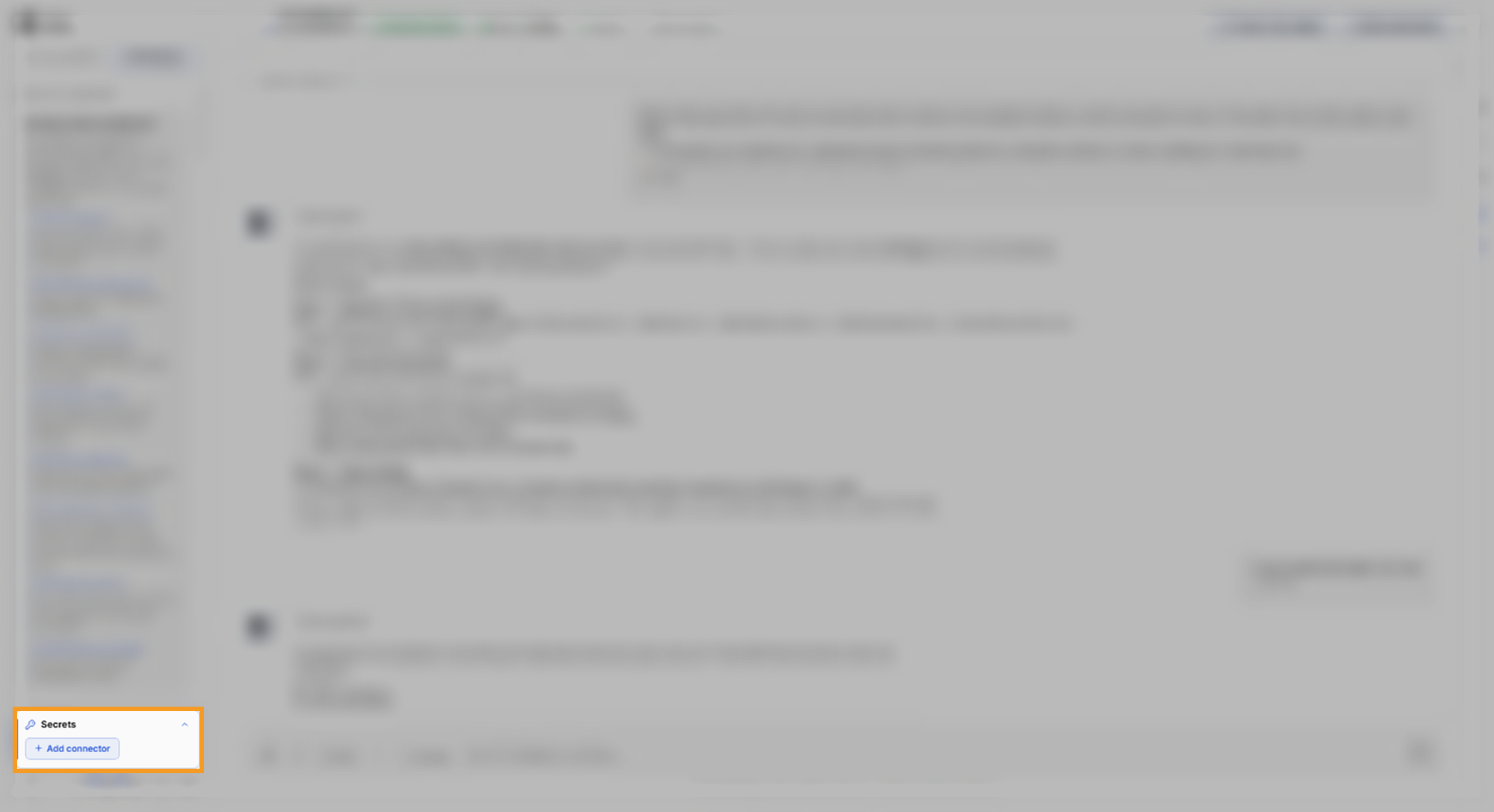
The Secrets tile sits at the foot of the sidebar, under the conversation list. It gives you a shortcut to your connectors while you work in a conversation:
- Select Secrets to expand the tile.
- Select a connector to edit it, or select Add connector to open the Connectors page, where you add one.
Decide when an agent uses a stored credential
You decide whether a task uses a paid license or your account on an outside service. Agents follow a set order with stored credentials: they check which ones exist, test that they work, and ask you before they use them. They also offer an alternative that needs no credential.
In the example run, the Alchemist, the optimization agent, recommended solvers for a maintenance schedule. It found Gurobi license credentials and stopped to ask before it used them. The reply names the stored credentials and never shows their values:
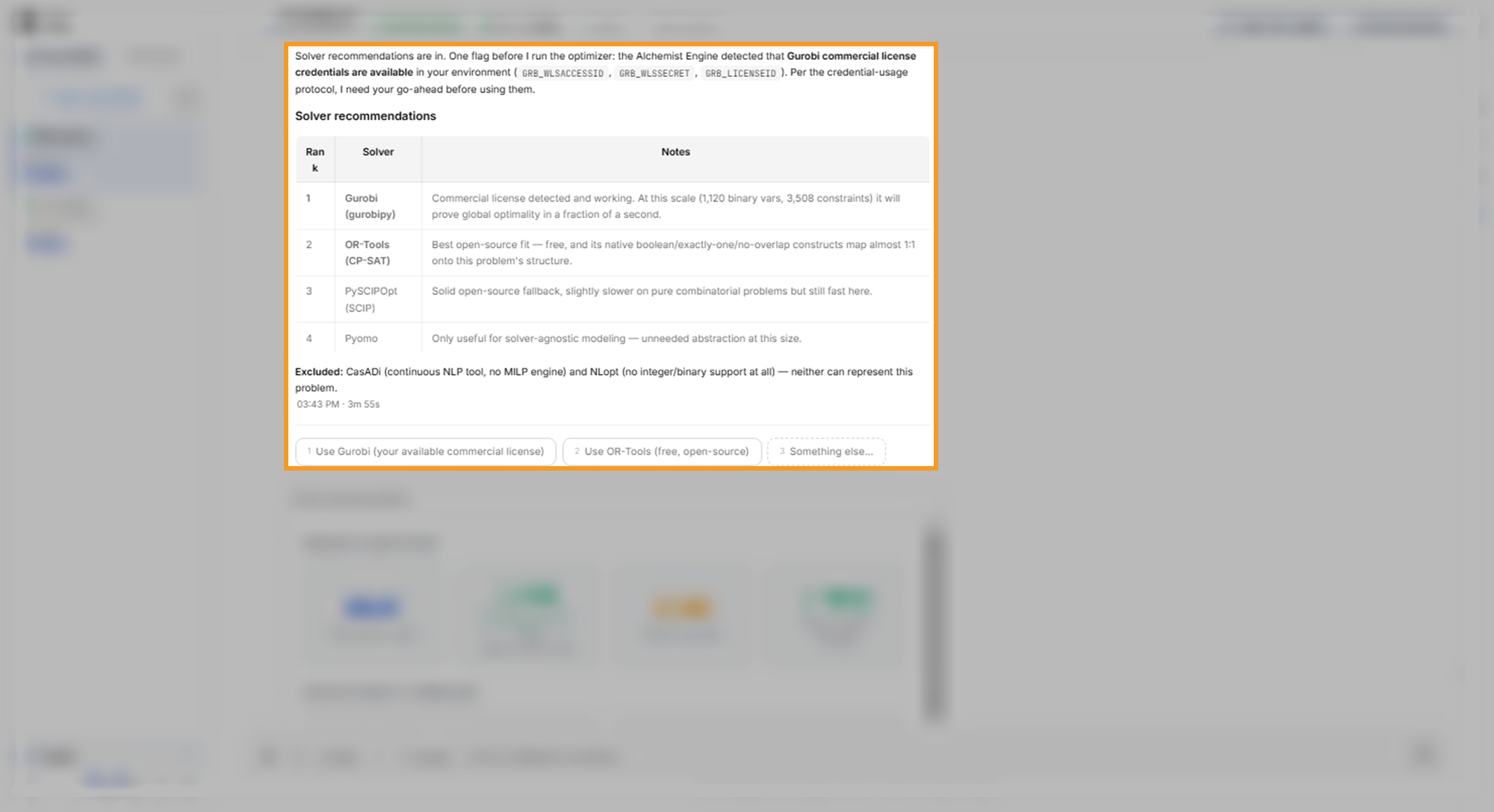
The options under the reply let you choose:
- Use Gurobi (your available commercial license): the agent uses the stored license.
- Use OR-Tools (free, open-source): the agent uses an open-source solver and leaves the license untouched. The example run chose this option and still got a proven optimal schedule.
- Something else...: describe another approach.
What to look for in your run: the agent names the credentials it found, says what they enable, and waits for your choice. To learn more about solver choices, see Optimize Decisions.
Change or remove a stored credential
Keep the list current so agents only find credentials you still want them to use. On the Connectors page:
- Remove a secret: under Other secrets, select its trash icon, then select Delete secret. C3 Intelligence removes the secret from your account on the agent service, and the deletion cannot be undone.
- Change a connector: select its card, type the new values, and select Save changes.
- Reload the list: select Refresh after a change made elsewhere.
Delete only the secrets you added yourself, because C3 Intelligence and its agent service use the system-managed ones. When your deployment shows Manage in OpenHands, it opens the secrets page of your account on the agent service, where you can also see every secret. To learn more about editing a connector, see Connectors.
Troubleshoot credentials
Each entry starts with what you see while you set up credentials:
- The Connectors page shows "Failed to load secrets (401)". Your sign-in to C3 Intelligence expired. Refresh the browser page and sign in again, then open Connectors again. The list of secrets confirms the fix.
- An agent says no credential is configured for a service. The secret the agent looks for does not exist. Add the connector for that service, then ask the agent again.
- Settings shows "Shared storage configuration is not available for your account." An administrator sets up Shared Storage, so other users see this notice, and their credentials still work.