C3 Intelligence 1.0 Release Notes
C3 Intelligence 1.0, a module of C3 Code, is the first release of the multi-agent data science environment on the C3 Agentic AI Platform. You describe an analysis in plain language, and a team of specialized agents does the work. The agents profile data, build models, answer from documents, find similar past events, plan decisions at the lowest cost, and write reports. You can also save and revive your work, and bring in data from files, outside services, and your C3 applications. A finished analysis becomes a workflow that runs again on new data.
C3 Intelligence is available in C3 Code, the agentic app builder within the C3 Agentic AI Platform. To open C3 Intelligence, select Intelligence in the C3 Code navigation menu, and it opens inside C3 Code. The menu shows Intelligence after an administrator sets up C3 Intelligence for your deployment.
New features
C3 Intelligence 1.0 introduces these features:
Multi-agent conversations
You can now work with a team of AI agents in one conversation, which lets you take an analysis from raw data to a decision without switching tools. The orchestrator, shown as C3 Intelligence, reads each request and sends it to the agent built for that work. Before long or costly work, the orchestrator or the agent shows a plan for you to approve or change.
In a conversation, you can:
- Choose Planning mode to discuss and plan before any code runs, or Code mode to let the agents write and run code.
- Watch each step in Show logs, and see which agents joined in the Agent Tree.
- Type a follow-up while an agent works, and C3 Intelligence sends it next.
- Explore results in interactive dashboards inside the chat, in full screen or in the side panel.
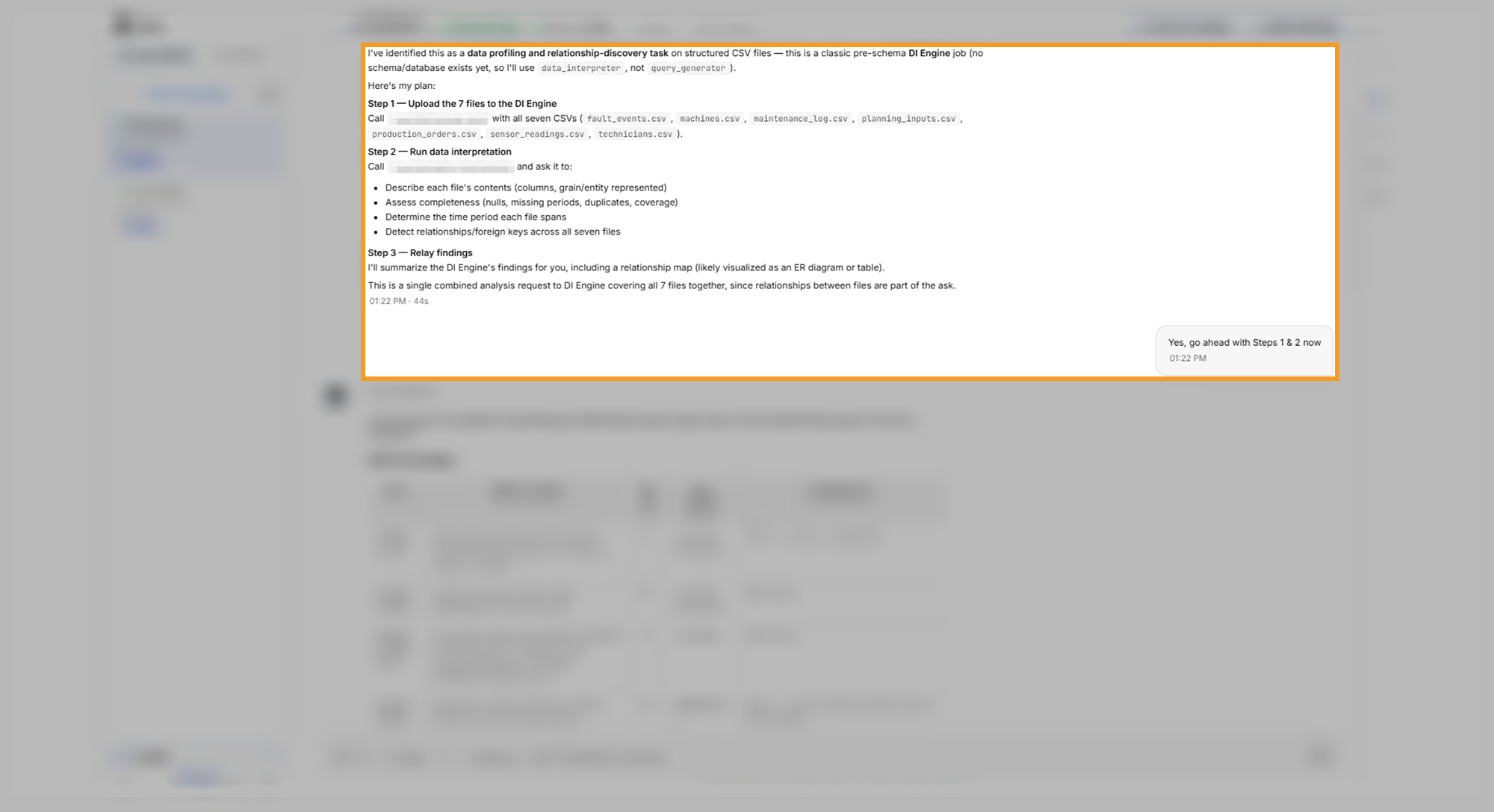
To learn more, see Conversation Features.
Data analysis with the DI Engine
You can now profile your data files and find how they connect, which lets you understand new data before you build on it. The DI Engine, the data intelligence agent, writes and runs the analysis code and answers in plain language with tables and an interactive dashboard.
With the DI Engine, you can:
- Describe each file's contents, completeness, and time period.
- Rank items by a measure you choose.
- Test whether a difference is real or due to chance.
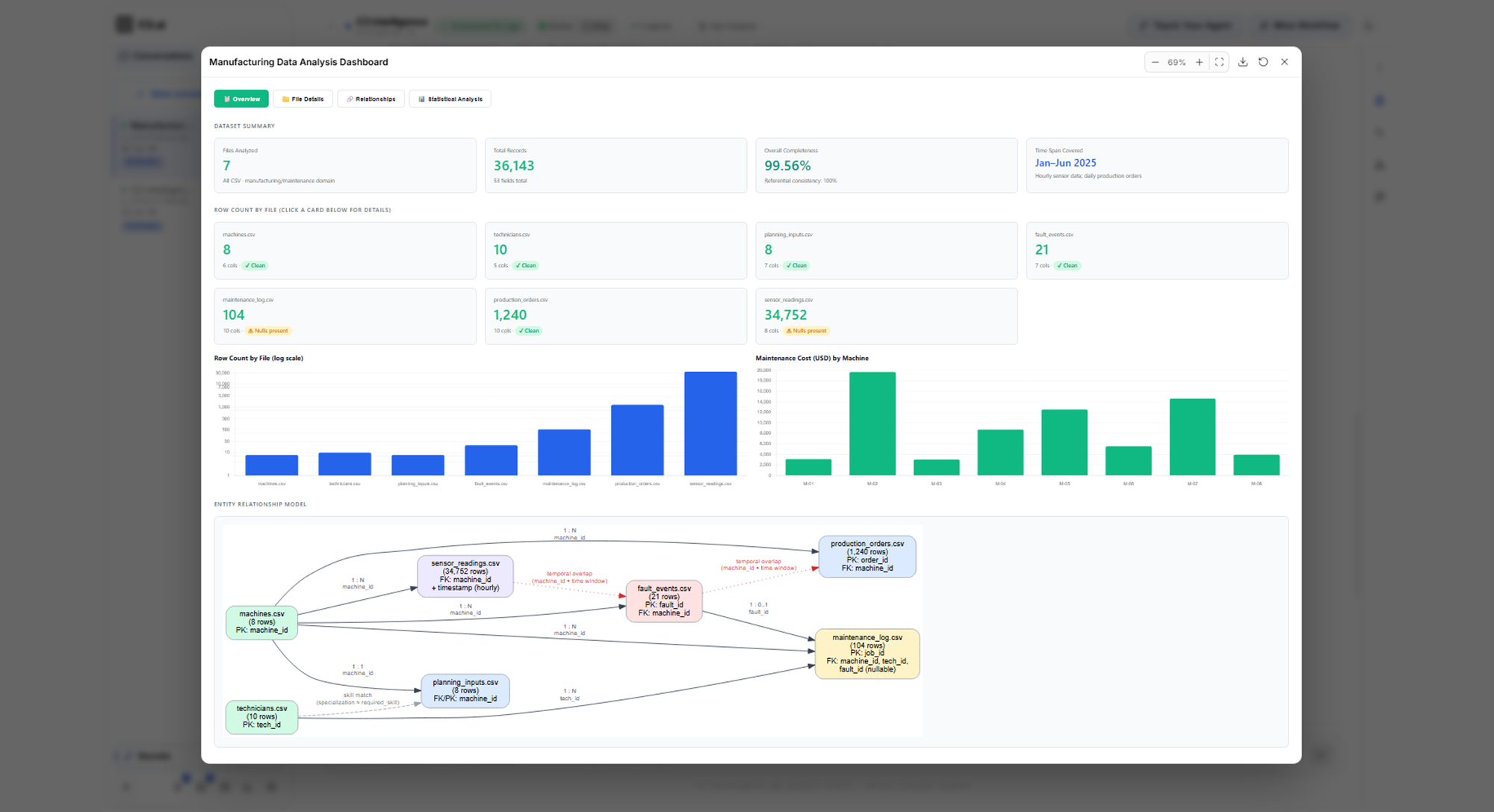
To learn more, see Analyze Data.
Machine learning with the ML Agent and CHARM
You can now ask for a prediction in plain words, which lets you build and compare models without writing code. The ML Agent proposes a modeling plan for you to approve, trains and compares models, and states how far to trust the predictions. CHARM, a C3 AI foundation model for time-series data, forecasts readings with a range of likely values without training on your data.
With the ML Agent, you can:
- Compare several approaches and read how reliable the final predictions are.
- Ask why a result ranks where it does.
- Forecast sensor readings and flag values likely to leave their normal range.
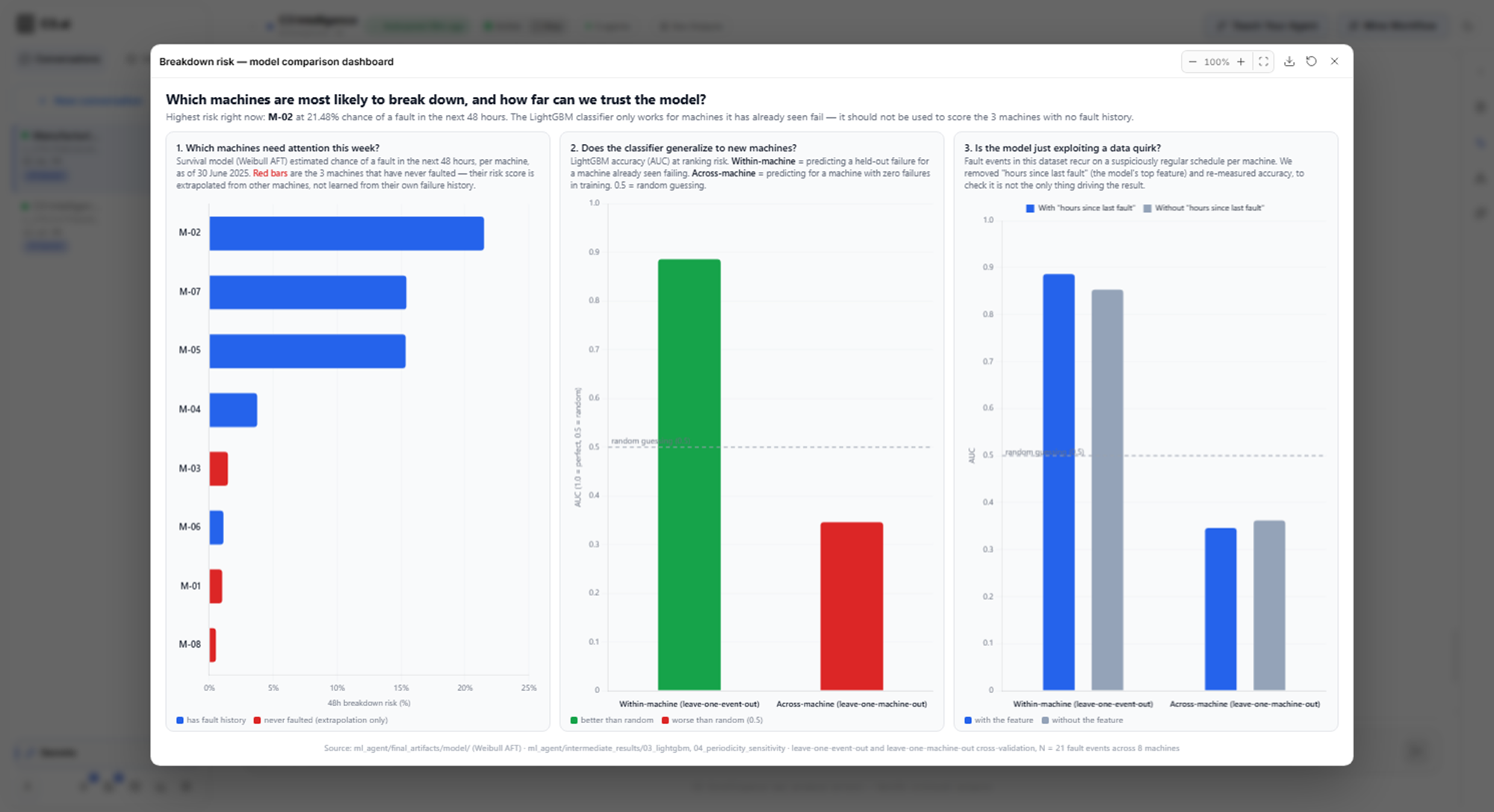
To learn more, see Build ML Models.
Knowledge bases with the RAG Agent
You can now build a searchable knowledge base from your documents, which lets you get answers grounded in your own procedures and manuals. The RAG Agent answers with retrieval-augmented generation (RAG): it finds the passages that answer a question, then writes the answer from them.
With the RAG Agent, you can:
- Ask for answers that cite the document and page for each step.
- Find where your documents contradict each other.
- Explore the knowledge base as a graph of the pages it built and how they link.
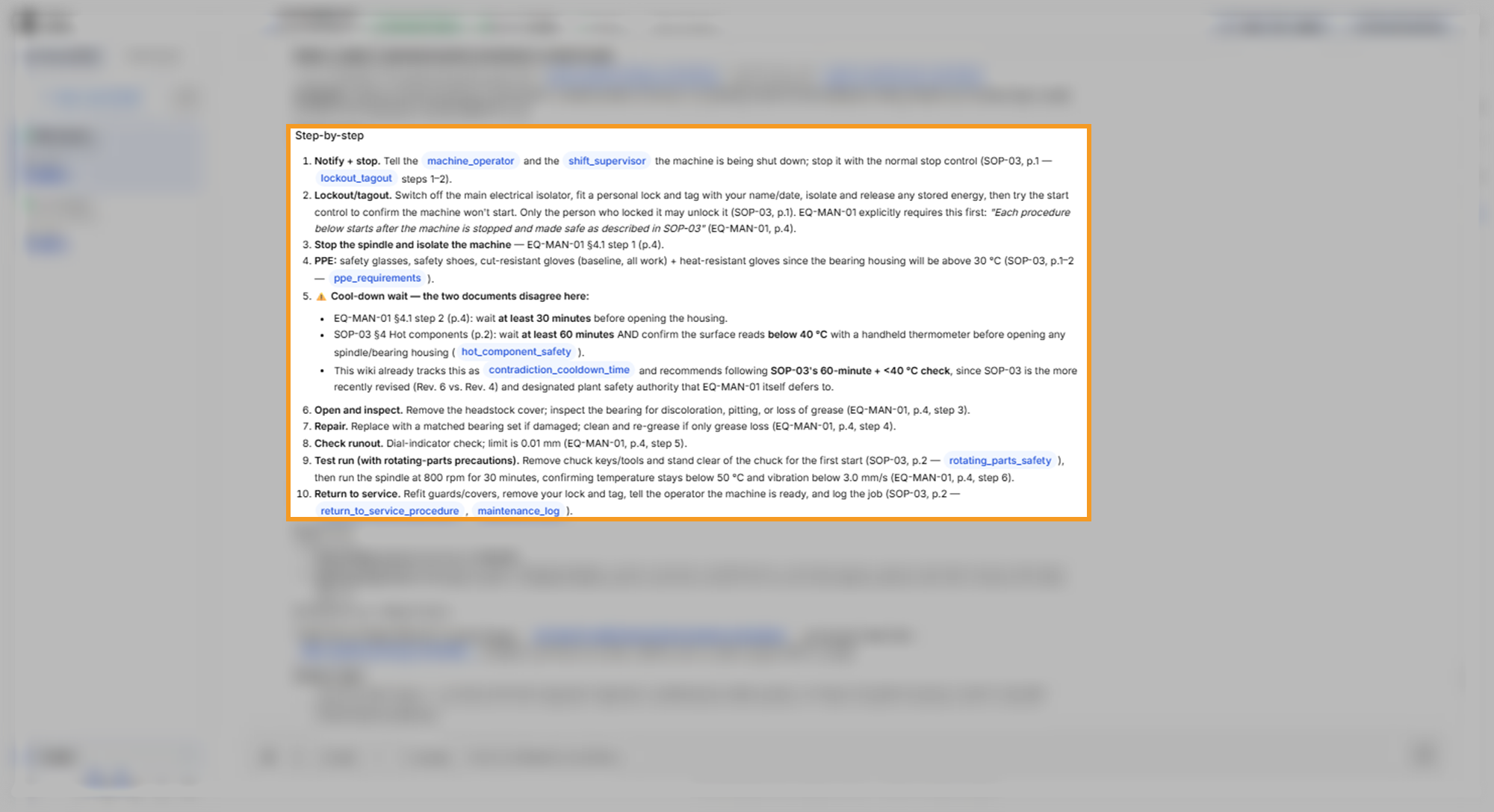
To learn more, see Build a RAG Knowledge Base.
Similarity search with the RAI Engine
You can now look up past sensor events that resemble what a machine is doing now, which lets you learn from earlier breakdowns before the next one. From your sensor readings and event records, the agents build a searchable library of past events, called a collection. The RAI Engine, the retrieval-augmented interpretability agent, then returns the closest matches. When you ask why, it explains each match and gives a verdict with a confidence level.
With the RAI Engine, you can:
- Separate real matches from coincidental ones, with a reason for each.
- Classify a new event into a fault class, with a probability for each class.
- Search a collection file you already have.
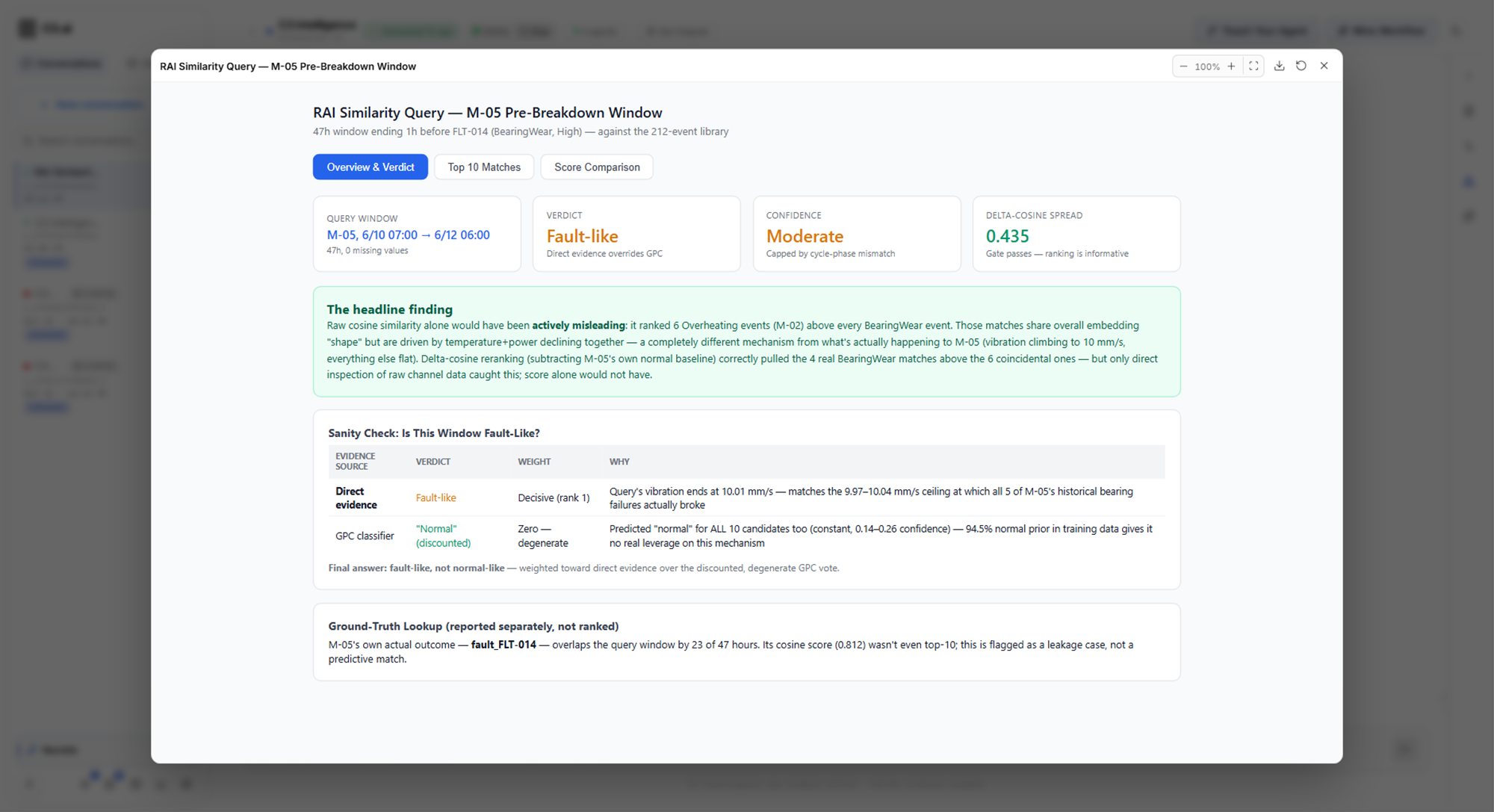
To learn more, see Find Similarities with Time Series Data.
Decision optimization with the Alchemist
You can now turn a decision, such as a maintenance schedule, into an optimization model, which lets you find the lowest-cost plan for your rules. The Alchemist formulates the model for you to review, recommends a solver, and returns the plan with its cost. The plan is optimal for the model the agent built, so you check the assumptions it states.
With the Alchemist, you can:
- Review the stated assumptions, and correct them in plain words.
- Rerun the plan as a what-if scenario and compare the costs.
- Use the free OR-Tools solver, or a Gurobi license that you add as a connector.
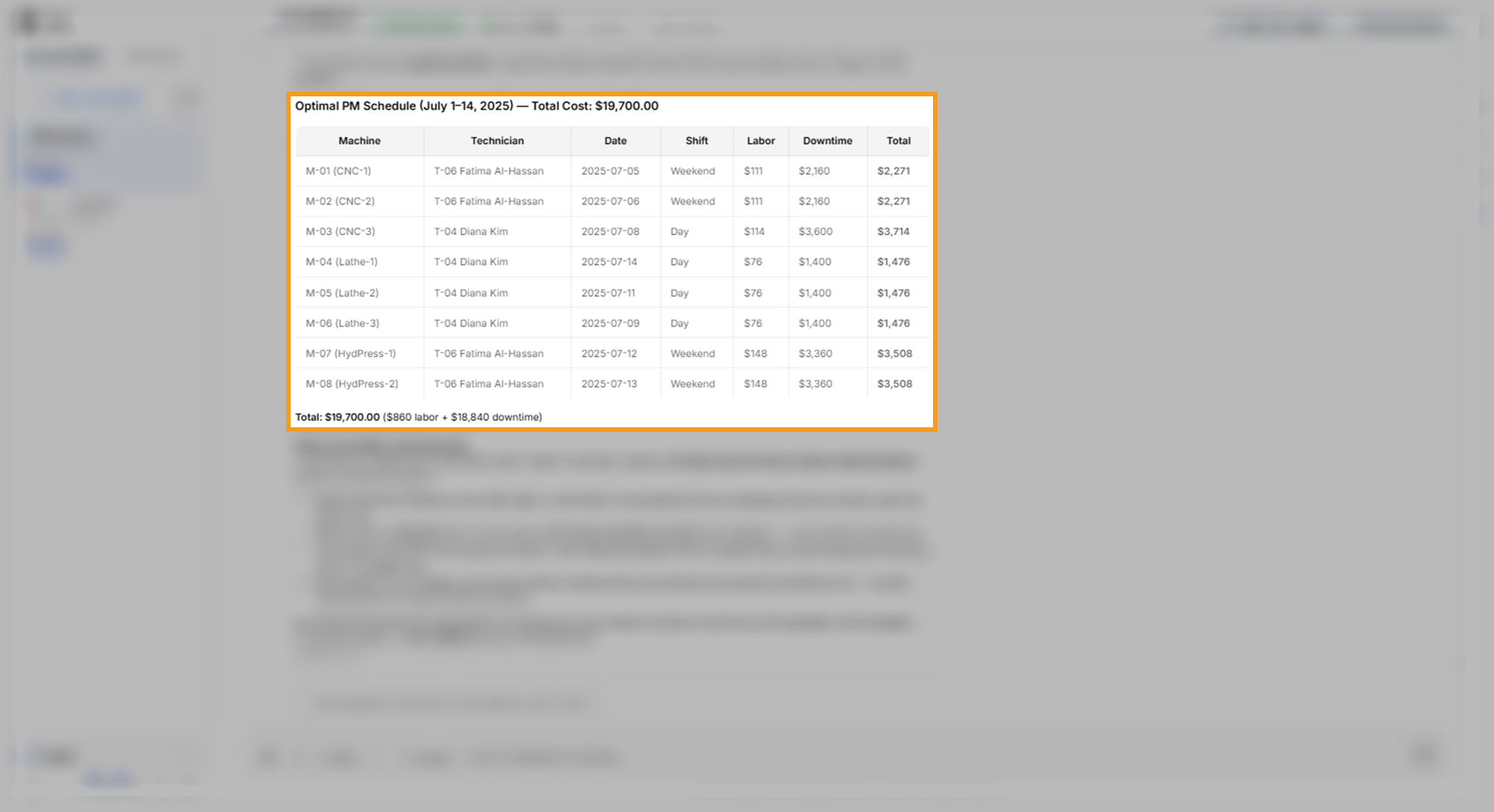
To learn more, see Optimize Decisions.
Reports and code with the Coding Agent
You can now ask for a report, a script, or a chart, which lets you share results and handle tasks outside the other agents' work. The Coding Agent can combine the results of several agents into one report with a chart for each section.
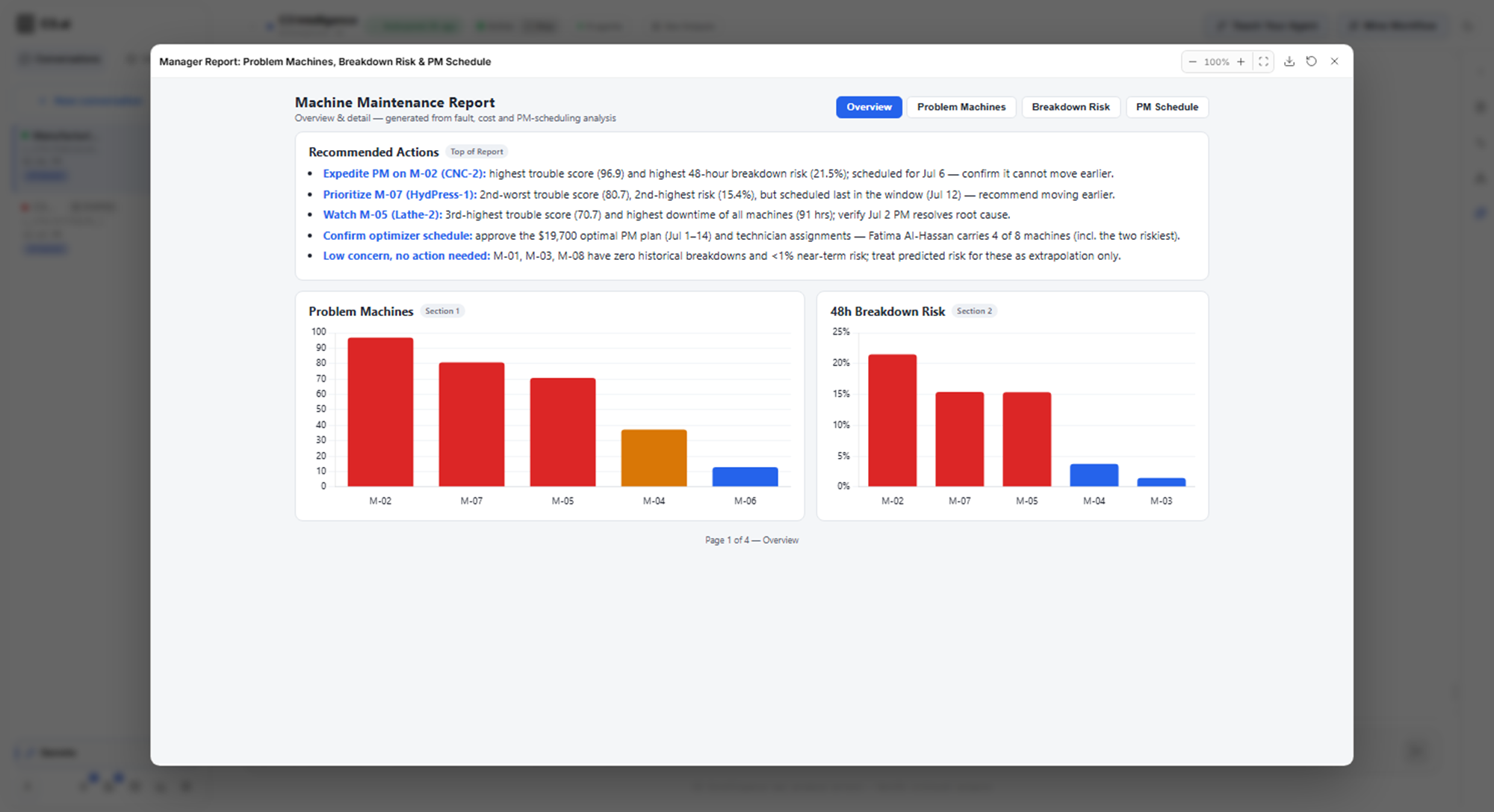
To learn more, see Generate Code.
Intelligent workflows
You can now save an analysis as an intelligent workflow, a step-by-step procedure that agents rerun on new data, which lets you repeat it without typing every request again. The Workflow Builder, the agent that drafts workflows, creates the workflow in either of two ways.
With intelligent workflows, you can:
- Mine a finished conversation, turning its requests into a workflow, then check it in a test run.
- Teach your agent a workflow from scratch by chatting with the Workflow Builder.
- Review each workflow's steps, the data it expects, and its versions, then deploy a version on new data.
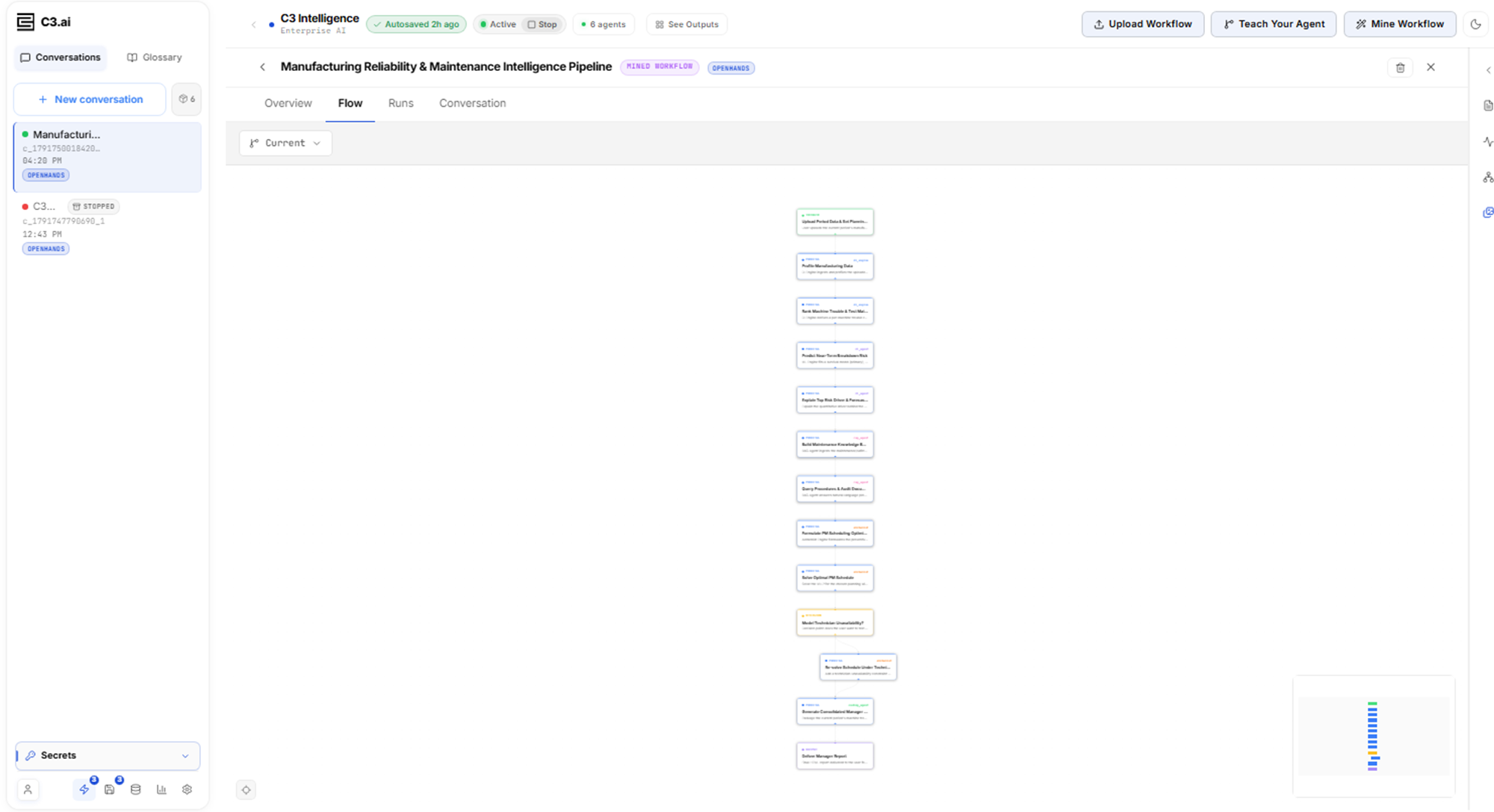
To learn more, see Create Intelligent Workflows.
Saved and revived conversations
You can now save a conversation and revive it later, which lets you return to an analysis after the conversation stops. Each save is a snapshot, a stored copy of the conversation. Reviving a snapshot brings back the chat history, and also the agents' workspaces, their files and results, when the snapshot holds them.
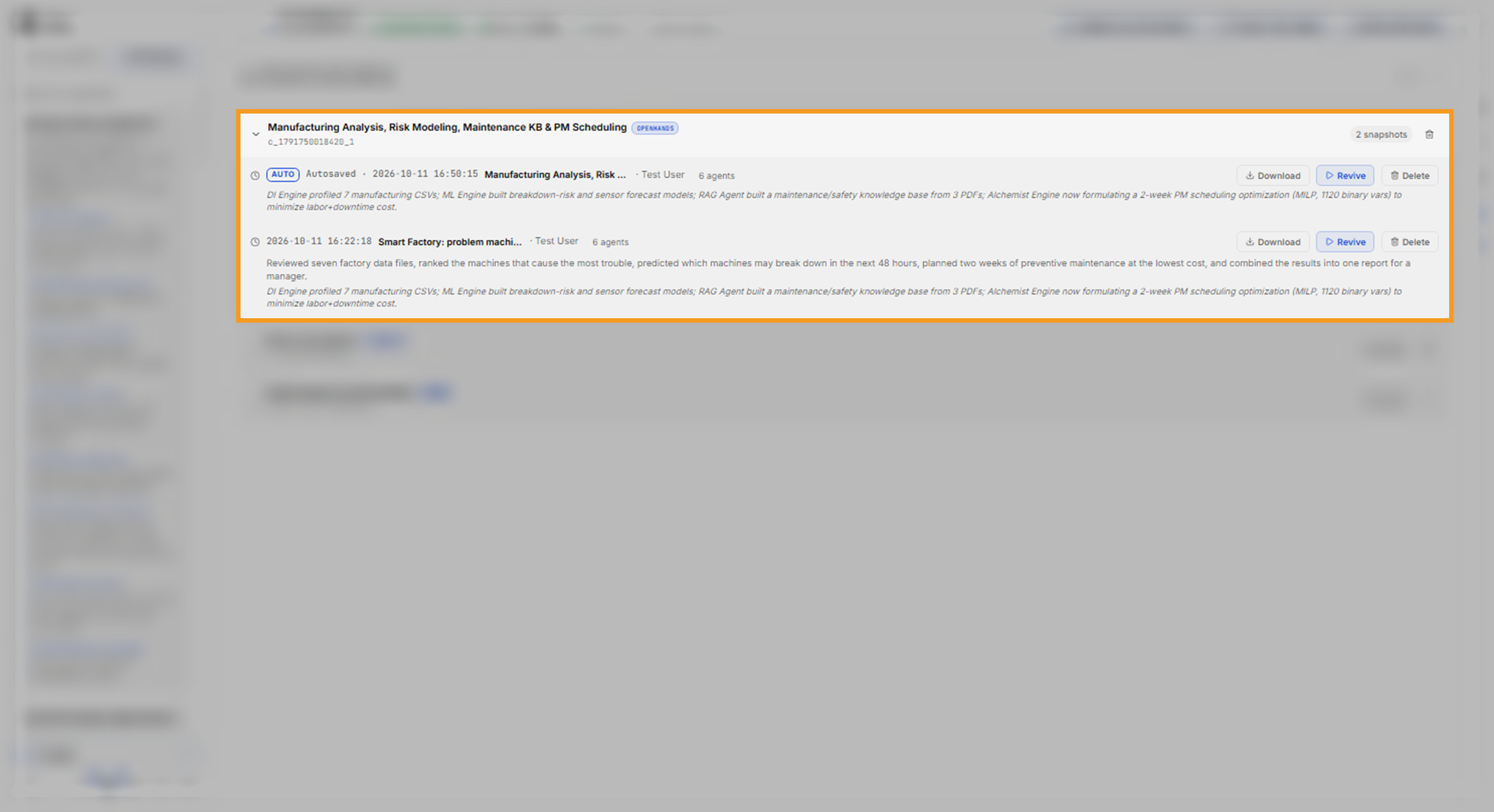
To learn more, see Conversation Features.
Your data, connectors, and C3 applications
You can now bring in data from where it already lives, which lets the agents work with your files, your outside services, and your C3 applications. A connector is a saved set of credentials that lets the agents reach one type of service.
To bring in data, you can:
- Attach files to a message, or upload a file into one agent's workspace.
- Reuse files across conversations with the Dataset Library, when an administrator sets up Shared Storage. Shared Storage and the Dataset Library are beta features.
- Add any of 13 connector types, including data sources such as Postgres, Snowflake, AWS, Google Cloud Storage, and Microsoft Fabric.
- Connect one of your C3 applications and ask about its records in plain words, with read-only access.
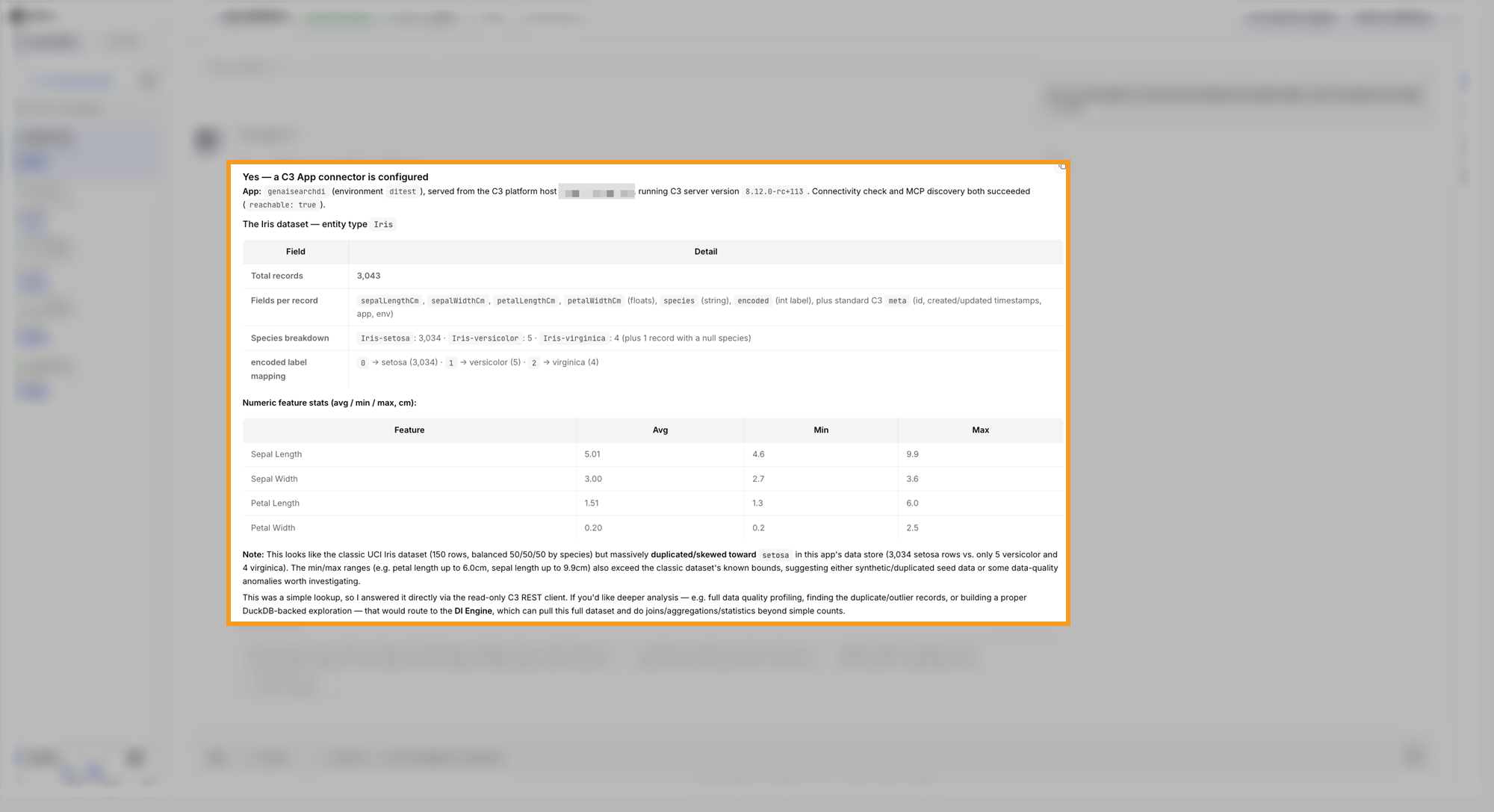
To learn more, see Bring Your Data to C3 Intelligence and Connectors Reference.