Developer Tools
The C3 Agentic AI Platform includes a suite of tools to support application development across design, coding, data operations, and machine learning.
C3 AI Studio
C3 AI Studio is the web-based workspace for developing, deploying, and monitoring applications on the platform. It brings together model development, pipeline configuration, environment management, and job execution in one place. Use C3 AI Studio to create, configure, and operate your application throughout its lifecycle.
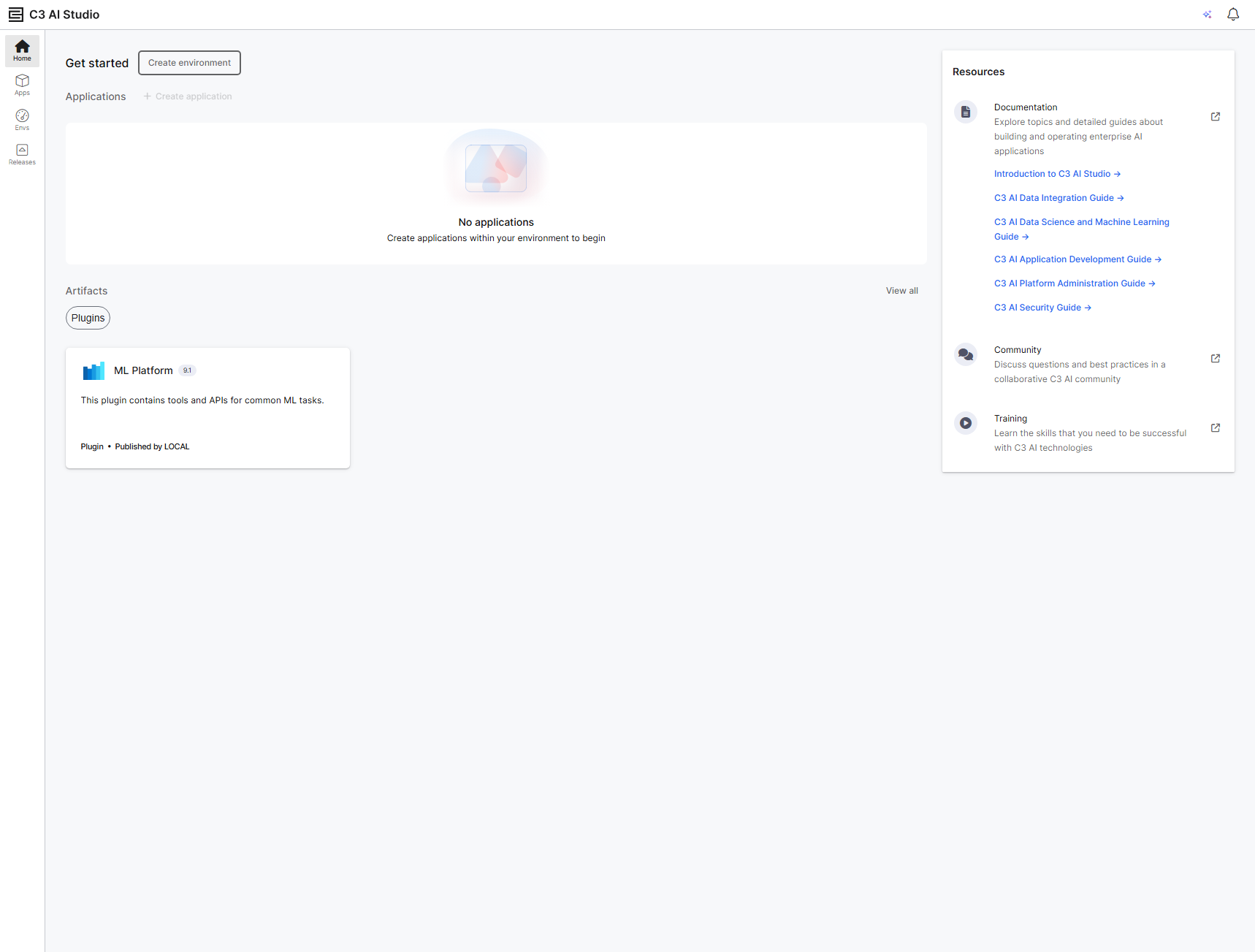
- Build data models: Create data entity models, define data pipelines, and view relationships across data sources
- Test models: Iterate on model settings or transformation logic and immediately validate updates against live execution
- Investigate issues: Diagnose issues in job execution, data ingestion, or scoring with linked logs and system insights
- Application development: Configure and deploy application packages into isolated runtime environments
- Monitor operations: Track data pipelines, scoring jobs, compute queues, and runtime logs from a centralized dashboard
Learn more in About Studio.
C3 AI VS Code Extension
The C3 AI VS Code Extension (VSCE) provides a robust development environment tailored for the C3 Agentic AI Platform. The extension integrates with Visual Studio Code, VS Code in the browser, and Cursor.
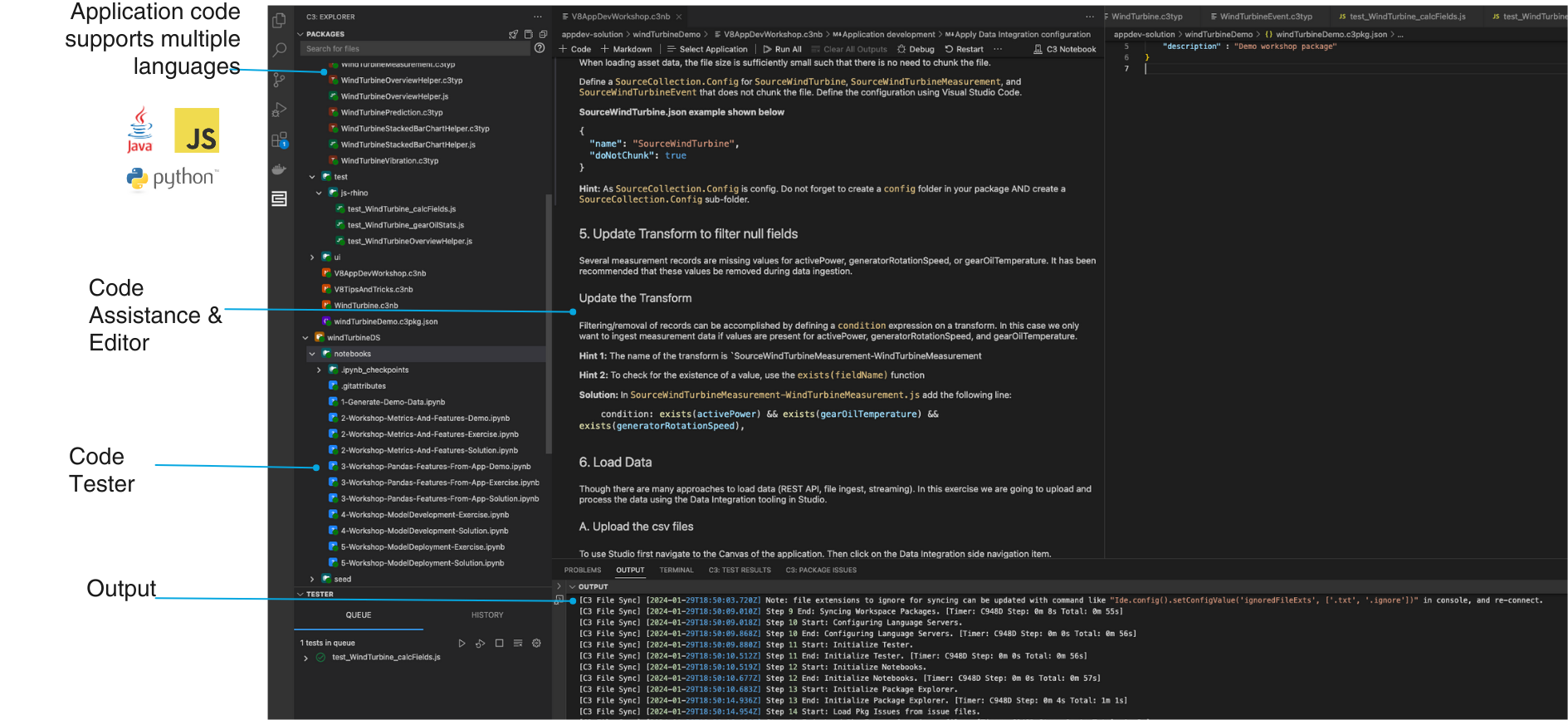
Key features include:
- Real-time validation: Catch schema, reference, and configuration issues as you write, preventing runtime and compilation errors
- Jump-to-definition: Navigate across Type definitions, properties, and implementations within your project
- Test integration: Write, run, and debug tests in the editor, with results displayed alongside your code
- Notebook development: Create JavaScript notebooks for ad hoc scripting and data exploration
- Remote debugging and IntelliSense: Set breakpoints and step through test or server-side code with inline suggestions and live inspection in VS Code
Learn about the VSCE
Managed JupyterLab service
For data scientists and ML engineers, the platform includes a managed JupyterLab environment preconfigured for experimentation and model development.
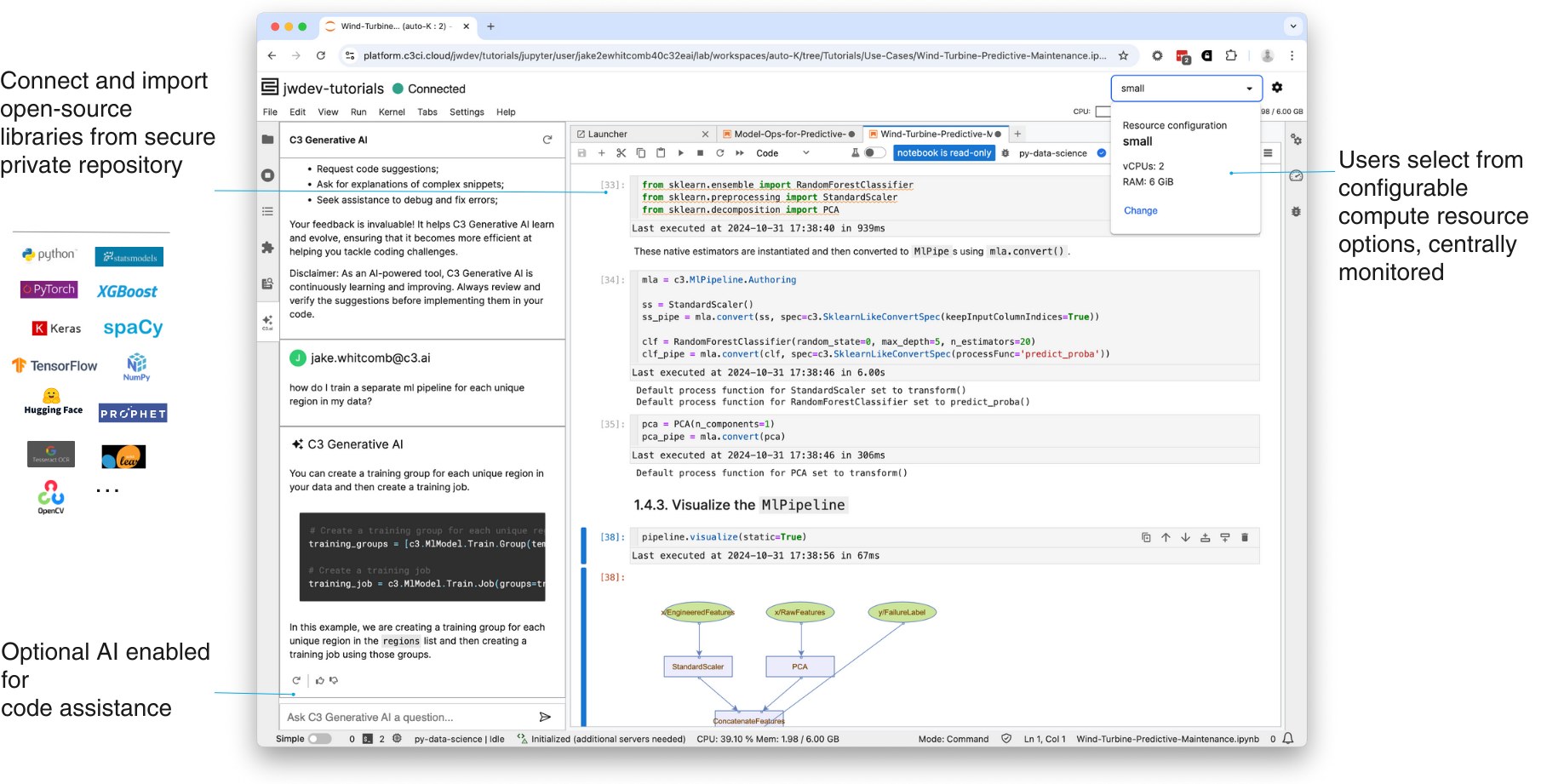
Features include:
- Preloaded libraries: TensorFlow, PyTorch, Prophet, Hugging Face, and more
- Configurable compute: Choose CPU or GPU runtimes with auto-shutdown for idle sessions
- Code assist: Use C3 Generative AI to explain code, suggest transformations, or fix bugs
- Direct platform access: Load and save data directly from platform-managed stores
Learn about JupyterLab service
See also
Use C3 AI Studio
Learn to model, monitor, and manage applications through the platform's visual development environment.Get started with the VS Code Extension
Set up the C3 AI Extension for VS Code to develop, test, and debug your application in a full-featured local IDE.