Overview
C3 Code is the agentic app builder within the C3 Agentic AI Platform. Describe a business problem in natural language, and C3 Code's agentic coding assistants design, build, test, and deploy a production-grade enterprise application, no coding required. Work that once took a team of engineers weeks to months can take one person hours to days.
"Production-grade" means the application integrates with your enterprise data, applies machine learning where relevant, and ships with security, access control, and governance built in.
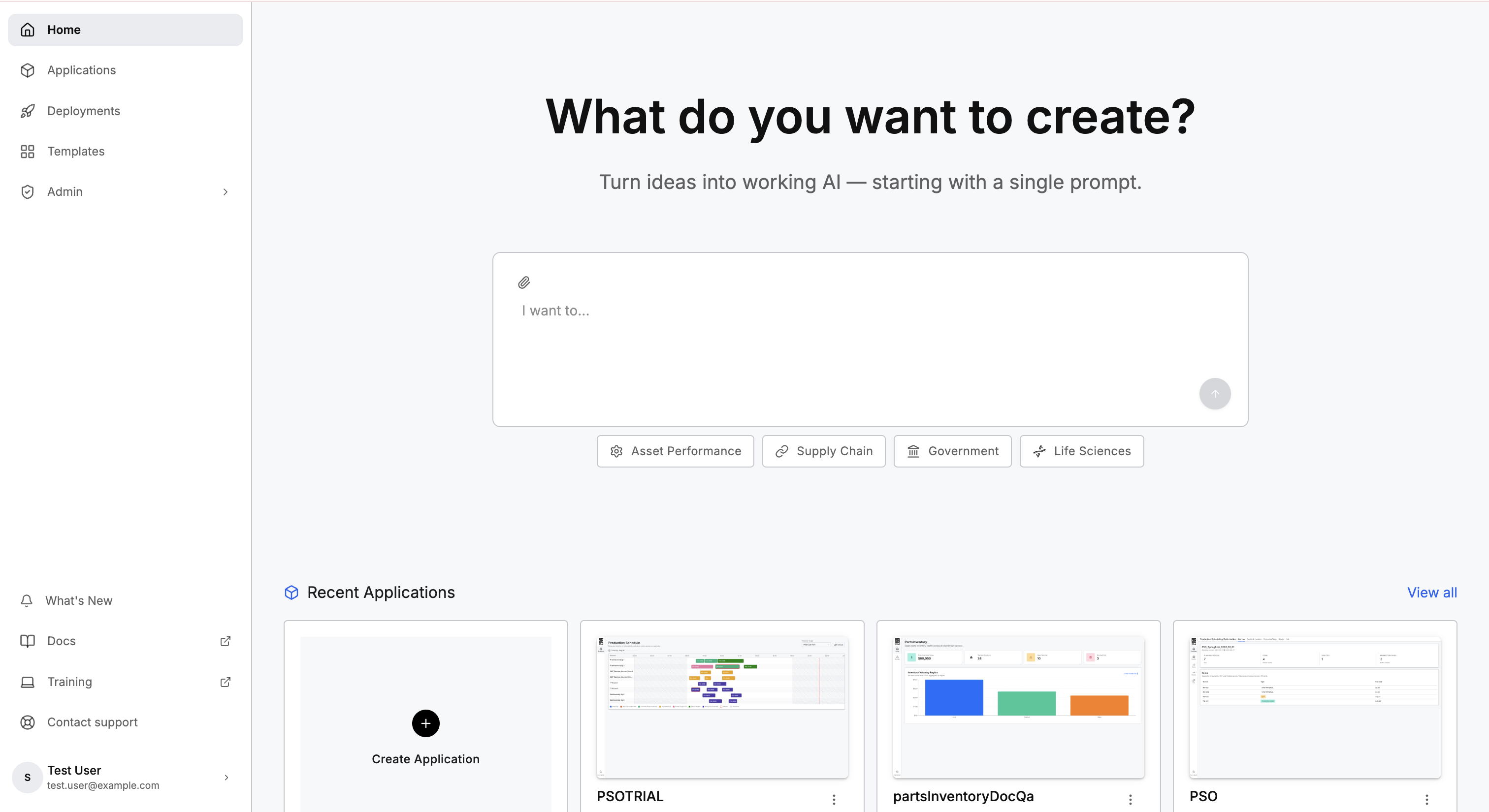
What you can build
You can build any enterprise AI use case, including deep domain decision intelligence applications with advanced ML and optimization models, or straightforward BI applications, autonomous agents, multi-step agentic workflows, and generative AI apps. Example use cases include:
- Supply chain and logistics: Inventory visibility and shortage detection, parts track-and-trace, demand forecasting, freight and route optimization, supplier onboarding and risk.
- Asset performance and reliability: Predictive maintenance, anomaly detection, root-cause analysis, maintenance (CMMS) and spare-parts optimization.
- Manufacturing and operations: Production scheduling and sequencing, throughput and quality (SPC) monitoring, energy and emissions optimization, shift and calendar sync.
- Finance and back-office: EBITDA and revenue forecasting and scenario analysis, AP and invoice automation, order-to-cash, financial close, ESG reporting.
- Customer, sales, and service: Customer 360 and churn, pipeline forecasting, quoting and CPQ, customer service agents, field-service dispatch.
- Risk, compliance, IT, and security: Contract review and lifecycle, regulatory-change monitoring, AML investigation, third-party risk, ticket and alert triage, incident response.
What C3 Code builds for you
From a single natural-language prompt, C3 Code builds a full-stack enterprise application. Each application includes:
- Data integration: Connects to Snowflake, Databricks, Oracle, Salesforce, ERP systems, and more, eliminating weeks of manual ETL.
- Enterprise data modeling: Generates and extends C3 AI Types, the production-grade ontology behind every C3 AI application.
- Machine learning: Configures proven domain algorithms, such as predictive maintenance, demand forecasting, anomaly detection, and computer vision, without dedicated ML engineering resources.
- Autonomous agents: Configures agentic workflows that run business processes, such as optimizing inventory, updating forecasts, or triaging equipment alerts.
- Full-stack UI: Dashboards, KPI tiles, geospatial maps, and chat interfaces.
- Governed deployment: Security, access control, and audit trails built into the architecture, plus production monitoring.
Who uses C3 Code
C3 Code is built for anyone who understands a business problem, not just people who can code. Four types of roles use C3 Code:
- Business analysts and domain experts: Build data applications and internal tools without relying on an engineering team.
- Application developers: Generate a working starting point, then inspect and extend the code directly through Code mode or the C3 VS Code Extension.
- Data scientists: Build user-facing dashboards, analytics, and algorithms.
- C3 Studio and environment administrators: Ensure governance and guardrails on the applications built on C3 Code.
Example Applications
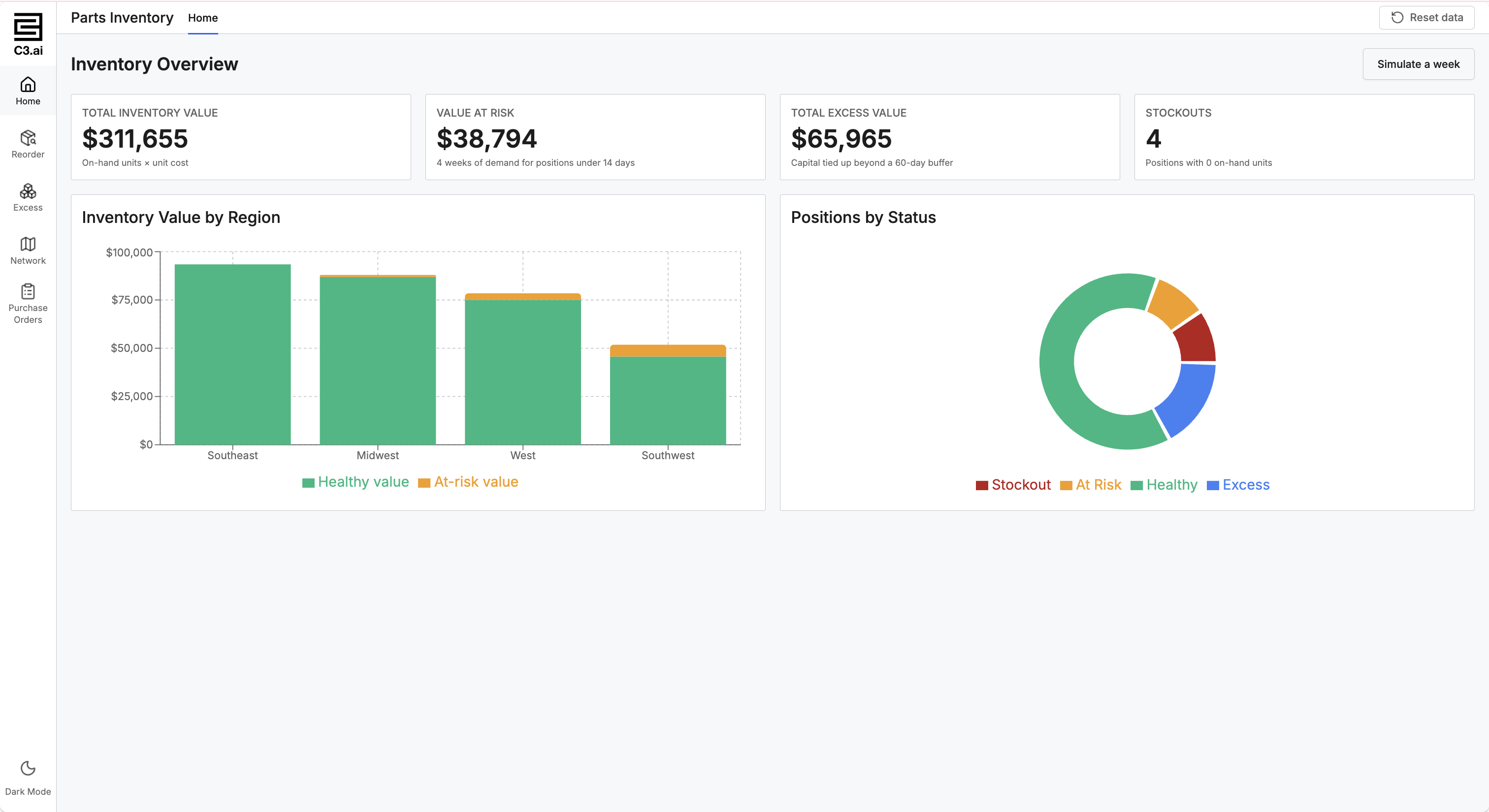
A single prompt can describe a complete, production-grade application. The more context you give C3 Code about your data and desired outputs, the more complete the first draft will be. The following applications, built on the C3 Agentic AI Platform, illustrate the kind of full-stack application C3 Code produces.
Inventory Visibility and Shortage Detection
Built for manufacturing and industrial supply chains, this application gives planners live inventory visibility across every distribution center. Today, they reconcile stock by hand and often learn about a shortage only after a production line has stopped. It tracks on-hand inventory at every location, calculates how long each part lasts at current demand, and flags what to reorder. Buyers raise a purchase order against the right supplier and receive it back into stock without leaving the page.
Prompt: "Track my spare parts inventory across every distribution center. Calculate days of supply for each part from the last twelve weeks of demand, flag anything under two weeks of cover, and show the shortfalls by region. Let a buyer raise a purchase order against the right supplier for any part running short, and receive that order into stock when it arrives."
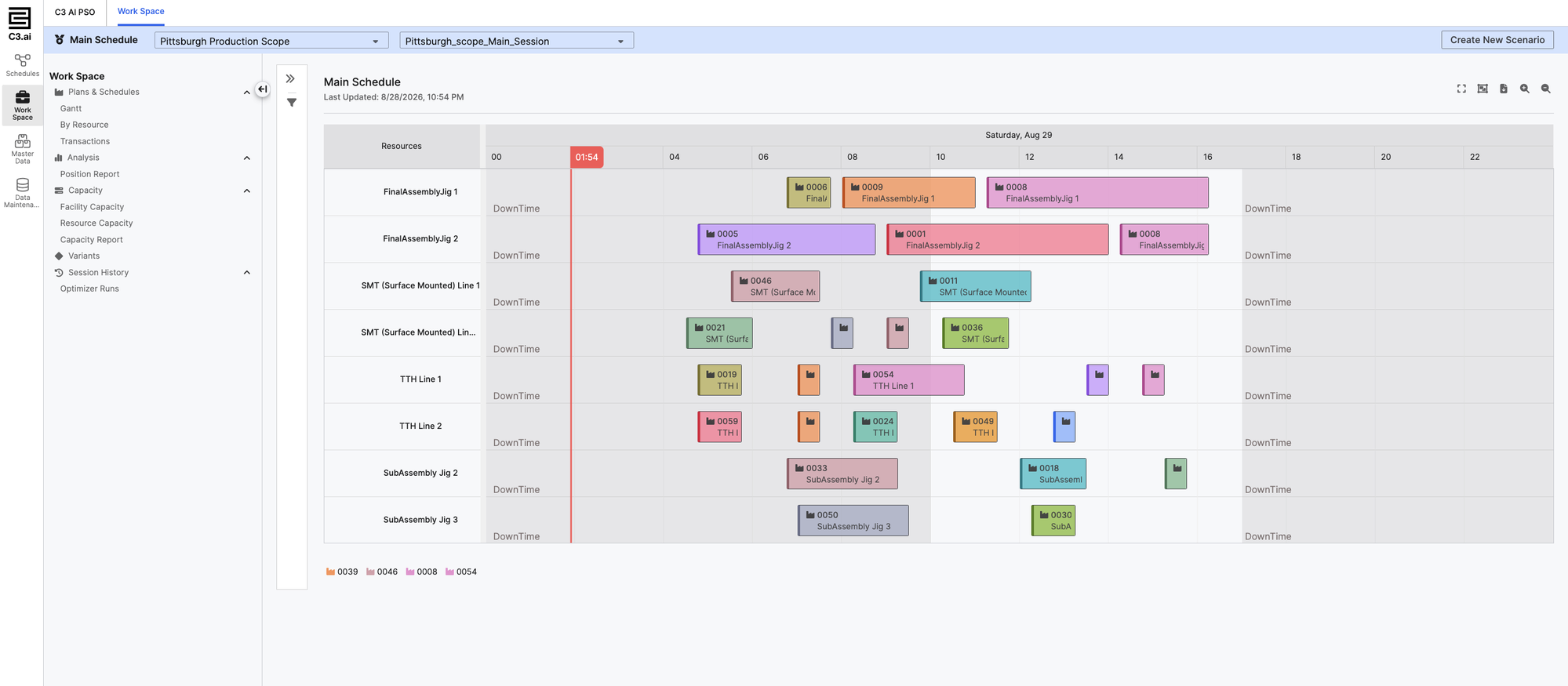
C3 AI Production Schedule Optimization
Today, planners build a production schedule by hand, juggling material availability, machine capacity, and safety stock across every item and period. This application starts from the C3 AI Production Schedule Optimization template, already built for production-scheduling and resource-allocation problems. A single prompt adds the optimization: the plan that meets demand, keeps every item above its safety stock, and spends as little as possible on materials.
Prompt: "Connect my item, facility, task, and demand data, then take my scenario and work out the best production schedule: which resource runs each task and when, across every machine and line on the floor, so I meet demand, keep every item above its safety stock, and spend as little as possible on materials. Show the schedule as a Gantt view by resource, with downtime blocked out, so I can create a new scenario and compare it against this one."
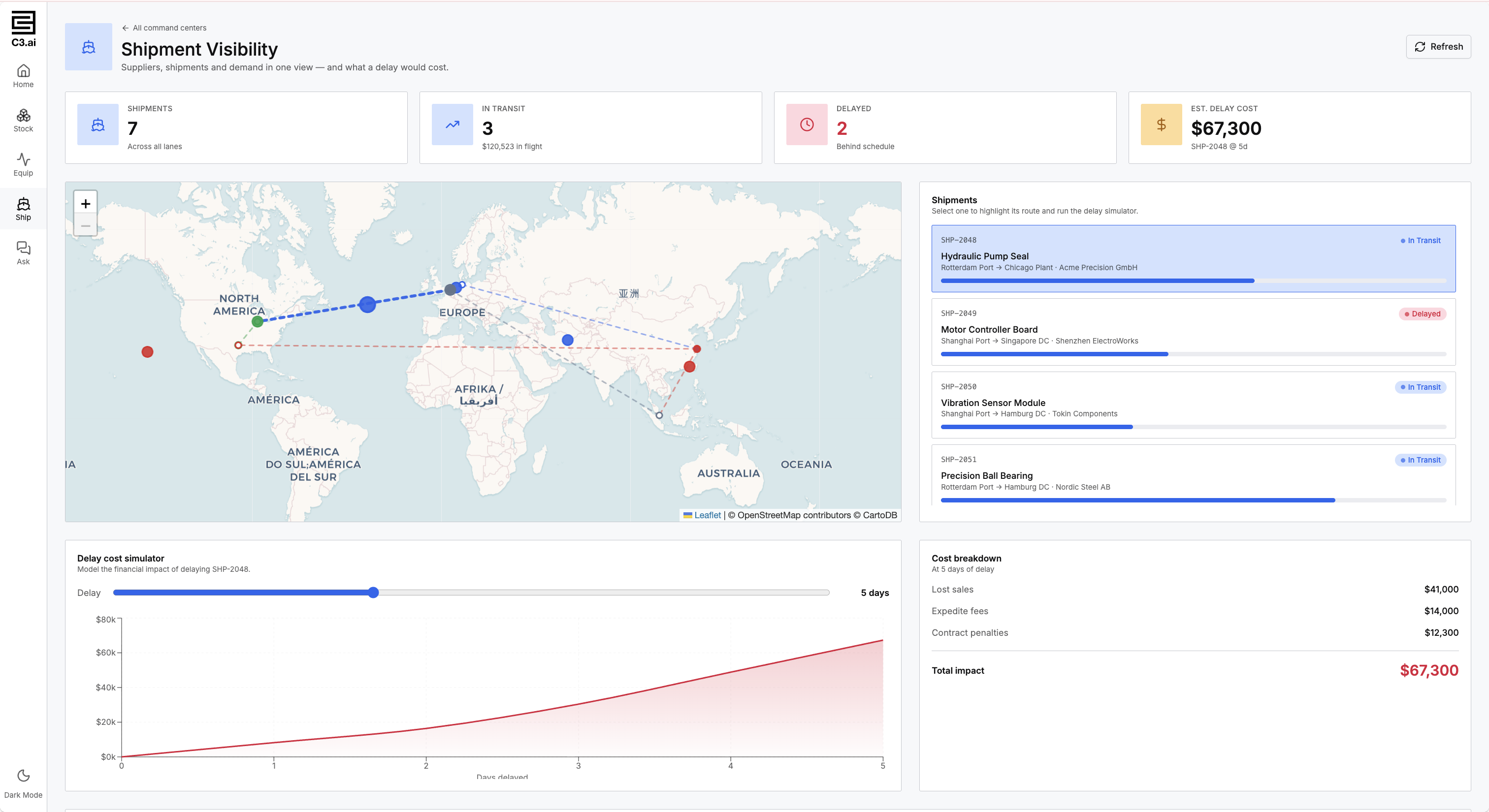
Supply chain visibility
Supplier data, shipment tracking, and demand plans usually sit in three systems, so nobody can say what a late shipment costs until it is already late. This application puts all three in one view and models the cost of a delay before it happens, so a planner can decide whether to expedite while there is still time to act.
Prompt: "Combine my supplier, shipment, and demand data into one view. Show every shipment in transit on a map with its current status, and tell me which shipments are behind schedule. Let me model a delay on any shipment and see what that delay costs in lost sales, expedite fees, and contract penalties before I decide what to do."
Generative AI over your own records
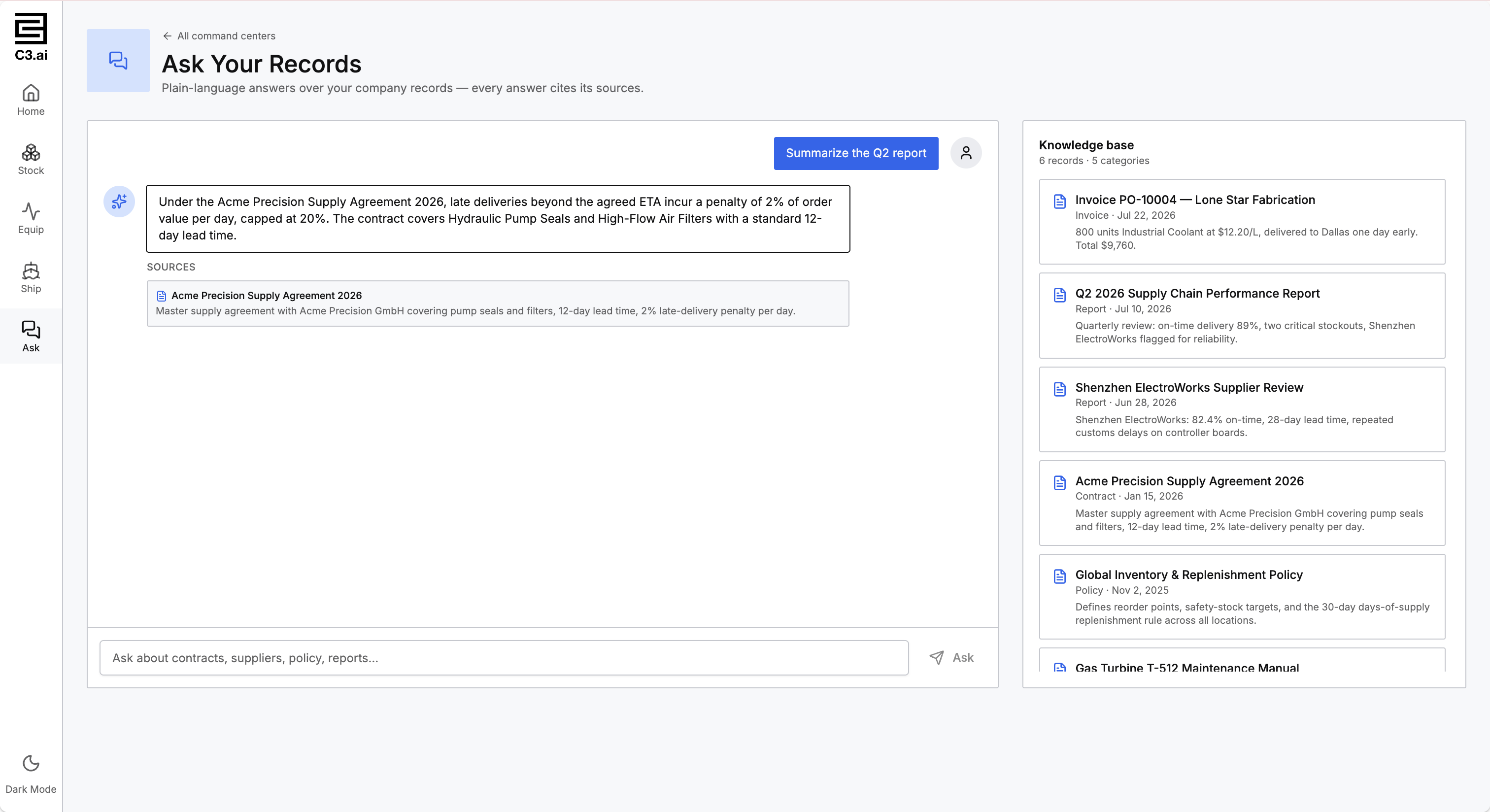
The answer someone needs is usually split between structured records and a document nobody can find. This application puts a chat over both, so people ask in plain language and receive an answer drawn from company data, with the source shown beside it.
Prompt: "Put a chat over my company records and documents, so anyone can ask a question in plain language. The chat agent should be able to answer questions about records by filtering and totaling the rows, and answer questions about documents by finding the passage that holds the answer. The chat agent should show the source for every answer, so a user can check it before acting."
What C3 Code cannot do (yet)
Existing SDL-based C3 AI applications, such as older versions of C3 AI Reliability, C3 AI Production Schedule Optimization, C3 AI Inventory Optimization, and C3 AI Process Optimization, cannot be extended until applications are upgraded to the React version of each of these applications.
C3 Code is purpose-built for Enterprise AI on the C3 Agentic AI Platform, so it is not the tool for:
- Developing custom code inside third-party enterprise systems (for example, SAP ABAP customizations).
- Provisioning custom infrastructure or standalone web stacks (for example, new Kubernetes clusters, Next.js or Vercel apps).
- Or native mobile apps (for example, Swift/iOS or Android), though it does build responsive UIs that work well on mobile.
Three ways to work on your application
C3 Code provides three views of the same application, and you move between them freely:
- Preview is where the workspace opens, showing your running application beside the chat panel. Most changes, and most questions about whether the application behaves correctly, happen here. Share the preview link to collect feedback. See Start from Scratch and Share with Collaborators.
- Configure opens the C3 AI Studio tools against your own workspace. C3 AI Studio is the environment C3 AI provides for building and running applications, and the tools cover data connections, agents, machine learning, scheduled work, and monitoring. See Use Configuration Tools.
- Code shows the source C3 Code wrote, alongside your commits and branches. An engineer investigating one specific behavior often finds reading the code the fastest route, even when most of that engineer's work still happens through prompts. See Review Code and Manage Branches.
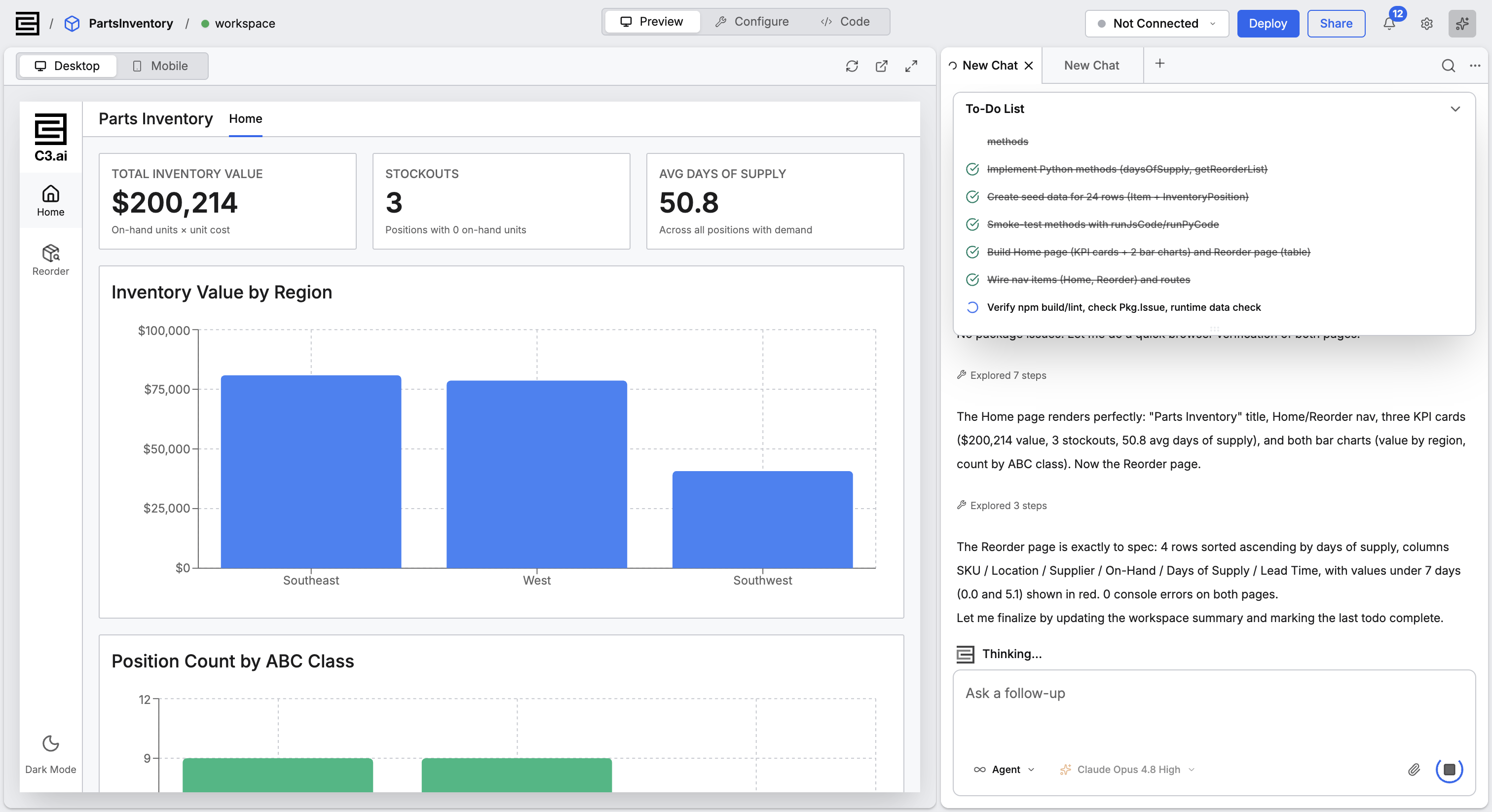
Most changes go through the prompt. Use Configure or Code when making the change by hand takes less time than writing a prompt to describe it. A user who never opens Code can build a working application, and an engineer who reads every line still describes most changes in plain language.
Where to start
The following pages cover each stage of working with C3 Code, in sequence:
- Build, Share, and Deploy Your First Application takes one application from an empty prompt to a running deployment.
- C3 Code Frequently Asked Questions answers what C3 Code does, what it does not do yet, and how it is licensed and secured.
- Set Up C3 Code confirms your access and covers connecting GitHub and MCP servers.
- Choose How to Start Your Application compares starting from a description, from an application module, and from code you already have.
- Evolve Your Application covers prompting, configuration, code, branches, and more than one workspace.
- Deploy Your Application covers staging, production, and rebuilding from a branch on a schedule.
- Manage C3 Code covers what you control and what an administrator controls.