Use Data Science Agents
Pick the agent for your goal and start there with your own data. Each agent below handles one stage of a data science project: profiling data, planning at the lowest cost, predicting outcomes, answering from documents, matching past sensor events, or writing code and reports. Every page ends with where to go next, so you can move from one agent to another as your goal needs. Each agent works on its own, and six of the pages share one Smart Factory example so you can compare your results.
To get your data to the agents first, see Bring Your Data to C3 Intelligence.
Analyze data
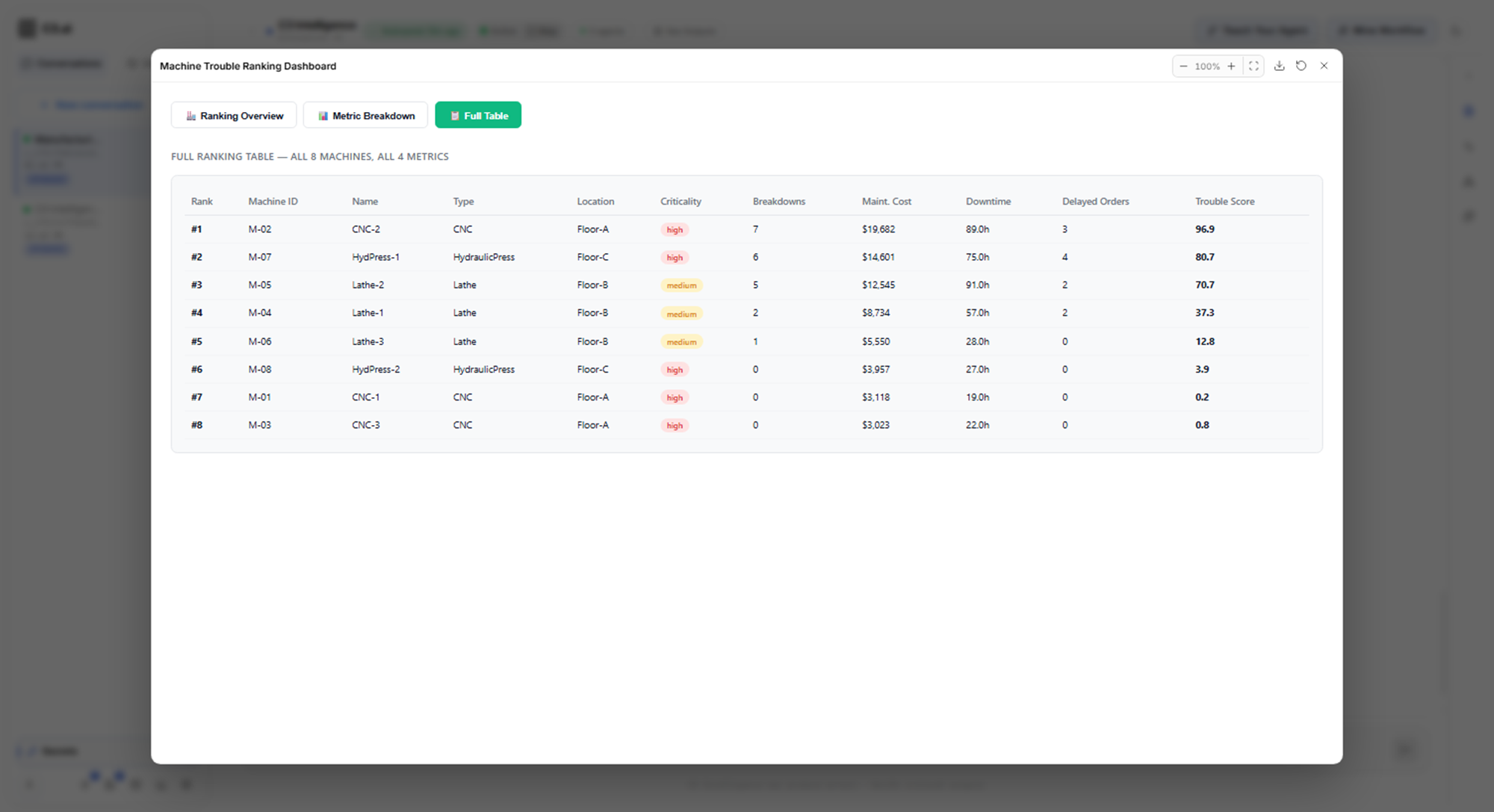
You give the DI Engine your data files and ask what they hold. It profiles each file, finds how the files connect, ranks items by a measure you choose, and tests whether a difference is real or due to chance. Most replies also open an interactive dashboard, such as this ranking of eight machines:
See Analyze Data.
Optimize decisions
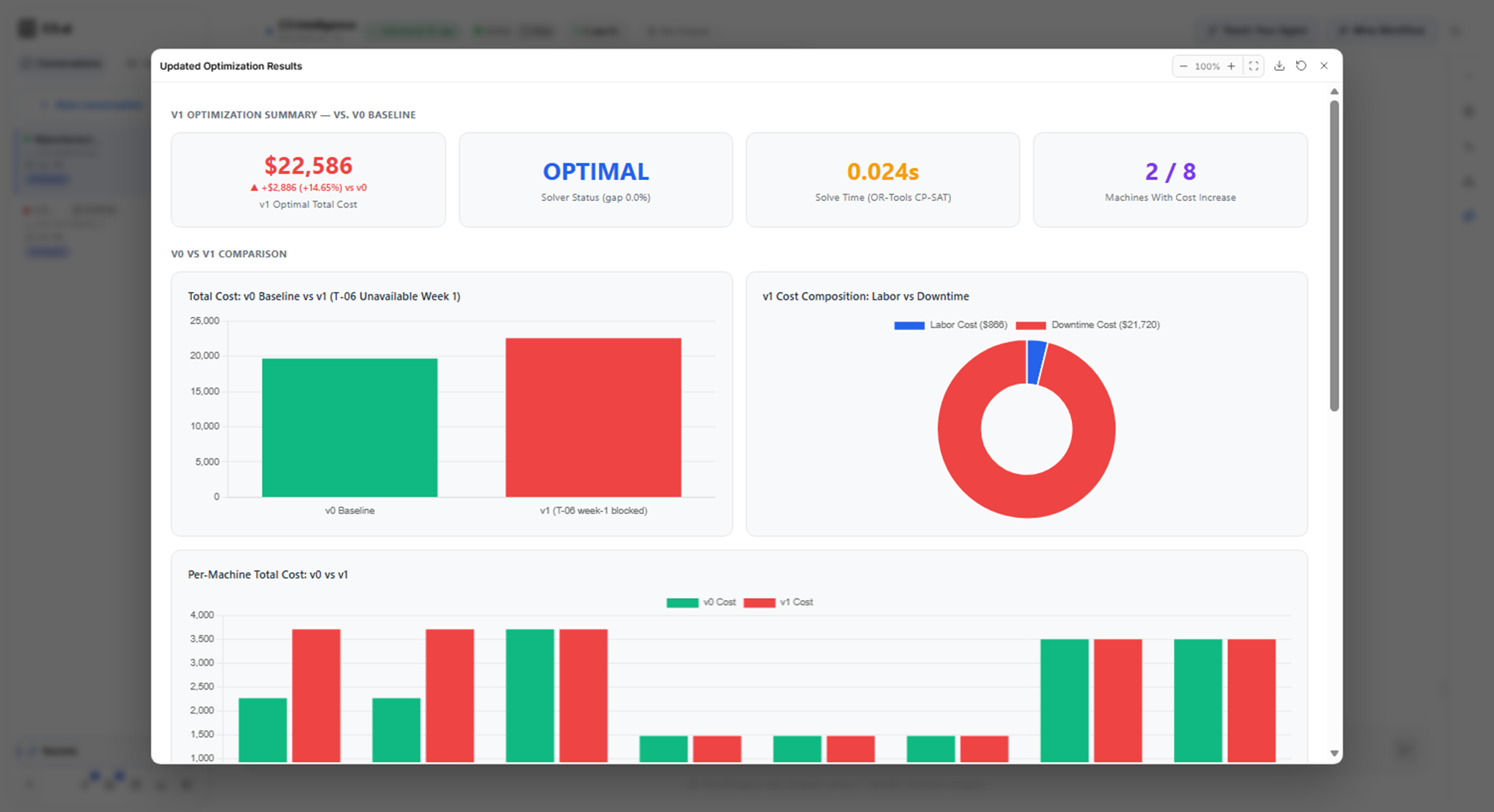
You describe a decision and its rules, such as a two-week maintenance schedule, and the Alchemist builds an optimization model: the choices, the rules they must meet, and the cost to minimize. You review that model, choose the solver, the program that finds the best plan, and check the assumptions. Then you rerun the plan as a what-if scenario and compare the costs:
See Optimize Decisions.
Build ML models
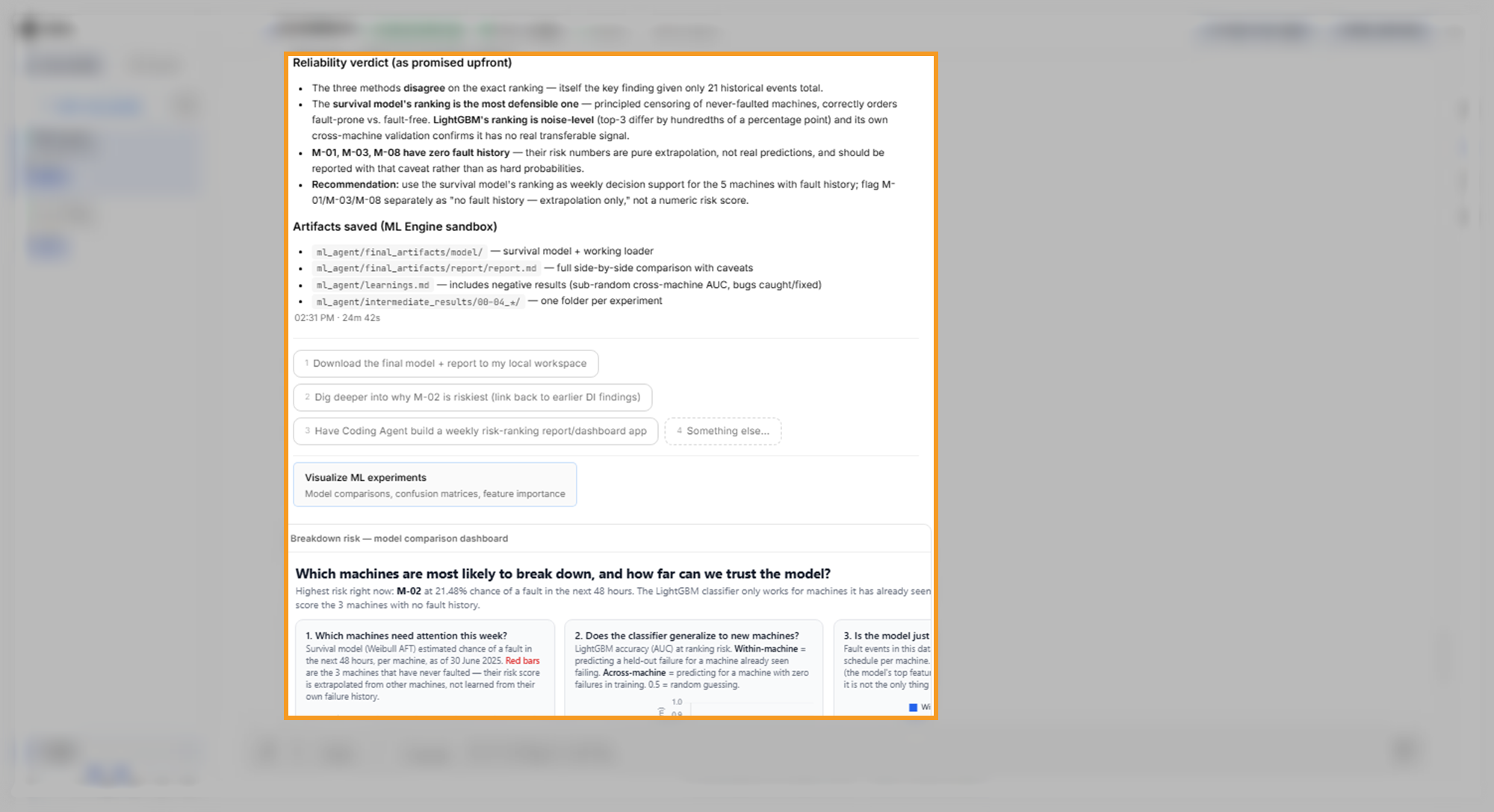
You ask the ML Agent to predict an outcome, such as which machines are likely to break down, and approve its modeling plan. It trains and compares models, then states how far to trust the predictions. The same page forecasts sensor readings with a range of likely values. The reliability verdict comes with the list of saved files and the risk dashboard:
See Build ML Models.
Build a RAG knowledge base
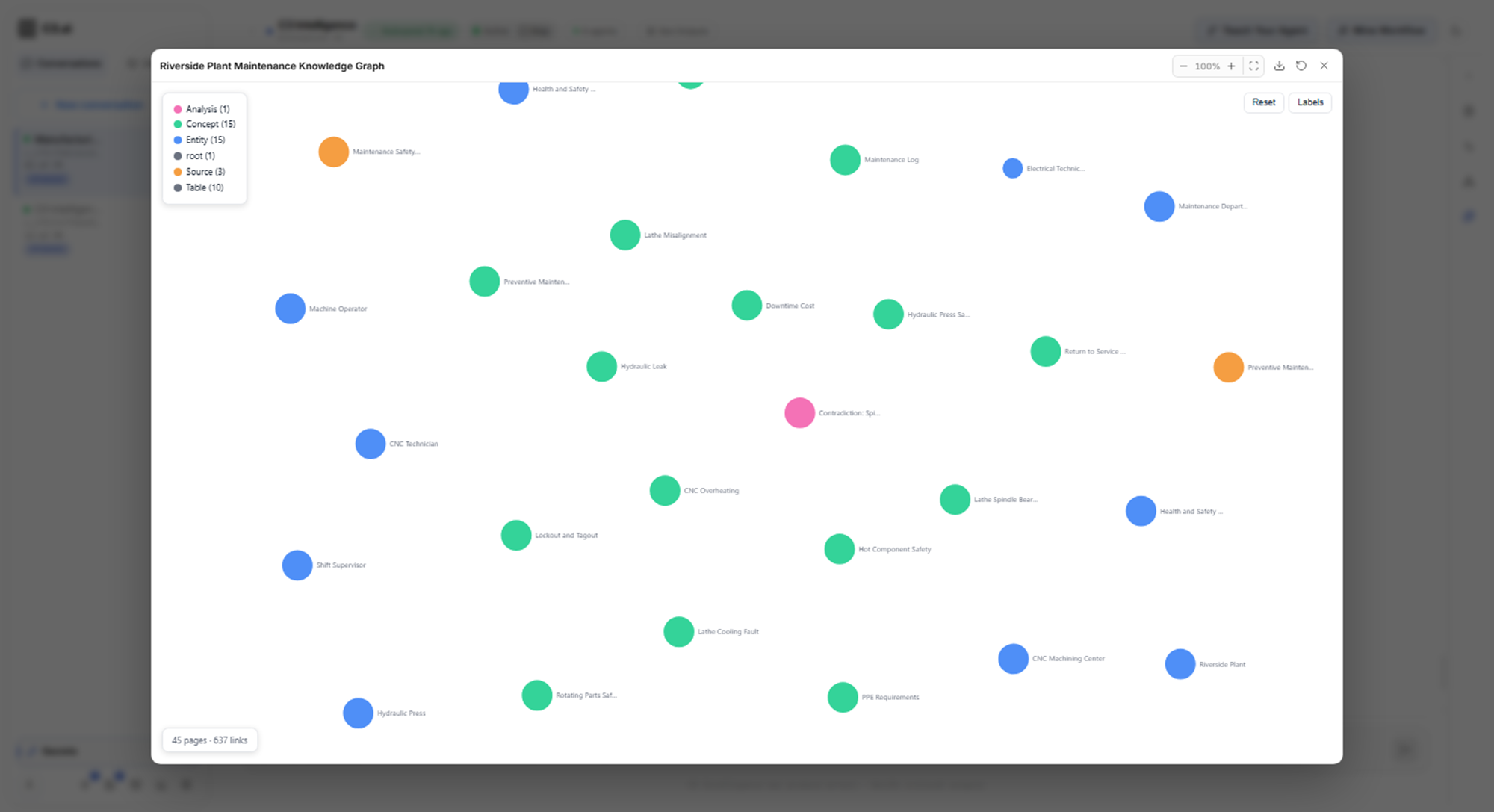
You attach your documents, and the RAG Agent builds a knowledge base, a searchable set of pages it writes from them. RAG stands for retrieval-augmented generation: the agent finds the passages that answer a question, then writes the answer from them. You ask questions, check the document and page cited for each step, and find where the documents contradict each other:
See Build a RAG Knowledge Base.
Find similarities with time-series data
From the sensor readings and past breakdowns in your conversation, C3 Intelligence builds a searchable library of past events, encoded with CHARM, the C3 AI time-series model. You then ask which past events resemble a machine's readings. The RAI Engine returns the closest matches, separates real matches from coincidental ones with a reason for each, and gives a verdict with a confidence level:
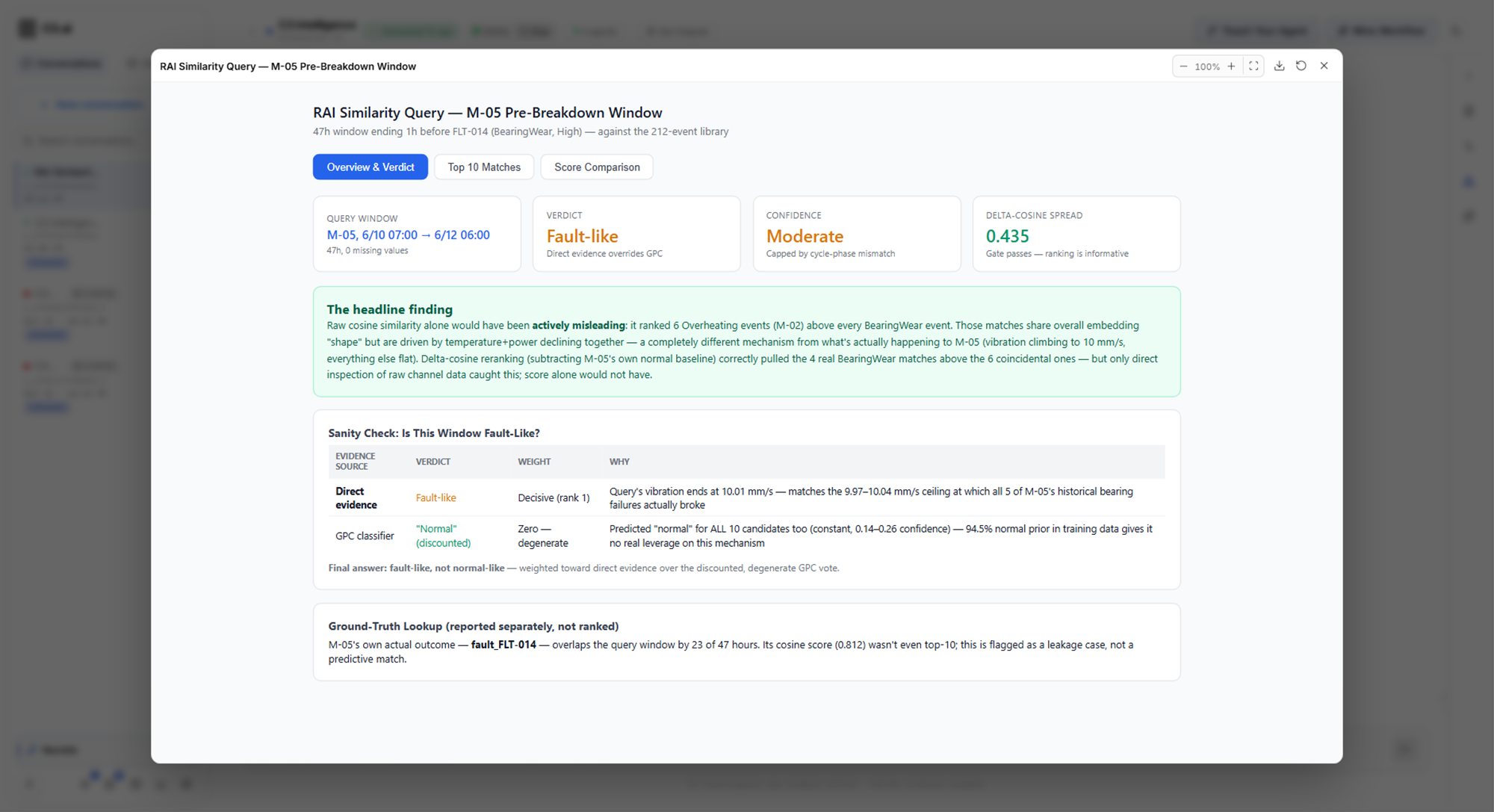
See Find Similarities with Time Series Data.
Generate code
You ask the Coding Agent for a script, a chart, or a report. In the example, it combines the results of three other agents into one report for a manager, and the reply lists each report page and where its numbers came from:
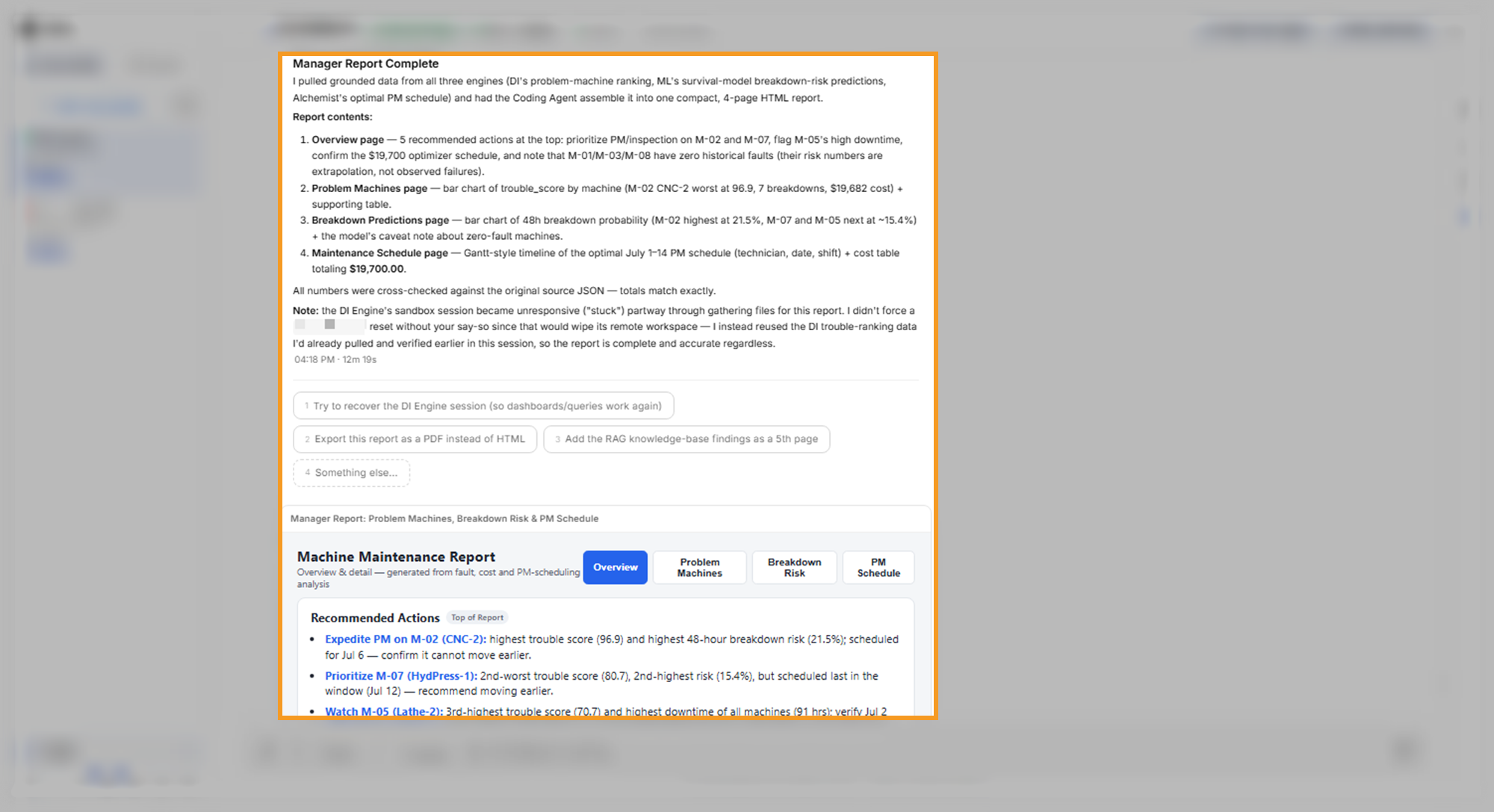
See Generate Code.